
An efficient and user-friendly application that was designed to help you batch convert PDF documents to Microsoft Office Word or text formats. #PDF Converter #Convert PDF #PDF to Word #PDF2Word #Convert #Converter

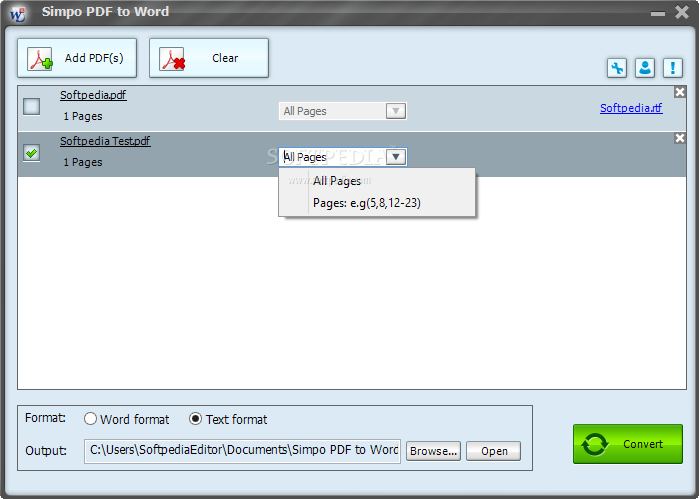
Simpo PDF to Word is a program that can be used to convert PDF documents to the DOC or TXT format.
The interface of the application is clean and intuitive. You can import PDF documents by using the file browser only, since the "drag and drop" function is not available (but batch processing is possible).
In the list you can view the name, size, total number of pages and selected pages, as well as status of each PDF.
Simply specify the output destination and format, and initiate the conversion process with the click of a button.
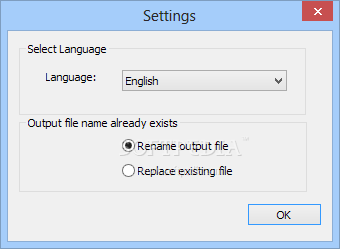
In the "Settings" area you can change the language of the interface, enable Simpo PDF to Word to check for updates on a monthly, weekly or daily basis (or never), as well as disable tooltips when encrypted PDFs are added. Plus, you can open a log file.
The application quickly finishes a task while running on a low-to-moderate quantity of system CPU and memory. We haven't come across any issues during our tests, since Simpo PDF to Word did not freeze, crash or pop up errors. There's also a complete user documentation with images that you can view.
In most cases, Simpo PDF to Word manages to keep a pretty good format regarding text and images. But it seems to have a problem with table conversion (they are usually misplaced on the page). Also, you cannot view a progress bar, elapsed or remaining time.
Simpo PDF to Word is a decent program for PDF-to-DOC or TXT conversions but it still lacks some key elements. Nevertheless, we suggest you test it for yourself to see if it matches your preferences.
Download Hubs
Simpo PDF to Word is part of these download collections: Convert PDF to Word, Make DOC, Create DOC
What's new in Simpo PDF to Word 3.5.2.0:
- Make it easier for users to register the program to full version.
Simpo PDF to Word 3.5.2.0
add to watchlist add to download basket send us an update REPORT- runs on:
-
Windows 8
Windows 7
Windows Vista
Windows XP - file size:
- 3.7 MB
- filename:
- pdf2word_setup.exe
- main category:
- Office tools
- developer:
- visit homepage
Bitdefender Antivirus Free

7-Zip

Microsoft Teams

Zoom Client

IrfanView

paint.net

calibre

ShareX

4k Video Downloader

Windows Sandbox Launcher

- ShareX
- 4k Video Downloader
- Windows Sandbox Launcher
- Bitdefender Antivirus Free
- 7-Zip
- Microsoft Teams
- Zoom Client
- IrfanView
- paint.net
- calibre