WINDOWS CATEGORIES:


NEWS ARCHIVE >>
SOFTPEDIA REVIEWS >>

WEEKLY HIGHLIGHTS

DVD Cloner45
Spyware Doctor40
1Click DVD Copy40
Apollo DVD Copy40
ABC Amber BlackBer...45
Protected Music Co...40

7-DAY TOP DOWNLOAD

#
Program
Avira AntiVir
Personal - Free
Antivirus 9.0.0.418

171,507
Avira Antivir Virus
Definition File
Update February 10,
2010

136,905
Windows Live
Messenger 2009
14.0.8089.726

109,751
Microsoft Office
2010 14.0.4536.1000
Beta / 2007

88,072
Y! Multi Messenger
8.x and 9.x

85,060
Internet Download
Manager 5.18 Build 8

57,149
RemoveWGA 1.2
54,385
DVD Shrink 3.2.0.15
47,666
Nero 7 Premium
7.11.10.0

43,985
AVG Free Edition 9.0
Build 730a1834

42,657

WEEK'S BEST

  • DirectX Redistribu...
  • AnyBizSoft PDF to ...
  • WinX DVD to iPod R...
  • WinUtilities [GIVE...
  • WinPatrol 17.1.201...
  • Wondershare iPod V...
  • EASEUS Partition M...
  • Advanced SystemCar...
  • EASEUS Data Recove...
  • WinX Blu-Ray Decry...
  • Aimersoft DVD to 3...
  • Returnil Virtual S...
  • Backup4all Pro [DI...
  • East-Tec Eraser 20...
  • VIRUSfighter 6.2.68
  • Platinum Guard [GI...
  • SPAMfighter Pro 6....
  • AVG Internet Secur...
  • novaPDF Lite [DISC...
  • Ad-Aware Plus 8.1.0
  • WINner Tweak [DISC...
  • Uniblue DiskRescue...
  • Smarty Uninstaller...
  • Ashampoo Magical D...
  • Online Armor ++ 4....
  • TuneUp Utilities 2...
  • DAEMON Tools Pro (...
  • HWiNFO32 3.41.570
  • Glary Utilities (N...
  • Firebird 2.5.0.259...
  • Home > Windows > Office tools > PDF
     Report spyware

    VeryPDF PDF Editor OCX 2.6

    Download button

    No screenshots available
    Downloads: 8,027  Add to download basket  Tell us about an update
    User Rating:
    Rated by:
    Good (3.1/5)
    25 user(s)
    Developer:

    License / Price:

    Size / OS:

    Last Updated:

    Category:
    verypdf.com Inc | More programs
    Shareware / USD 2999.00 | BUY the full version
    5.9 MB / Windows All
    January 16th, 2010, 20:25 GMT
    C: \ Office tools \ PDF

     Read user reviews (0)  Add a review  Refer to a friend  Subscribe


    VeryPDF PDF Editor OCX description

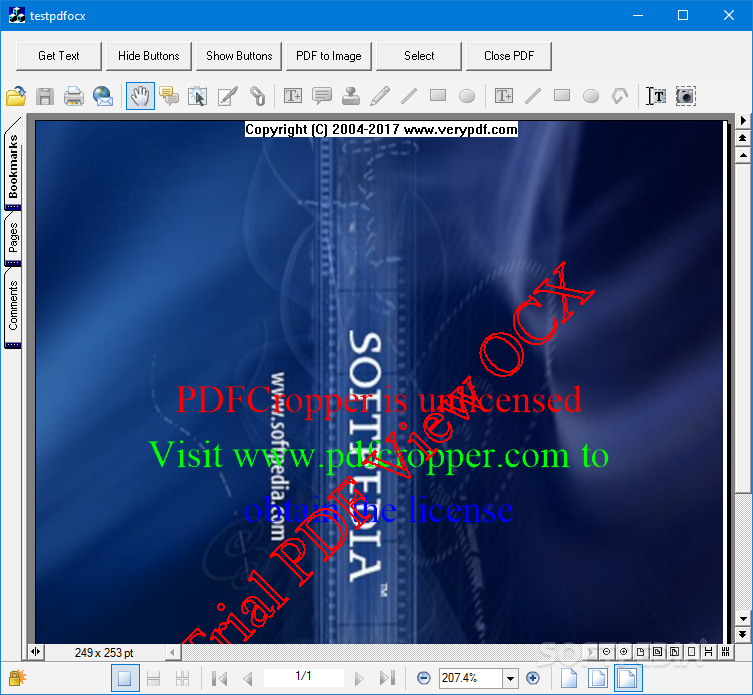
    An easy-to-use application designed for users familiar with Microsoft Office and similar applications.

    VeryPDF PDF Editor is an easy to use application that enables you to write your own comments to the PDF documents and share them with others.

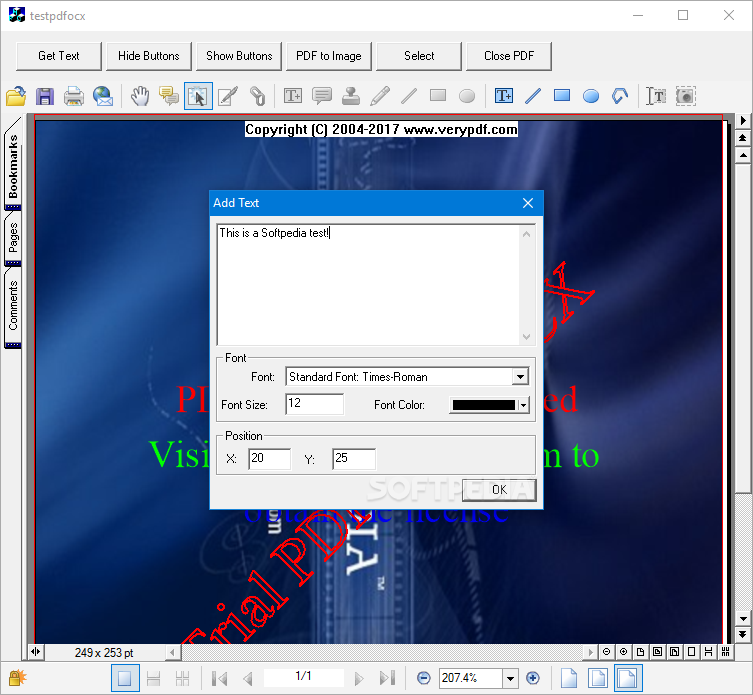
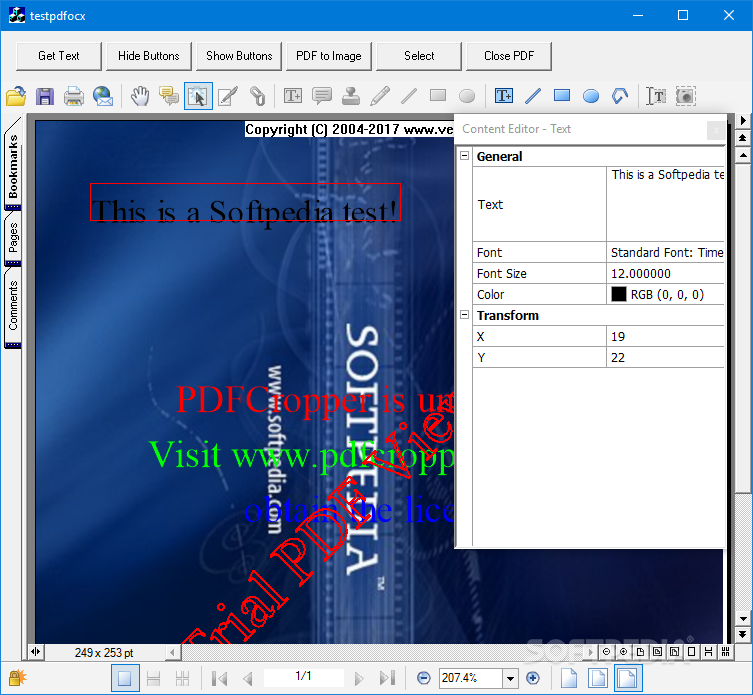
    It also provides a very convenient way for you to add contents or change the text or add text in any font you like, especially in filling out electronic forms, correct spelling errors, delete words completely and so on. You can save, move, copy, paste and print the comments and contents. Convert PDF format files to Text files, BMP files, TIFF files, GIF files and so on. Create other format file to PDF file.

    Here are some key features of "VeryPDF PDF Editor OCX":

    · Create PDF file from
    · Other format files, such as EMF, BMP, WMF, JPEG, GIF, TIFF, PNG, TGA or PCX.
    · MS Word, MS Excel, MS PowerPoint, MS Project files, Text files, WPS files and so on.
    · Clipboard image
    · Combine multiple files into one PDF file
    · Save the file to another PDF file or convert the PDF format file to an image file such as BMP, WMF, JPEG, GIF, TIFF, PNG, TGA, PCX, TXT files and so on.
    · Intuitive Viewing
    · Copy the text to clipboard
    · Copy image to clipboard
    · Add comment or Annotating (more)
    · Add stamp (a picture), note, draw (pencil line, beeline, rectangle and ellipse) and textbox to your PDF document.
    · Change transparent degree.
    · Move, copy, delete and paste any comment.
    · Add annotations to the stamp, note and draw.
    · Set the comment color and filled color.
    · Add arrows to the beeline.
    · Change the draw's thickness.
    · Import/Export the comment as a *.comment file.
    · Set the level of overlapped comments
    · Lock/Unlock comments.
    · Unlimited levels of Redo and Undo helps you to correct mistakes when editing the PDF document.
    · Cancel all the action and let the document come back to the original status opened currently.
    · Add content
    · Edit page content
    · Edit the text and text font including font size and color.
    · Correct the spell error.
    · Move, copy and delete the content.
    · Get/Set document properties
    · Fill out forms
    · Copy form content to excel file
    · Editing Bookmarks/Hyperlinks
    · Searching PDF Documents

    Requirements:

    · 64 MB RAM


    TAGS:

    PDF editor | create PDF form | convert PDF | PDF | editor | PDF form


    HTML code for linking to this page:


    Go to top

    Windows tabGames tabDrivers tabMac tabLinux tabScripts tabMobile tabHandheld tabGadgets tabNews tab

    SUBMIT PROGRAM   |   ADVERTISE   |   GET HELP   |   SEND US FEEDBACK   |   RSS FEEDS   |   ENTER NEWS SITE   |   ENGLISH BOARD   |   ROMANIAN FORUM