
A user-friendly application designed to help you catalog, tag, rename and play your MP3, Ogg Vorbis, WMA, APE, FLAC and WAV files. #MP3 atalog #MP3 Manager #Create Playlists #Collection #Catalog #Tag
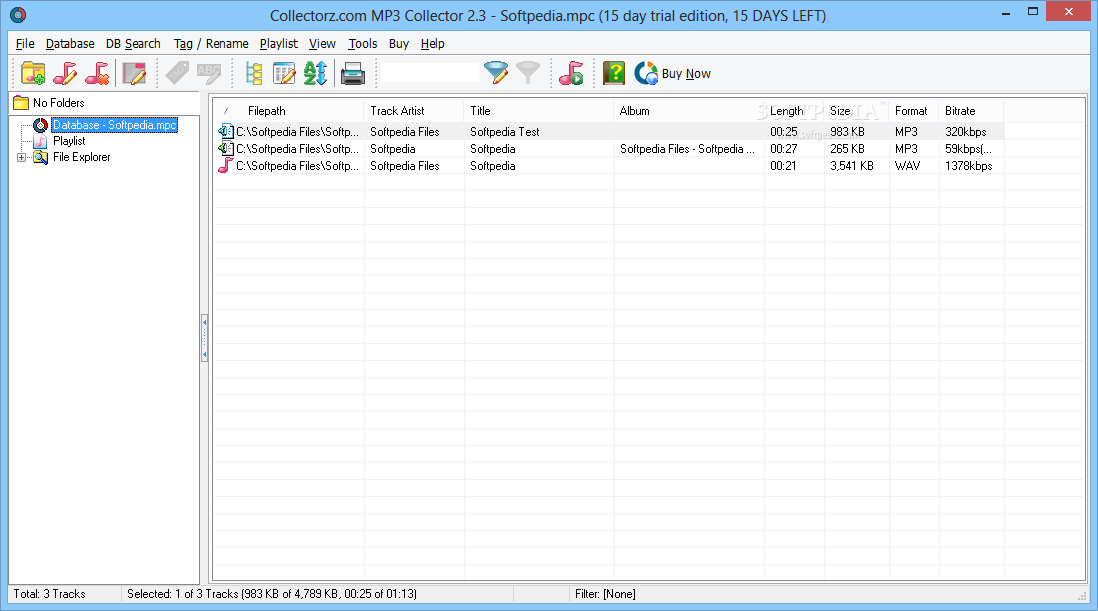
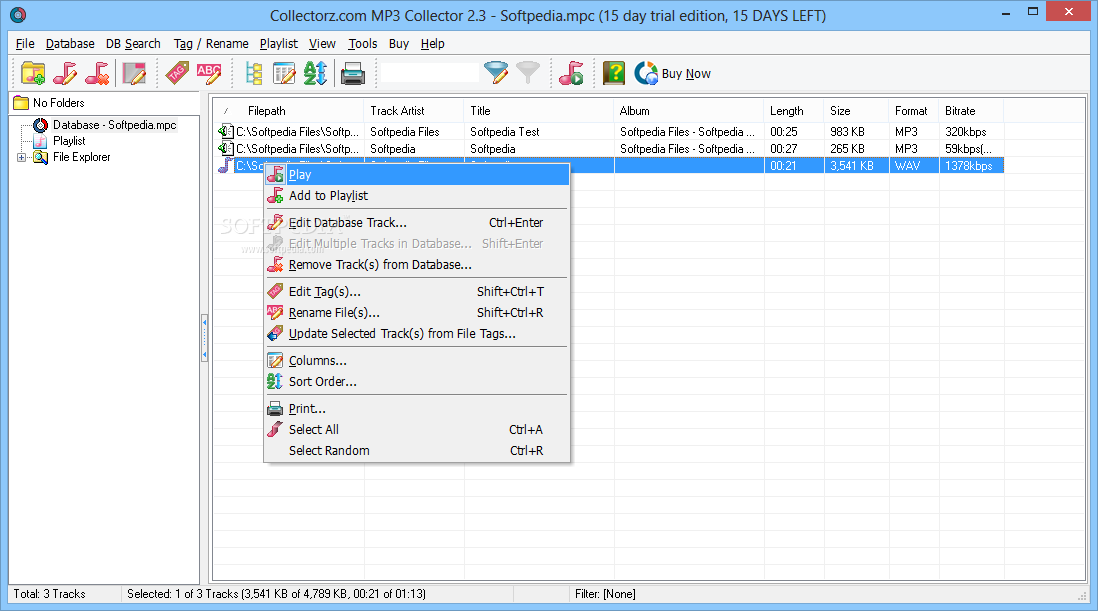
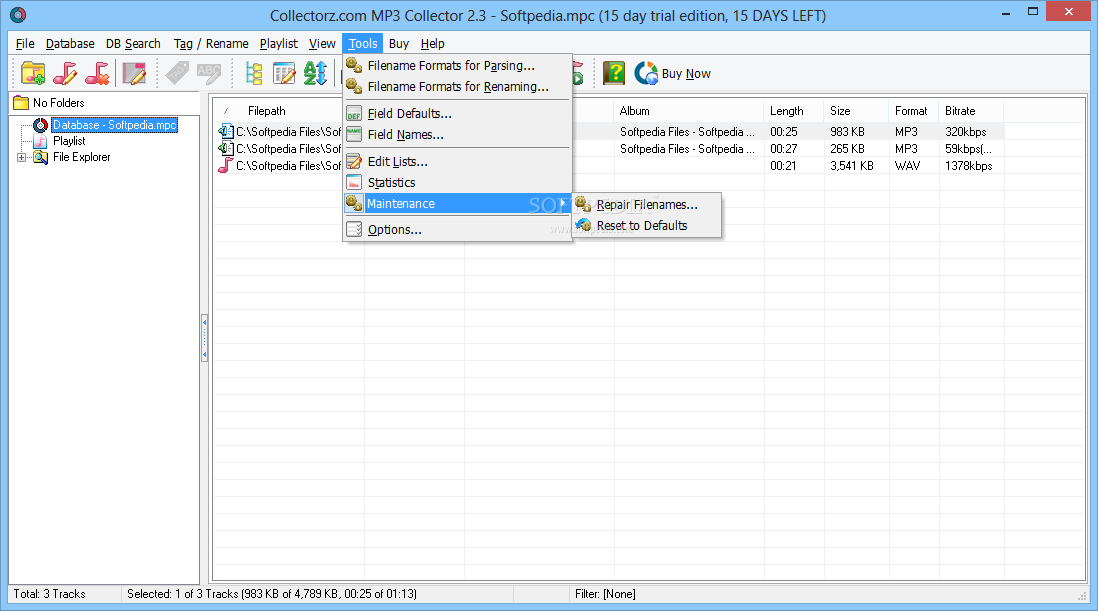
Collectorz.com MP3 Collector is a music library manager with a user-friendly interface that enables you to natch catalogue and tag audio tracks and play tunes. You can create playlists, for organizing the playback or databases, in order to edit files’ metadata.
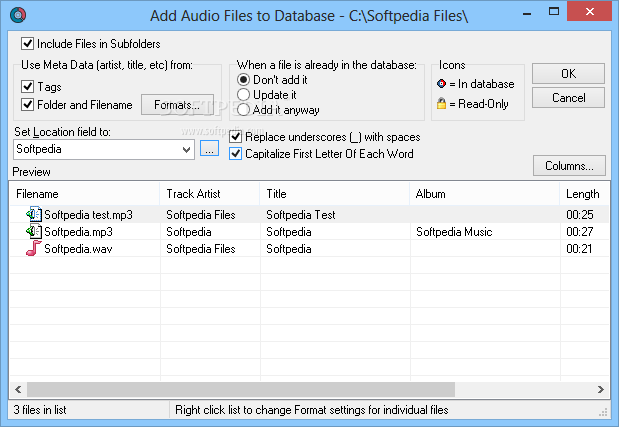
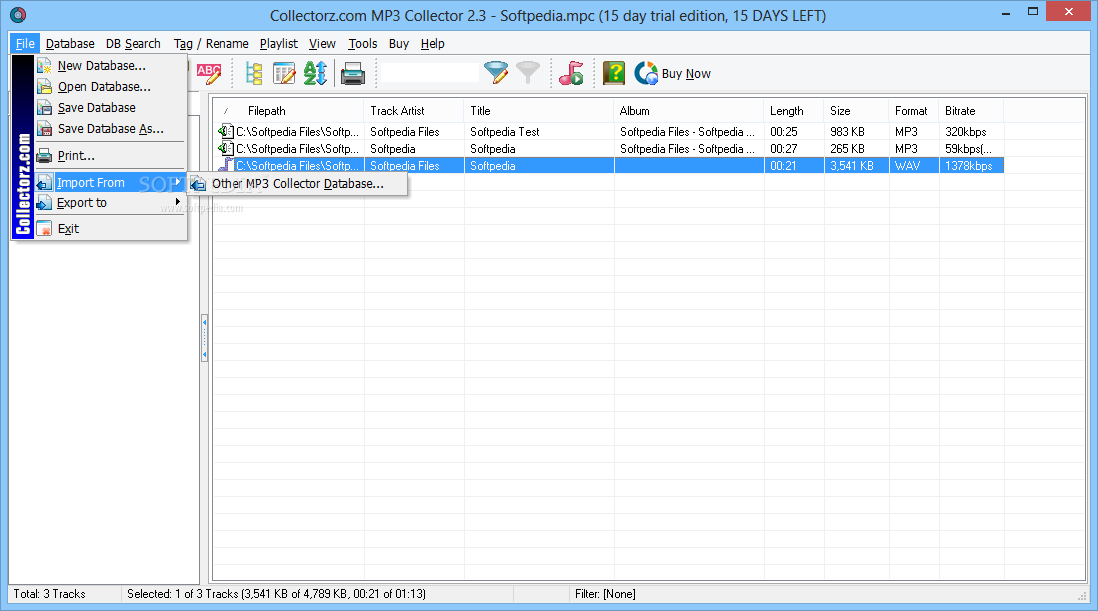
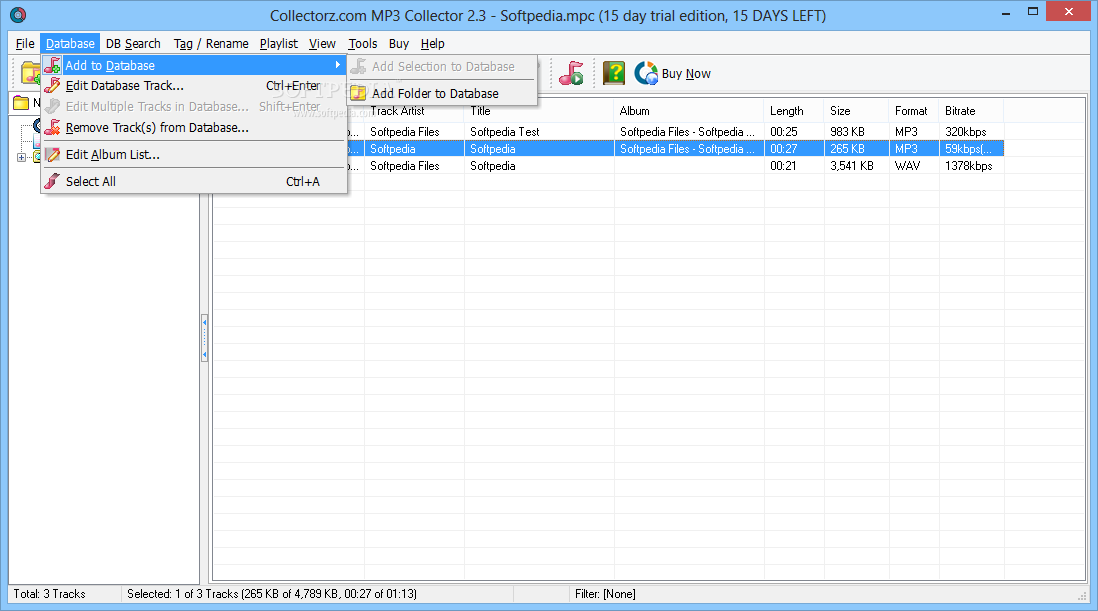
The application supports several input file formats, including MP3, WMA, OGG Vorbis, APE, Flac or WAV. Numerous files can be imported from a local directory, from a network directory or from CD/DVDs. Aside from importing tracks, the database editor is capable of extracting files’ metadata.
The software can perform an automatic file renaming right before adding them to the database, by replacing their entire name or by removing underscore characters.
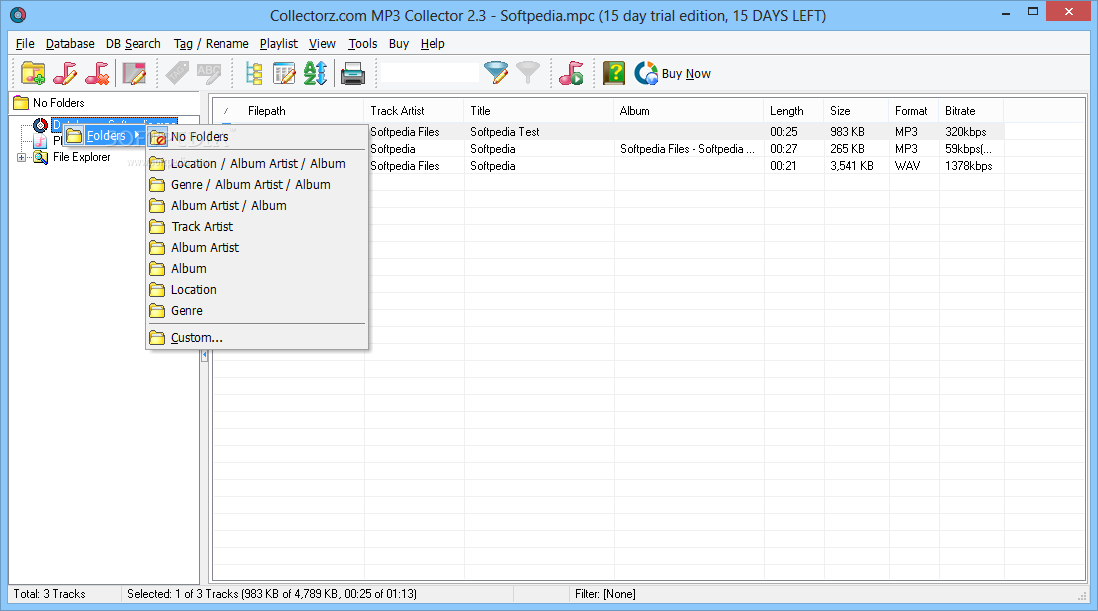
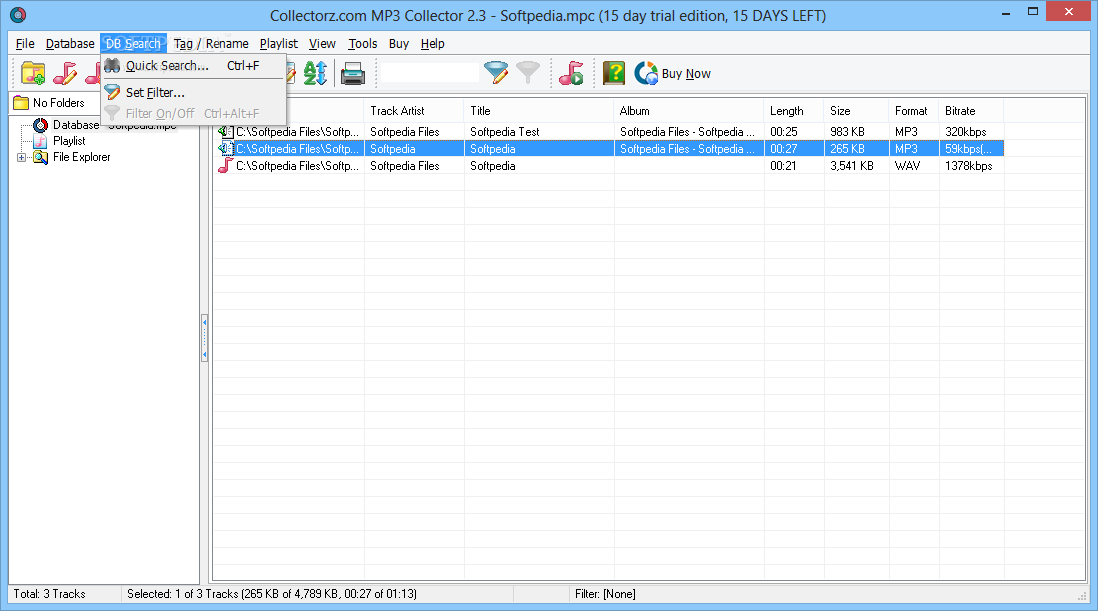
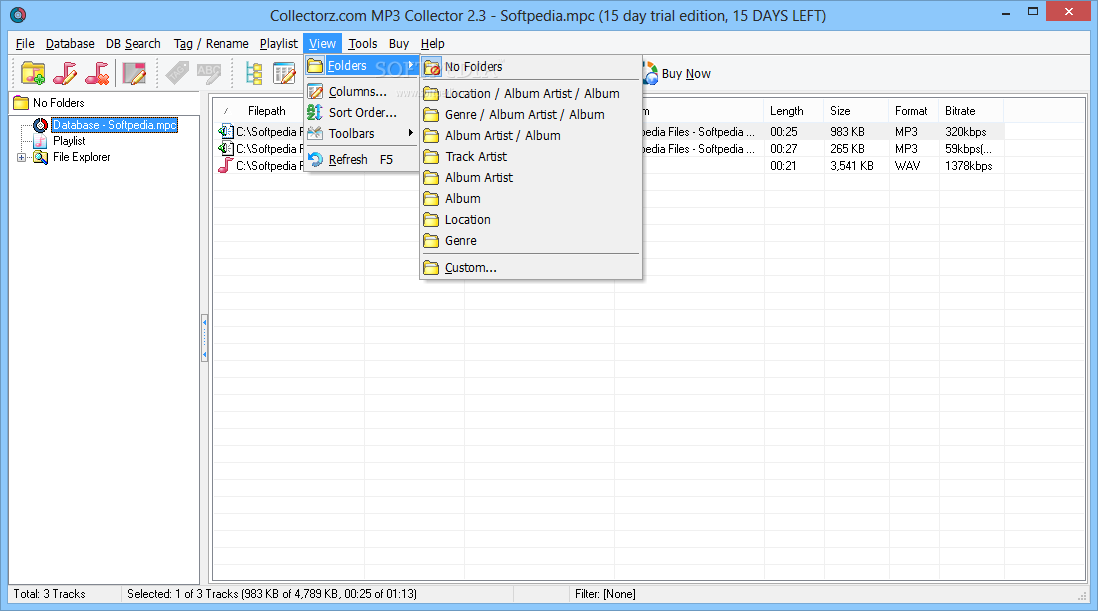
Every database can be divided by folders, albums, artists, composers, genres, lyricists and year. Basically, the elements composing the file’s tag may be used as search filters.
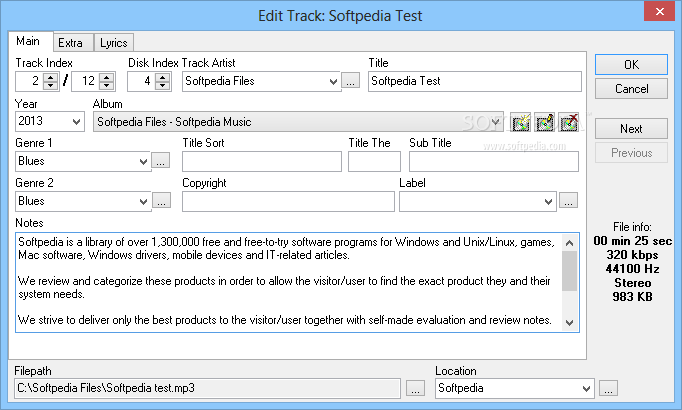
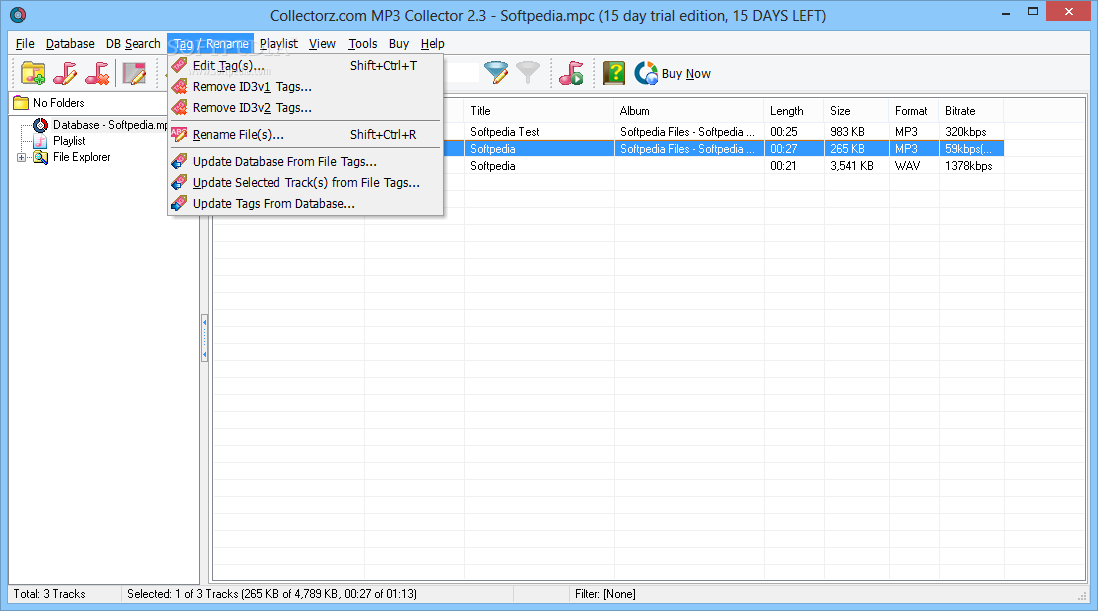
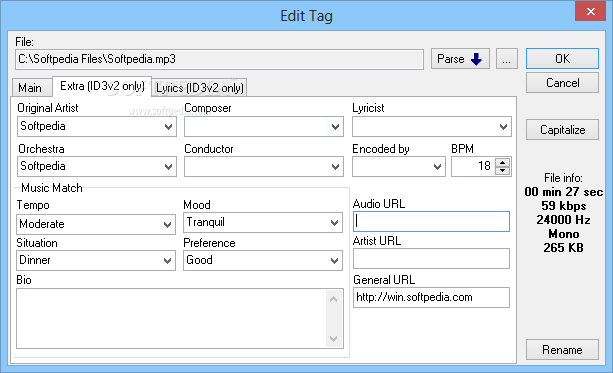
The tag editing function enables you to modify a track’s information or batch change multiple files’ metadata.
The supported tag formats are ID3 v1, ID3 v2, Vorbis, WMA and APE. Each of them contains information that can be modified automatically or manually. Aside from the creative side of the tag, such as title, album name, genre, tempo or orchestra details, a track’s info sheet contains the path, length, format, bitrate, sampling frequency or #channels.
Your extensive music library can be organized and synced automatically, when updates exist and if the files are writeable. Manual syncing is also an available option.
You can rename any file, changing its title, track artist, track index, album name or genre, in batch mode or singularly. You can preview the new settings before applying them.
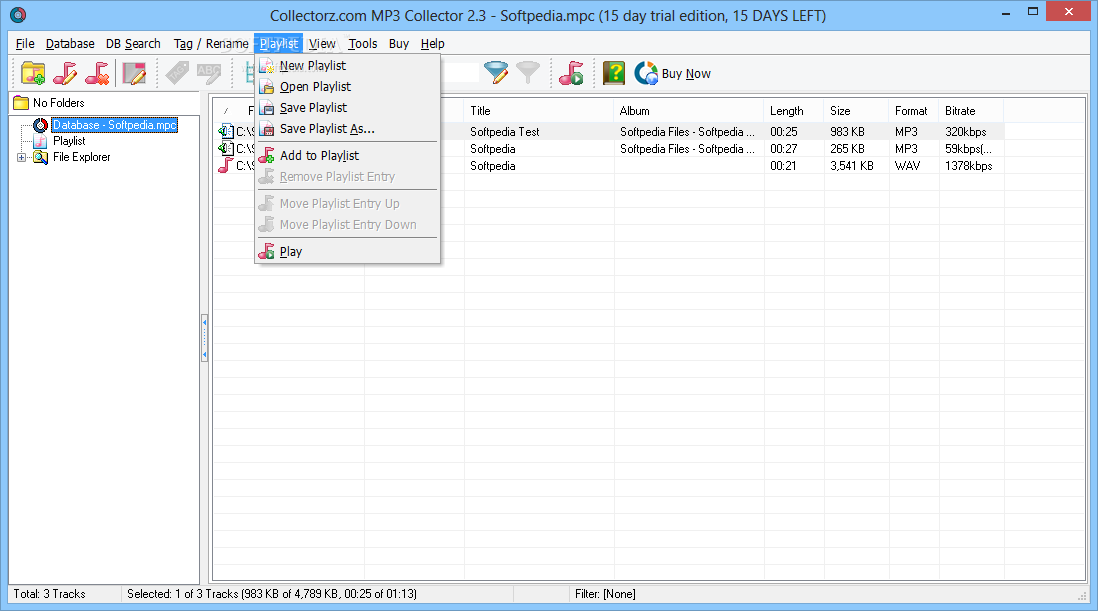
The playlist function enables you to create music lists and listen to them in the desired order. Just transfer database entries to the playlist with a few clicks or drag and drop them to the dedicated window.
You can also use the integrated explorer to find music on your computer, or import it from the database. M3U and PLS format playlists are also supported and can be easily added to be played.
The option of printing applies to both playlists and databases, and you can select which fields or columns are included. You can print a selection of tracks, for instance the result of a search.
Collectorz.com MP3 Collector is a music tag editor that offers you the means to create an extensive and detailed database of tracks, albums, artists and genres. You can transfer your music library to a playlist, share it with other enthusiasts or print it.
What's new in Collectorz.com MP3 Collector 2.3 Build 1:
- Added: Support for VBR encoded MP3 files with VBRI headers (previously only Xing VBR headers were supported)
- Added: Support for Unicode (UTF-16) encoded data in ID3v2 tags (as written by e.g. WinAmp)
- Changed default location of user data (database, backup) to: My Documents - MP3 Collector
- User Templates can now be (optionally) placed in a user configurable location (Tools / Options), which defaults to My Documents - MP3 Collector - Templates
Collectorz.com MP3 Collector 2.3 Build 1
add to watchlist add to download basket send us an update REPORT- runs on:
- Windows All
- file size:
- 3.5 MB
- filename:
- mp3collectorsetup.exe
- main category:
- Others
- developer:
- visit homepage
7-Zip

ShareX

Microsoft Teams

IrfanView

paint.net

Zoom Client

Bitdefender Antivirus Free

4k Video Downloader

calibre

Windows Sandbox Launcher

- 4k Video Downloader
- calibre
- Windows Sandbox Launcher
- 7-Zip
- ShareX
- Microsoft Teams
- IrfanView
- paint.net
- Zoom Client
- Bitdefender Antivirus Free