Softpedia
 

WINDOWS CATEGORIES:


GLOBAL PAGES >>
SOFTPEDIA REVIEWS >>
MEET THE EDITORS >>

WEEK'S BEST

  • DAEMON Tools Pro (...
  • FlashFXP [ DISCOUN...
  • PowerISO 4.9
  • WebcamMax [DISCOUN...
  • Zemana AntiLogger ...
  • System Mechanic Pr...
  • Glary Utilities Pr...
  • All My Movies [DIS...
  • Ad-Aware Internet ...
  • Atlantis Word Proc...
  • Home > Windows > Others > Home & Education
     Report malware

    ArgusLab 4.0.1

    download button

    Part of the Chemistry Managers download hub
    Downloads: 10,984  Tell us about an update
    User Rating:
    Rated by:
    Good (3.8/5)
    22 user(s)
    Developer:

    License / Price:

    Size / OS:

    Last Updated:

    Category:

    Freeware / $0
    13 MB / Windows All
    [view history]
    C: \ Others \ Home & Education

     Read user reviews (0)  Send to friend   Follow (0 users)

    ArgusLab description

    A molecular modeling, graphics, and drug design program

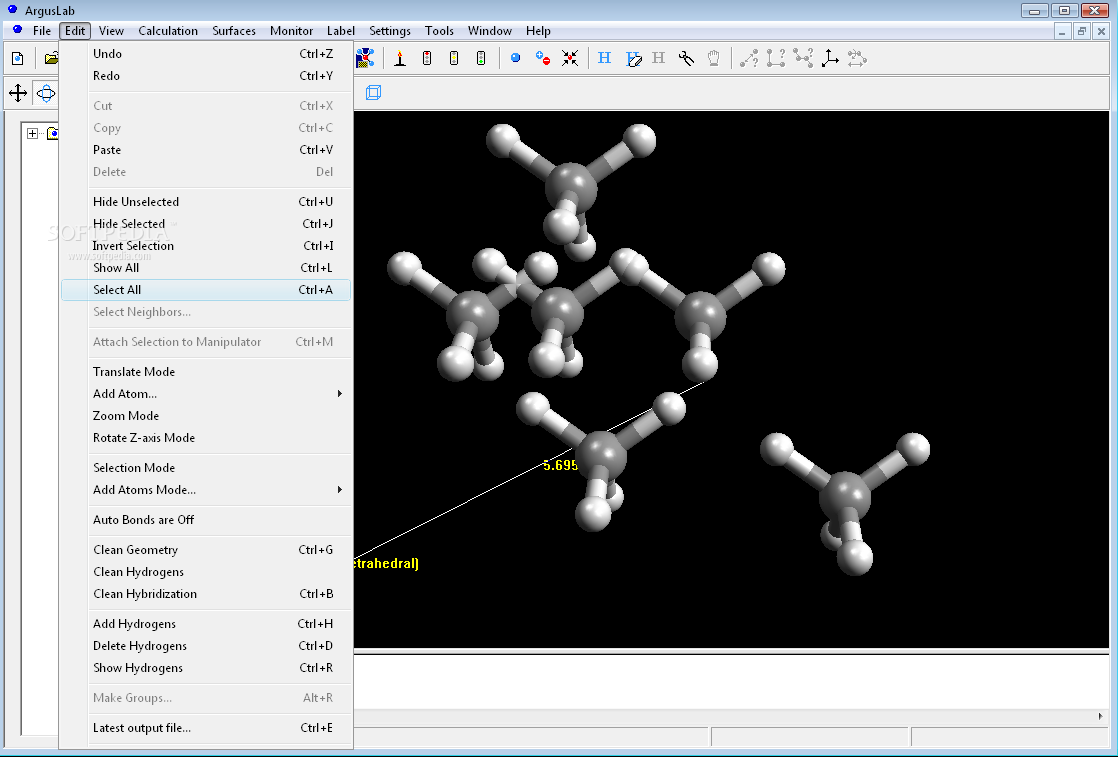
    ArgusLab is a very useful, highly-featured and easy-to-use molecular modeling, graphics, and drug design program.

    Here are some key features of "ArgusLab":

    · ArgusDock : the new drug docking code. Contains both the GADock and ArgusDock docking engines and the AScore scoring function with a preliminary set of parameters. Make sure you read the docking tutorials in the Help/Tutorials menu option
    · Ribbon rendering for proteins : with several coloring options
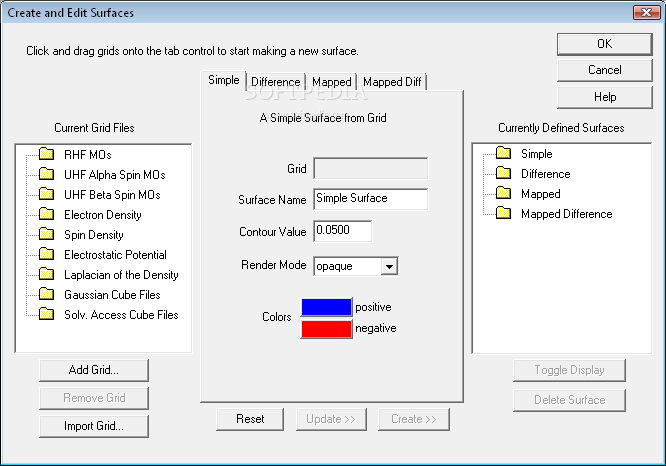
    · Solvent accessible surfaces
    · Display bumps and hydrogen bond monitors between ligands and protein targets
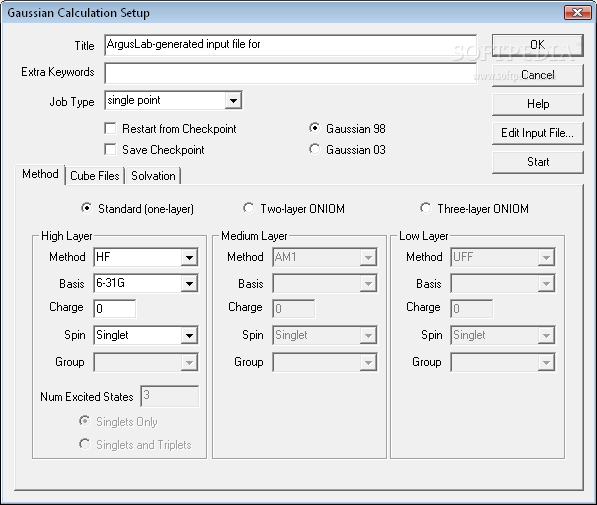
    · Gaussian 98 & Gaussian 03 interfaces: easily set up and run Gaussian calculations on your local Windows PC. Outputs, surfaces plots, etc. are automatically added to the Calculation results in the Molecule Treeview. ArgusLab wraps the Gaussian calculation so effectively, you'll think it's a part of ArgusLab itself. You can also save ArgusLab-generated input files to run Gaussian offline or on another machine
    · Molecule Treeview window: Molecule Treeview shows a treeview representation of the molecule and saves results of calculations that you have run. You can right-click on many calculated properties and select "render" or "animate" to see them on the screen. You can manipulate large complex systems more easily with the treeview. For example, selecting specific residues in a protein or selecting active site residues
    · Builder Toolkit window: This window shows the palette of atoms, rings, and amino acids you can attach to the cursor and place in the molecule window
    · QuickPlot buttons for HOMO, LUMO, and ESP-mapped density surfaces. One click and all the essential calculations and surface preparation are done for you and the surface is rendered to the screen
    · Query the PDB database: download and display PDB files in one click
    · Calculation results and properties are saved to the Molecule Treeview
    · Copy/Paste Calculation results or properties to the Windows clipboard for easily adding to other Windows applications like Word or Excel. Right-click will also give you the option of saving to a formatted text file
    · ZINDO Enhancements
    · Electric Field: SCF and CI, EHT, AM1, PM3, MNDO, ZINDO
    · Display XYZ Cartesian axes
    · Orient the molecule in absolute coordinates and orientation
    · More extensive Atom Labeling including chiral centers
    · Invert chiral centers
    · Peptide builder : Easily build alpha helices, beta strands or specify the phi/psi angles yourself
    · Improved settings: Lighting, atom & background colors, electric field, display, and QuickPlot settings
    · Render peptide backbone as segments to simplify the display of large proteins
    · Set render mode and color for sets of atoms, residues, and user-defined groups
    · Color by molecule, by atomic number, by amino acid polarity, or user defined colors
    · Depth cueing
    · Turn on/off the use of fast-rendering during molecule moves
    · Make user-defined groups of atoms. Perform actions on these groups, such as selecting all neighbors atoms or residues within a given distance
    · Improved support for hiding/showing complex sets of atoms, residues, and user-defined groups
    · Read HyperChem .hin files
    · Improved surface rendering quality
    · PDB files: improved support for atom and residue typing
    · Quick torsion and Quick bondlength adjust (see Tips & Tricks)
    · Lots of bug fixes
    · Performance enhancements and reduced memory footprint in handling systems with lots of rings

    Requirements:

    · You need at least 600x800 screen resolution with at least 65,536 colors.
    · 64+ Mbytes (recommended).
    · Disk: ~10 Mbytes free disk space for installation.

    What's New in This Release: [ read full changelog ]

    · RMSD code: more bugs fixed.
    · Installer fixed to allow for installing for local user or anyone.

     Softpedia guarantees that ArgusLab 4.0.1 is 100% CLEAN, which means it does not contain any form of malware, including spyware, viruses, trojans and backdoors. [read more >]


    TAGS:

    molecular modeling | molecular graphics | draw molecule | molecular | molecule | chemistry


    HTML code for linking to this page:


    Go to top

    WindowsGamesDriversMacLinuxScriptsMobileHandheldNews

    SUBMIT PROGRAM   |   ADVERTISE   |   GET HELP   |   SEND US FEEDBACK   |   RSS FEEDS   |   UPDATE YOUR SOFTWARE   |   ROMANIAN FORUM