
Complex program which turns the commands you speak into your microphone or headset into keystrokes, and lets you save them to a file. #Speech recognition #Speak command #Voice control #Speech #Voice #Speak

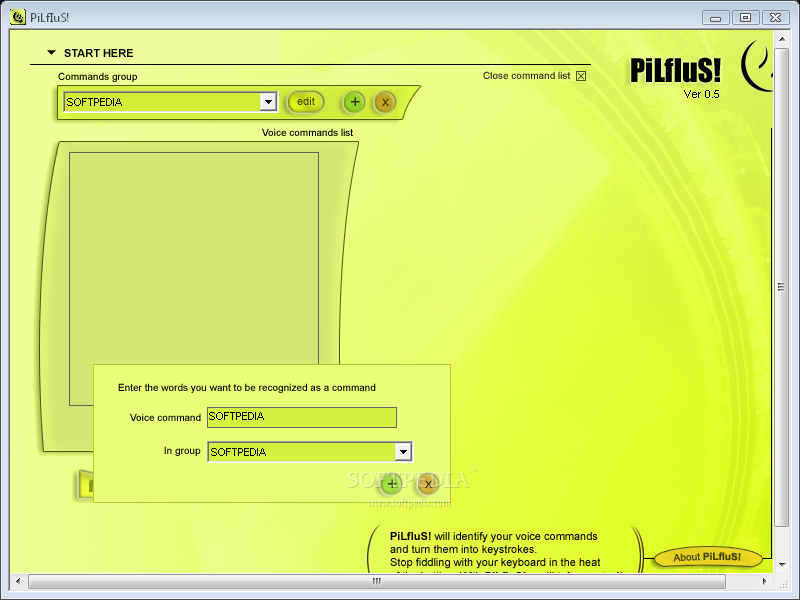
PiLfIuS! is a software tool that enables you to transform the command you say out loud into keystrokes. It has been developed for games and uses Windows’ speech recognition feature to register your commands.
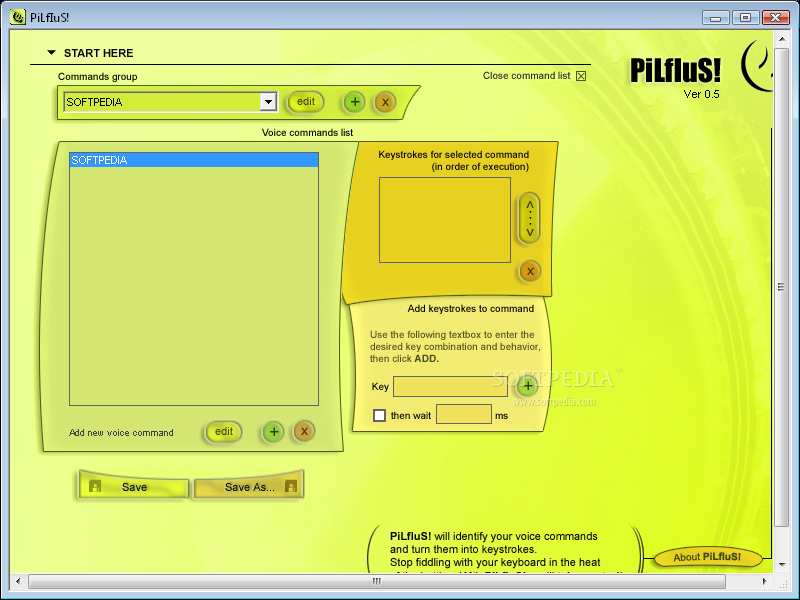
The setup process is over in a jiffy, while the interface can only be described as minimal and straightforward. It only consists of a few buttons a pane in which to view commands created and another one in which to display keystrokes.
Although no Help contents are integrated, both beginners and versed individuals can find their way around PiLfIuS!, due to its simple GUI.
First and foremost, you should know it is possible to upload already created command lists using an LCL format to this software utility, with the help of an incorporated file browser.
In addition to that, as stated above, it is possible to input your commands one by one and organize them within groups, so that you can keep better track of them. You are required to add the voice command and then the keys that you want to use.
It is important to add the keystrokes in the order of execution, and input a delay time if you think it is necessary. It is possible to save the resulted list to a custom location on the hard drive in the proprietary format.
In conclusion, PiLfIuS! is a useful software solution, dedicated to people that have their hands tied up with other things and want to deploy specific scripts, or programs through voice commands. The interface is suitable to all, the system’s performance is not going to be burdened.
However, the tool has been discontinued a while ago, which means that it is not going to receive any more updates and it might not work properly on newer versions of Windows, such as 8 and 8.1.
What's new in PiLfIuS! 0.9:
- Feature: Completely revamped recognition core now supports continuous speech recognition and better accuracy (you can say many commands in a single phrase without pausing between them).
- Feature: Command recognition confidence threshold - PiLfIuS! only responds to commands when it has a reasonable certainty that it has recognized it correctly.
- Feature: Interference detection
- Feature: Significantly faster keystroke output
PiLfIuS! 0.9
add to watchlist add to download basket send us an update REPORT- runs on:
- Windows All
- file size:
- 951 KB
- filename:
- pilfius_nonstable.zip
- main category:
- Others
- developer:
- visit homepage
IrfanView

4k Video Downloader

7-Zip

Bitdefender Antivirus Free

Context Menu Manager

Zoom Client

Windows Sandbox Launcher

calibre

Microsoft Teams

ShareX

- calibre
- Microsoft Teams
- ShareX
- IrfanView
- 4k Video Downloader
- 7-Zip
- Bitdefender Antivirus Free
- Context Menu Manager
- Zoom Client
- Windows Sandbox Launcher