
Update the databases of Kaspersky Anti-Virus 2012 or Kaspersky Internet Security 2012 on a computer without Internet connection. #Kaspersky update #KAV virus database #KIS virus database #Kaspersky #Antivirus #Internet Security
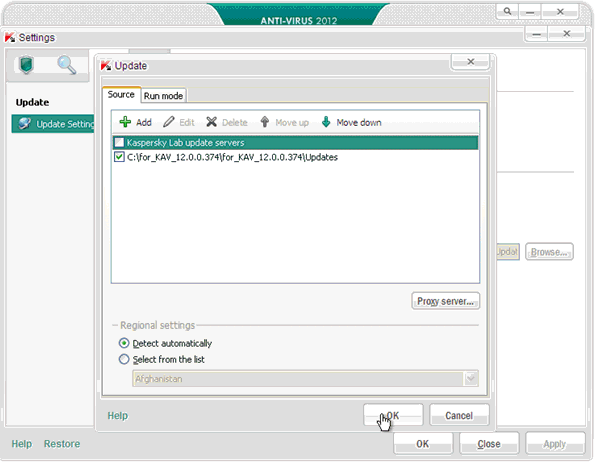
In order to update all necessary databases and application modules of Kaspersky Anti-Virus or Kaspersky Internet Security 2012 you can use a special update utility, which should be run manually from another computer or from a flash-carrier which is connected to the computer with the Internet connection.
First time the utility is launched all databases and modules necessary for the application and released to the present moment are loaded into a special folder, which resides in the folder with the update utility.
Due to a large size of updates the first start of the utility usually takes some time. With each next start only missing, i.e. recently released, databases and modules will be loaded into the folder.
In order to make your Anti-Virus or Internet Security get the latest definitions when no Internet connection is available on the computer they are installed, simply follow these steps:
1. Save the folder with the utility on the flash-carrier, connect it to the computer with the Internet connection and run the utility (the Updater.bat file).
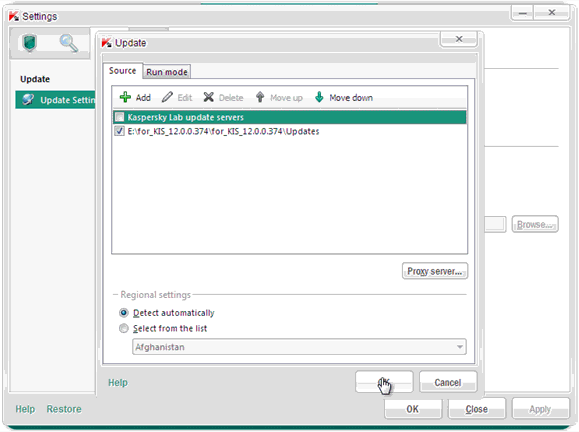
2. Once the work of the utility is over, connect the flash-carrier to the computer (without the Internet connection) with the installed application Kaspersky Anti-Virus / Internet Security 2012 and configure the application to update from a folder which contains the databases on the flash-carrier (the Updates folder).
For detailed information and step-by-step instructions on how to use this utility you can visit the following links:
· for Kaspersky Anti-Virus 2012 · for Kaspersky Internet Security 2012
The update packs for updating your Kaspersky Anti-Virus 5.x / 6.x / 7.x and Kaspersky Internet Security versons 6.x and 7.x are available on this page.
Kaspersky 2012 Database Updater 12.0.0.374
add to watchlist add to download basket send us an update REPORT- runs on:
-
Windows 7
Windows Vista
Windows XP
Windows 2K - file size:
- 523 KB
- filename:
- for_kav_12.0.0.374.zip
- main category:
- Others
- developer:
- visit homepage
Bitdefender Antivirus Free

4k Video Downloader

Windows Sandbox Launcher

7-Zip

ShareX

Microsoft Teams

IrfanView

Zoom Client

calibre

Context Menu Manager

- Zoom Client
- calibre
- Context Menu Manager
- Bitdefender Antivirus Free
- 4k Video Downloader
- Windows Sandbox Launcher
- 7-Zip
- ShareX
- Microsoft Teams
- IrfanView