
Light tool which enables you to store and manage information pertaining to your data and multimedia discs, in a more efficient fashion. #Create disc catalog #CD catalog #DVD catalog #Catalog #Cataloger #Organizer

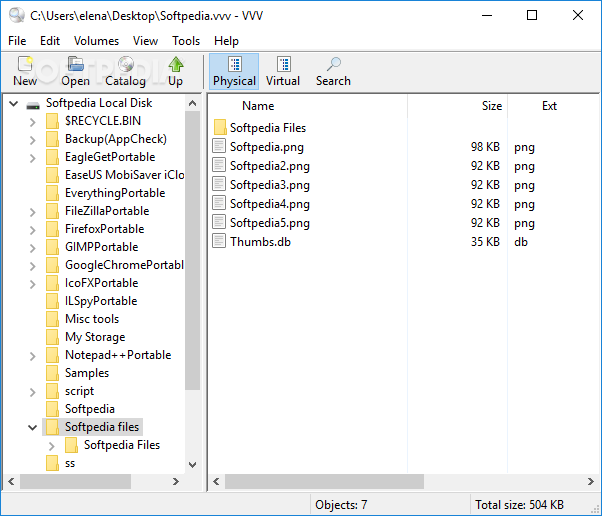
Despite CDs and DVDs have fallen from the technology's grace, some individuals prefer them over the modern storage environments. Even though the Compact Disc revolutionized the music industry, people now would rather use a USB drive, as it's way easier to erase and re-write than in comparison to a CD. For those faithful to CDs, applications such as Portable VVV or Virtual Volumes View are still of interest.
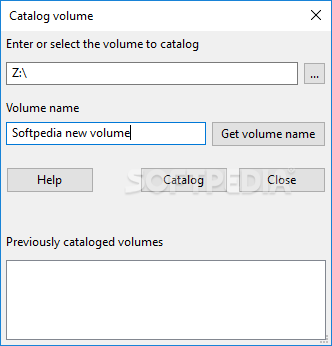
Protable VVV helps its users catalog the contents of CDs and DVDs, allowing them to store and manage that information even after the disk was ejected.
This being the portable version of VVV, one might expect to directly access the app, skipping the installation process. Partially true. The executable will initiate a typical installation setup, yet that's just for creating a folder where the data managed by the app will be stored. No shortcuts are going to be created in the start menu and no new registries are added, so the portable factor still stands.
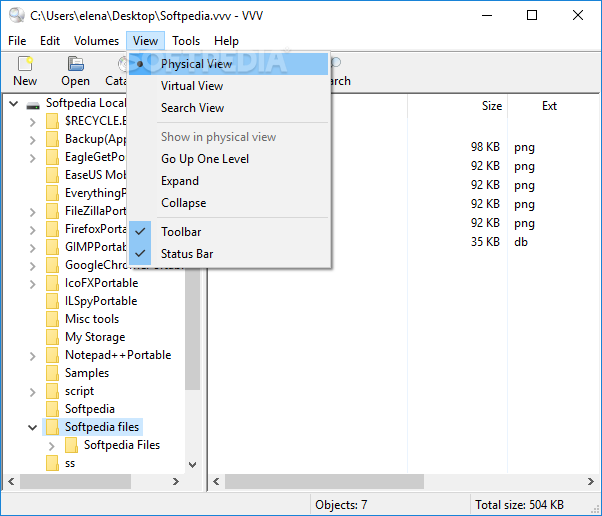
The UI is clear-cut and consists of a menu bar, a few shortcut buttons, a tree view of the CD’s contents, and a list of all tracks detected along with the name, size, description, and extension. Seeing how simple the design is, it becomes clear that even people with no experience in the IT world can work with this utility.
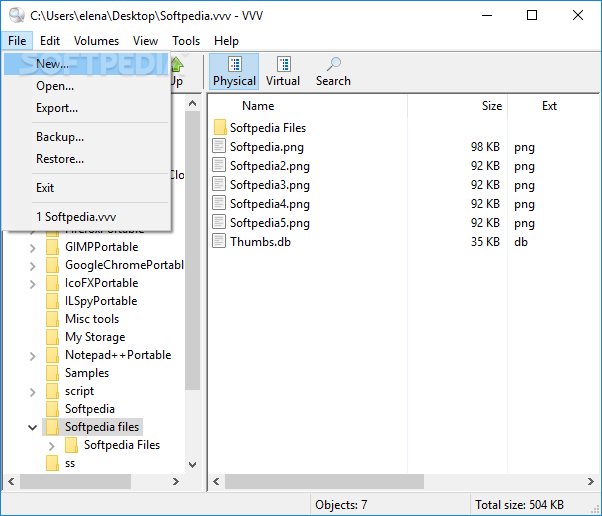
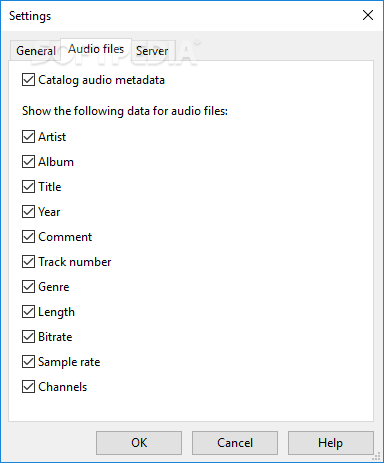
If you want to catalog metadata information like artist, album, title, comments, genre, length, channels, and bit rate — VVV is up to the task. Backup and restore functions are put in place to boost file security and integrity, and one can also export data to CSV if needed.
VVV is nothing more than a utility for individuals who need to process CD/DVD contents. It might not have a flashy layout, and it might seem sometimes dull, but if you need to put your disk collection in order, this type of help should be more than welcomed.
What's new in Portable VVV 1.5:
- Now in the File Information and Folder Information windows it is possible to copy to the clipboard the content of a row by pressing CTRL-C or by right-clicking with the mouse.
- Removed the New root folder context menu from the left pane in virtual mode. It is rarely used and it is still available from the main menu.
- Now the program remembers a search setting between All physical volumes and Selected physical folder. It does not remember the Selected virtual folder setting because at startup there is no selected virtual folder.
- Fixed a bug: the program crashed if the user cataloged a volume using an existing name.
Portable VVV 1.5
add to watchlist add to download basket send us an update REPORT- PRICE: Free
- portable version
- This is the portable version of the application. An installable version is also available: VVV
- runs on:
-
Windows 11
Windows 10 32/64 bit
Windows 8 32/64 bit
Windows 7 32/64 bit
Windows Vista 32/64 bit
Windows XP 32/64 bit - file size:
- 4.6 MB
- filename:
- VirtualVolumesViewPortable_1.5.paf.exe
- main category:
- Portable Software
- developer:
- visit homepage
4k Video Downloader

paint.net

Bitdefender Antivirus Free

Microsoft Teams

IrfanView

calibre

ShareX

Windows Sandbox Launcher

7-Zip

Zoom Client

- Windows Sandbox Launcher
- 7-Zip
- Zoom Client
- 4k Video Downloader
- paint.net
- Bitdefender Antivirus Free
- Microsoft Teams
- IrfanView
- calibre
- ShareX