
Recover the passwords of popular email clients like Outlook Express, MS Outlook, Eudora, Mozilla Thunderbird by turning to this app. #Password recovery #E-mail password #Recover password #Password #Recover #E-mail

Many users rely on e-mail clients to manage their incoming messages, compose and send new e-mails, set reminders and write notes. However, once in a while, it may so happen that one forgets the account password if it is not safely kept and, in this case, immediate help is required.
Mail PassView is a password recovery tool that can extract the forgotten passkeys from the most popular email clients, including big names such as Mozilla Thunderbird and Outlook Express.
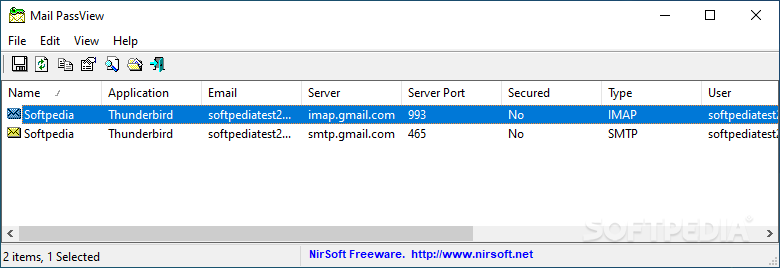
Although it may make you feel a bit insecure, Mail PassView proved very efficient during our test, managing to show passwords for all accounts configured in Mozilla Thunderbird.
The application has a very simple and clean interface and the user doesn't even need to scan the computer or input the path to the email client. Mail PassView does the whole job automatically, so you just have to open the program and you are all set.
This software supports a wide array of email clients, such as Outlook Express, Microsoft Outlook 2000 and 2007, IncrediMail, Eudora, Netscape, Yahoo Mail if the password is saved in Yahoo Messenger, Gmail if you're using Gmail Notifier, Hotmail and Mozilla Thunderbird.
More so, it can extract passwords from POP3 and IMAP accounts, providing the account name, email server, password, username, and server type as well.
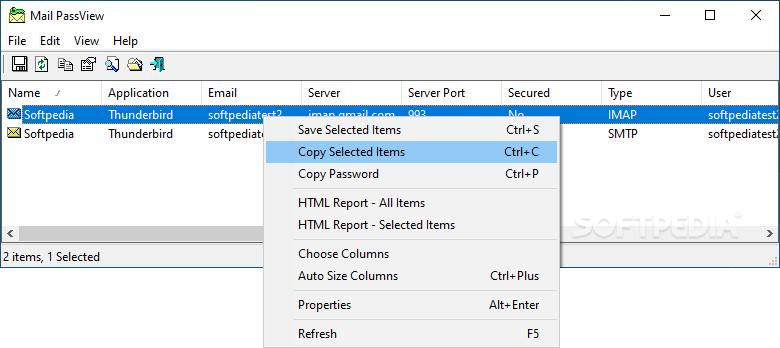
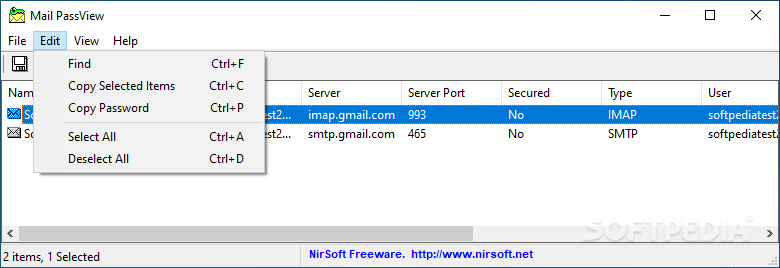
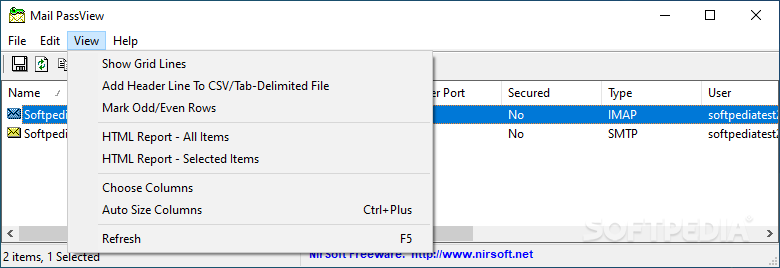
There is nothing to configure about Mail PassView, but it also comes with a few goodies after the password recovery process is done. You can thus either copy the password to clipboard or even generate HTML reports with either the selected items or all revealed details.
Mail PassView is an excellent tool to recover your forgotten password and since it does such a great job, it's definitely among top picks in its category.
What's new in Mail PassView 1.92:
- Fixed to decrypt the passwords on the latest versions of Thunderbird.
Mail PassView 1.92
add to watchlist add to download basket send us an update REPORT- portable version
- This is the portable version of the application. An installable version is also available: Portable Mail PassView
- runs on:
- Windows All
- file size:
- 290 KB
- filename:
- mailpv.zip
- main category:
- Security
- developer:
- visit homepage
IrfanView

4k Video Downloader

Zoom Client

Windows Sandbox Launcher

Microsoft Teams

paint.net

7-Zip

calibre

Bitdefender Antivirus Free

ShareX

- calibre
- Bitdefender Antivirus Free
- ShareX
- IrfanView
- 4k Video Downloader
- Zoom Client
- Windows Sandbox Launcher
- Microsoft Teams
- paint.net
- 7-Zip