
Portable utility that enables you to add graphic or text watermarks to your digital images and pictures, with the possibility to customize the logo appearance. #Create watermark #Add watermark #Watermark image #Watermark #Stamp #Overlay

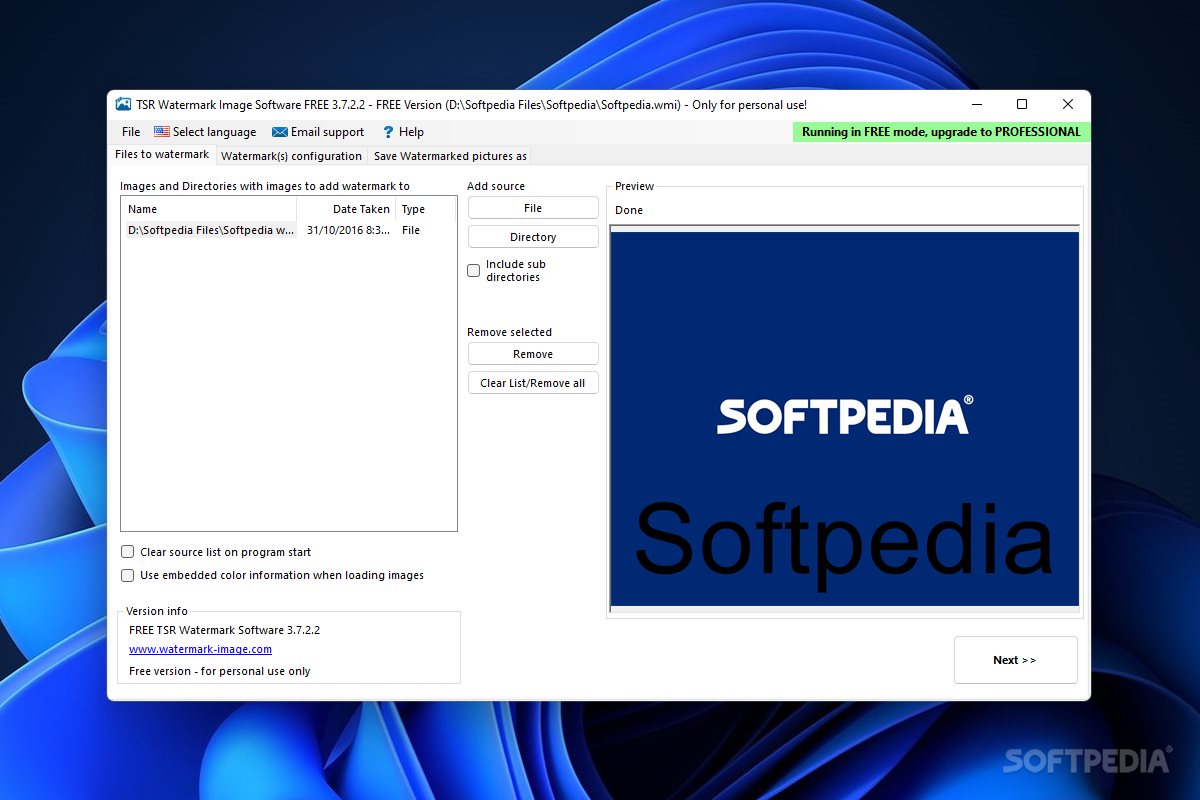
Portable TSR Watermark Image Software Free Version is an application that allows you to easily add watermarks to your pictures, in a user-friendly environment.
Since installation is not required, you can place Portable TSR Watermark Image Software on a removable device (like a USB flash drive), plug it into any computer and directly run its executable file. What's more important is that your Windows registry keys will remain intact.
The interface of the program is plain and simple. You can get started by importing pictures for processing (via the file browser only, since the "drag and drop" method is not supported).
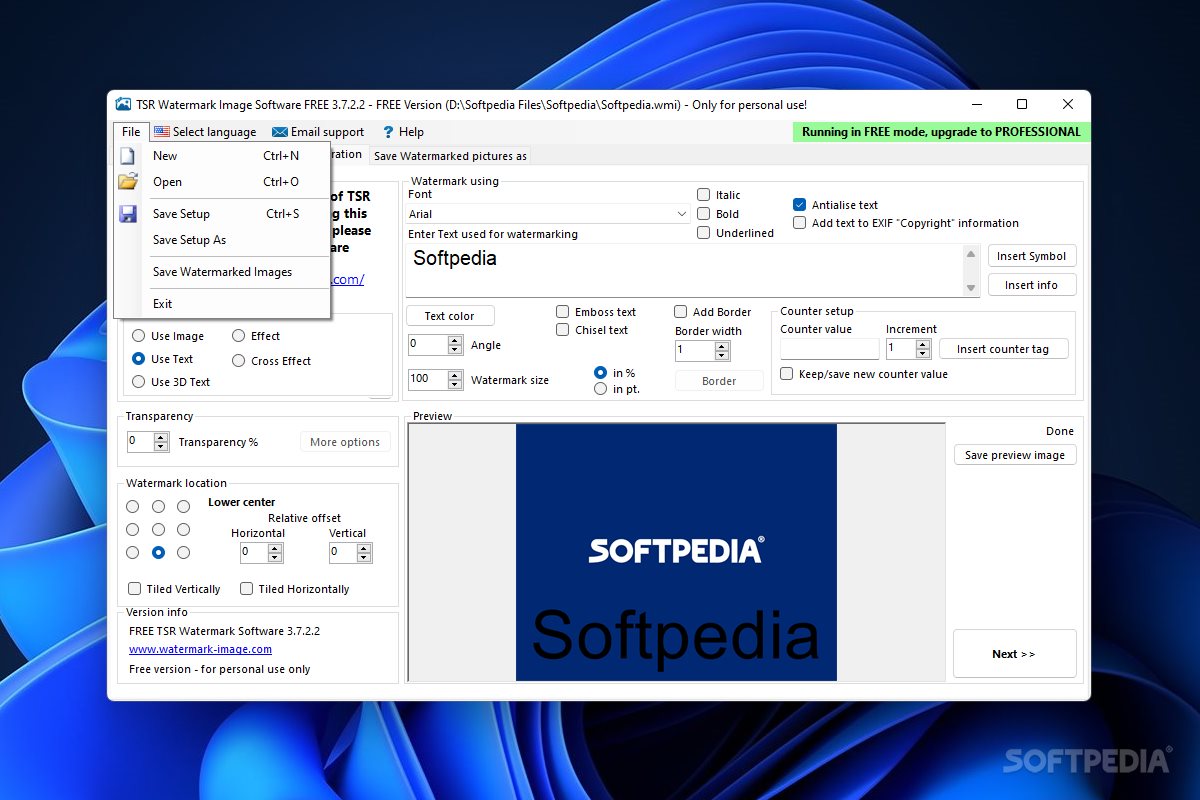
You can use text, an effect or image and apply it as watermark. In case of images, you can set the transparency level, use a picture as a 3D depth map and set the watermark size in percentage.
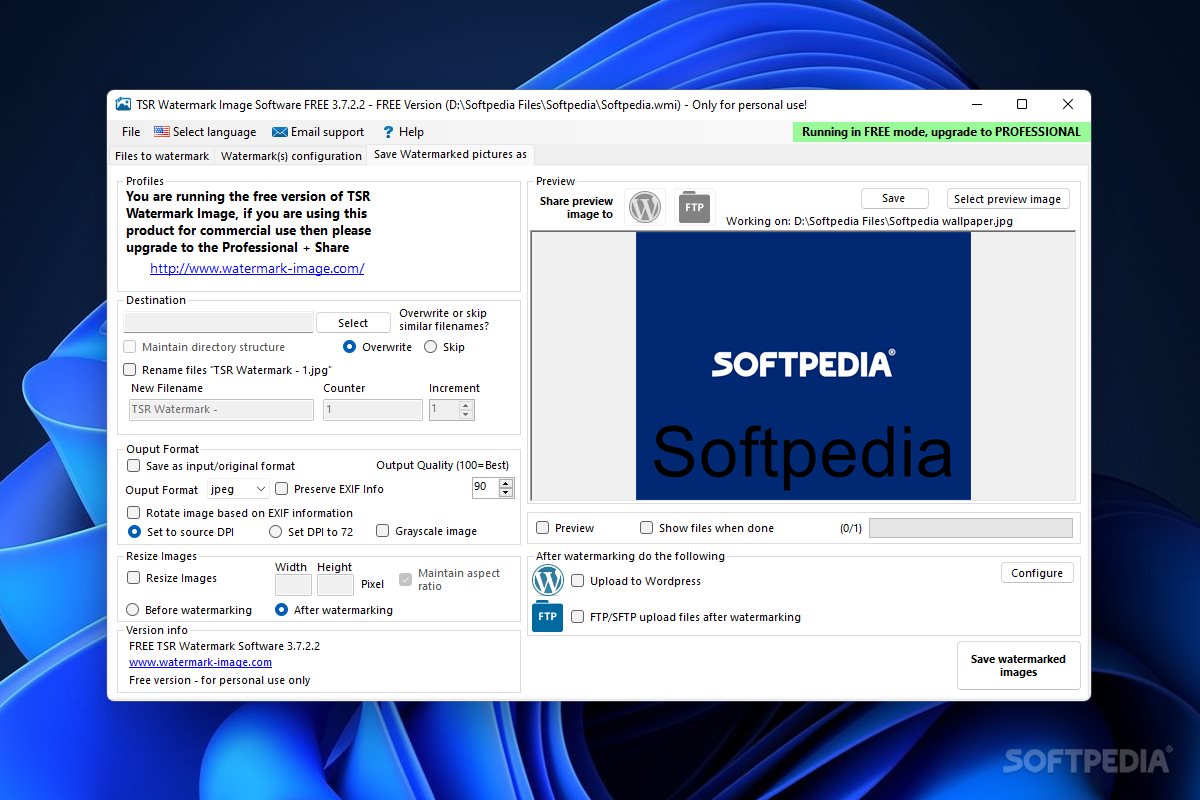
You can add borders to the picture (set color, transparency, width and distance from edge), as well as choose the font style, text color, filters (e.g. emboss or chisel text) and counter setup for text, and others. Once you specify the output destination, you can proceed with the task.
On top of that, you can enable Portable TSR Watermark Image Software Free Version to overwrite existing files, maintain the directory structure, rotate images based on the EXIF information and to maintain the aspect ratio, and others.
The application requires a moderate amount of system resources, supports several languages for the interface, can guide you to a well-written help file with snapshots online, has a fair response time and quickly finishes a task. It didn't cause us any difficulties during our tests. Aside from the fact that features are a little cluttered, we strongly recommend Portable TSR Watermark Image Software to all users.
What's new in Portable TSR Watermark Image Software Free Version 3.7.2.3:
- Fixed a bug in the watermarking program.
Portable TSR Watermark Image Software Free Version 3.7.2.3
add to watchlist add to download basket send us an update REPORT- portable version
- This is the portable version of the application. An installable version is also available: TSR Watermark Image Software FREE Version
- runs on:
-
Windows 11
Windows 10 32/64 bit - file size:
- 11.4 MB
- filename:
- watermark-image-portable.zip
- main category:
- Portable Software
- developer:
- visit homepage
Microsoft Teams

IrfanView

paint.net

calibre

7-Zip

Zoom Client

Bitdefender Antivirus Free

ShareX

4k Video Downloader

Windows Sandbox Launcher

- ShareX
- 4k Video Downloader
- Windows Sandbox Launcher
- Microsoft Teams
- IrfanView
- paint.net
- calibre
- 7-Zip
- Zoom Client
- Bitdefender Antivirus Free