
An alternative to Windows Explorer, providing advanced file manipulation options and a tab-based interface you can easily get accustomed to. #File explorer #File manager #File view #Explore #Tab #Browse
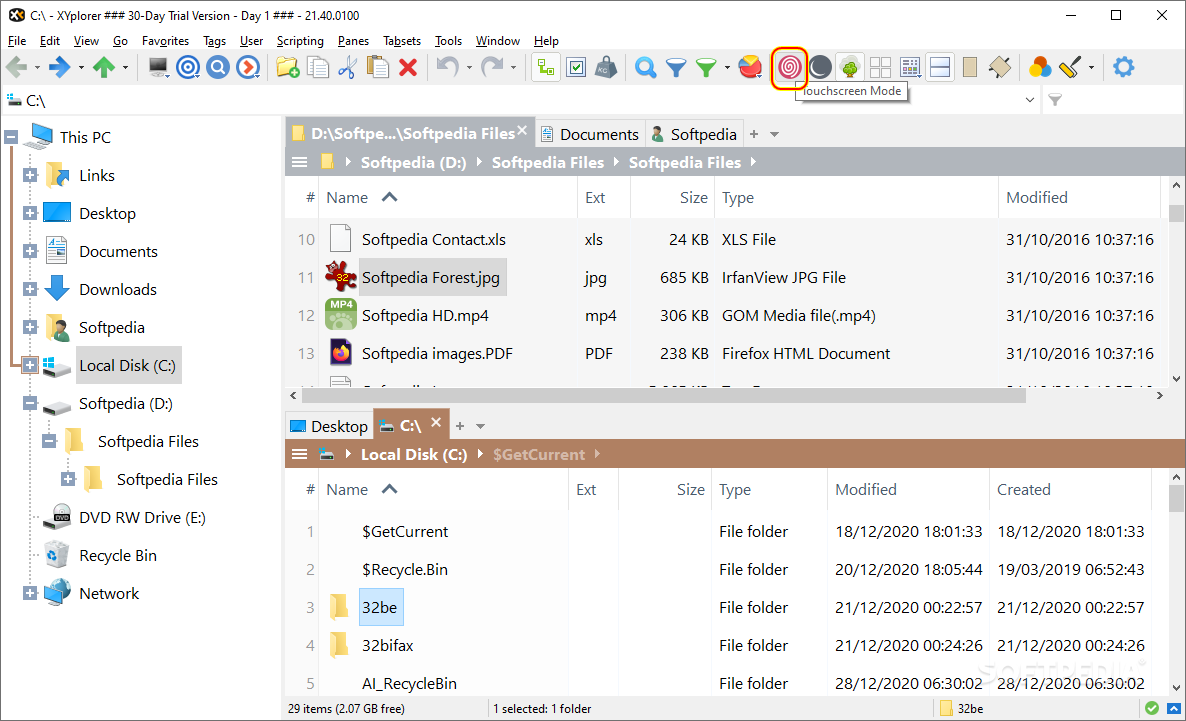
Windows Explorer is no longer satisfactory to power users, so many are looking for replacements, such as Portable XYplorer.
Since it is a portable application, you can just copy it on your removable USB drive and launch it when you want to work on any PC that is not your own.
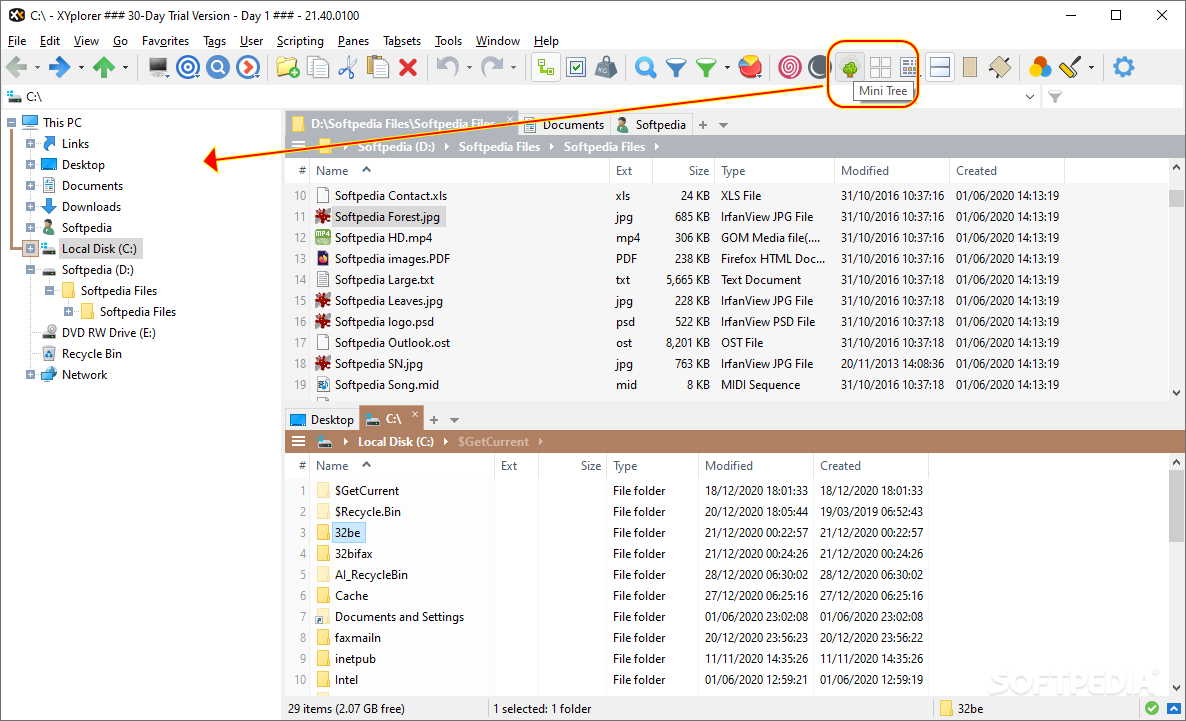
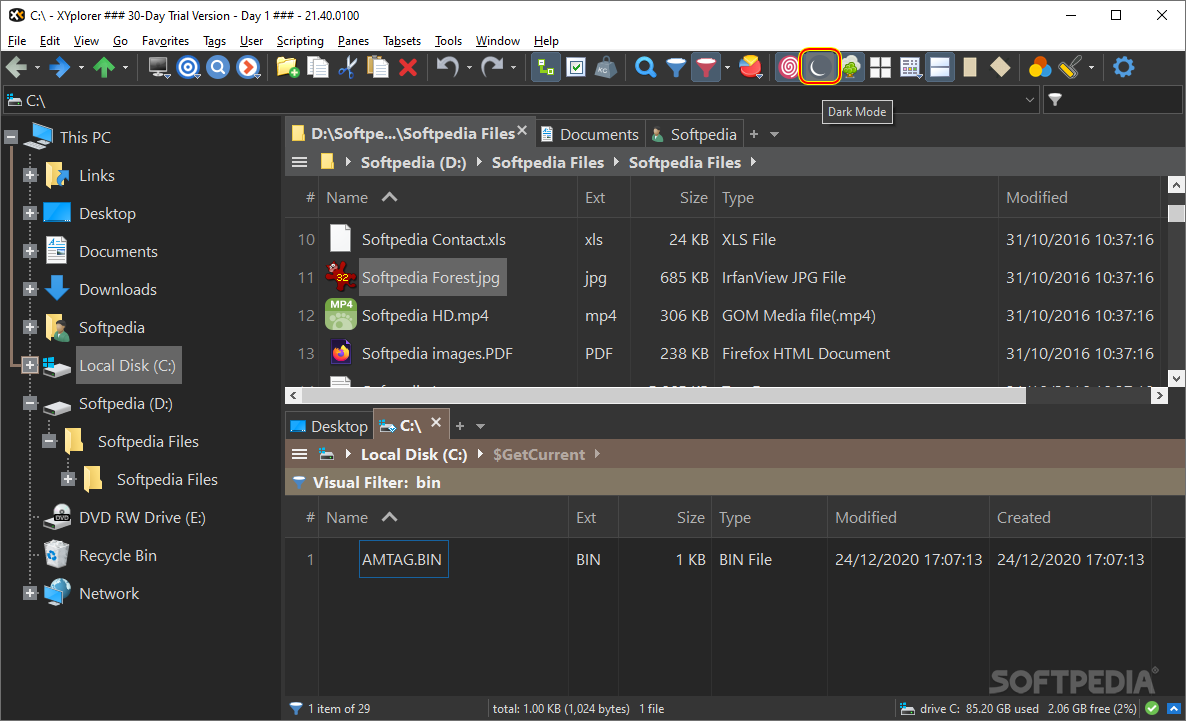
Its overall feel is a familiar one, as its main window does not stray far from the appearance of Windows Explorer. Yet, it does support tabs that you can clone, lock, color as you see fit, or set as default.
Moreover, you can also open two panels that you can use to copy or move files from one location to the other, as well as synchronize two directories. These panes can be horizontal or vertical, and they can be swapped if need be.
A nifty function of Portable XYplorer is its support for color filters. This way, you can easily spot which are the files that were created or modified today, folders that were created recently or items that were edited in the past few days.
You can also locate empty files, overlong filenames, or system files.
Due to the integrated Search tool, you can quickly look for items by entering their names, types, size, attributes, tags or timestamps.
Portable XYplorer can also find duplicate files - when dealing with images you can adjust the tolerance level, whereas the documents' contents can be checked as well before writing them off as dupes.
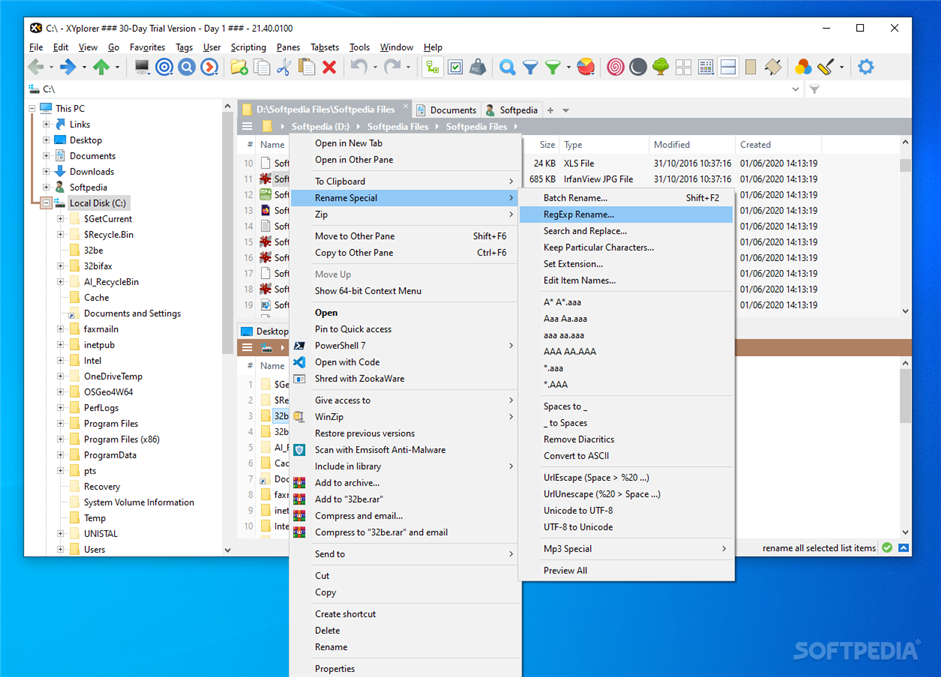
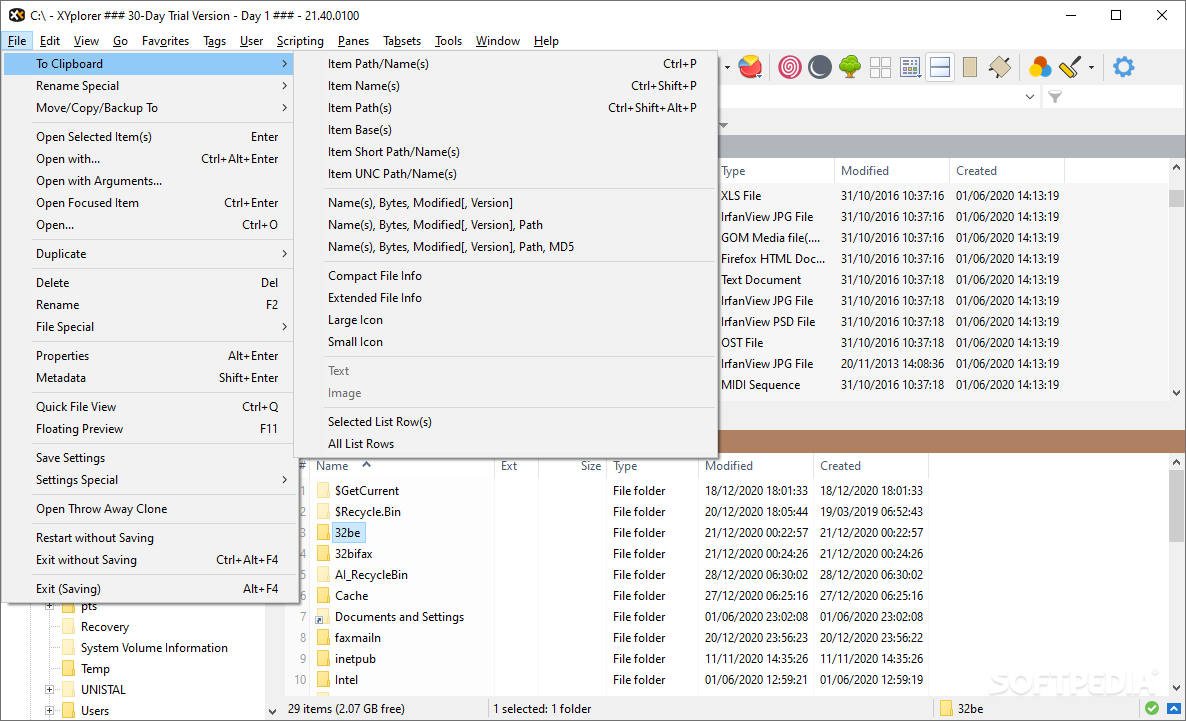
To wrap it up, Portable XYplorer can easily replace a bunch of your other apps due to its plethora of functions. Not only can you explore folders and preview files, but you can also compare, backup, search and replace, batch rename or delete files. You can even create commands meant to automate some of these actions for frequent use.
What's new in Portable XYplorer 25.90.0100:
- Minor bug fixes and enhancements.
Portable XYplorer 25.90.0100
 Softpedia Editor's Pick
add to watchlist
add to download basket
send us an update
REPORT
Softpedia Editor's Pick
add to watchlist
add to download basket
send us an update
REPORT
- portable version
- This is the portable version of the application. An installable version is also available: XYplorer
- runs on:
-
Windows 11
Windows Server 2022
Windows Server 2019
Windows Server 2016
Windows 10 32/64 bit
Windows Server 2012 R2
Windows Server 2012
Windows 2008 R2
Windows 2008 32/64 bit
Windows 2003
Windows 8 32/64 bit
Windows 7 32/64 bit
Windows Vista 32/64 bit
Windows XP 32/64 bit - file size:
- 7.3 MB
- filename:
- xyplorer_full_noinstall.zip
- main category:
- Portable Software
- developer:
- visit homepage
7-Zip

Context Menu Manager

Zoom Client

Microsoft Teams

IrfanView

ShareX

Bitdefender Antivirus Free

calibre

4k Video Downloader

Windows Sandbox Launcher

- calibre
- 4k Video Downloader
- Windows Sandbox Launcher
- 7-Zip
- Context Menu Manager
- Zoom Client
- Microsoft Teams
- IrfanView
- ShareX
- Bitdefender Antivirus Free