
Defrag files, folders or entire hard disks with this portable software application, in order to seamlessly improve file access time. #Defrag file #File defragger #Disk defragger #Defragger #Defragmenter #Defrag


If your computer is running slower than expected, defragmentation is bound to make its performance a little better. It does so by reorganizing the data on your hard disk in order to create larger portions of free space, thus reducing the chances of fragmentation.
The built-in Windows Disk Defragmenter is a good first hand solution, but its efficiency on large-sized hard drives is debatable. If and when it fails to impress you, we urge you to take a look at Portable Power Defragmenter, a much more advanced utility that’s effective and easy-to-use.
This is the portable edition of Power Defragmenter, so installation is not a prerequisite. It means that you can store it on a USB flash drive or other similar storage unit, and run it on any computer. Plus, the Windows Registry section does not receive new entries, and no files are left behind on the hard drive after removing the app.
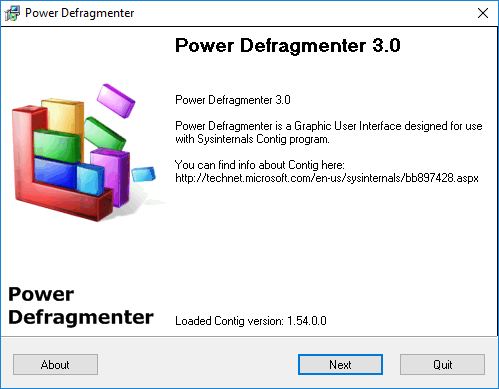
Even though it’s stated to work only on NT/2000/XP operating systems, we tested it on Windows 7 and it performed regardless. Power Defragmenter was designed as a graphical interface for Sysinternal’s Contig, a small utility that defragments disks and files from Command Prompt.
Since its based on Contig, users need to download this file and place it in the same directory as Power Defragmenter in order to enjoy the program’s functionality.
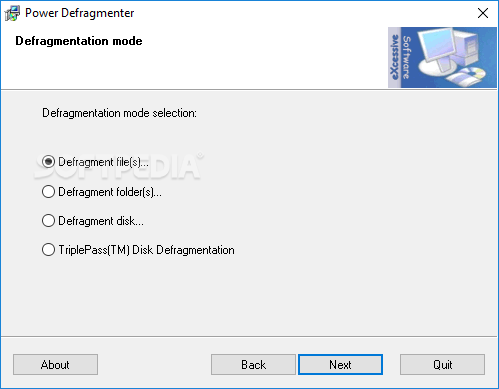
Power Defragmenter is able to defragment files, folders and disks and you can select one of this options from the first step of the defragmentation wizard. There’s also a TriplePass mode aimed at removable disks.
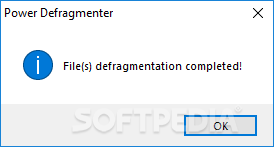
Once you choose a task to perform, Power Defragmenter will open a window in Command Prompt and start working. When the task is completed, a confirmation window pops up, after which you are free to choose another defragmenting option. Canceling is possible at any time, by simply exiting the Command Prompt window.
To sum up, Power Defragmenter is a reliable choice if you wish to perform an in-depth defragmentation of your system. Aside from accomplishing that at decent speed, it’s resource friendly. Forget about formatting, reinstalling Windows and using the built-in Disk Defragmenter. This application will work twice as hard and effective!
Portable Power Defragmenter 3.0
add to watchlist add to download basket send us an update REPORT- runs on:
-
Windows 10 32/64 bit
Windows 2003
Windows 8 32/64 bit
Windows 7 32/64 bit
Windows Vista 32/64 bit
Windows XP
Windows 2K - file size:
- 471 KB
- filename:
- Portable Power Defragmenter.zip
- main category:
- Portable Software
- developer:
Windows Sandbox Launcher

7-Zip

4k Video Downloader

paint.net

Bitdefender Antivirus Free

ShareX

calibre

Microsoft Teams

Zoom Client

IrfanView

- Microsoft Teams
- Zoom Client
- IrfanView
- Windows Sandbox Launcher
- 7-Zip
- 4k Video Downloader
- paint.net
- Bitdefender Antivirus Free
- ShareX
- calibre