
Increase the number of desktops of your computer and organize your working environment exactly the way you want to without cluttering the desktop. #Virtual Desktop Manager #Desktop Manager #Virtual Desktop #Virtual Desktop #Organizer #Switch

While it is not always advisable to keep large numbers of icons on the desktop as the system runs slower than usual, you can better organize the screen by creating virtual desktops.
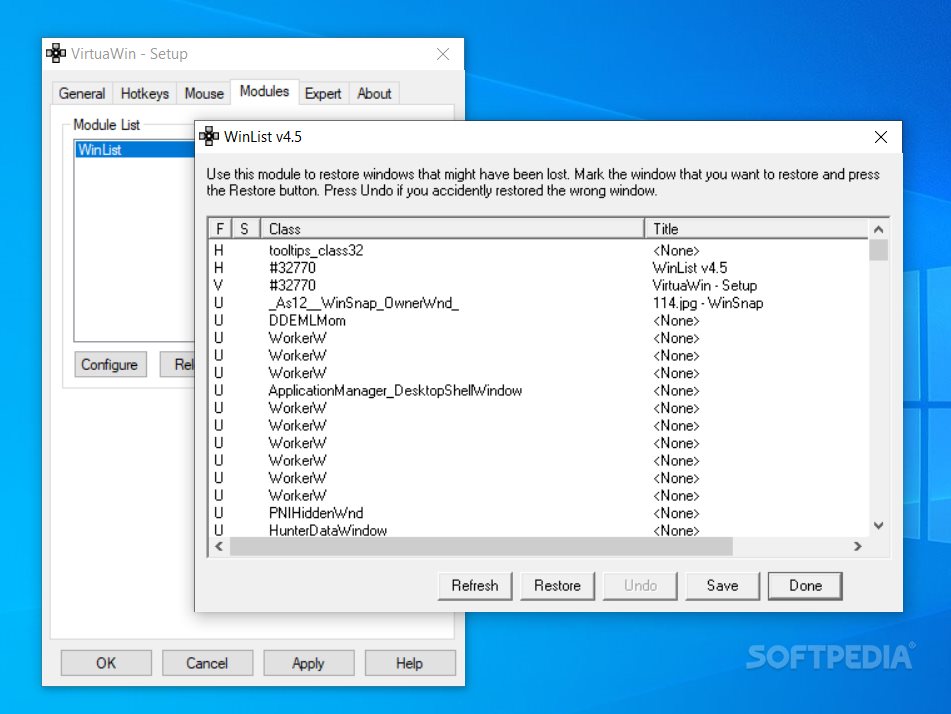
Portable VirtuaWin is a small tool that was designed to create several virtual desktops. The app has a simple interface that proved to be quite easy to handle.
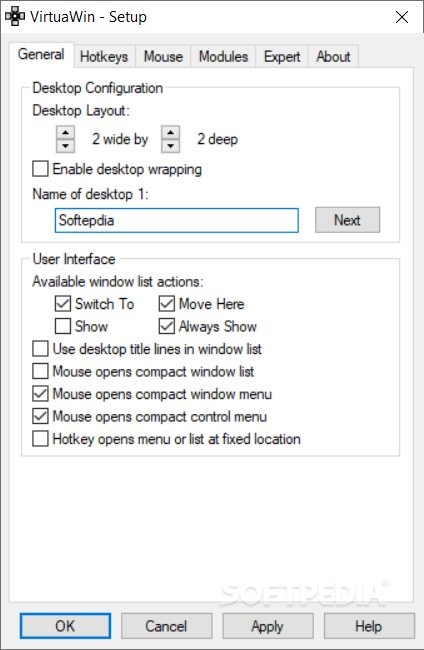
The program lets you create up to nine different desktops. You may customize these to the smallest details. For instance, they can be named and their layout configured.
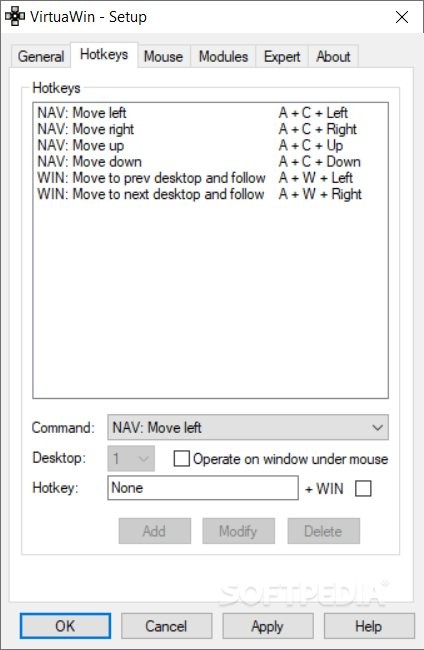
Hotkeys can be set for all the desktops. For instance, you can press a key combination to move left, right, up or down, to return to the previous desktop or to go to the next one. While some hotkeys are already in place, they can easily be modified to suit your needs.
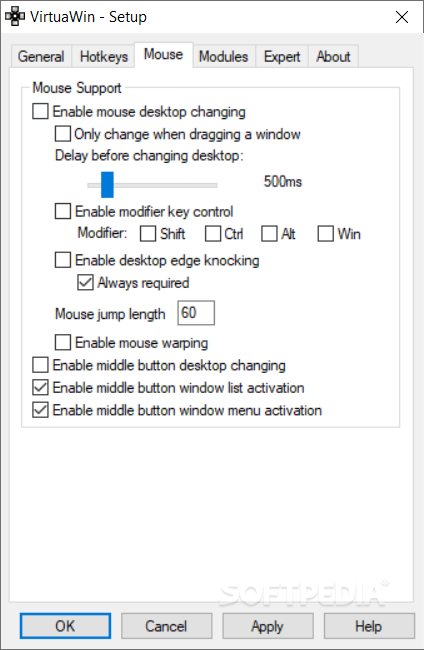
It’s also possible to change the desktop with the help of the mouse, by simply dragging the edge.
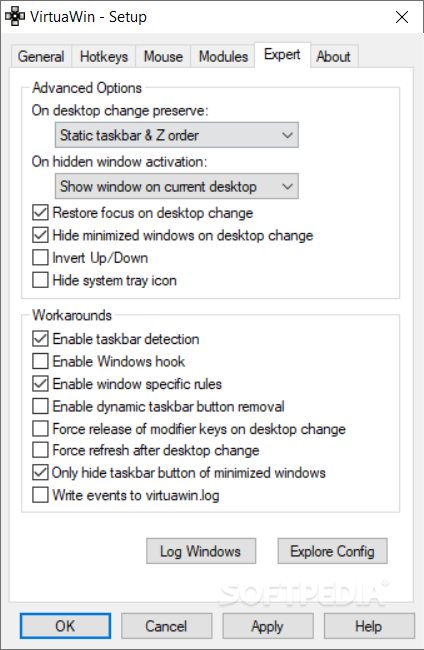
Some advanced features are available as well. For instance, the program’s icon can be hidden from view and the minimized windows hidden when the desktop changes.
Since the app is portable, it doesn’t need to be installed to the computer and can be launched from removable devices, such as flash drives.
Portable VirtuaWin is a nice tool that can come in handy if you want to expand the abilities of your computer. Less experienced users should find this app easy to work with, thanks to the intuitive layout.
Download Hubs
Portable VirtuaWin is part of these download collections: Virtual Desktop Managers
What's new in Portable VirtuaWin 4.5:
- Updated Inno setup
- Changed contact mail
- Added module reload in Module API
- 235 Corrected message sent for ALT key modifier for release
Portable VirtuaWin 4.5
add to watchlist add to download basket send us an update REPORT- PRICE: Free
- portable version
- This is the portable version of the application. An installable version is also available: VirtuaWin
- runs on:
- Windows All
- file size:
- 160 KB
- filename:
- VirtuaWin_portable_4.5.zip
- main category:
- Portable Software
- developer:
- visit homepage
IrfanView

ShareX

Zoom Client

4k Video Downloader

Bitdefender Antivirus Free

7-Zip

Microsoft Teams

Windows Sandbox Launcher

Context Menu Manager

calibre

- Windows Sandbox Launcher
- Context Menu Manager
- calibre
- IrfanView
- ShareX
- Zoom Client
- 4k Video Downloader
- Bitdefender Antivirus Free
- 7-Zip
- Microsoft Teams