Search Perform an advanced search query SOFTPEDIA
 
SOFTPEDIA
Updated one minute ago
HomeSubmit a program for being reviewedAdvertise on our websiteGet help on surfing our websitesSend us your feedbackGet information about our XML/RSS backend and how to use itBrowse the news archiveVisit our discussion forumVizitati forumul in limba romana


Program Finder NormalFreeware onlyShareware only

Filemon 7.04 Report spyware 

Click to download FilemonFilemon - Softpedia Pick Award (If you developed this product, click here to download your award)
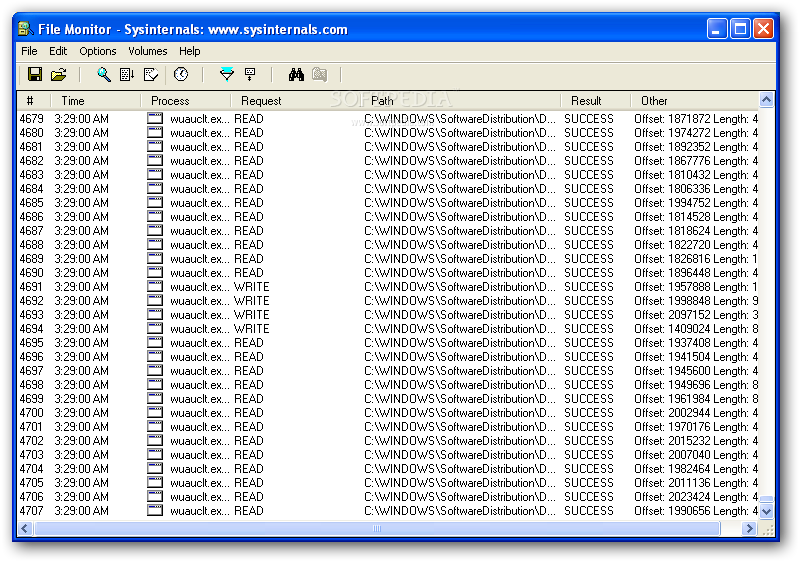
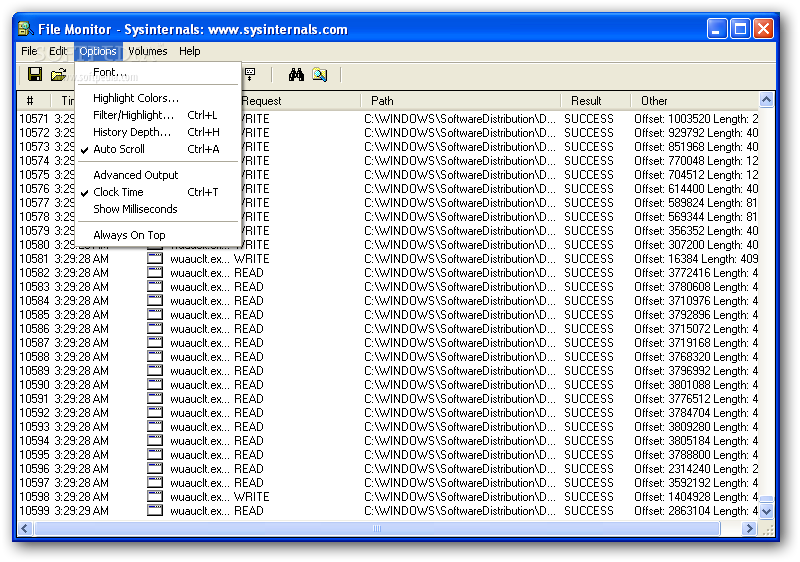
View more Filemon screenshots (3)
 Downloads: 37,951
Rating: Very Good (4.0/5) | Rated by: 54 user(s)
Add to download basket     Send us update information
 Developer: Sysinternals | More programs by this producer
 License: Freeware  
 Size / OS: 278 KB, Windows All
 Last Updated: July 26th, 2007, 07:26 GMT
 Category: C: \ Programming \ Other Programming Files
 Read user reviews (1) Add a review Refer to friend Subscribe
    Download Filemon

Filemon description
Monitors and displays file system activity on a system in real-time

Filemon will monitor and display file system activity on a system in real-time. Its advanced capabilities make it a powerful tool for exploring the way Windows works, seeing how applications use the files and DLLs, or tracking down problems in system or application file configurations.

Filemon`s timestamping feature will show you precisely when every open, read, write or delete, happens, and its status column tells you the outcome.

Filemon is so easy to use that you`ll be an expert within minutes. It begins monitoring when you start it, and its output window can be saved to a file for off-line viewing. It has full search capability, and if you find that you`re getting information overload, simply set up one or more filters.

Filemon works on NT 4.0, Windows 2000, Windows XP, Windows XP 64-bit Edition, Windows 95, Windows 98 and Windows ME. Sysinternals also has a version of Filemon for Linux.

Installation and Use Simply run FileMon (filemon.exe). You must have administrator privilege to run FileMon. When FileMon is started for the first time
it will monitor all local hard drives. Menus, hot-keys, or toolbar buttons can be used to clear the window, select and deselect monitored volumes including network volumes (Windows NT/2K/XP), save the monitored data to a file, and to filter and search output.

If you've specified filters then FileMon will ask you to confirm filters used from the last session each time you start it. To start FileMon without it prompting you specify the /q switch on the command line. When FileMon starts it automatically captures file system activity. To start it with capture disabled use the /o switch on the command-line.

As events are printed to the output, they are tagged with a sequence number. If Filemon’s internal buffers are overflowed during extremely heavy activity, this will be reflected with gaps in the sequence number.

Each time you exit FileMon it remembers the filters you've configured, position of the window and the widths of the output columns.

Filtering Use the Filter dialog, which is accessed with a toolbar button or the Edit|Filter/Highlight menu selection, to select what data will be shown in the list view. The '*' wildcard matches arbitrary strings, and the filters are case-insensitive. Only matches shown in the include filter, but that are not excluded with the exclude filter, are displayed. Use ';' to separate multiple strings in a filter (e.g. "filemon;temp"). Windows NT/2000 note: because of the asynchronous nature of file I/O, its not possible to filter on the result field.

Wildcards allow for complex pattern matching, making it possible to match specific file accesses by specific applications, for example. The include filter “Winword*Windows” would have FileMon only show accesses by Microsoft Word to files and directories that include the word “Windows”.

Use the highlight filter specify output that you want to have highlighted in the listview output. Select highlighting colors with Edit|Highlight Colors.

Additional filter options select or deselect read, write or open operations. In many troubleshooting scenarios only open operations are of interest, for example.


Softpedia guarantees that Filemon 7.04 is 100% FREE, which means it is a freeware product (both for personal and commercial use) that does not contain any form of malware, including but not limited to: spyware, viruses, trojans and backdoors.

This software product was tested thoroughly and was found absolutely clean, therefore it can be installed with no concern by any computer user.

However, it should be noted that this product will be retested periodically and the award may be withdrawn, so you should check back on this page from time to time. (click here for more information)


Related downloads IT News Popular downloads New additions   Latest reviews  
PC Activity Monitor Net (PC Acme Net) 6.4.2
PC Activity Monitor Net (PC Acme Net) - ultimate invisible and undetectable easy-to-use monitoring tool
PC Activity Monitor Lite 7.7
The ultimate invisible and undetectable easy-to-use monitoring tool
DirMonitor 2.3.5.4137
DirMonitor - Monitor files, folders, registry and processes
TimeSprite 2.1.3
An application intended as a personal time management tool, rather than as a way for others to monitor your activities.
1-ACT Computer Spy 2006 1.0
Monitors and records chats, instant messages, emails sent and received, web sites visited, keystrokes typed etc.
MultiMon 1.03
MultiMon is a powerful system, file, devices, registry, network, keyboard, user and clipboard activity monitor
ActiveMonitor 1.0
Active Monitor is a free and useful utility which allows you to monitor MySpace Activity
IRC Logger 1.70
IRC Logger is a parental control and employee monitoring utility

go to top Use the following code to link to this page:


Welcome!
Hello, Guest

Login if you have a Softpedia.com account.

Otherwise, register for one.

Main categories:
  • Antivirus
  • Compression tools
  • CD/DVD Tools
  • Office tools
  • Programming
  • Authoring tools
  • File managers
  • Desktop Enhancements
  • Internet
  • Network Tools
  • IPOD TOOLS
  • Mobile Phone Tools
  • Multimedia
  • Tweak
  • System
  • Security
  • Others
  • Science / CAD
  • UNIX
  • Windows Widgets
  • PORTABLE SOFTWARE

  • Week's best:
  • Adobe Flash Player 1...
  • Intel Chipset Softwa...
  • Uxtheme Multi-patche...
  • SRS Audio Sandbox 1....
  • SP3 UxTheme Patcher ...
  • PECompact 2.82
  • Sony Vegas Movie Stu...
  • 3DMark Vantage 1.0
  • Total Commander 7.03
  • VistaMizer 2.5.1.0
  • AVG Free Edition 8.0...
  • Windows XP Service P...
  • Ashampoo Burning Stu...
  • XviD Media Codec 1.1...
  • Blu-ray Disc Ripper ...
  • Blu-ray Region Code ...
  • Adobe Photoshop Ligh...
  • PowerDVD 8.0.1531
  • EF Commander 6.54
  • Microsoft Windows In...
  • Nero 8 Lite 8.3.2.1
  • WebSite-Watcher 4.41...
  • EVEREST Ultimate Edi...
  • Nokia PC Suite 6.86....
  • VMware Workstation 6...
  • AnyDVD HD 6.4.2.2
  • Messenger Plus! Live...
  • The Bat! Voyager 4.0...
  • Windows Vista Servic...
  • Nero 8 8.3.2.1
  • © 2001 - 2008 Softpedia. All rights reserved.
    Softpedia™ and Softpedia™ logo are registered trademarks of SoftNews NET SRL.
    Copyright Information | Privacy Policy | Terms of Use | Contact Softpedia | Update your software | Archive