
Wrap JAR files into binary EXEs for Windows and Linux that can be run as Command Line utilities, GUI apps or as service applications. #EXE Creator #JAR Converter #Convert JAR #JAR2EXE #Wrapper #Archive

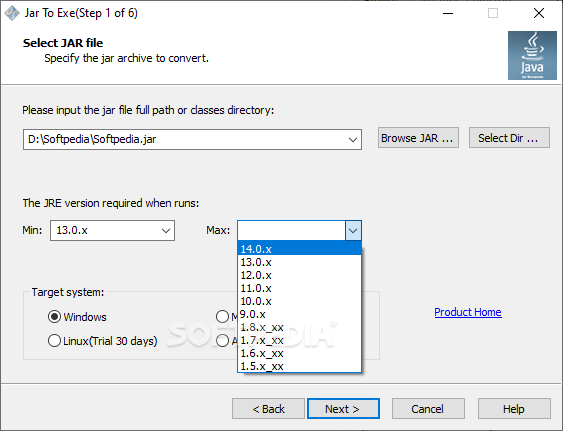
Portable Jar to Exe is a small and portable software solution that allows users to wrap Java-based applications into Windows executable files. It operates on both Windows and Linux.
The user interface is straightforward and you should get used to working with this program pretty quickly. It provides two separate windows for the conversion process: the first one allows users to upload JAR files into the list and convert them to EXE format on the go, while the second offers many configuration settings.
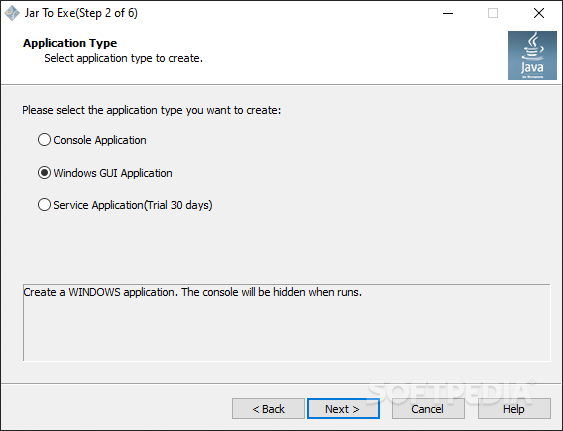
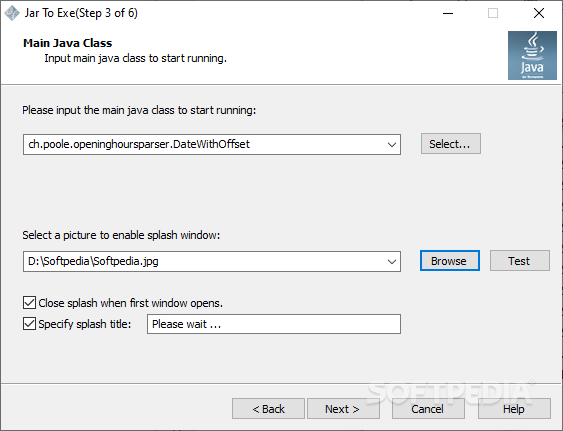
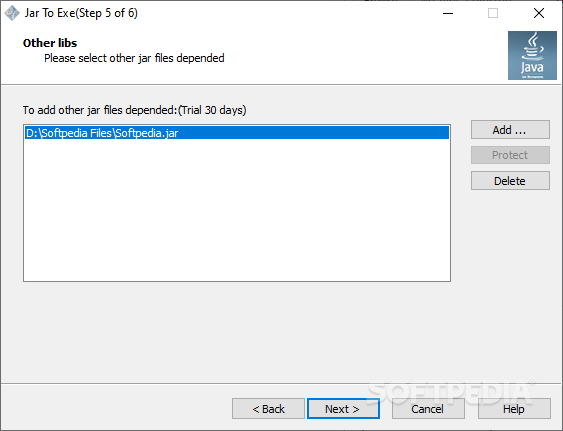
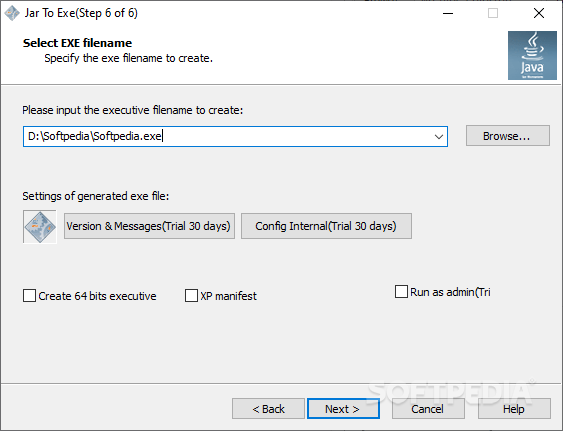
The developer designed this app to create Windows executable files from Java applications by going through six steps. You are allowed to browse for JAR files or classes directory, select a minimum and maximum required Java version and to pick the target system (Windows and Linux). You may select what type of EXE file should be generated and attach one or more JAR files to the list. Changing the EXE filename is particularly simple.
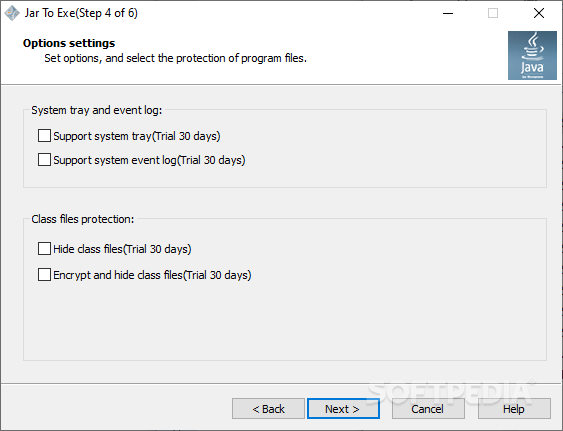
It is also possible to encrypt and hide the Java program into the generated EXE files.
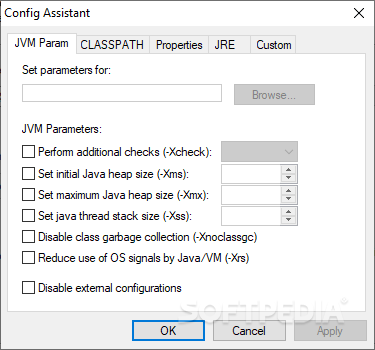
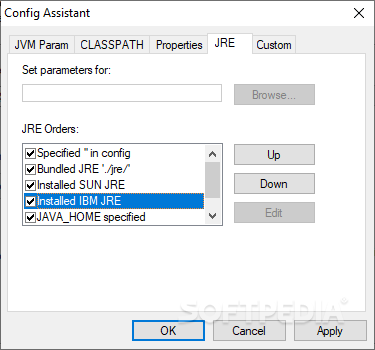
There are several configuration settings to tinker with. For example, you can change JVM and JRE parameters pretty easily.
To sum up, Portable Jar to Exe is a handy tool that can help you convert JAR files to EXE format with minimum effort. It surely appeals to beginners, thanks to its practical approach with the six steps guidance. More experienced users may find it pretty inconvenient to go through each step every time they start a new process. Overall, it does what it says and it’s also light on your system resources.
Portable Jar to Exe 2.7.1.1397
add to watchlist add to download basket send us an update REPORT- portable version
- This is the portable version of the application. An installable version is also available: Jar To Exe
- runs on:
-
Windows 11
Windows 10 32/64 bit
Windows 8 32/64 bit
Windows 7 32/64 bit
Windows Vista 32/64 bit
Windows XP 32/64 bit
Windows 2K - file size:
- 7.1 MB
- filename:
- Jar2Exe_x86.zip

- main category:
- Programming
- developer:
- visit homepage
Bitdefender Antivirus Free

calibre

IrfanView

Zoom Client

7-Zip

Context Menu Manager

ShareX

Microsoft Teams

4k Video Downloader

Windows Sandbox Launcher

- Microsoft Teams
- 4k Video Downloader
- Windows Sandbox Launcher
- Bitdefender Antivirus Free
- calibre
- IrfanView
- Zoom Client
- 7-Zip
- Context Menu Manager
- ShareX