
Reliable program which displays useful information about the current OpenGL 3D accelerator and lets you test the performance of your graphics renderer. #OpenGL Extension #OpenGL info #OpenGL viewer #OpenGL #Renderer #Extension
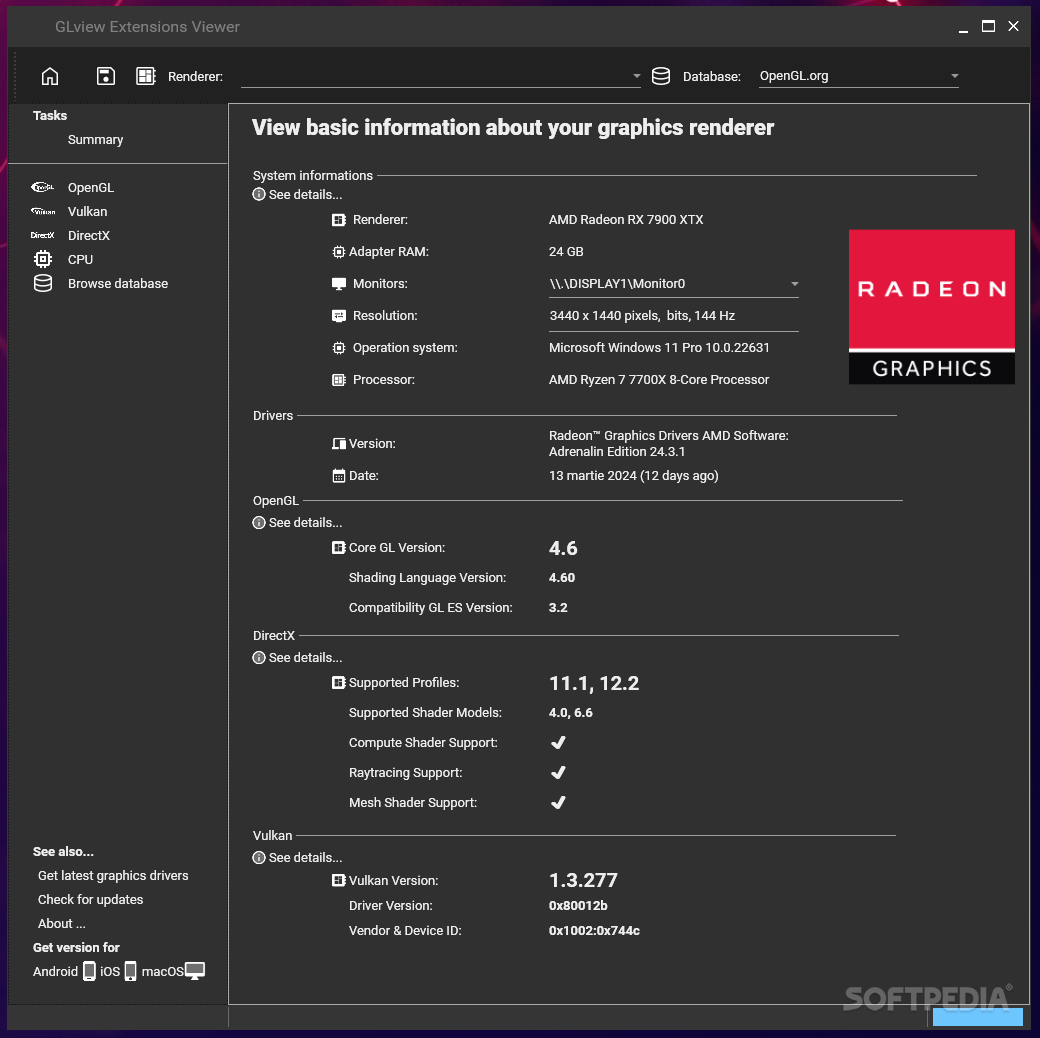
When running certain types of games or even some sophisticated screensavers, you might get an error message from Windows stating that the machine cannot render the said applications. To make sure your PC is fully equipped to run your chosen programs, you can give OpenGL Extension Viewer a try, so as to avoid wasting time downloading and installing programs incompatible with your computer.
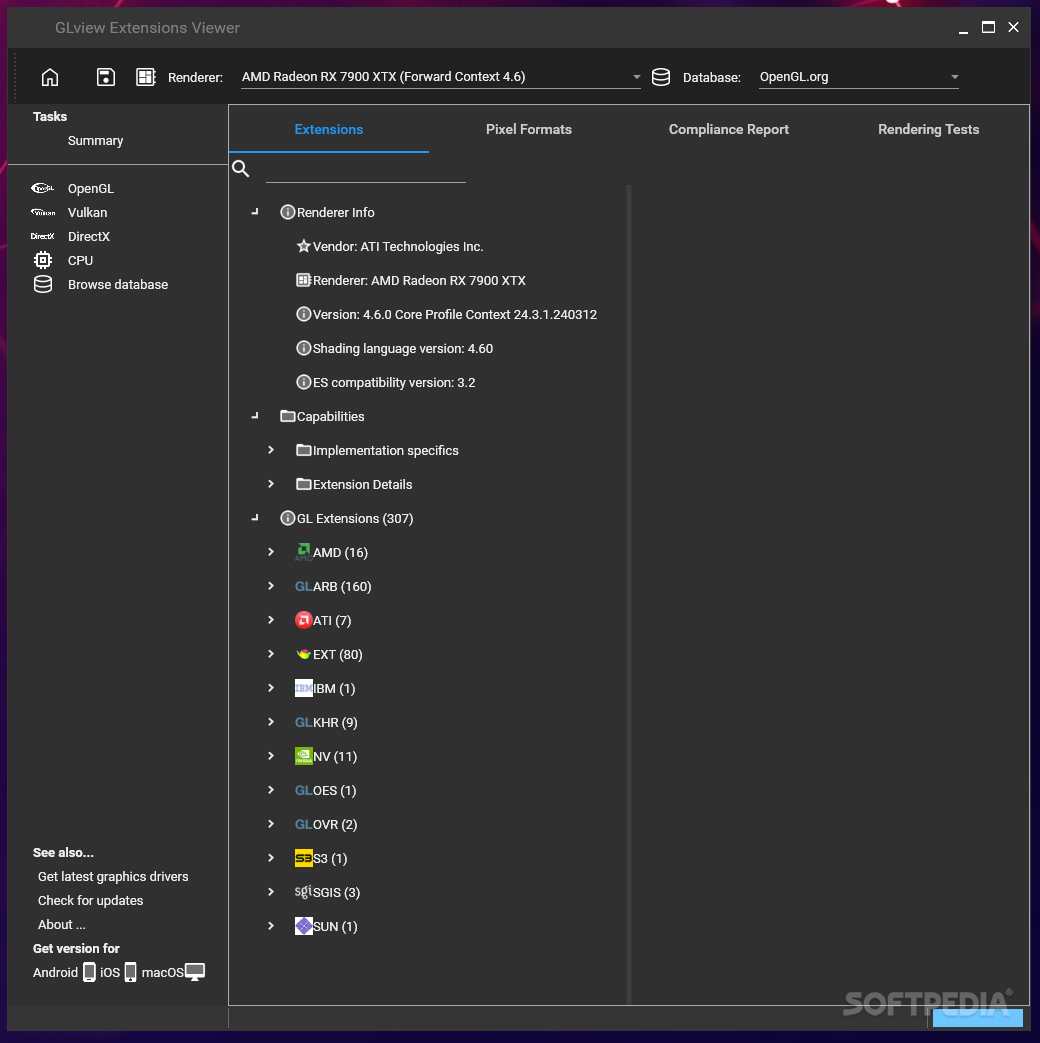
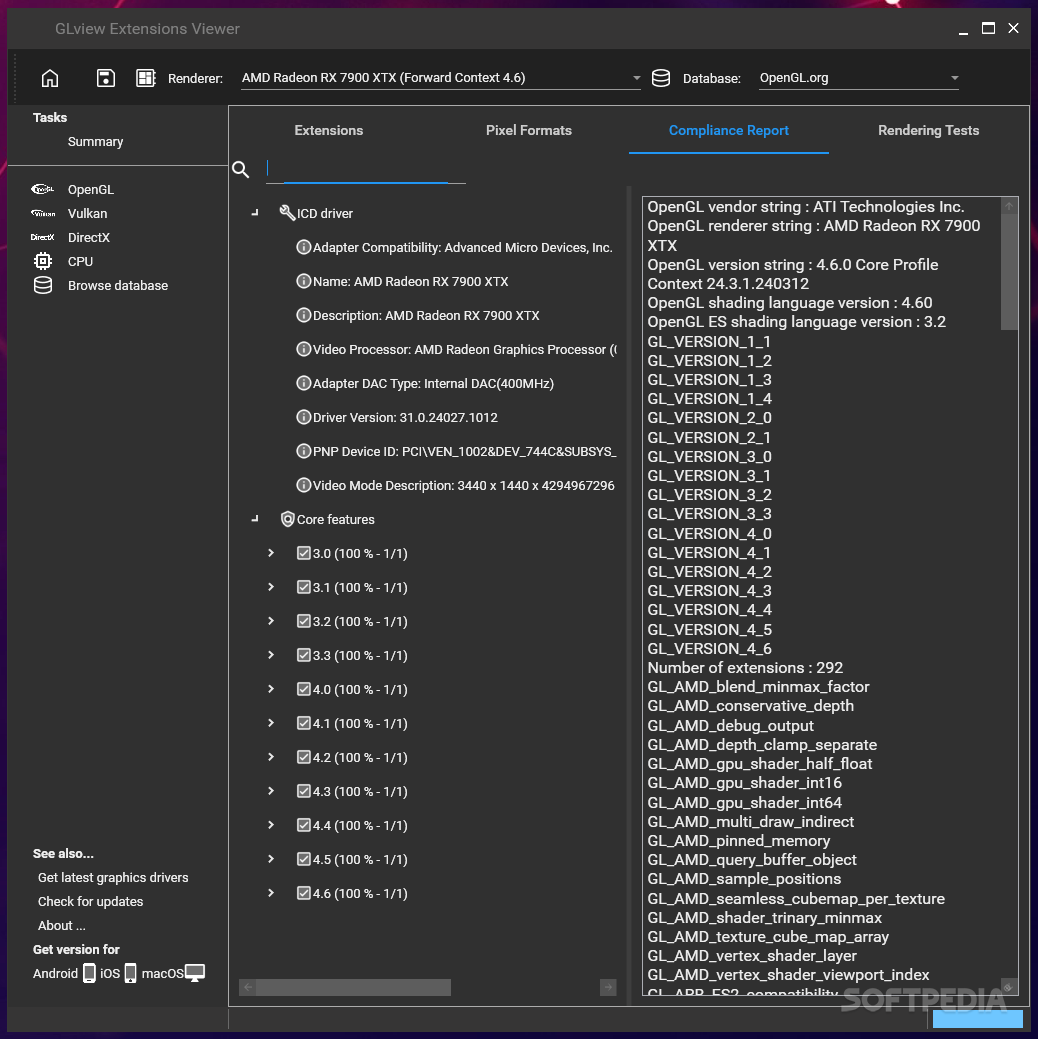
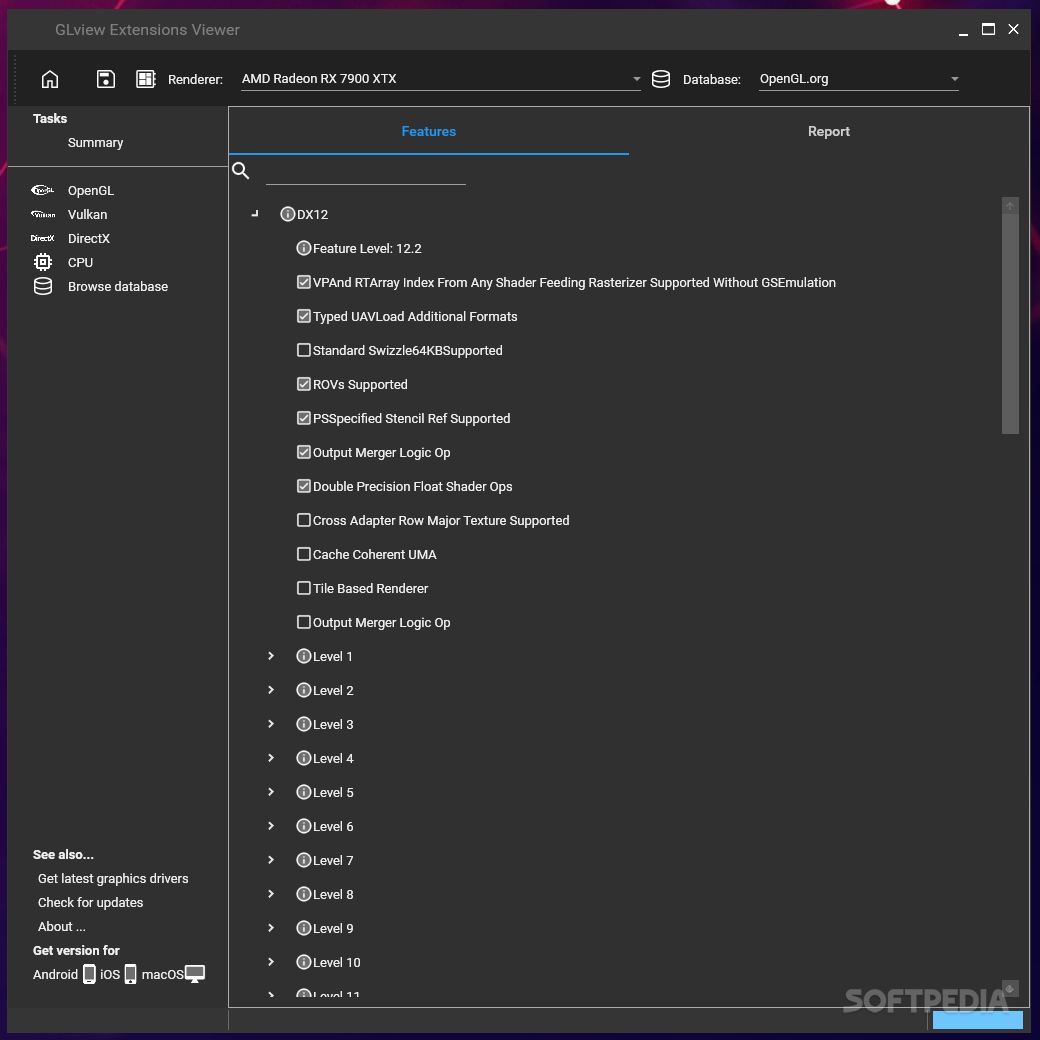
Not only does this application display information about your OpenGL 3D accelerator, it also allows you to explore and view details about the extensions, while offering PC experts the choice of disabling them.
This software utility analyzes your PC’s hardware and software, and provides you with details regarding your graphics renderer, such as the DirectX version, the shader model, the OpenGL version and driver version, as well as the renderer model and adapter RAM. Each of these values affect the performance of your PC’s rendering ability, so a better graphics card, along with more RAM modules could significantly boost your PC.
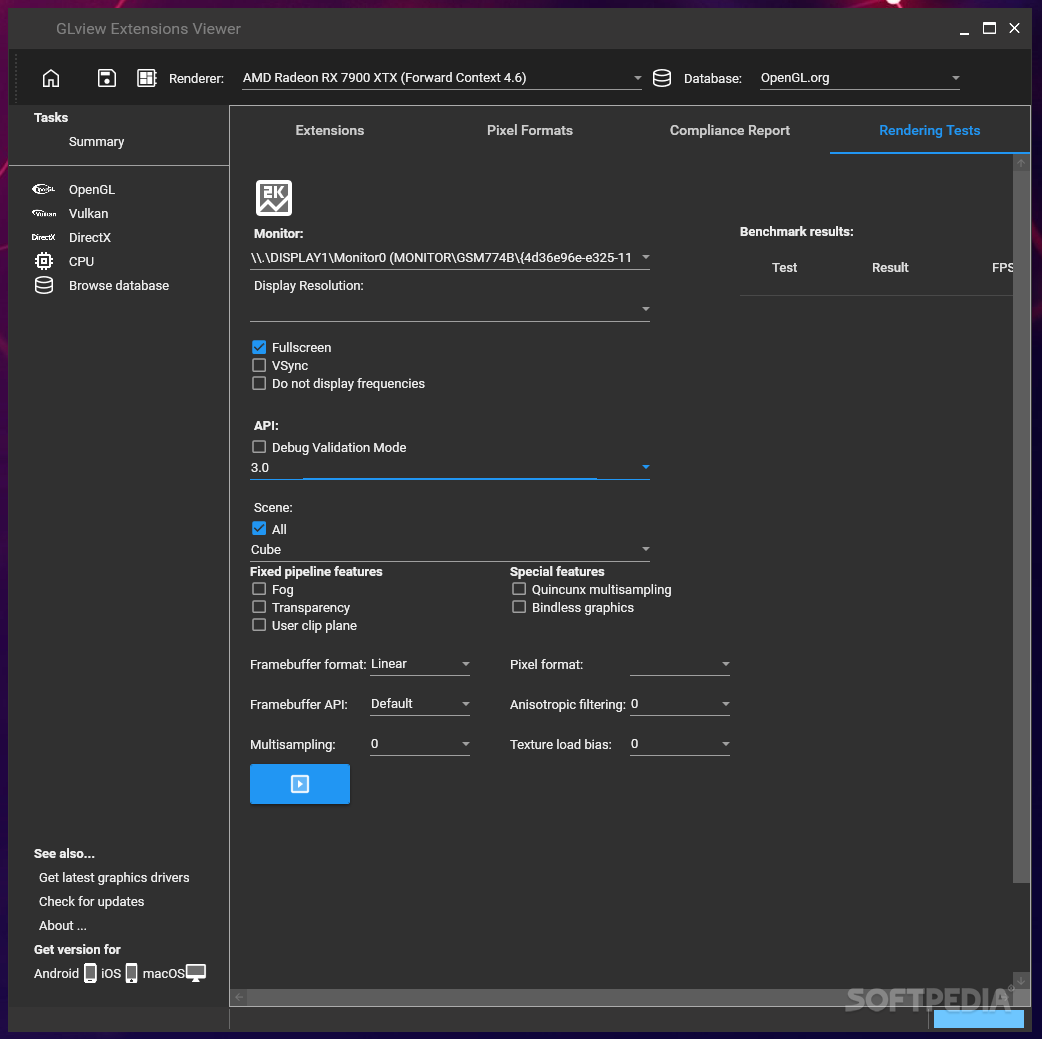
You have the possibility to manually test the performance of your graphics renderer using the tests provided by OpenGL Extension Viewer – if you experience lags or slowing down of the PC, you are advised to choose a lower resolution for your screen.
The tests offered by this application can assess the functionalities from OpenGL 1.1 to OpenGL 3.1, and you can combine screen resolutions, texture LOD bias, multisampling and effects such as PBuffer or fog.
The computer’s performance might be hampered from time to time, especially during the performance test, yet this is not reason to panic, as it is quite normal. The response time is good, yet it also depends on your PC’s configuration, running better on new machines than older ones.
Since it can save you a lot of time you would otherwise spend troubleshooting crashed OpenGL apps, OpenGL Extension Viewer proves to be a useful tool, which can be used by both beginners and highly experienced people.
What's new in GLview Extensions Viewer (formerly OpenGL Extension Viewer) 7.0.8.0 Build 108.0.0.0:
- Restore Windows 7 support.
- Fallback to Core Profile if Compatibility Profile is not supported (ERROR_INVALID_VERSION_ARB )
- Switching context now refresh the interface properly.
- Restore Submit button.
GLview Extensions Viewer (formerly OpenGL Extension Viewer) 7.0.8.0 Build 108.0.0.0
add to watchlist add to download basket send us an update REPORT- PRICE: Free
- runs on:
-
Windows 11
Windows 10 64 bit
Windows 8 64 bit
Windows 7 64 bit - file size:
- 26.5 MB
- filename:
- glview708-setup.exe
- main category:
- Programming
- developer:
- visit homepage
paint.net

calibre

Windows Sandbox Launcher

Zoom Client

Bitdefender Antivirus Free

7-Zip

Microsoft Teams

ShareX

4k Video Downloader

IrfanView

- ShareX
- 4k Video Downloader
- IrfanView
- paint.net
- calibre
- Windows Sandbox Launcher
- Zoom Client
- Bitdefender Antivirus Free
- 7-Zip
- Microsoft Teams