Search Perform an advanced search query SOFTPEDIA
 
SOFTPEDIA
Updated one minute ago
HomeSubmit a program for being reviewedAdvertise on our websiteGet help on surfing our websitesSend us your feedbackGet information about our XML/RSS backend and how to use itBrowse the news archiveVisit our discussion forumVizitati forumul in limba romana


Program Finder NormalFreeware onlyShareware only

Explorer Suite III Report spyware 

Click to download CFF Explorer
View more Explorer Suite screenshots (7)
 Downloads: 4,816
Rating: Good (3.9/5) | Rated by: 32 user(s)
Add to download basket     Send us update information
 Developer: NTCore | More programs by this producer
 License: Freeware  
 Size / OS: 4.54 MB, Windows NT/2K/XP/2003
 Last Updated: May 15th, 2008, 11:30 GMT
 Category: C: \ Programming \ SDK/DDK
 Read user reviews (0) Add a review Refer to friend Subscribe
    Download CFF Explorer

CFF Explorer description
A free suite of tools including a process viewer and a PE editor

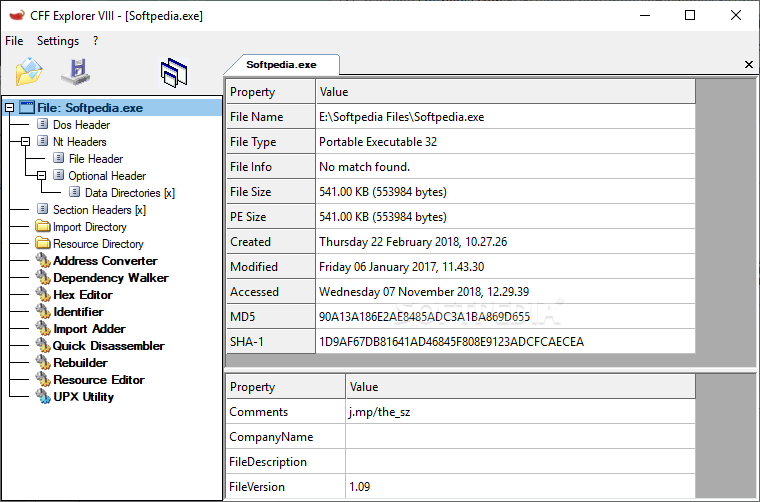
Created by Daniel Pistelli, Explorer Suite is a free suite of tools including a process viewer and a PE editor called CFF Explorer.

The PE editor has full support for PE32/64. Special fields description and modification (.NET supported), utilities, rebuilder, hex editor, import adder, signature scanner, signature manager, extension support etc. First PE editor with support for .NET internal structures.

Resource Editor (Windows Vista icons supported) capable of handling .NET manifest resources (who are dumpable as well). The suite is available for x86, x64 and Itanium.

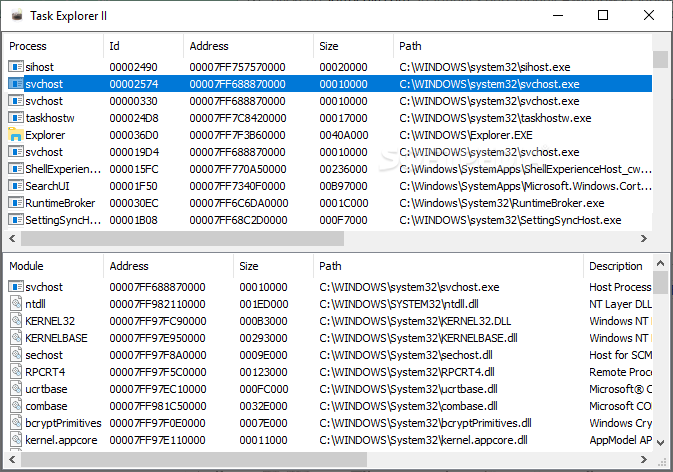
The process viewer makes it possible to view information about your processes and modules. The version information for each PE makes it very easy to identify files. Also, you can dump PEs or memory regions. You can also choose to open a loaded PE with the CFF Explorer. If you're on x64 or Itanium you cannot run a 32bit version of this tool: you
have to install the proper version for your processor.

Explorer Suite has been designed to make PE editing as easy as possible without losing sight on the portable executable's internal structure. This application includes a series of tools which might help not only reverse engineers but also programmers. It offers a multi-file environment and a switchable interface.

Also, it's the first PE editor with full support for the .NET file format. With this tool you can easily edit metadata's fields and flags. If you're programming something that has to do with .NET metadata, you will need this tool. The resource viewer supports .NET image formats like icons, bitmaps, pngs. You'll be able to analyze .NET files without having to install the .NET framework, this tool has its own functions to access the .NET format.

Here are some key features of "CFF Explorer":

· Process Viewer
· Windows Viewer
· PE and Memory Dumper
· Full support for PE32/64
· Special fields description and modification (.NET supported)
· PE Utilities
· PE Rebuilder (with Realigner, IT Binder, Reloc Remover, Strong Name Signature
· Remover, Image Base Changer)
· View and modification of .NET internal structures
· Resource Editor (full support for Windows Vista icons)
· Support in the Resource Editor for .NET resources (dumpable as well)
· Hex Editor
· Import Adder
· PE integrity checks
· Extension support
· Visual Studio Extensions Wizard
· Powerful scripting language
· Dependency Walker
· Quick Disassembler (x86, x64)
· Name Unmangler
· Extension support
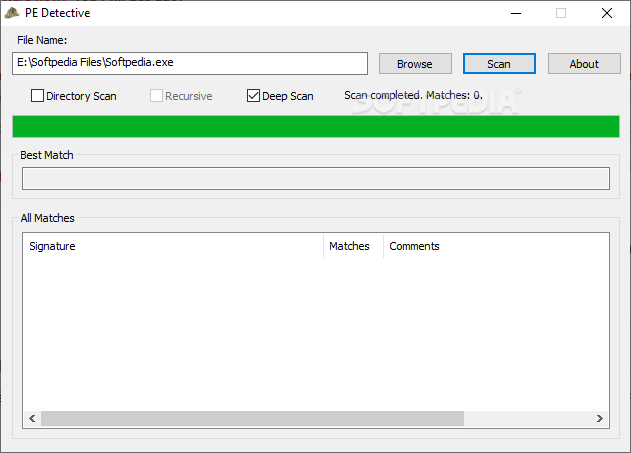
· File Scanner
· Directory Scanner
· Deep Scan method
· Recursive Scan method
· Multiple results
· Report generation
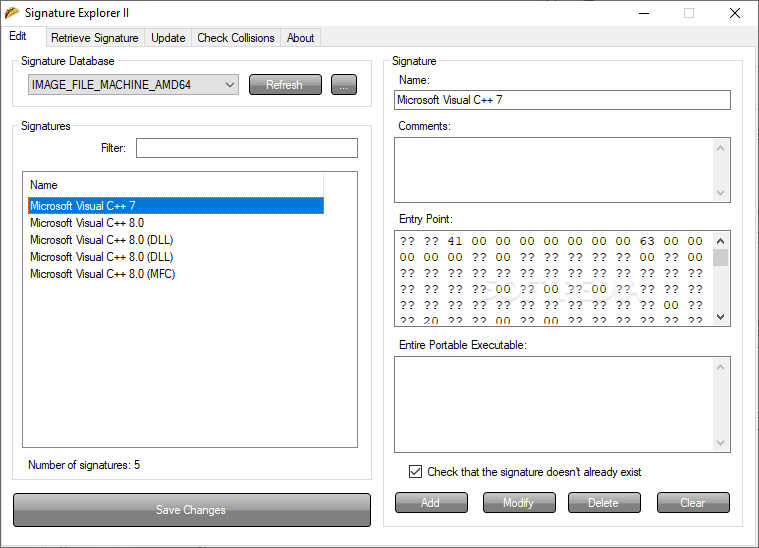
· Signatures Manager
· Signatures Updater
· Signatures Collisions Checker
· Signatures Retriever


What's New in This Release:

· Fixed a lot of bugs
· Fixed a minor bug in the MetaData tables
· Fixed minor resizing bug on Vista
· General improvements
· Significantly improved the interface
· Improved Resource Editor
· Improved Rebuilder (added checksum update and strip debug directory)
· Improved Data Directories viewer
· Improved Hex Editor
· Improved Sections Dialog (added section's hex view)
· Improved MetaData Tables
· Extended the SDK
· Added powerful very scripting language
· Added documentation for the scripting language
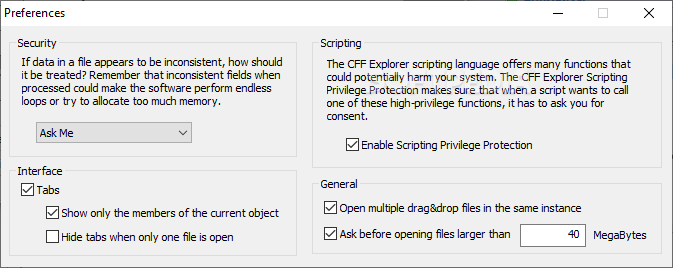
· Added security features for the scripting language
· Added support for generic files
· Added Name Unmangler
· Added Debug Directory
· Added Dependency Walker
· Added Quick Disassembler (x86, x64)... [ read full changelog ]


Softpedia guarantees that Explorer Suite III is 100% CLEAN, which means it does not contain any form of malware, including but not limited to: spyware, viruses, trojans and backdoors.

This software product was tested thoroughly and was found absolutely clean, therefore it can be installed with no concern by any computer user.

However, it should be noted that this product will be retested periodically and the award may be withdrawn, so you should check back on this page from time to time. (click here for more information)


Related downloads IT News Popular downloads New additions   Latest reviews  
PrcView 5.2.15.1
PrcView is a process viewer utility that displays detailed information about processes running under Windows.
Security Task Manager 1.7f
Advanced Process Viewer with security risk rating. SpyProtector protects your PC
iCopy - Simple Photocopier 1.42
Fastly print your copies using your scanner and printer as a photocopier with the iCopy tool.
Windows Processes 1.0
Windows Processes is a tool that view and manage processes
TaskPatrol Personal 2.0.0
Advanced process viewer and security analyzer with intuitive user interface
TaskGuardian 1.0
Advanced process viewer and security analyzer with intuitive user interface
DotNetScanner 1.6
DotNetScanner is a free utility which will scan files and folders from your application using only one line of code
File Scanner Pro 1.8.002
File Scanner Pro quickly scans specified Text AND Binary files in a folder or directory tree for occurences of a specific text
TaskPatrol Pro 2.0
TaskPatrol is the arsenal of security utilities designed to give you complete overview of software running on your PC
iIProcess Viewer 1.0
iIProcess Viewer shows you all the programs that are running on your computer

go to top Use the following code to link to this page:


Welcome!
Hello, Guest

Login if you have a Softpedia.com account.

Otherwise, register for one.

Main categories:
  • Antivirus
  • Compression tools
  • CD/DVD Tools
  • Office tools
  • Programming
  • Authoring tools
  • File managers
  • Desktop Enhancements
  • Internet
  • Network Tools
  • IPOD TOOLS
  • Mobile Phone Tools
  • Multimedia
  • Tweak
  • System
  • Security
  • Others
  • Science / CAD
  • UNIX
  • Windows Widgets
  • PORTABLE SOFTWARE

  • Week's best:
  • Adobe Media Player 1...
  • Registry Mechanic 8....
  • BitSpirit 3.3.2.263
  • AnyDVD 6.4.5.6
  • Firefox 3.0.1 / 2.0....
  • AutoCAD 2009
  • Norton AntiVirus 200...
  • Norton Internet Secu...
  • The Bat! Professiona...
  • WinRAR 3.80 Beta 3 /...
  • GMail Drive shell ex...
  • DAEMON Tools Lite 4....
  • UBCD4WIN 3.2.0
  • Adobe Reader 9.0.0 /...
  • Total Commander Ulti...
  • System Mechanic 8.0....
  • Adobe Acrobat Profes...
  • iPhone PC Suite 1.0....
  • Portable Firefox 3.0...
  • MPlayer for Windows ...
  • Vista Codec Package ...
  • Windows Live Messeng...
  • WinBubble 1.73
  • Kaspersky Anti-Virus...
  • Malware Removal Tool...
  • Royale Noir Theme fo...
  • IBM Lotus Symphony 1...
  • Adobe Dreamweaver 10...
  • Adobe Fireworks 10.0...
  • BitDefender Total Se...
  • © 2001 - 2008 Softpedia. All rights reserved.
    Softpedia™ and Softpedia™ logo are registered trademarks of SoftNews NET SRL.
    Copyright Information | Privacy Policy | Terms of Use | Contact Softpedia | Update your software | Archive