
A simple-to-use program that helps you recover lost or forgotten Opera passwords, while allowing to manually to specify the wand.dat file. #Restore Passsword #Password Viewer #Password Recovery #Opera #Password #Recovery

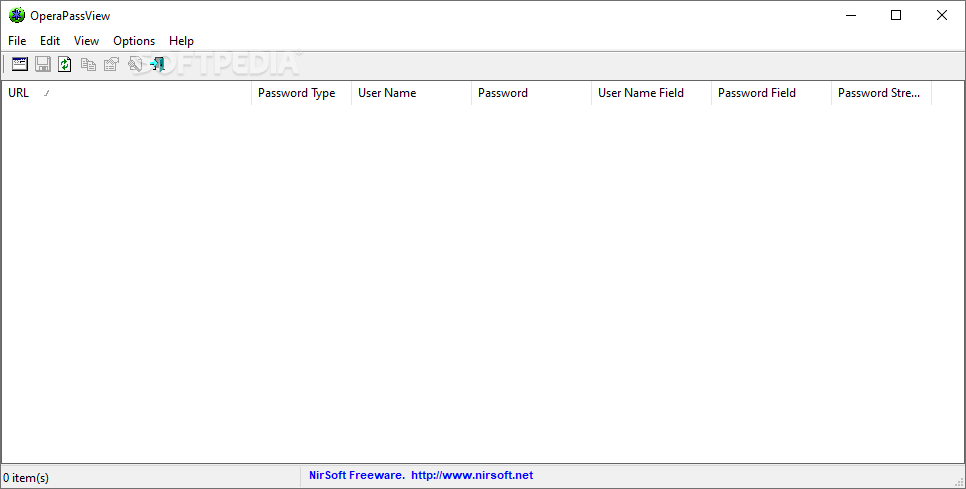
OperaPassView is a lightweight software application built specifically for helping you recover lost or forgotten passwords stored by the Opera web browser.
Since this is a portable program, it is important to mention that it doesn’t leave any traces in the Windows Registry.
You can copy it on any USB flash drive or other devices, and take it with you whenever you need to retrieve Opera passwords on the breeze, without having to go through installation steps.
OperaPassView sports a clean and simple layout pointing out to the fact that the accent doesn’t fall upon the looks of the tool but rather on its functionality.
Basically, it proves to be extremely easy to work with this utility, as it automatically scans the Opera password file (wand.dat) and displays the information directly in the primary panel.
The utility provides details about the URL, password type, username, password, username field, and password strength. What’s more, you can copy data to the clipboard and paste it into other third-party applications, or save the passwords to plain text, HTML, CSV, or XML file format.
Other important features worth mentioning are represented by the possibility to perform search operations, use hotkeys for a better control over the entire process, refresh the information, as well as manually specify the wand.dat file.
Since there aren’t any many dedicated parameters, even rookies can master the process with minimum effort. As it would be expected from such a small utility, it remains light on system resources, so it doesn’t burden the overall performance of the computer, nor interfere with other programs’ functionality.
To sum things up, OperaPassView offers a simple yet efficient software solution for helping you retrieve lost Opera passwords.
What's new in OperaPassView 1.10:
- Fixed to detect properly the passwords of login.live.com and probably other Web sites.
- Added /RawExport command-line option to export Opera wand file into a raw text file (without detecting which fields are the user names and passwords). This option is useful when OperaPassView fails to detect the user name / password field properly and displays other fields instead.
- Added /LoadWand command-line option to specify the desired wand file to load.
OperaPassView 1.10
add to watchlist add to download basket send us an update REPORT- PRICE: Free
- runs on:
-
Windows 10 32/64 bit
Windows 2008
Windows 8 32/64 bit
Windows 7 32/64 bit
Windows Vista 32/64 bit
Windows XP
Windows 2K - file size:
- 44 KB
- filename:
- operapassview_german.zip
- main category:
- Security
- developer:
- visit homepage
Zoom Client

IrfanView

4k Video Downloader

calibre

Microsoft Teams

7-Zip

Windows Sandbox Launcher

paint.net

ShareX

Bitdefender Antivirus Free

- paint.net
- ShareX
- Bitdefender Antivirus Free
- Zoom Client
- IrfanView
- 4k Video Downloader
- calibre
- Microsoft Teams
- 7-Zip
- Windows Sandbox Launcher