
Get hold of your Twitter accounts if you've forgotten or lost your login passwords using this simple app that supports all popular browsers. #Password recovery #Twitter password #Recover password #Password #Decryptor #Decrypt
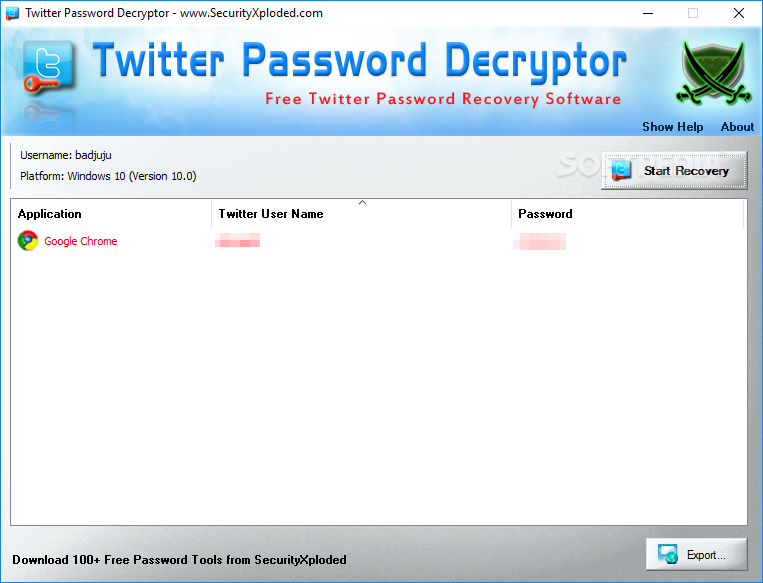
Twitter is a popular microblogging platform and there are numerous people who use it on a daily basis to express their thoughts or share interesting links they might have stumbled across. However, on occasion, one can forget their password and need to rely on a dedicated recovery tool to retrieve it, such as Twitter Password Decryptor.
The graphic interface is intuitive and appealing, so that both novices and experts can scan their installed browsers for stored Twitter passwords. The software solution supports numerous web browsers, including Internet Explorer, Firefox, Google Chrome, CoolNovo, Comodo Dragon, Opera, Safari and SeaMonkey.
At this point, it is worth mentioning that the application can successfully retrieve said passwords only if users have previously checked the ‘Remember password’ box when logging in, thus allowing browsers to record and store the credentials.
Once the software solution starts scanning the host computer, it gradually displays the detected Twitter passwords for each browser, along with the corresponding usernames. Thus, if there are several users sharing the same PC, they can each retrieve their passwords with the same application.
Once the needed passwords have been shown, users can export the current report to a file for further analysis - several formats are supported, such as HTML, XML or TXT. Tech-savvy users who are more interested in speed rather than looks will probably prefer running the tool in command-line, as the functions are the same.
In a nutshell, Twitter Password Decryptor can come in handy when users forget which password they use for their Twitter account, as long as the data is stored within a browser installed on their PC (portable editions are not supported).
What's new in Twitter Password Decryptor 11:
- Mega 2020 release supporting Twitter password recovery from 30+ browsers including Microsoft Edge, Coc Coc, Comodo, Epic, Chedot, CCleaner browser etc. Also supports new master key based password recovery from latest Chrome browser (v80.0)
Twitter Password Decryptor 11
add to watchlist add to download basket send us an update REPORT- PRICE: Free
- portable version
- Portable Twitter Password Decryptor
- runs on:
-
Windows 10 32/64 bit
Windows 2003
Windows 8 32/64 bit
Windows 7 32/64 bit
Windows Vista 32/64 bit
Windows XP - file size:
- 4.8 MB
- main category:
- Security
- developer:
- visit homepage
Context Menu Manager

calibre

ShareX

IrfanView

Microsoft Teams

Zoom Client

4k Video Downloader

7-Zip

Windows Sandbox Launcher

Bitdefender Antivirus Free

- 7-Zip
- Windows Sandbox Launcher
- Bitdefender Antivirus Free
- Context Menu Manager
- calibre
- ShareX
- IrfanView
- Microsoft Teams
- Zoom Client
- 4k Video Downloader