
Hide data and deny reading or writing for particular files, folders and drives, so as to protect sensitive information from prying eyes. #Lock file #Encrypt folder #Hide document #Lock #Hide #Block

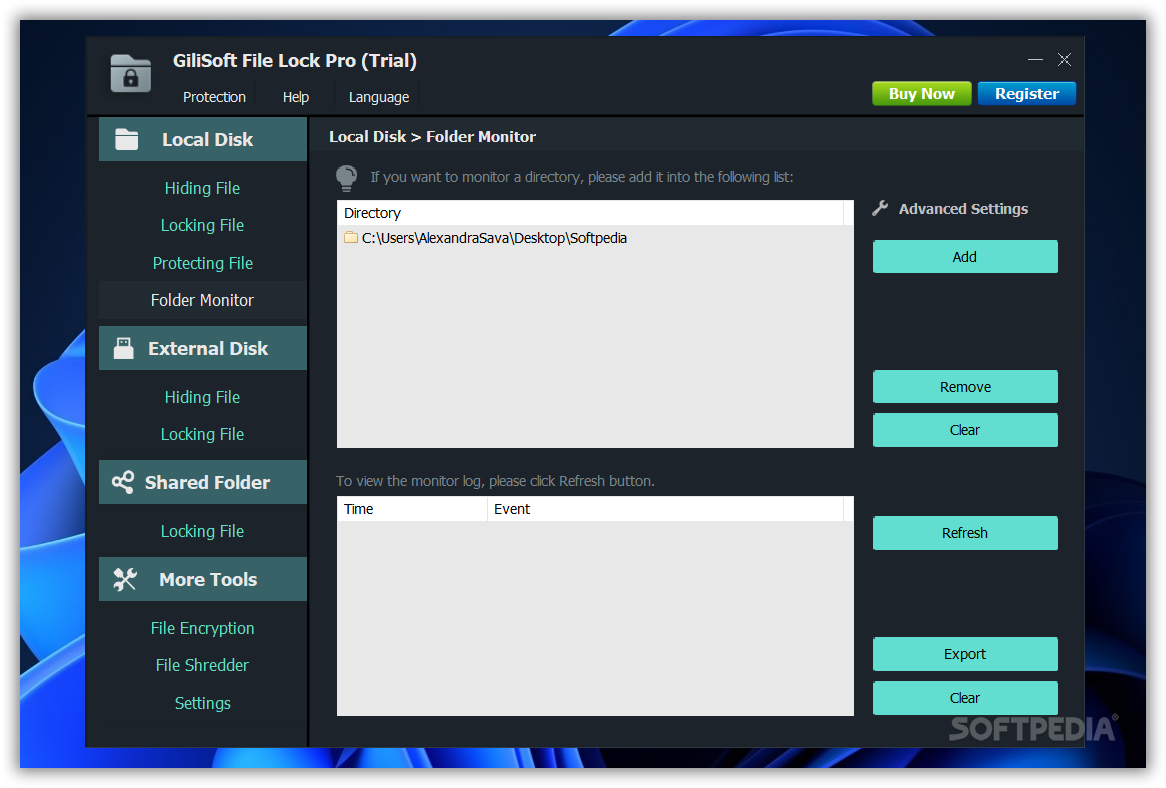
GiliSoft File Lock Pro is a software tool which helps people hide data and protect their files, directories and partitions from reading or writing.
During the installation process, you are required to create a master password and provide your e-mail address, so that you can make sure no one will be able to change your settings and receive notifications. However, you should know the passkey can be changed at any point and a mail message can be sent to you when this happens.
The interface comprises of a navigation panel, which enables you to access all the options available in a more efficient manner, and a pane where you can view details.
Files, folders and drives can be hidden from other users, by simply selecting the item and clicking the “Hide Files” button. Batch processing is integrated, as well as the “drag and drop” function. These are very useful features, as they enable you to manage your files faster. The process is similar when trying to deny reading or writing for certain documents.
This software program creates a shell menu entry, which enables you to perform all the actions described above, as well as password-protect a file, encrypt it as an EXE and safely delete it from the computer.
From the settings panel, it is possible to ban your account for ten minutes or automatically send a notification to your e-mail when the wrong master passkey have been entered for more than five times. Aside from that, you can create an exclude list, disable shell menu and hide the utility from the desktop, start menu and quick link.
In conclusion, GiliSoft File Lock Pro is a useful piece of software for people looking to protect important or sensitive information from prying eyes. It does not require many system resources and the environment is feature-rich and user-friendly. There is also another version you can take advantage of, GiliSoft File Lock.
GiliSoft File Lock Pro 13.2.0
add to watchlist add to download basket send us an update REPORT- runs on:
-
Windows 11
Windows 10 32/64 bit
Windows 2003
Windows 8 32/64 bit
Windows 7 32/64 bit
Windows Vista 32/64 bit
Windows XP 32/64 bit
Windows 2K - file size:
- 13.6 MB
- filename:
- file-lock-professional.exe
- main category:
- Security
- developer:
- visit homepage
Context Menu Manager

Zoom Client

ShareX

calibre

Windows Sandbox Launcher

Microsoft Teams

7-Zip

4k Video Downloader

Bitdefender Antivirus Free

IrfanView

- 4k Video Downloader
- Bitdefender Antivirus Free
- IrfanView
- Context Menu Manager
- Zoom Client
- ShareX
- calibre
- Windows Sandbox Launcher
- Microsoft Teams
- 7-Zip