Softpedia
 

WINDOWS CATEGORIES:


GLOBAL PAGES >>
SOFTPEDIA REVIEWS >>
MEET THE EDITORS >>

WEEK'S BEST

  • DAEMON Tools Pro (...
  • FlashFXP [ DISCOUN...
  • PowerISO 4.9
  • WebcamMax [DISCOUN...
  • Zemana AntiLogger ...
  • System Mechanic Pr...
  • Glary Utilities Pr...
  • All My Movies [DIS...
  • Ad-Aware Internet ...
  • Atlantis Word Proc...
  • Home > Windows > Security > Lockdown
     Report malware

    Folder Protect 1.9.2

    download button

    Downloads: 7,146  Tell us about an update
    User Rating:
    Rated by:
    Good (3.0/5)
    13 user(s)
    Developer:

    License / Price:

    Size / OS:

    Last Updated:

    Category:

    Trial / USD 39.95 buy button
    3.5 MB / Windows NT / 2K / XP / 2003 / Vista / 7 / 7 x64
    [view history]
    C: \ Security \ Lockdown

     Read user reviews (3)  Send to friend   Follow (2 users)

    Folder Protect description

    Protect, hide, delete proof, write proof and block access your data

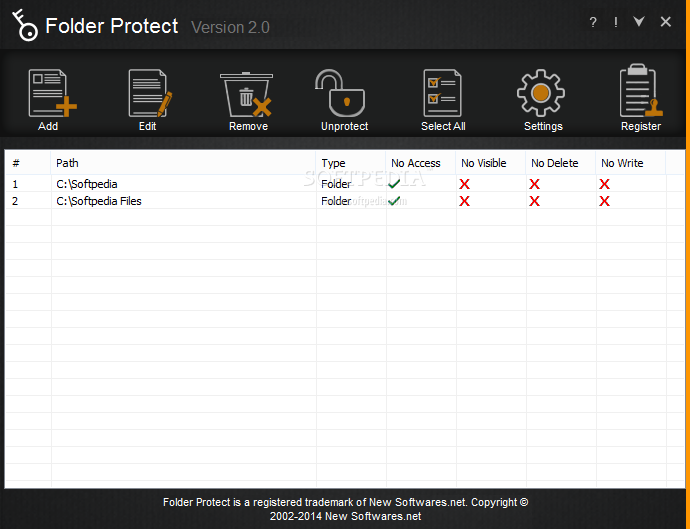
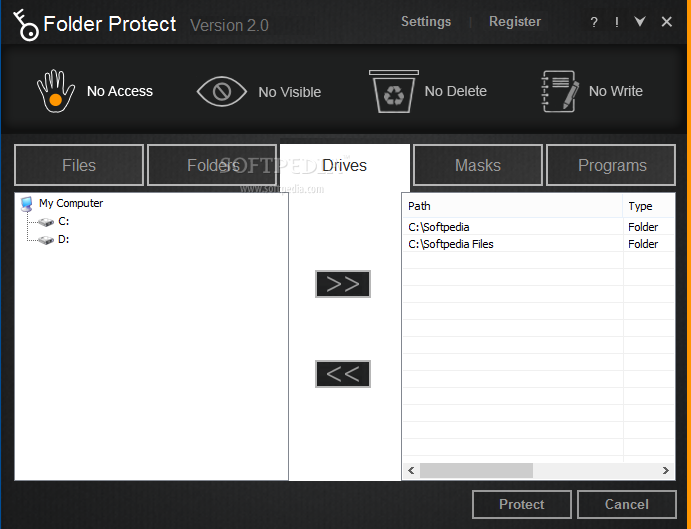
    Folder Protect is a new concept in Data Security. It lets you password protect and set different access rights to your files, folders, drives, installed programs and popular extensions.

    Folder Protect goes beyond normal file locking and encryption by letting you customize your security and choose between making files inaccessible, hidden, delete-proof or write-protected.

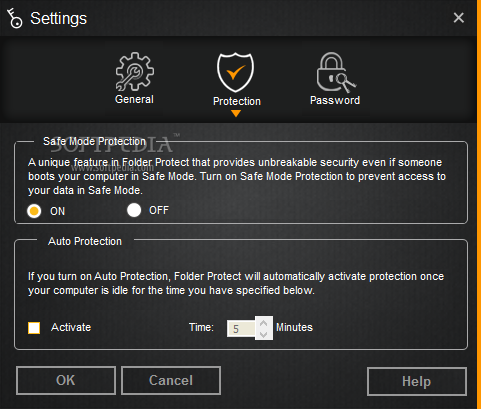
    The program uses Windows Kernel level protection that even works in Safe Mode ensuring complete security of protected folders. You can lock, hide, access block and even prevent data from being deleted or modified. This can help you give access of your data to others without worrying about it getting deleted or modified.

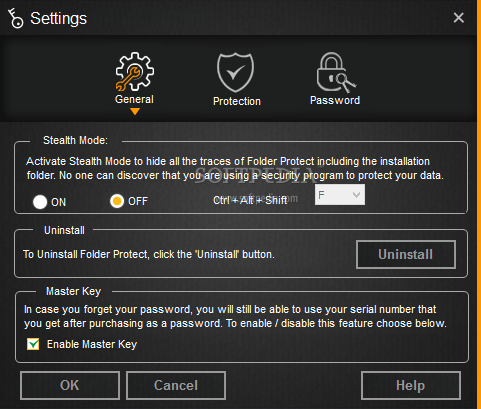
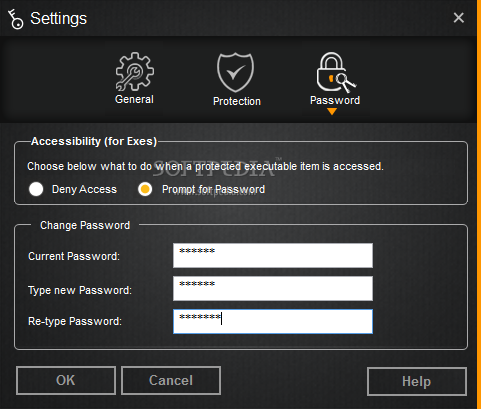
    Folder Protect can't be uninstalled without a correct password. Furthermore, the program can work in complete stealth and you can choose an idle time when the data gets protected automatically.

    Folder Protect offers an easy and uncomplicated way to select security type and make your files inaccessible, hidden, write-protected and delete-proof by choosing No Access, No Visible, No Write and No Delete respectively. You can also set a combination of these protection types according to their needs; e.g. No Delete and No Write can be selected simultaneously to make your files delete-proof and write-protected.

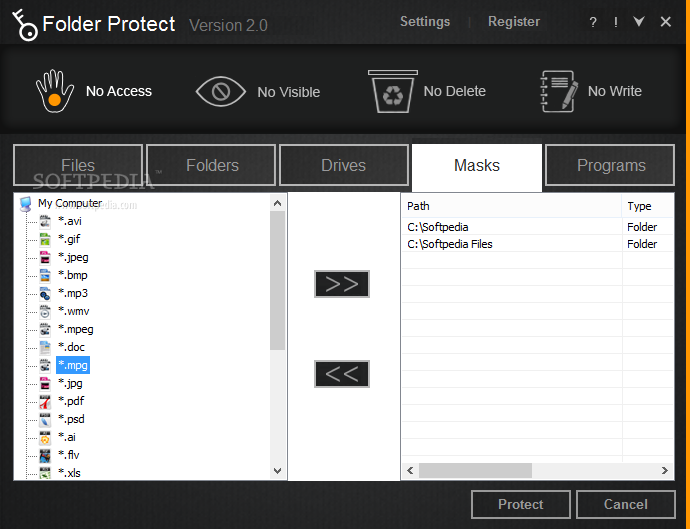
    Folder Protect's Masking Protection is another valuable feature that protects all popular extensions like *.avi, *.jpeg, *.gif, *.bmp, *.mp3, *.wmv, *.mpeg, *.doc and many more. It lets you protect all the files of a same format with a single mouse click.

    Furthermore, Folder Protect's Context Menu allows you to password protect your files directly from the Windows Explorer without the need to start the program first.

    Here are some key features of "Folder Protect":

    Data in Use Protection:
    · Folder Protect offers a new concept of ‘Data in Use’ protection. It does not only password protect your data but also let you choose security levels for your data, so that you can choose making your files inaccessible, invisible, delete-proof or write-protected.

    Access Protected Items:
    · Customize type of security to make your files and folders accessible but delete-proof and write-protected. You can also access hidden files by giving exact path of those files in RUN, Windows Explorer or by using DOS mode.

    Hide Files and Folders:
    · Folder Protect hides your data in such a way that it cannot be viewed, searched for or deleted without knowing the correct path or your password. Hidden data will remain invisible even if you restart your PC or select ‘Show Hidden Files’.

    Maximum Protection:
    · Folder Protect uses Windows Kernel level protection that works even in Safe mode ensuring maximum protection of your data.

    Make your Data Loss-proof:
    · Never worry about data loss, data theft or privacy breach. Protect your data with Folder Protect.

    Make your Data Write-protected:
    · Folder Protect lets you prevent redundant modification of your data by other users. Your data remain write-protected with Folder Protect!

    Stealth Mode Feature:
    · This feature helps you maintain your secrecy by hiding all the short cuts of the program from Desktop, Quick Launch, Start Menu, Add/Remove programs item and context menu in Explorer. Run the program with a hotkey of your choice.

    Auto-Protection:
    · Activate Auto-protection and set an idle time to get your files automatically protected after that time period.

    Limitations:

    · 15 days trial
    · Nag screen

    What's New in This Release: [ read full changelog ]

    · This version update of Folder Protect fixes Stealth Mode related problems for all 32 and 64-bit Windows OSes. Additionally, all issues related to restricted paths, including those in Server 2003 have been fixed.

     Softpedia guarantees that Folder Protect 1.9.2 is 100% CLEAN, which means it does not contain any form of malware, including spyware, viruses, trojans and backdoors. [read more >]


    TAGS:

    folder protector | file protector | folder lock | lock | lockdown | password


    HTML code for linking to this page:


    Go to top

    WindowsGamesDriversMacLinuxScriptsMobileHandheldNews

    SUBMIT PROGRAM   |   ADVERTISE   |   GET HELP   |   SEND US FEEDBACK   |   RSS FEEDS   |   UPDATE YOUR SOFTWARE   |   ROMANIAN FORUM