Softpedia
 

WINDOWS CATEGORIES:


GLOBAL PAGES >>
SOFTPEDIA REVIEWS >>
MEET THE EDITORS >>

WEEK'S BEST

  • DAEMON Tools Pro (...
  • FlashFXP [ DISCOUN...
  • PowerISO 4.9
  • WebcamMax [DISCOUN...
  • Zemana AntiLogger ...
  • System Mechanic Pr...
  • Glary Utilities Pr...
  • All My Movies [DIS...
  • Ad-Aware Internet ...
  • Atlantis Word Proc...
  • Home > Windows > Security > Password Managers & Generators
     Report malware

    Password Corral 4.0.4.154

    Softpedia Pick Award
    download button

    Part of the Password Managers download hub (+2 others)
    Downloads: 27,357  View global page  Tell us about an update
    User Rating:
    Rated by:
    Good (3.9/5)
    96 user(s)
    Developer:

    License / Price:

    Size / OS:

    Last Updated:

    Category:

    Freeware / $0
    610 KB / Windows All
    [view history]
    C: \ Security \ Password Managers & Generators

     Read user reviews (3)  Send to friend   Follow (4 users)

    EDITOR'S RATING

    Softpedia Editor's Review for Password Corral

    A popular password manager with a clean, easy to use interface and strong encryption

    Written by Bogdan Popa on February 7th, 2012

    Password Corral is a powerful password manager that provides an easy to use interface and strong encryption algorithms.

    While most similar applications sport complex and sometimes difficult to use features, Password Corral offers a more user friendly approach that perfectly mixes up with the strong encryption it integrates.

    Password Corral offers 256-bit Blowfish and 128-bit Diamond2 encryption, which should be enough to protect your sensitive data, so nobody can access your passwords without knowing the master password first.

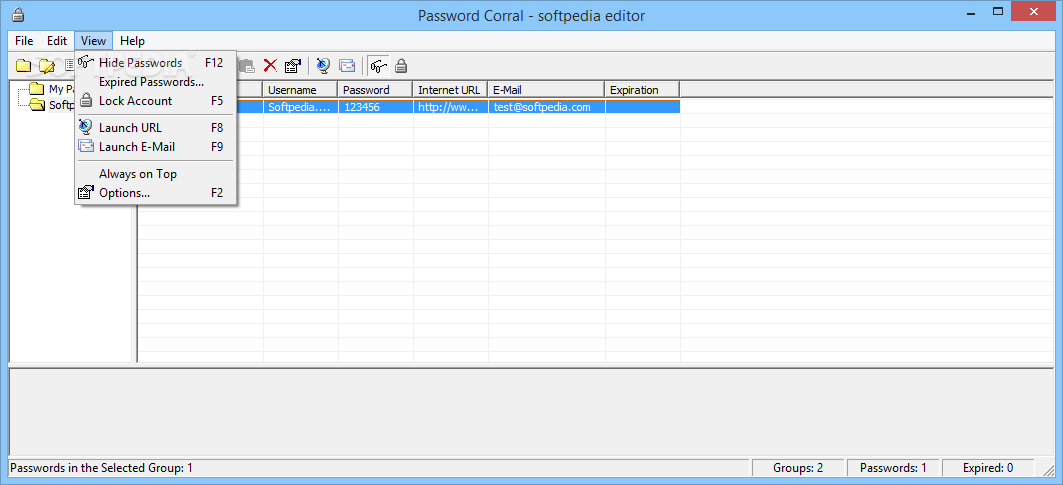
    But what may come in handy to many users is the way Password Corral manages to handle all passwords. The master password is the only thing you need to protect your very own database of passwords which can be also hidden in the main window and thus add a new security layer to the application.

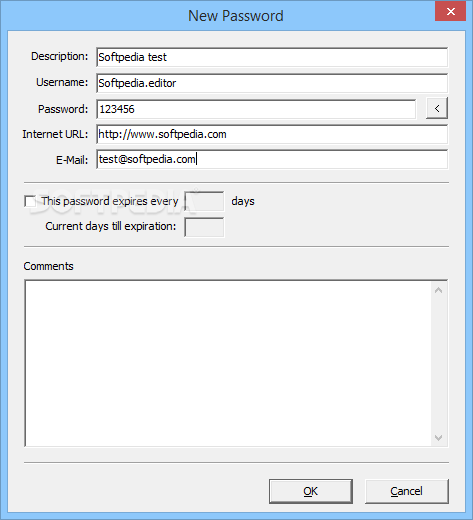
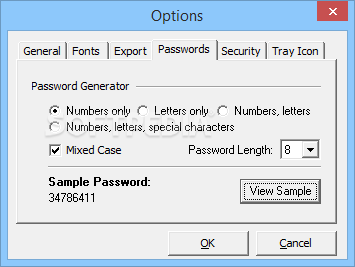
    A typical password entry can also comprise some other information, such as username, description, URL and email, but also comments and an expiration date. Plus, Password Corral boasts a password generator to quickly create a password of up to 20 characters, which can be anything from letters, numbers or symbols.

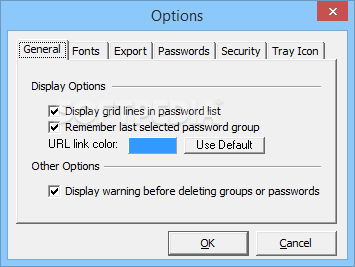
    The password generator can be configured from the app's “Options” screen, so it can create passwords comprising numbers only, letters only, numbers and letters, numbers, letters and special characters. Plus, you can enable the mixed case option and define password length.

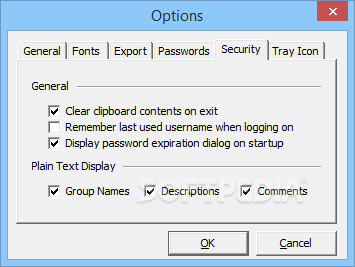
    The “Security” tab lets you enable the program to clear clipboard contents on exit and display password expiration dialog on startup.

    Overall, Password Corral is a very handy password manager that is addressed to all types of users out there. And with a few improvements in some key areas, it could become a five-star product.


    Read an in-depth analysis in our professional review for Password Corral

    Password Corral description

    Here are some key features of "Password Corral":

    Single Repository for all your Passwords:
    · Now you can have a single place to store all your passwords. Use a single password that you choose to encrypt all the passwords you use. Never forget one again!

    Blowfish or Diamond2 Encryption:
    · 256-bit Blowfish or 128-bit Diamond2 encryption stands between you and those unscrupulous persons with prying eyes. Unless they know your master password, they can't see your data.

    Password Information:
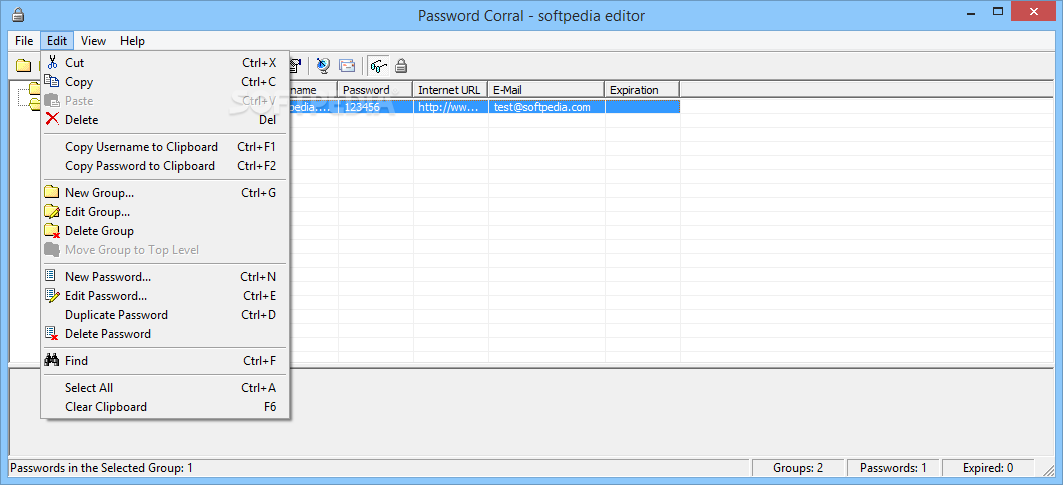
    · Passwords are kept in custom groups that you create, and can be nested within each other. Each password you store in Password Corral can also have a description, username, comments, URL and e-mail address, all encrypted just like your password information. No more forgetting which password went with which system. This information can be sorted as you like and printed as well.

    Password Generator:
    · Passwords Corral includes a random password generator that allows you to quickly create a random password of up to 20 characters of numbers, letters or special charaters. The generator is configurable and allows you to choose how to generate the password.

    Password Expiration:
    · Any password can be set to expire after a given number of days. Password Corral will then issue a warning when a password has expired and allow you to change it at that time. This will help remind you to change your passwords for better security.

    Multiple Users on the Same PC:
    · Any user of your PC can create a new Password Corral account. The program keeps track of individual users and their data. Everyone's information is protected with their own, individual password and encrypted. Note: Password Corral does not support simultanious use of a single user account by multiple users.

    Password Protect Program Features:
    · You can lock Password Corral and require entry of your master password before once again using the program. This allows you to keep Password Corral running all the time and still protect your data while you are away from your PC. You can set Password Corral to time out to the system tray after a period of time of system inactivity and protect it there with your master password.

    Hyperlinks in the Comments Field:
    · Any HTTP, FTP or WWW links you place in the comments field for your passwords automatically become hyperlinks, and clicking on them will start the default web browser and take you to that site. Hyperlinks in the URL column can also be clicked.

    Flexible Display Options:
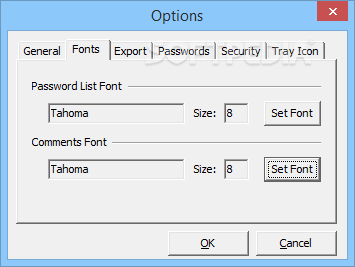
    · You can choose to display information encrypted or in plain text on screen, choose your own font for the password list and comments field and select a custom color for hyperlinks.

    Import/Export Passwords:
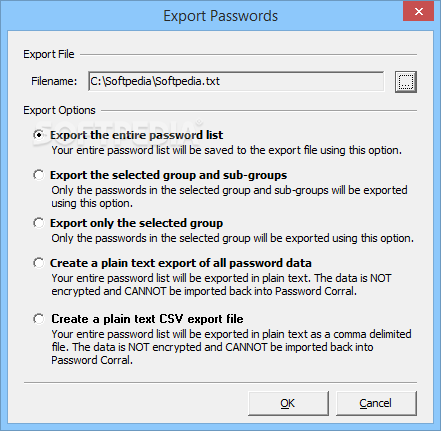
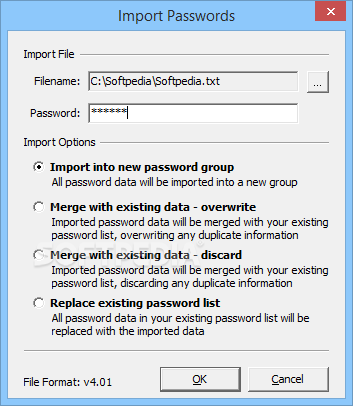
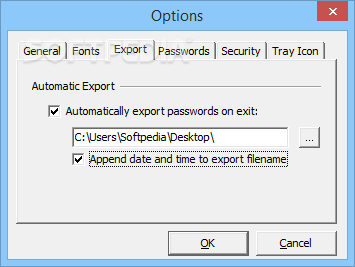
    · Password Corral can export your password list to a text file easily! Copy the file to any other PC that has Password Corral, create a new user account for yourself and then import the passwords. Your passwords will now be available on the new PC. The text file also makes a handy backup in case of disaster. Import options are flexible and allow you to merge your existing password list with a different set of passwords from an export file. An auto-export feature allows you to create a backup password file each time you exit the program. And as you'd expect, the export text file is encrypted as well.

    Full On-line Help:
    · Password Corral comes with complete, context sensitive on-line help. Just press 'F1' in any dialog box for specific information.

    Clean, Easy-to-use, Attractive Interface:
    · Password Corral's interface uses the same Windows features you're already used to. No wild icons, sloppy window layouts, unnecessary buttons or toolbars; just a clean interface that makes sense, is easy to use and adheres to standard Windows guidelines.

    What's New in This Release: [ read full changelog ]

    · A New plain text CSV export option has been added. Note that you CANNOT import a CSV file back into Password Corral. You must still use one of the encrypted export options if you plan on importing the data back into Password Corral.

       Softpedia guarantees that Password Corral 4.0.4.154 is 100% CLEAN, which means it does not contain any form of malware, including spyware, viruses, trojans and backdoors. [read more >]


    TAGS:

    manage password | password manager | blowfish encryption | password | manager | secure


    HTML code for linking to this page:


    Go to top

    WindowsGamesDriversMacLinuxScriptsMobileHandheldNews

    SUBMIT PROGRAM   |   ADVERTISE   |   GET HELP   |   SEND US FEEDBACK   |   RSS FEEDS   |   UPDATE YOUR SOFTWARE   |   ROMANIAN FORUM