
Removes every last trace of the entries of the Ask Toolbar. #ASK Toolbar #Toolbar Remover #Remove Toolbar #ASK #Toolbar #Remover

Many pieces of software are ad-supported and come equipped with various toolbars that usually slow down the web browsing experience. Most of them even change the homepage of your web browsers.
While some users feel these toolbars offer them easy access and an extra functionality, others find them simply irritating and unnecessary.
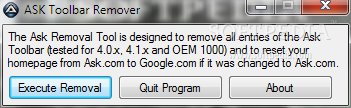
As the name of this program implies, ASK Toolbar Remover is designed to help you remove the Ask toolbar from your computer, provided by Ask.com.
It can be easily used, even by less experienced individuals. The tool undoes modifications made to the web browsers' homepage.
The application does not require installation, so it is portable. This means that you can place ASK Toolbar Remover on a removable device (like a USB flash drive), plug it into any computer and directly run the executable file. What's more important is the fact that the Windows registry is not modified.
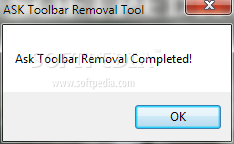
The interface of the tool is based on a standard window where removal is instantly executed with the click of a button. A notification is displayed afterward, to inform you about the success of ASK Toolbar Remover.
The application uses a very low amount of CPU and system memory, in order to remove the Ask toolbar. However, our tests have revealed that ASK Toolbar Remover does not work on the latest operating systems (although the notification says the operation is a success). Also, the tool does not offer to restart the web browsers after removal (if they are opened). No recent updates have been made.
ASK Toolbar Remover 1.3
add to watchlist add to download basket send us an update REPORT- runs on:
- Windows All
- file size:
- 269 KB
- filename:
- ASK Remover.zip
- main category:
- Security
- developer:
- visit homepage
Zoom Client

Windows Sandbox Launcher

Microsoft Teams

Bitdefender Antivirus Free

IrfanView

7-Zip

ShareX

4k Video Downloader

calibre

paint.net

- 4k Video Downloader
- calibre
- paint.net
- Zoom Client
- Windows Sandbox Launcher
- Microsoft Teams
- Bitdefender Antivirus Free
- IrfanView
- 7-Zip
- ShareX