
Wipe clean the contents of a hard disk in order to make sure that the deleted information cannot be recovered through traditional means. #Erase HDD #HDD eraser #Remove data #Eraser #Delete #Erase
Wiping clean a storage device can be done from Windows, using the drive formatting option, but this may not always ensure that the data cannot be recovered.
Darik's Boot and Nuke (DBAN) covers this need by allowing you to boot into a special environment that can erase the data on all the volumes of a disk. One of the scenarios it comes in handy is recycling a computer.
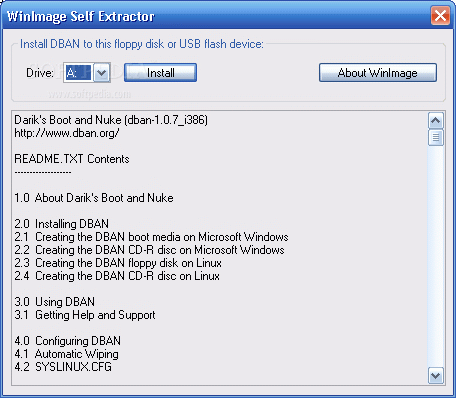
The application allows you to create a bootable USB device that contains a special environment with professional options for sanitizing the hard disks available on the system.
It destroys all the data without confirmation, regardless of their location by running special algorithms such as DoD 5220.22-M, RCMP TSSIT OPS-II, Gutmann, PRNG Stream or Quick Erase.
These standards write data on the hard disk several times and have different levels of efficiency. Gutmann, for instance, has 35 passes and it may take the longest to finish the job.
The application can be used to run the data wiping algorithms on multiple storage devices at the same time. According to the developer, the utility ran on a computer with 100 SCSI hard disks and limitations would depend on the PCI bus bandwidth.
DBAN may not be successful in wiping the data on all types of hard disks. However, it should work properly once it detects the hardware.
Although it includes drivers for detecting most devices, RAID implementations included, the application does not disassemble RAID volumes automatically.
Take into account that the program needs to run the wiping routines several times and this requires more time than the average user might expect, extending the operation to even more than three hours.
Darik's Boot and Nuke is not too user-friendly and working with it requires creating a bootable USB to load it from. On the other hand, it should a good job at making the disk pristine clean and ready for new use.
What's new in DBAN (Darik's Boot and Nuke) 2.3.0:
- - Buildroot updated to 2015.02 (new kernel version is 3.18.6).
- - "nousb" option removed in autonuke mode. Instead filtering out USB media in the shell script.
- - Added possibility to save debug report (dmesg+dwipe logs) at the end of erasure.
- Pre-requirement: USB stick should be formatted and inserted to PC before the erasure is finished).
DBAN (Darik's Boot and Nuke) 2.3.0
add to watchlist add to download basket send us an update REPORT- runs on:
- Windows All
- file size:
- 16.7 MB
- main category:
- Security
- developer:
- visit homepage
ShareX

Zoom Client

calibre

Bitdefender Antivirus Free

Microsoft Teams

4k Video Downloader

IrfanView

Windows Sandbox Launcher

7-Zip

paint.net

- Windows Sandbox Launcher
- 7-Zip
- paint.net
- ShareX
- Zoom Client
- calibre
- Bitdefender Antivirus Free
- Microsoft Teams
- 4k Video Downloader
- IrfanView