WINDOWS CATEGORIES:


NEWS ARCHIVE >>
SOFTPEDIA REVIEWS >>

WEEKLY HIGHLIGHTS

DVD Cloner45
Spyware Doctor40
1Click DVD Copy40
Apollo DVD Copy40
ABC Amber BlackBer...45
Protected Music Co...40

7-DAY TOP DOWNLOAD

#
Program
Avira AntiVir
Personal - Free
Antivirus 9.0.0.415

188,639
Windows Live
Messenger 2009
14.0.8089.726

169,902
Avira Antivir Virus
Definition File
Update November 23,
2009

148,796
FreeZ Online TV 1.31
145,574
Nexus Radio 4.2
124,425
Microsoft Office
2010 14.0.4536.1000
Beta / 2007

77,778
Y! Multi Messenger
8.x and 9.x

76,962
Windows Live
Messenger
8.5.1302.1018

60,393
DVD Shrink 3.2.0.15
49,941
RemoveWGA 1.2
49,877

WEEK'S BEST

  • Faststone Image Vi...
  • Vuze (formerly Azu...
  • Softpedia Wallpape...
  • Softpedia Wallpape...
  • Softpedia Wallpape...
  • RSSOwl 2.0 Final
  • Internet Explorer ...
  • Online Armor ++ 4....
  • cFosSpeed 5.01 Bui...
  • SONY Vegas Pro 9.0...
  • Firefox 3.6 Beta 3...
  • Nokia Photos 1.6.434
  • Windows Server 200...
  • Skype Portable 4.1...
  • Google Chrome Port...
  • PCMark Vantage Bas...
  • Kaspersky Anti-Vir...
  • Microsoft Virtual ...
  • Messenger Plus! Li...
  • WinX DVD Author [F...
  • SoftPerfect Networ...
  • System Mechanic Pr...
  • Ad Muncher 4.8 Bui...
  • Windows 7 Upgrade ...
  • Pidgin 2.6.3
  • OpenOffice.org 3.2...
  • VirtualDub 1.9.7 B...
  • Maxthon [Softpedia...
  • Spyware Doctor 7.0...
  • SUPERAntiSpyware 4...
  • Home / Windows / Antivirus
     Report spyware

    CA Internet Security Suite Plus 2009 5.0.0.566

    Download button

    Downloads: 6,262  Add to download basket  Tell us about an update
    User Rating:
    Rated by:
    Very Good (4.0/5)
    27 user(s)
    Developer:

    License / Price:

    Size / OS:

    Last Updated:

    Category:
    Computer Associates | More programs
    Trial / USD 79.99 | BUY the full version
    107 MB / Windows 2K / XP / Vista
    January 28th, 2009, 09:12 GMT
    C: \ Antivirus

     Read user reviews (0)  Add a review  Refer to a friend  Subscribe


    CA Internet Security Suite Plus 2009 description


    Comprehensive Internet Security and Data Protection

    The CA Internet Security Suite Plus was designed to provide comprehensive protection against Internet threats that can jeopardize your privacy and diminish PC performance. It also helps ensure your important files, photos, music, and PC settings are safe, by letting you easily back them up, restore them, or transfer them to a new PC.

    Here are some key features of "CA Internet Security Suite Plus":

    · Supports up to 3 PCs
    · Anti-Virus
    · Anti-Spyware
    · Personal Firewall
    · Anti-Spam
    · Anti-Phishing
    · Parental Controls
    · Data Backup and Transfer


    CA Internet Security Suite Plus 2008:

    User-Friendly Interface offers simplicity and superior ease-of-use, helping you quickly and easily set preferences, check program status, and maintain a secure PC

    Low System Overhead with a total install of only 150 MB and low usage of system resources, CA Internet Security Suite Plus installs quickly, saves hard drive space, and scans efficiently

    In-product Tutorial helps educate you on the key features and functions of each application within the suite

    Secure Now provides proactive protection by monitoring critical program functions and settings, and reminding you to keep your security at an optimal level

    Continuous Protection to keep your computer protected from the latest internet risks by automatically renewing your subscription at the then current renewal price (plus applicable tax), so you don't have to (for more information, click here)

    Threat Outbreak Warning System provides real-time content feeds from the CA Security Advisor, giving you detailed, up-to-the-minute information on the most recent and most prevalent virus and spyware threats

    Quick Tips provide you with helpful, at-your-fingertips answers to commonly asked questions, easing the burden of searching the Help file or contacting Support for assistance

    Supported by the CA Security Advisory Team our worldwide research labs work 24 x 7 to detect threats before they can damage your PC, helping ensure protection from the latest threats

    Anti-Virus:

    Daily, Fully Automatic Updates easily and effectively address the #1 reason PC users suffer attacks: out-of-date signature files

    Automatic Email Scanning protects against viruses that arrive via email, before they can cause damage

    Scheduled and On-Demand Scanning allow you to run a scan at any time, or schedule scans at pre-selected intervals to meet your needs

    Real-time Scanning proactively stops viruses by scanning files when they are opened, closed or saved to your PC

    Advanced Heuristic Scanning helps detect new threats even before virus protection updates are created

    Interactive Virus Detection Messages provide links to helpful resources in the CA Virus Information Center when threats are detected

    File Quarantine removes threats from their current location to a secure quarantine area to allow you to further review the file

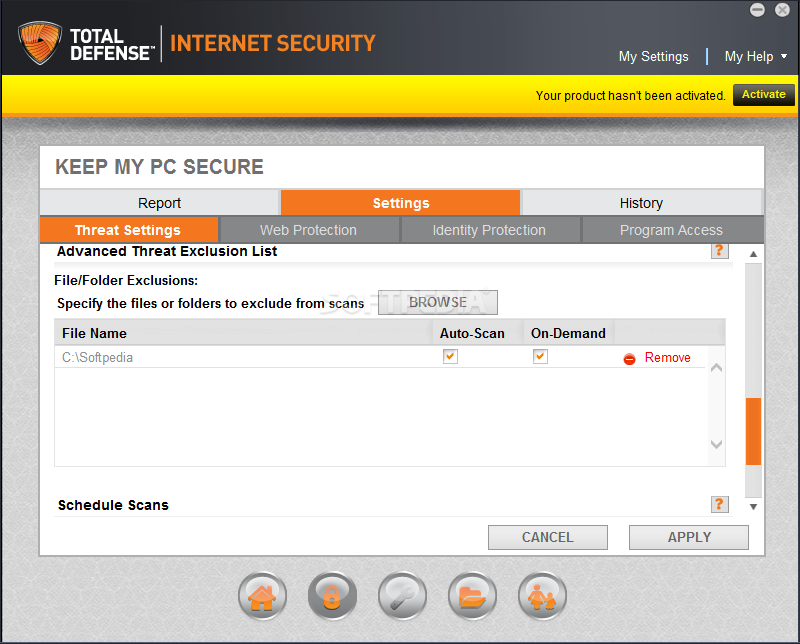
    File Exclusion List allows you to exclude specific files and folders from scans

    Archive Scanning allows you to scan compressed files in a variety of formats

    Certified by Independent Testing Organizations ICSA Labs, West Coast Labs, and Virus Bulletin for effective virus protection

    Anti-Spyware:

    Comprehensive Spyware Detection and Removal provides comprehensive protection against a wide range of spyware, adware, keyloggers, browser hijackers and other threats

    Real-time Protection detects and removes spyware running in memory, prevents and removes unwanted Browser Helper Objects and browser toolbars, and prevents spyware from making malicious changes to the Registry

    Frequent Automatic Updates help ensure you're protected against the latest threats

    Detailed Scan Results show the specific threat level of any spyware found, and allow you to link to the CA Spyware Information Center for more details

    Scheduled and On-Demand Scanning allow you to run a scan at any time, or schedule scans at pre-selected intervals to meet your needs

    Custom Scans allow you to select specific drives, files and folders to scan

    File Exclusion List allows you to exclude specific files and folders from scans

    Certified by Independent Testing Lab West Coast Labs for effective spyware protection

    Personal Firewall:

    Pre-loaded Security Settings give you optimal protection right out of the box, and reduce firewall warnings for known programs

    Application Control informs you when programs attempt to access the Internet, and lets you allow or deny access

    Detailed Alerts allow you to decide how to handle attempts by programs to access the Internet, intrusion attempts, and other security events

    Automatic Network Detection identifies the addition of a new network, and helps ensure proper protection for your local network or router configuration

    Ad Blocking cuts out annoying pop-up and pop-under ads, letting you surf in peace

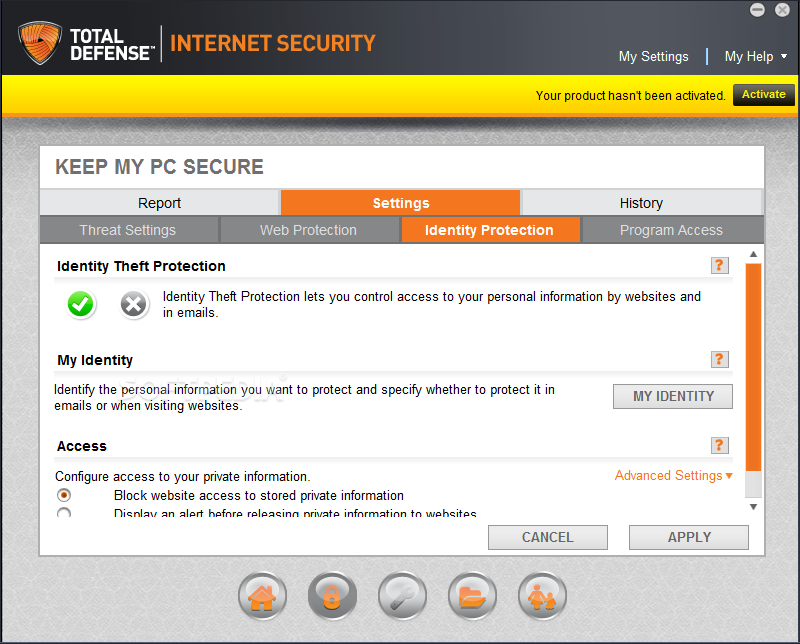
    ID Theft Protection helps you store sensitive personal information, alerts you when it is about to leave your PC through the Internet or email, and helps you block the transmission if desired

    Email Protection identifies and quarantines potentially harmful email attachments, and prevents mass-mailing worms from propagating

    Cache Cleaner removes sensitive browser history and file clutter, making your PC more efficient and protecting your privacy

    Mobile Code Protection allows you to block malicious or untrusted mobile code (JavaScript, Active X, VBScript, etc.)

    Cookie Control prevents websites from tracking your behavior

    Backup and Restore saves, exports, and imports your entire firewall security policy with the click of a button

    Application Hardening offers advanced sandboxing technology to protect CA Personal Firewall from attacks by hackers, allowing the application to run more safely and securely

    Enhanced Whitelist Technology identifies known 'good' and 'bad' applications, allows good applications to function without prompting, and blocks 'bad' applications from functioning if desired

    Certified by Independent Testing Lab West Coast Labs for effective firewall protection

    Anti-Spam:

    Blocks Unwanted Spam by allowing only messages from your approved senders list to reach your Inbox - all other mail is quarantined for you to review later

    Helps Prevent Phishing Attacks and Email Fraud by verifying the authenticity of messages, and displaying a clear visual warning on suspicious emails

    Works Simply and Easily no complicated content filters to set up or manage

    Protects Multiple Email Accounts for all of your Microsoft Exchange and any POP3 mail accounts you have configured in Outlook, Outlook Express or Windows Mail

    Integrates Seamlessly with Microsoft Outlook/Exchange with easy access to all features directly from the toolbar in Outlook, Outlook Express or Windows Mail

    Email Search creates a search index of all information stored in your email program, so you can quickly and easily find messages, attachments, contacts, appointments, journal entries and notes. For English-language Outlook, Outlook Express or Windows Mail only

    Spam Score helps determine which messages are most likely to be spam, resulting in less time reviewing quarantined mail, and less likelihood of missing a good email

    Supports Sender Score Certified allows mail from valid senders of commercial email (such as order confirmations from Amazon.com) to be delivered to your Inbox

    International Language Support automatically displays German, French, Italian, Spanish, Brazilian Portuguese, Chinese and Japanese based on your Windows language settings, and properly filters spam sent in any language

    Import/Export Approved Senders allows you to easily migrate your list of approved senders from one PC to another

    Anti-Phishing (CA Website Inspector):

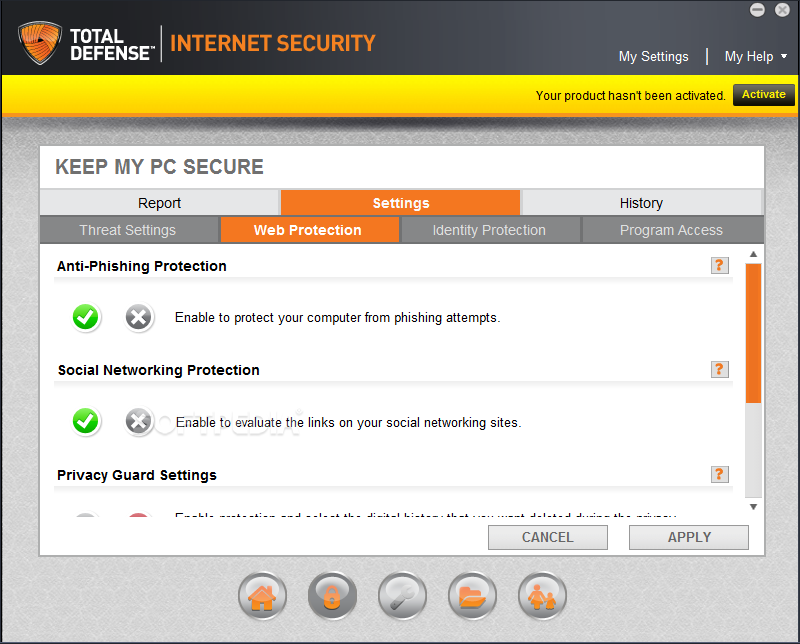
    Provides protection against fraudulent and malicious websites by showing you who owns the site you are visiting, warning you when you're accessing a potentially unsafe site, and providing you with an easy-to-understand risk assessment

    Browser Toolbar shows you the physical address of the owner of the site you're viewing, and provides the appropriate risk assessment and rating

    Link Advisor works within email, instant messenger, web and office applications to show you information about the sites you intend to visit before you even click on them, simply by placing your mouse cursor over the link

    Advanced Site Analysis Technology uses multiple databases, algorithms and site owner information sources to analyze web pages and identify risks

    Risk Assessment Indicators provide a color-coded visual warning indicating whether the site is safe, low risk, or high risk, and offer in-depth information on the potential risks associated with the site

    Rating and Alert Indicators evaluate the site's consumer rating and warn of potential problems on the site

    Data Protection helps guard against sending your personal information to risky sites, providing an alert that lets you decide if you want to send the information

    Personal Information Protection allows you to define any word or phrase you want to keep private (for example, your address, phone number, account numbers, or social security number), warning you when you try to submit it to an untrustworthy site

    Customizable Protection Levels choose to be alerted when you try to send a password, and/or information you've marked as personal, to an unapproved site

    Optional Warning Sound plays a warning beep when you attempt to send protected information to unapproved sites, or when you visit a High Risk site

    Report Submissions allow you to view and contribute to CA's site database, informing CA of dangerous sites or trustworthy sites that you feel have been mislabeled

    Application Support works with a variety of applications including Internet Explorer, Firefox, Microsoft Word, Outlook and Outlook Express, Windows Mail, Yahoo! Instant Messenger, ICQ, Google Talk, and more

    Parental Controls:

    Advanced Filtering Technology provides real-time dynamic content filtering, helping to ensure protection from inappropriate content at all times, regardless how recent the content is

    Multilayer Filtering combines advanced filtering technology with a pre-classified database, URL cache categorization, tagging capabilities, and customized site lists to help provide comprehensive Internet coverage

    Flexible User Profiles allow you to create and define up to ten user profiles, each with its own password-protected login and filtering profile

    Time Restrictions allow you to limit the time each child can spend on the Internet on a daily basis

    Selectable Filtering Categories offer 9 filtering categories for commonly blocked types of websites (Adult, Weapons, Gambling, Chat, Webmail, Hate, Drugs, Sport, Dating)

    Advanced Filtering Policies allow you to define filtering policies for each child's profile, including personalized allow/block lists; the ability to block access to all sites, except the ones explicitly specified; and restricting Internet access during certain parts of the day

    Customizable Features including setting the blocking message to be presented, controlling product updates and advanced settings

    Security Controls help ensure that children cannot disable or uninstall the product, or change their filtering profile - all administration functions are password protected, all reports and logs are encrypted, and the product is password protected against uninstallation

    Extensive Reporting Capabilities allow you to easily generate several types of reports for each child's profile, providing details on web activity, including all sites that were accessed, which sites were allowed, and which sites were blocked

    Supports Leading Content Rating Systems including ICRA and SafeSurf

    Automatic Updates provide up-to-date coverage

    Data Backup and Transfer (CA Desktop DNA Migrator)

    Easy-to-Use Wizard Interface quickly guides you through the steps to perform a data backup or transfer (migration)

    Backup and Restore allows you to run scheduled or on-demand backups of your PC's DNA (data, settings and preferences), save it to a CD or DVD to protect it from an unforeseen incident, and easily restore it if necessary

    Data Migration allows you to quickly stream your PC's DNA directly from your old PC to your new PC using an Ethernet crossover cable; or, create a DNA file to transfer to your new PC

    Typical and Custom Backup and Migration Types let you perform a backup or migration of your most popular settings and data in just a few easy steps, or customize exactly what you want to backup or transfer

    Cross-Operating System and Application Migration allow you to seamlessly migrate the settings you have customized on your old PC and in the older versions of your applications, to the new version of the operating system and application

    Self-Extracting Files for easy data restores and deferred migrations, a self-extracting DNA file is created, allowing you to restore your DNA or transfer the DNA file to your new PC over a network or from a CD or DVD. Once the DNA file is on your new PC, simply double-click on the file and the migration will take place automatically transferring your DNA to your new PC.

    Automated Disk-Spanning automatically spans DNA files to the size of a CD and places the files in a folder on the desktop, for easy movement to a CD, DVD, or other removable media

    Summary Screens provide a comprehensive logging feature to track the progress and success of the backup or migration

    Undo File allows you to easily return your PC to its pre-migration state

    Web Update Feature keeps your software up-to-date

    Requirements:

    · 256 MB RAM (512 MB for Windows Vista)
    · 300 MHz or higher processor (800 MHz for Windows Vista)
    · Microsoft Internet Explorer 6.0 or higher (7.0 for Windows Vista)
    · 150 MB hard disk space
    · CD-ROM drive
    · Internet access

    For Anti-Spam:
    · Microsoft Outlook 2000 or higher, Microsoft Outlook Express 5.5 or higher, or Windows Mail
    · One or more POP3 or MAPI email accounts


    Note: Product does not currently support the following operating systems: Windows XP 64, Windows Vista 64, Windows 98/Me


    Limitations:

    · 15-day trial
    · Nag screen

     Softpedia guarantees that CA Internet Security Suite Plus 2009 5.0.0.566 is 100% CLEAN, which means it does not contain any form of malware, including spyware, viruses, trojans and backdoors. [read more >]


    TAGS:

    Internet Security | Personal Firewall | Email Protection | Security | Firewall | AntiVirus


    HTML code for linking to this page:


    Go to top

    Windows tabGames tabDrivers tabMac tabLinux tabScripts tabMobile tabHandheld tabGadgets tabNews tab

    SUBMIT PROGRAM   |   ADVERTISE   |   GET HELP   |   SEND US FEEDBACK   |   RSS FEEDS   |   ENTER NEWS SITE   |   ENGLISH BOARD   |   ROMANIAN FORUM