
Webcam-based face recognition software that adds convenience and a bit of extra security to your usual Windows authentication procedure. #Login Authentication #Face Recognition #Windows Login #Authentication #Face #Login

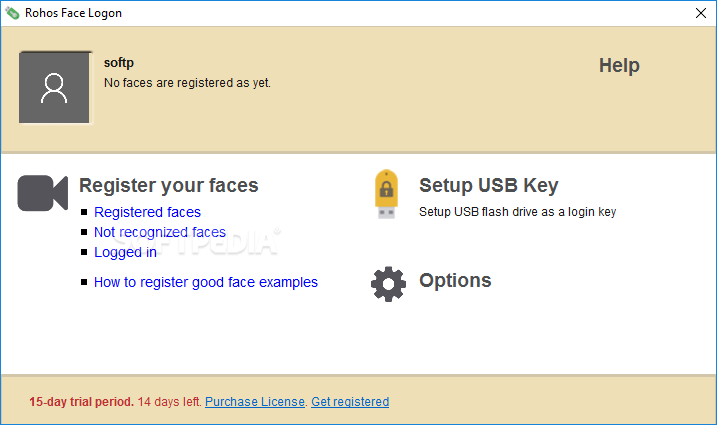
Rohos Face Logon is an appealing piece of software that aims enhance or improve the way you log into Windows by adding two things: security and a bit of extra convenience.
In just a few words, with the help of this app and a basic, Windows-compatible webcam, you can access your securely-access your computer based on your face. Even simpler, the login process is performed automatically by the app in question once your face pattern has been recognized.
You can deploy this application on your computer with the least amount of effort thanks to a streamlined installer, and it's also worth pointing out that the whole face-recognition configuration process is not too advanced.
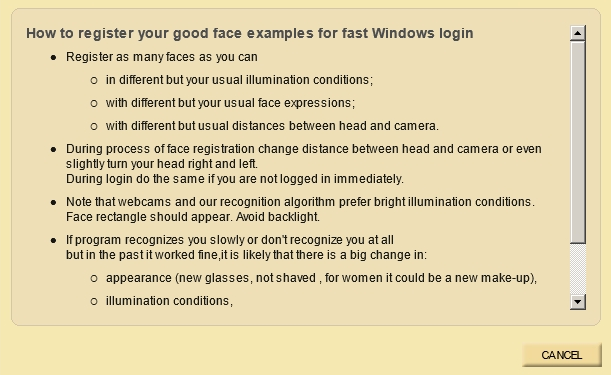
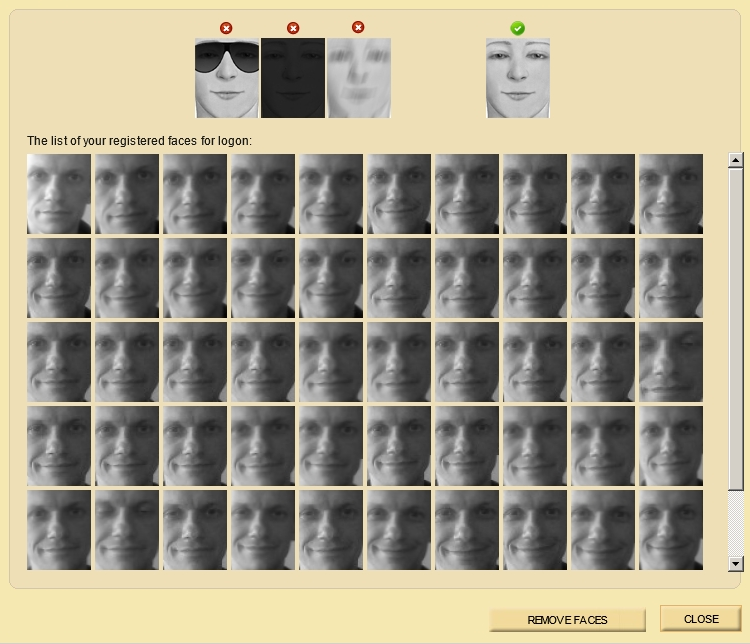
Basically, you just to launch the app, register the faces by first entering your Windows password and wait for the software to automatically capture a few snapshots of your face, and that's basically it. It's also possible to strengthen the security of your login procedure even more with the help of a USB Flash Drive key.
Quite interestingly, the application can be configured for multiple users, as well. The app is also capable of showing you the latest successful login sessions via instantly grabbed snapshots.
Despite fairly outdated looks and its overall straightforwardness, the application comes equipped with a power saving feature which makes sure that the webcam is not turned on for anything else than the authentication procedure and your computer's resources are not wasted with face recognition related tasks.
Taking everything into account, Rohos Face Logon is definitely an interesting option for home users looking to improve their login security with not much effort. This is all possible with the help of this lightweight and surprisingly efficient and simple to use software solution.
Download Hubs
Rohos Face Logon is part of these download collections: Face Login Managers
What's new in Rohos Face Logon 5.3 Beta:
- Improvements for Mifare RFID cards to support quick card swipe in some scenarios.
- Improvements on Azure workstation login via RDP to correctly reuse NLA credentials in some scenarios.
- Improved LDAP queries after LDAP_REFERRAL error code.
- Improved 1FA login possibility by using NLA credential for Remote Desktop access when user account have 2FA methods such as Yubikey, FIDO U2F, which in some cases lead to 2FA enforcement.
Rohos Face Logon 5.2 / 5.3 Beta
add to watchlist add to download basket send us an update REPORT- runs on:
-
Windows 11
Windows 10 32/64 bit
Windows 8 32/64 bit
Windows 7 32/64 bit
Windows Vista 32/64 bit
Windows XP 32/64 bit - file size:
- 17.4 MB
- filename:
- rohos_welcome.exe
- main category:
- Security
- developer:
- visit homepage
Context Menu Manager

ShareX

Zoom Client

4k Video Downloader

7-Zip

Bitdefender Antivirus Free

Windows Sandbox Launcher

Microsoft Teams

IrfanView

calibre

- Microsoft Teams
- IrfanView
- calibre
- Context Menu Manager
- ShareX
- Zoom Client
- 4k Video Downloader
- 7-Zip
- Bitdefender Antivirus Free
- Windows Sandbox Launcher