
Comprehensive security solution for PC lockdown for restricting Windows features, files, folders, drives, apps and websites, featuring support for remote control, notifications and reports. #Windows lock #Windows security #Windows restriction #Restriction #Shutdown #Restrict

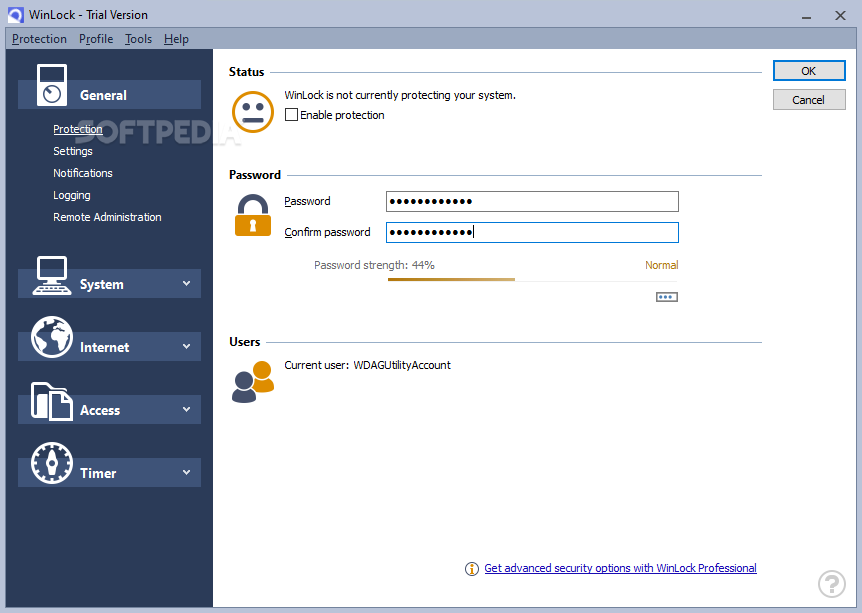
WinLock is an application built specifically for ensuring that your computer cannot be used by unauthorized people, by locking it down. It helps you maintain files, folders, drives, programs and websites private, disable Windows features, and enable parental control.
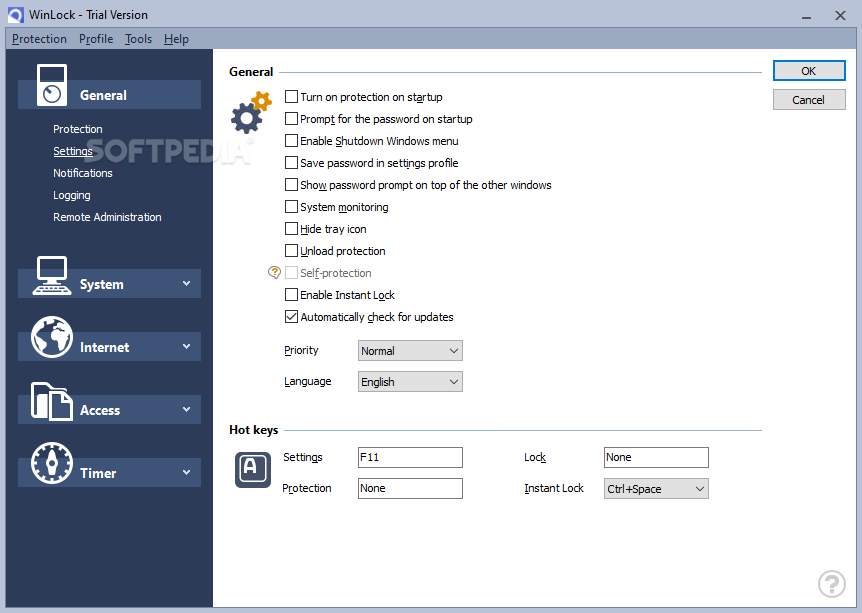
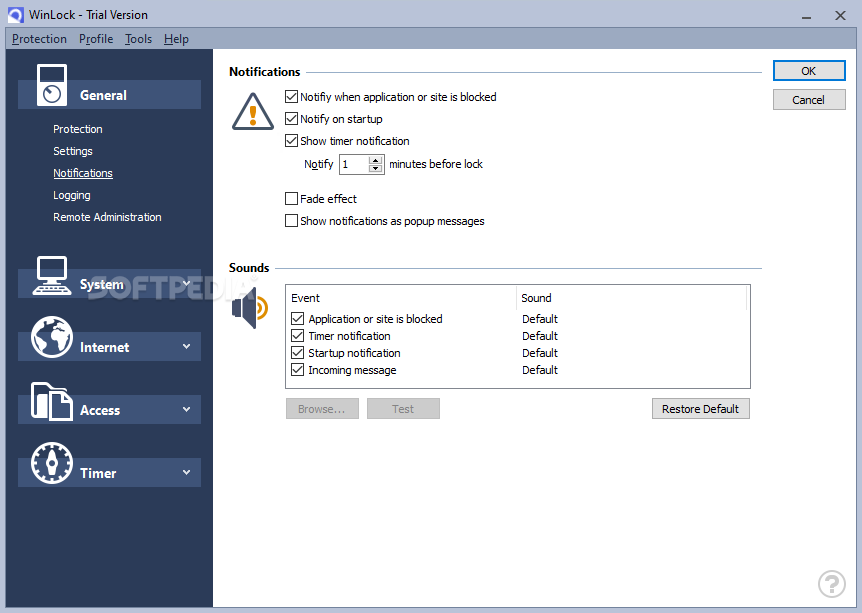
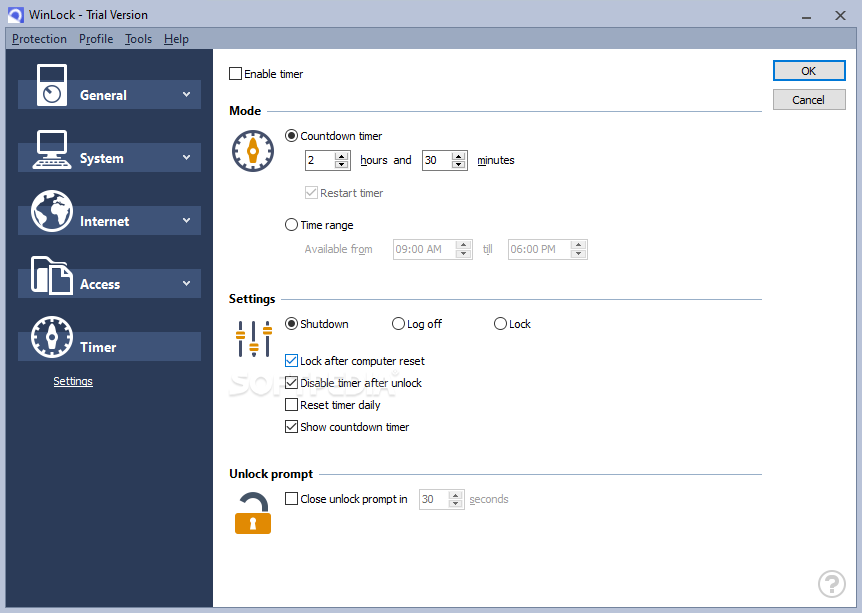
Wrapped in a rather intuitive interface, WinLock provides quick access to its features, giving you the possibility to set up passwords, turn on protection on system startup automatically, pop up notifications when an application or a site is blocked, and play different sound alerts.
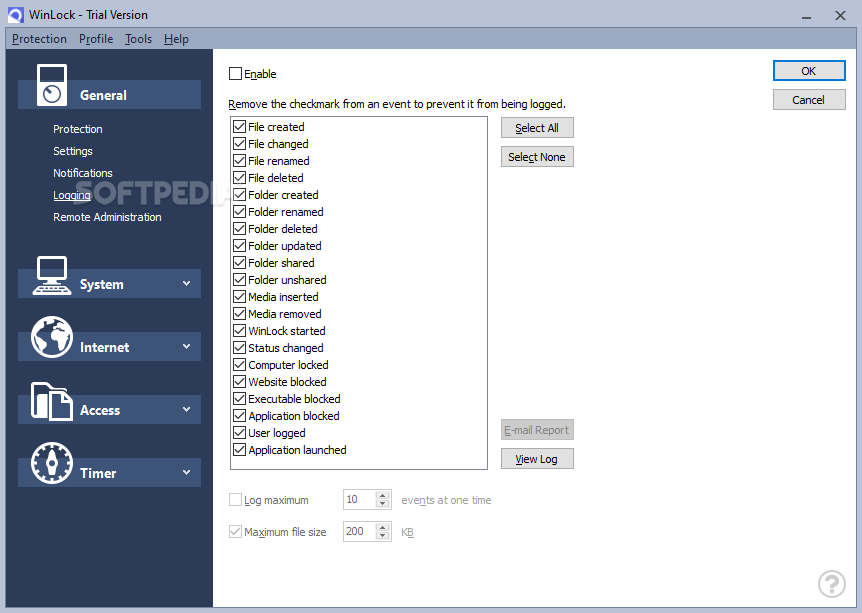
It's able to generate different reports that you can investigate, and it is possible to select the entries that should be included in the reports, such as created, changed, renamed or deleted files, updated, shared or deleted folders, blocked websites and applications, and system events. You can select the maximum file size of the log, and limit the log number. The log can be exported as plain text.
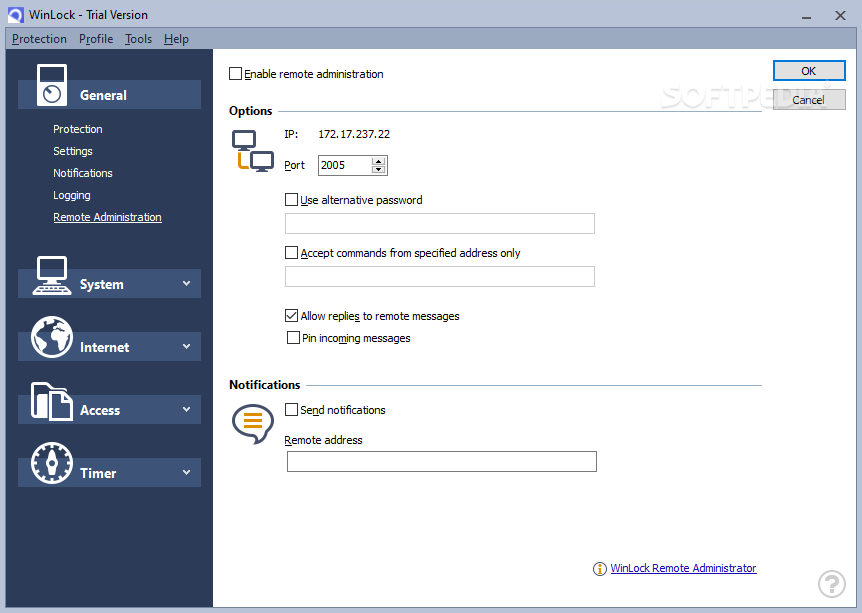
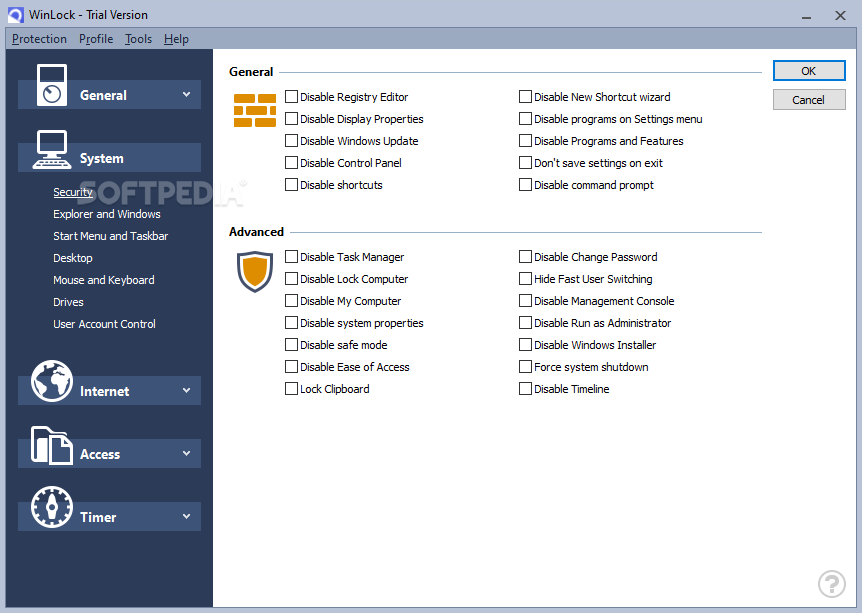
WinLock can be remotely controlled from any other computer, provided that you specify the port, alternative password and remote address. It lets you make all kinds of security restrictions, like disable the Registry Editor, Windows Updates, Task Manager, Control Panel, System Properties, programs and features, Computer Management, or Windows Installer, among many others.
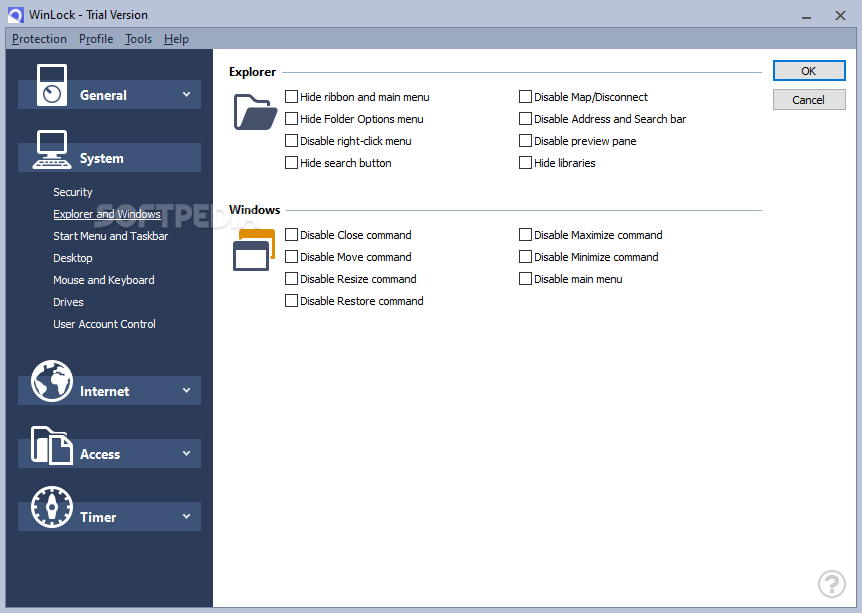
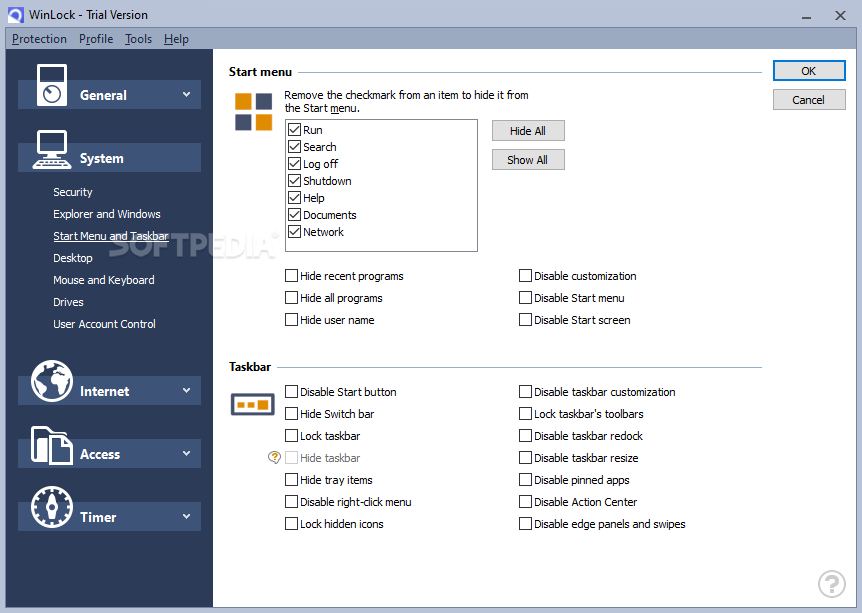
You can hide files and the context menu, disable window commands (close, move, resize, restore, maximize, minimize), lock the Start button and taskbar, deactivate the “drag and drop” support, and hide all the Start Menu items.
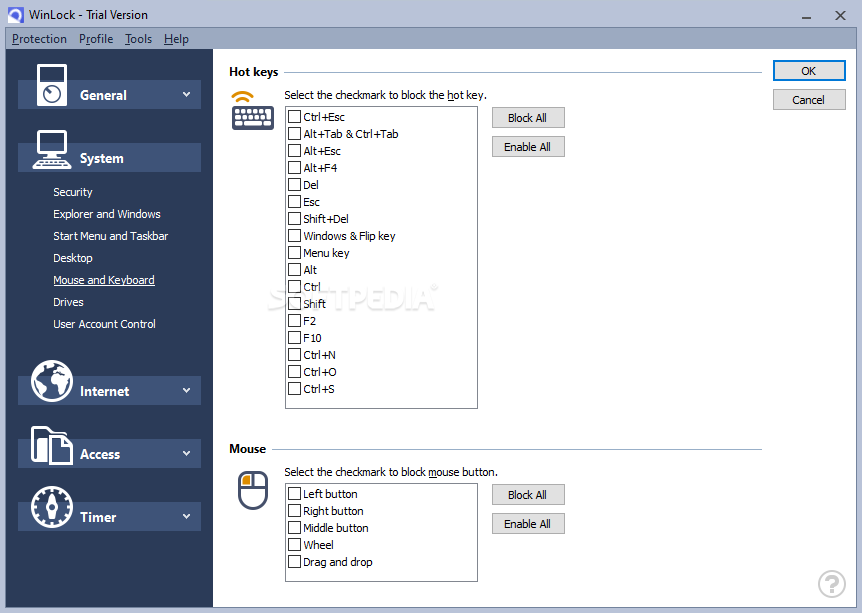
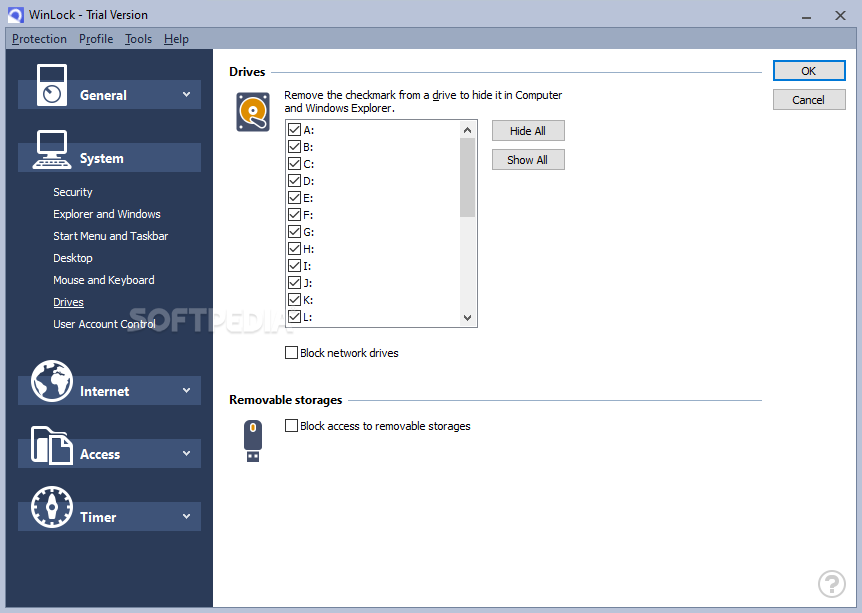
It's also possible to restrict access to the desktop, mouse buttons and keyboard shortcuts, block access to removable storage units, hide partitions, create lists for websites to block or to trust, as well as create a scheduler for the young ones (i.e. parental control).
Taking into account its rich and approachable features, WinLock proves to be a reliable tool when it comes to keeping your computer secure and private from unauthorized viewing. For additional options you can check out WinLock Professional.
Download Hubs
WinLock is part of these download collections: Computer Lockdown
What's new in WinLock 9.1.7:
- Full support for Windows 11.
- System window frame option.
- Active days of week under timer settings.
- Disable right-click app menu.
WinLock 9.1.7
add to watchlist add to download basket send us an update REPORT- runs on:
-
Windows 11
Windows 10 32/64 bit
Windows 2003
Windows 8 32/64 bit
Windows 7 32/64 bit
Windows Vista 32/64 bit
Windows XP 32/64 bit
Windows 2K - file size:
- 11.2 MB
- filename:
- winlock.exe

- main category:
- Security
- developer:
- visit homepage
ShareX

Microsoft Teams

Zoom Client

7-Zip

Windows Sandbox Launcher

IrfanView

paint.net

Bitdefender Antivirus Free

4k Video Downloader

calibre

- Bitdefender Antivirus Free
- 4k Video Downloader
- calibre
- ShareX
- Microsoft Teams
- Zoom Client
- 7-Zip
- Windows Sandbox Launcher
- IrfanView
- paint.net