WINDOWS CATEGORIES:


NEWS ARCHIVE >>
SOFTPEDIA REVIEWS >>

WEEKLY HIGHLIGHTS

DVD Cloner45
Spyware Doctor40
1Click DVD Copy40
Apollo DVD Copy40
ABC Amber BlackBer...45
Protected Music Co...40

7-DAY TOP DOWNLOAD

#
Program
Avira AntiVir
Personal - Free
Antivirus 9.0.0.415

153,560
Windows Live
Messenger 2009
14.0.8089.726

126,007
Nexus Radio 4.2.2
115,785
Avira Antivir Virus
Definition File
Update December 1,
2009

113,011
FreeZ Online TV 1.30
74,210
Y! Multi Messenger
8.x and 9.x

71,382
Microsoft Office
2010 14.0.4536.1000
Beta / 2007

69,425
DVD Shrink 3.2.0.15
47,312
Windows Live
Messenger
8.5.1302.1018

45,442
AVG Free Edition 9.0
Build 707a1765

43,470

WEEK'S BEST

  • Kaspersky Password...
  • Daniusoft Video to...
  • VirtualBox 3.1.0 r...
  • SiSoftware Sandra ...
  • Kaspersky Virus Re...
  • Faststone Image Vi...
  • Vuze (formerly Azu...
  • Softpedia Wallpape...
  • Softpedia Wallpape...
  • Softpedia Wallpape...
  • RSSOwl 2.0.1
  • Internet Explorer ...
  • Online Armor ++ 4....
  • cFosSpeed 5.01 Bui...
  • SONY Vegas Pro 9.0...
  • Firefox 3.6 Beta 4...
  • Nokia Photos 1.6.434
  • Windows Server 200...
  • Skype Portable 4.1...
  • Google Chrome Port...
  • PCMark Vantage Bas...
  • Kaspersky Anti-Vir...
  • Microsoft Virtual ...
  • Messenger Plus! Li...
  • WinX DVD Author [F...
  • SoftPerfect Networ...
  • System Mechanic Pr...
  • Ad Muncher 4.81 Bu...
  • Windows 7 Upgrade ...
  • Pidgin 2.6.4
  • Home > Windows > System > Back-Up and Recovery
     Report spyware

    Backup4all Standard 4.3 Build 175

    Download button

    Downloads: 308  Add to download basket  Tell us about an update
    User Rating:
    Rated by:
    NOT RATED
    0 user(s)
    Developer:

    License / Price:

    Size / OS:

    Last Updated:

    Category:
    Softland | More programs
    Trial / USD 39.95 | BUY the full version
    19.7 MB / Windows 2K / XP / 2003 / Vista / Vista64
    November 25th, 2009, 14:25 GMT [view history]
    C: \ System \ Back-Up and Recovery

     Read user reviews (0)  Add a review  Refer to a friend  Subscribe


    Backup4all Standard description


    Customizable backup program. Full, incremental and mirror backups.

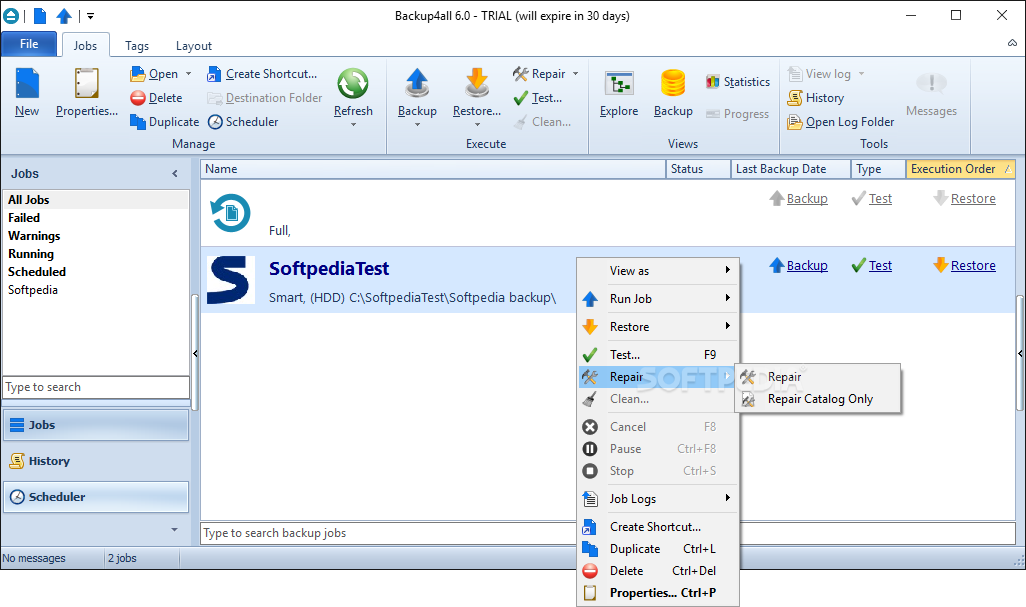
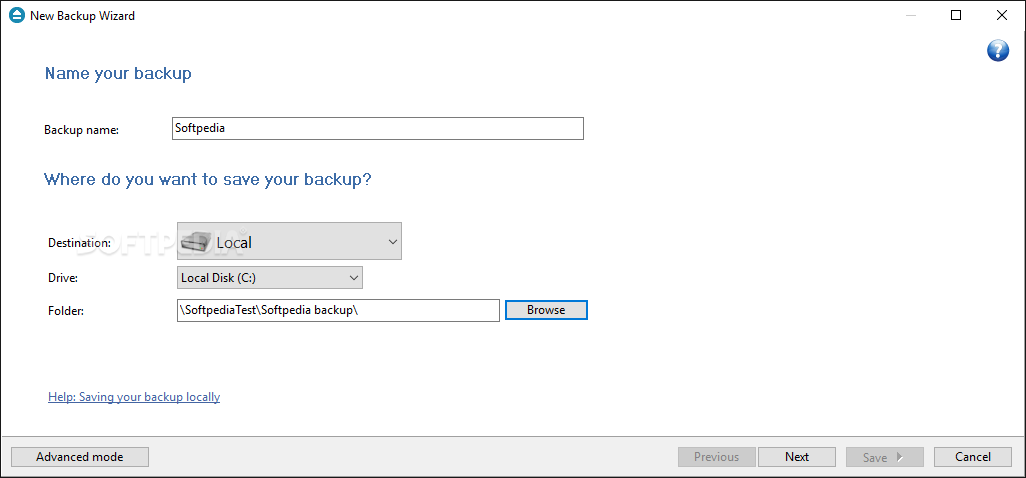
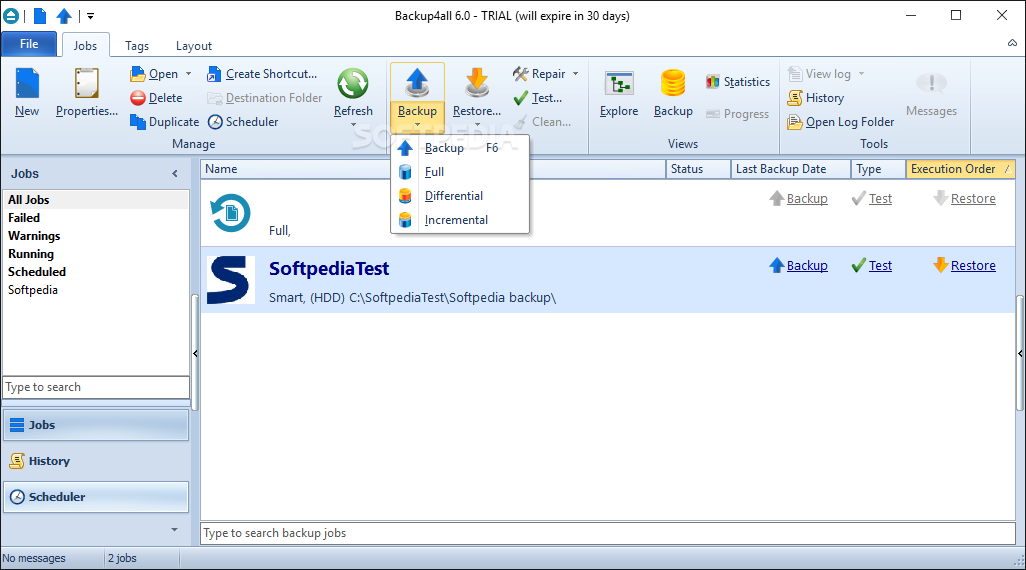
    Backup4all Standard is a configurable backup utility with intuitive interface (explorer style). Performs full, differential and mirror backups. Has wizards for backup & restore, powerful file filters and internal scheduler.

    Backup4all Standard can be used to build standard zip files or exact copies of files, spans to multiple disks, keeps track of file versions, has built-in CD/DVD burner, backs up open files, has a command line version and zip password protection support.

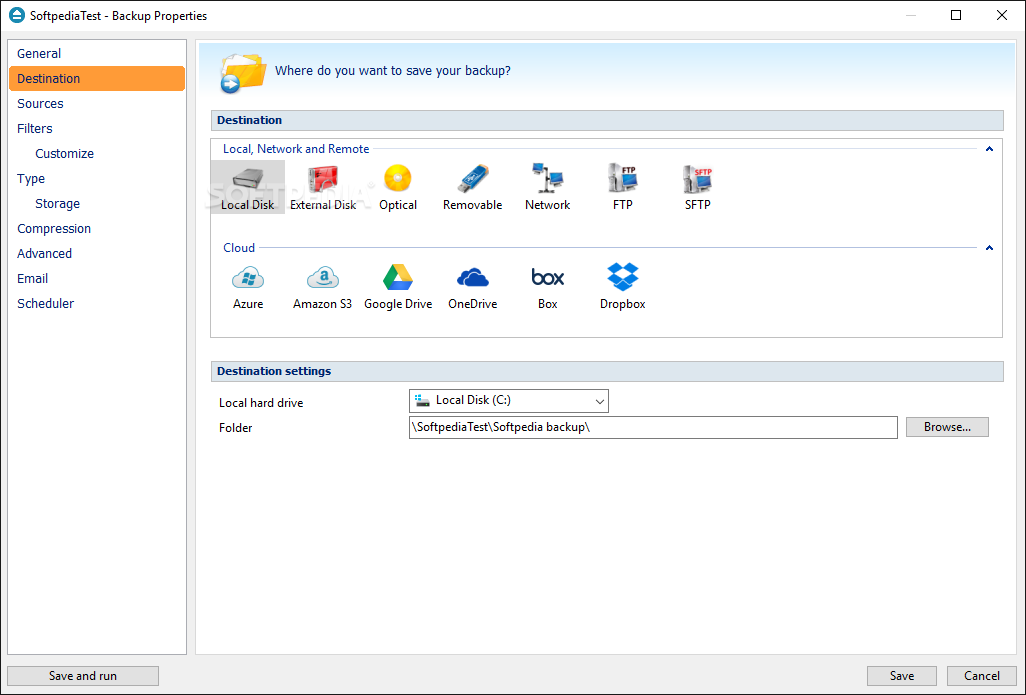
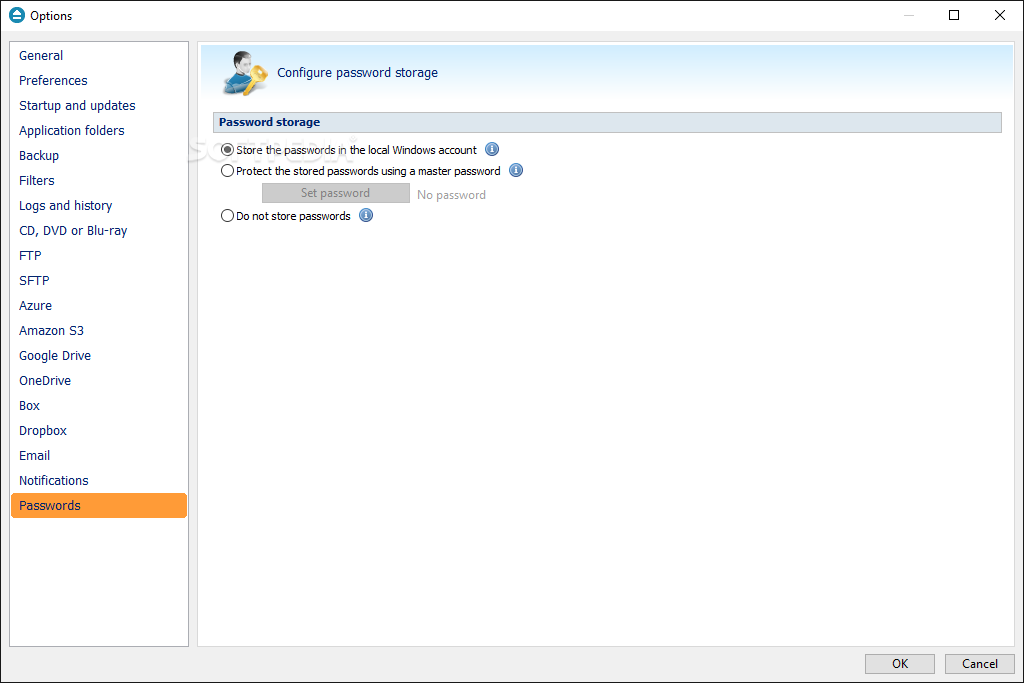
    Backup4all Standard protects your valuable data from partial or total loss by automating backup tasks, password protecting and compressing it to save storage space. Using Backup4all Standard you can easily backup to any local or network drive, backup to CD/DVD/Blu-ray, or other removable media (such as USB drives).

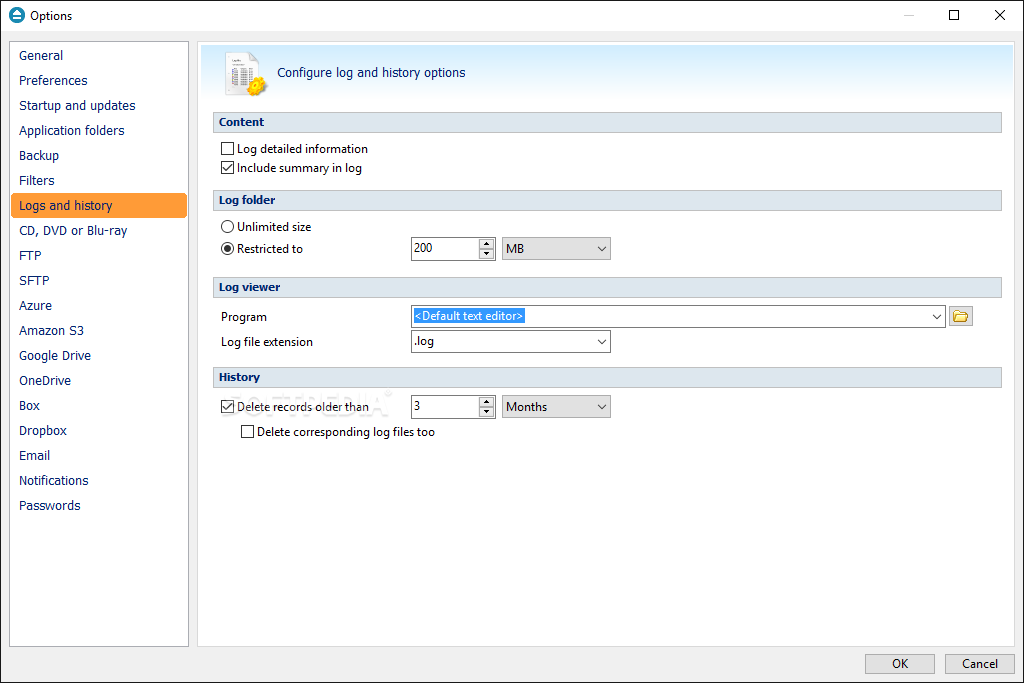
    Backup4all Standard can backup open/locked files and it can perform full, differential, and mirror backups. When defining a backup you can also set file filters and schedule the backup for automatic execution.

    Once a backup is performed, you can see what files have been changed since the last backup or you can read the statistics about the next backup execution. You can use the context menu from the tree to run standard actions associated with the file type.

    You can filter files to be restored. Backup4all Standard tests the backup files automatically to ensure the backup is safe and correctly executed (uses CRC32). Backup4all Standard works with any drive letter, including mapped network drives and UNC paths. It comes with its own built-in CD/DVD burning support.

    Here are some key features of "Backup4all Standard":

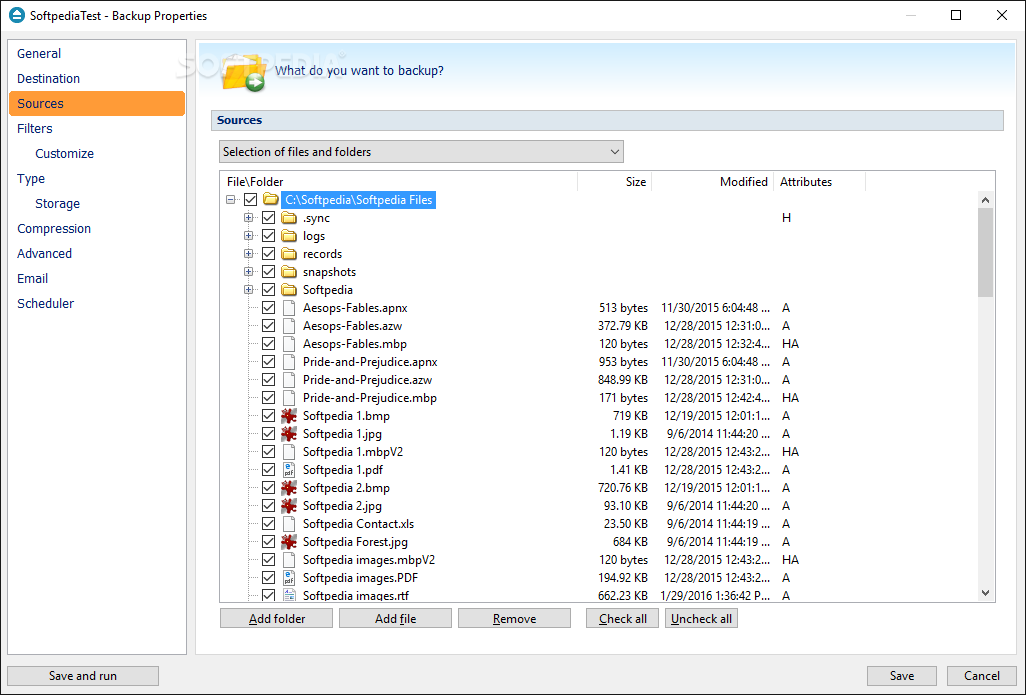
    · Easy file and folder selection
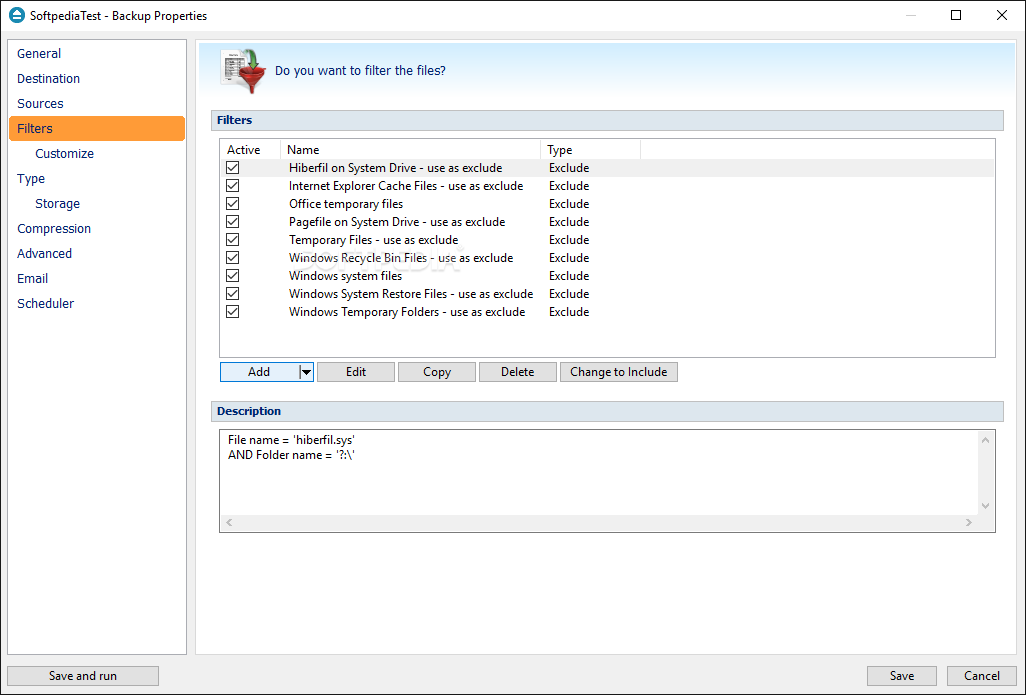
    · File filtering - powerful filtering engine with lots of options (filter by attribute, size, date, name and type)
    · Multiple backup job configurations
    · Intuitive interface - explorer-like, lets you see all files from the backup and new files that will be stored at the next backup execution
    · Backup open files (files in use) - uses the Volume Shadow Copy service that allows you to back up local open files from NTFS partitions in Windows XP/2003 Server/Vista/2008 Server
    · Default Predefined backups (My Documents, My Pictures, Outlook Express, Mozilla Firefox, Mozilla Thunderbird, IE Favorites, Backup4all configurations)
    · Backup summary/statistics
    · Backup plugins - possibility to import plugins as Predefined Backups
    · Mirror backup with individual file compression and encryption
    · Mirror backup that copies NTFS permissions and alternate streams
    · Backup and test operations can be paused/resumed/stopped
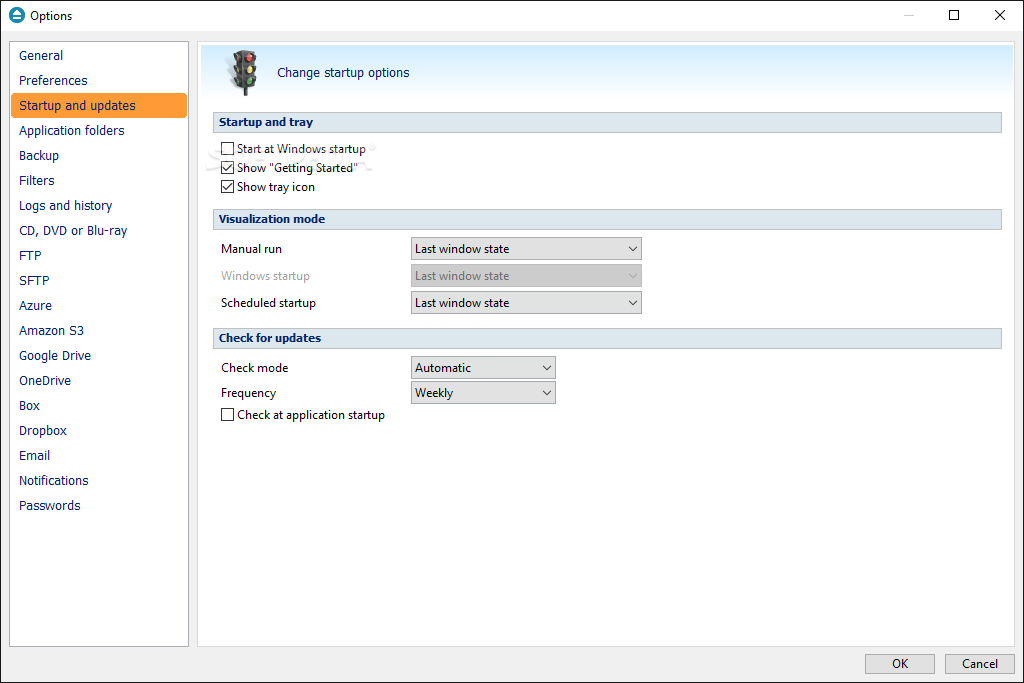
    · Automatic updates
    · Back-up empty folders
    · Brief view and "Getting Started" window with shortcuts to main operations
    · Possibility to set memory usage for backing up
    · MSI setup for automatic deployment
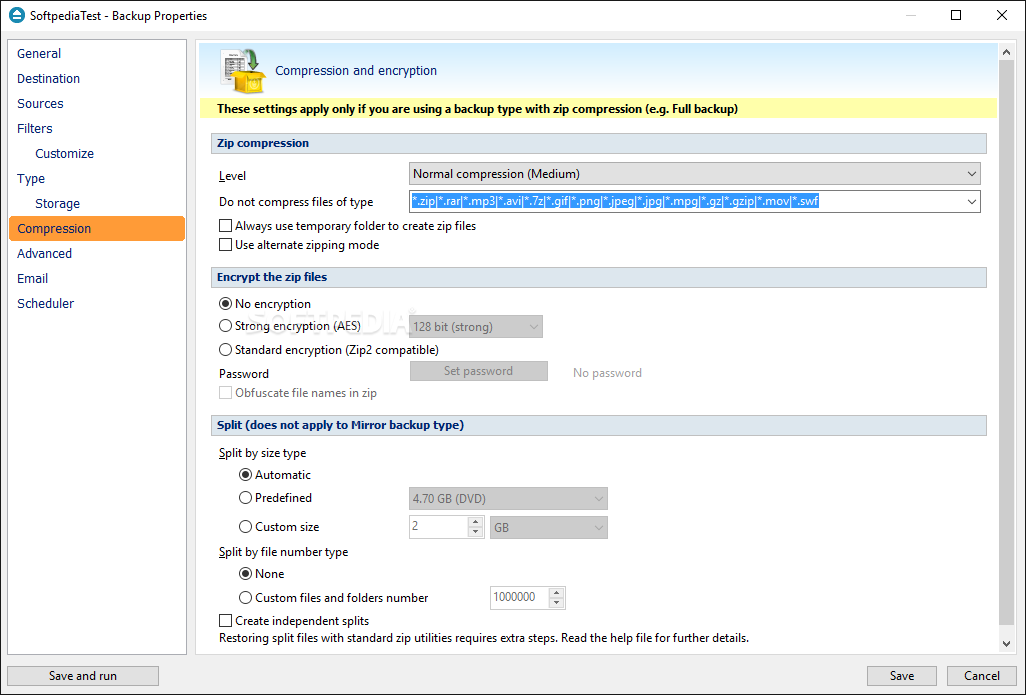
    · Standard encryption (Zip2 compatible)
    · Command line version
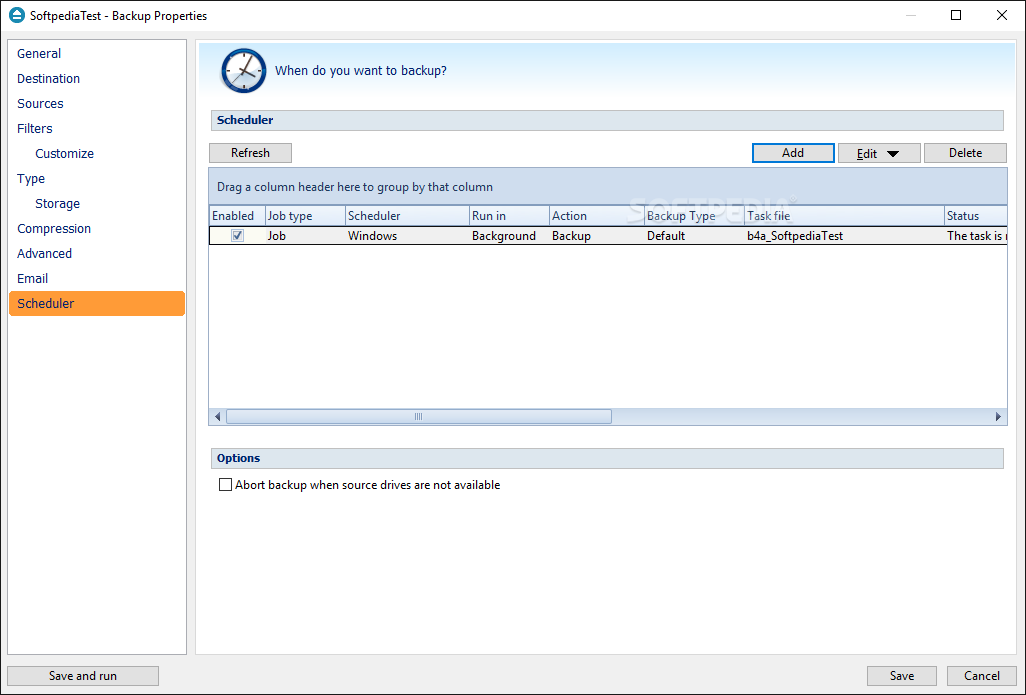
    · Schedule backups (using Windows scheduler)
    · Full backup - starting point for all other backups, and contains all the data in the folders and files that are selected to be backed up
    · Differential backup - contains all files that have changed since the last full backup
    · Backup directly to CD, DVD, Blu-ray or HD-DVD - Backup4all has its own built-in CD, DVD, Blu-ray disc burning support
    · Version tracking - you can selectively restore any previous version of a backed up file directly from the main window
    · Creates standard zip files that can be opened with any zip utility
    · Zip64 support (can create zip files over 4GB)
    · Disk spanning - automated support for splitting your backup between many removable disks or even on the same media
    · Backup on-demand - you can configure Backup4all to execute a backup job or a backup group when a button from an USB enclosure is pressed
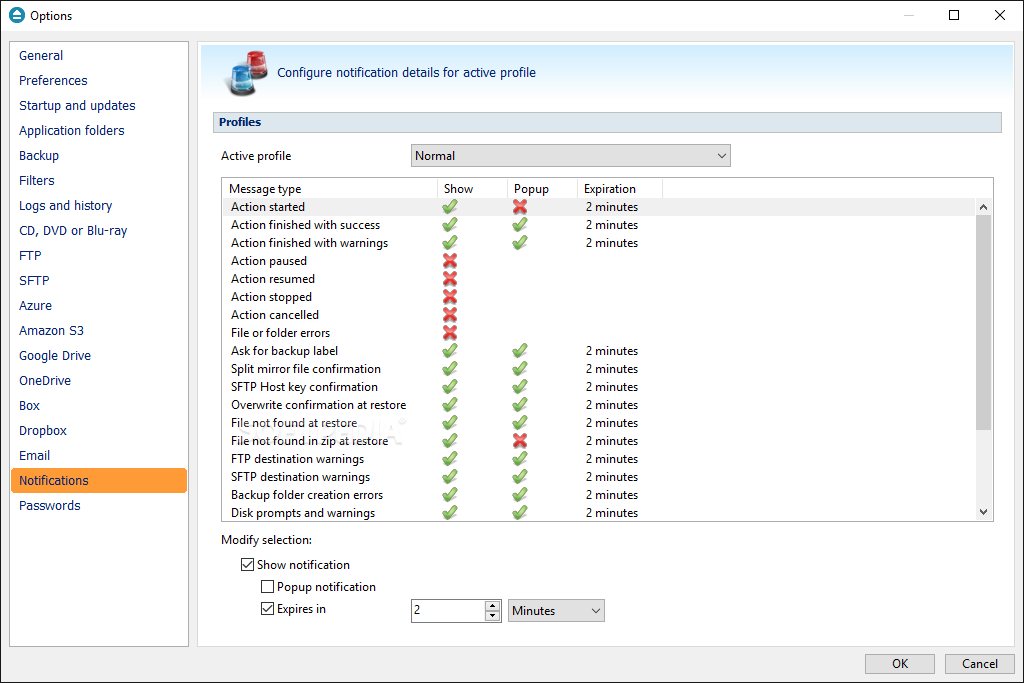
    · Sound notification - play custom success/warning/error sounds at the end of the backup
    · Run action before/after backup
    · Create shortcut for backup job/group
    · Cleanup operation (wich supports pause/stop)
    · History window for Backup/Restore/Test/Cleanup operations
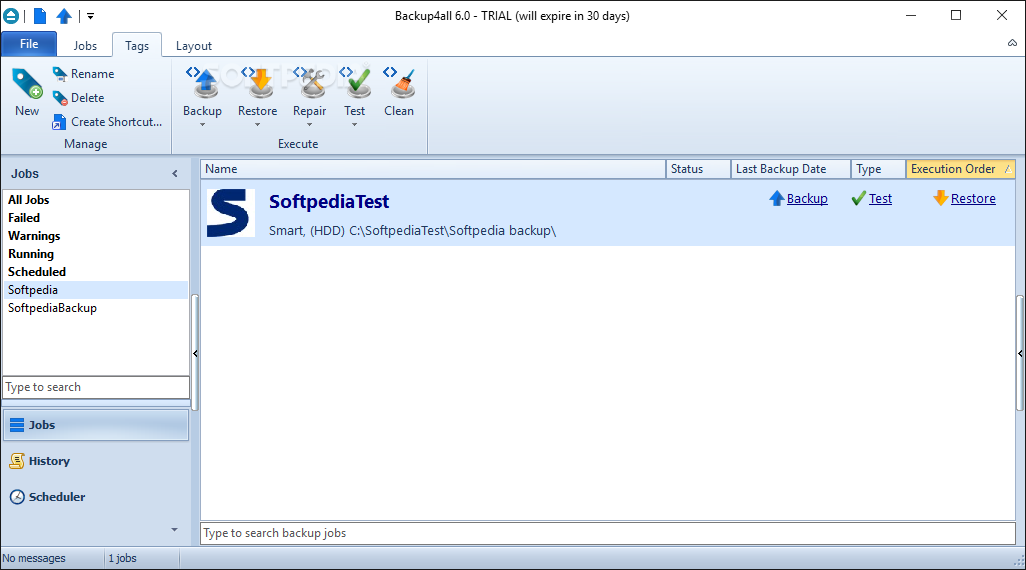
    · Search as-you-type for backup jobs/groups in backup list
    · Use sources from network destinations or mapped network drives
    · Scheduled backups (using internal scheduler) - easily setup a powerful scheduler using the available scheduler configurations to make unattended backups
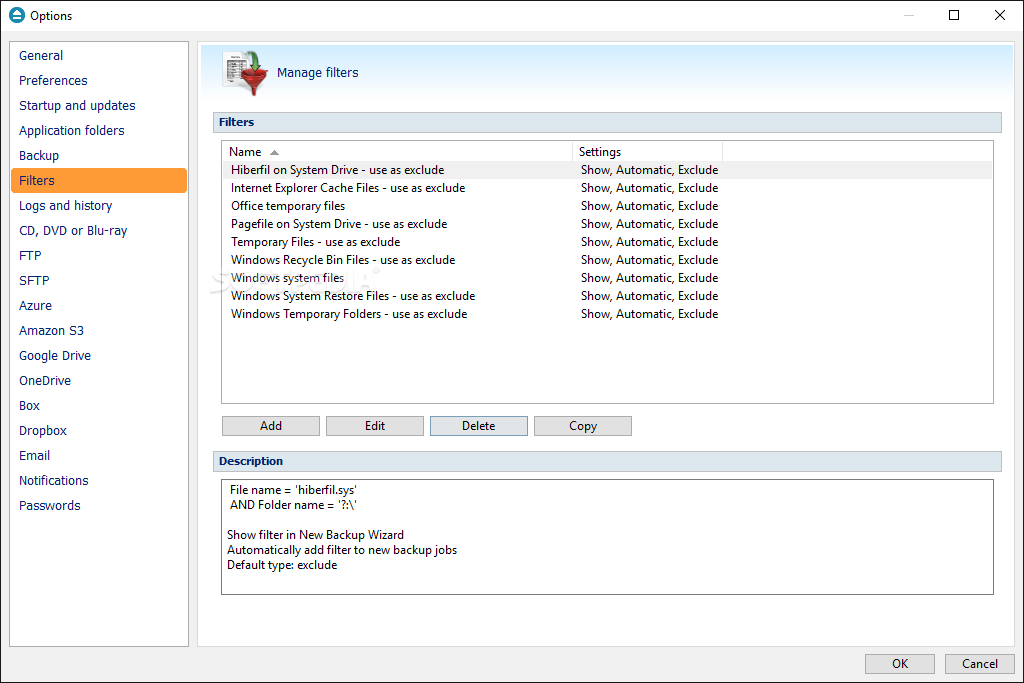
    · Create and use predefined filters
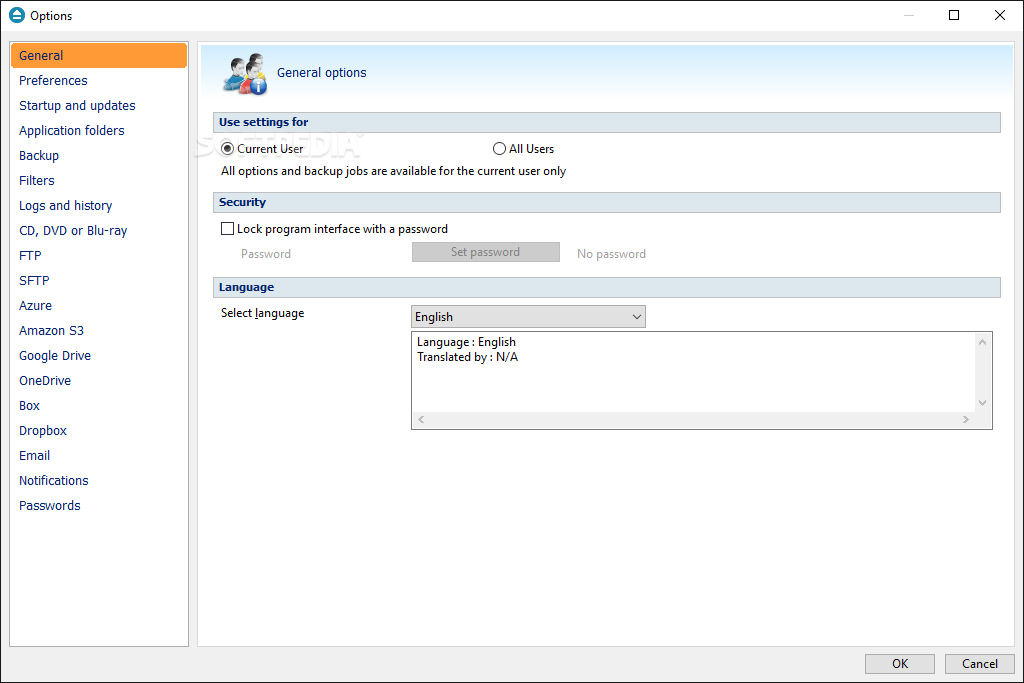
    · Option to lock program interface
    · Backup View that shows the backup versions for each included file

    Limitations:

    · 30 days trial

    What's New in This Release: [ read full changelog ]

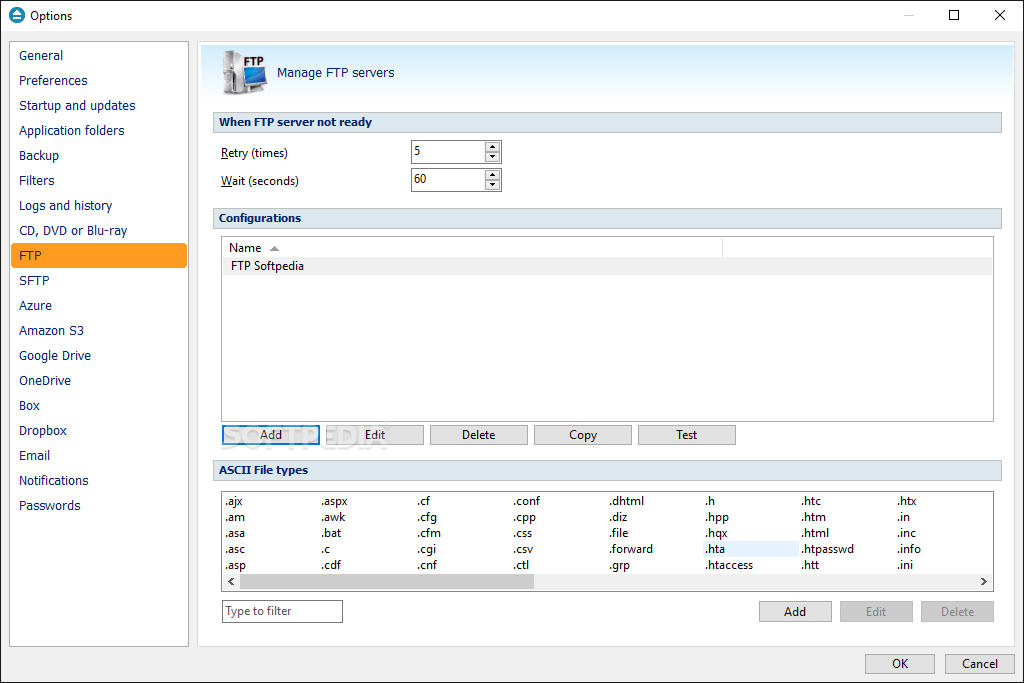
    · New: Backup to SFTP was added
    · New: Added a new option that lets you Backup all groups
    · New: Option to split files larger than a specific size for FTP backups
    · New: Select the scheduler priority
    · New: Split the backup according to a number of files/folders
    · New: Change the scheduler username and password for multiple jobs
    · New: New option to "Store temporary catalog data in memory"
    · New: "Minimize to tray when finished" added for backup on demand
    · Fix: Pressing Cancel during the Clean operation is not possible anymore
    · Fix: "Last Backup" and "Last backup status" from Brief view will be updated even if no files were backed up
    · Fix: Cancel backup during catalog upload will not result in a corrupt catalog
    · Fix: Test with warnings for Backup4all configurations plugin on Vista
    · Fix: Index out of bounds during independent test for mirror
    · Fix: Backup4all did not close after run for backups on demand
    · Fix: Standalone scheduler fix (was not starting if application was not start...

     Softpedia guarantees that Backup4all Standard 4.3 Build 175 is 100% CLEAN, which means it does not contain any form of malware, including spyware, viruses, trojans and backdoors. [read more >]


    TAGS:

    backup file | restore file | mirror backup | restore | backup | undelete


    HTML code for linking to this page:


    Go to top

    Windows tabGames tabDrivers tabMac tabLinux tabScripts tabMobile tabHandheld tabGadgets tabNews tab

    SUBMIT PROGRAM   |   ADVERTISE   |   GET HELP   |   SEND US FEEDBACK   |   RSS FEEDS   |   ENTER NEWS SITE   |   ENGLISH BOARD   |   ROMANIAN FORUM