Softpedia
 

WINDOWS CATEGORIES:


GLOBAL PAGES >>
SOFTPEDIA REVIEWS >>
MEET THE EDITORS >>
WEEK'S BEST
  • Bitdefender Total ...
  • Hard Disk Sentinel...
  • FlashFXP [DISCOUNT...
  • Ocster Backup Pro ...
  • Kaspersky Internet...
  • DVDFab DVD Copy [D...
  • Avast! Internet Se...
  • Avira Internet Sec...
  • Webroot SecureAnyw...
  • McAfee Total Prote...
  • Home > Windows > System > Back-Up and Recovery
     Report malware

    Driver Genius Professional 12.0.0.1306

    Softpedia Pick Award
    download button buy button

    Part of the Drivers Manager download hub
    Downloads: 169,468  View global page  Tell us about an update
    User Rating:
    Rated by:
    Very Good (4.0/5)
    136 user(s)
    Developer:

    License / Price:

    Size / OS:

    Last Updated:

    Category:

    Demo / $29.95 USD buy button
    14.4 MB / Windows 2K / XP / 2003 / Vista / XP 64 bit / 2008 / Vista 64 bit / 7 / 7 64 bit / 2008 64 bit / 2008 R2 / 8 / 8 64 bit / Server 2012
    [view history]
    C: \ System \ Back-Up and Recovery

     Read user reviews (6)  Send to friend   Follow (25 users)

    Softpedia Editor's Review for Driver Genius Professional

    EDITOR'S RATING:   4.0/5

    Backup, Restore and Update your PC Drivers Automatically

    Written by Bogdan Popa on May 31st, 2012

    Handling drivers is undoubtedly a difficult task, so every single software solution that can really give a hand in this respect is welcomed.

    One of the applications that aims to fulfill that goal is Driver Genius Professional. This tool was designed not only to help users backup and restore drivers, but also update or uninstall these all-important system components from a single and easy to use interface.

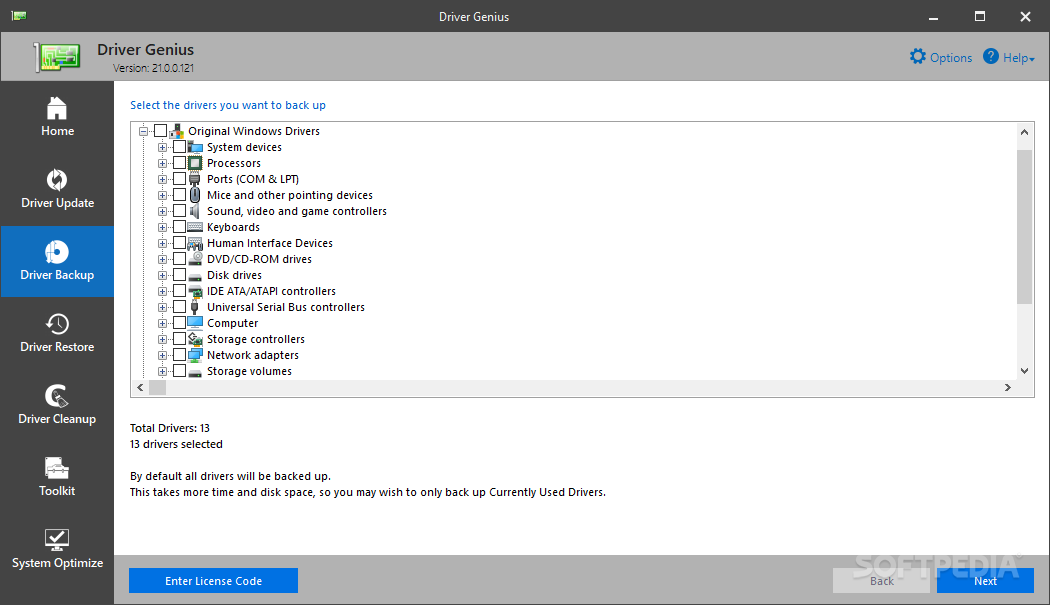
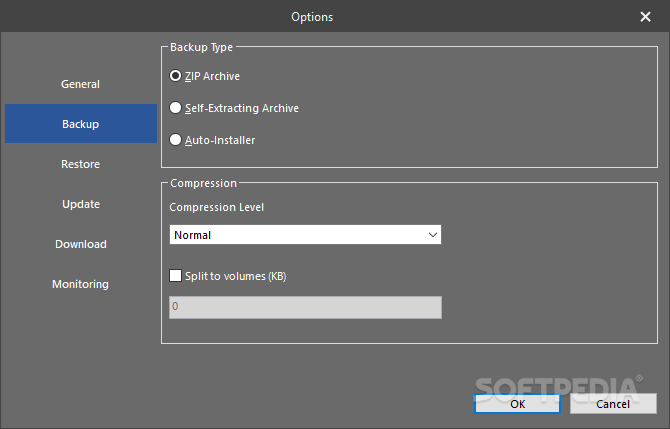
    The backup function is one of the features that impressed us during our tests. Driver Genius Professional automatically scans the computer and offers you a choice whether you want to keep the backup in the form of a ZIP archive, a self-extracting or an auto installing one.

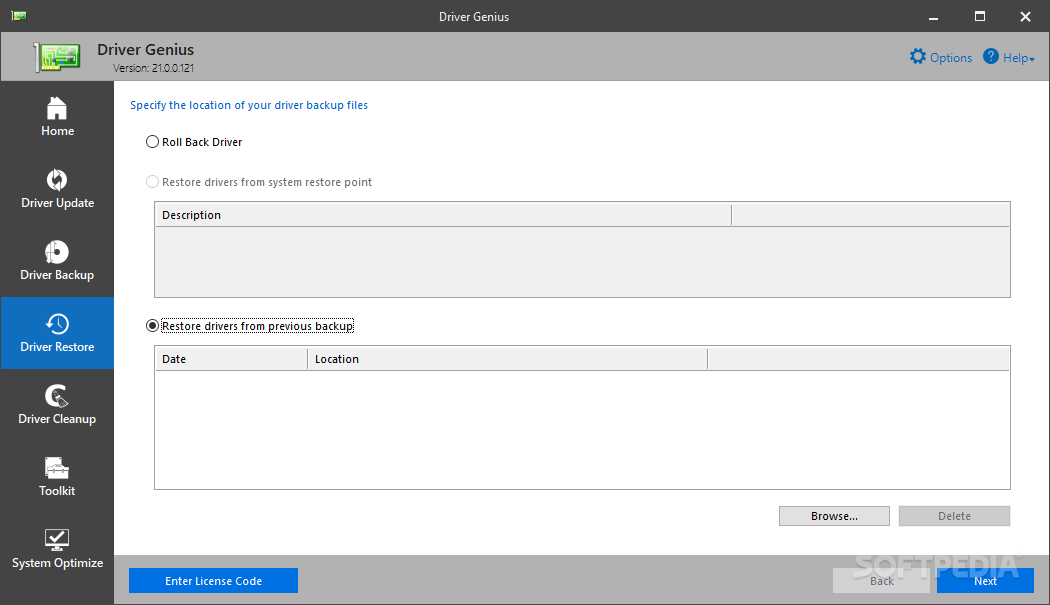
    This way, you can easily restore the drivers even if the program is not installed on the computer anymore, which is great especially when having to reinstall drivers on a fresh copy of Windows.

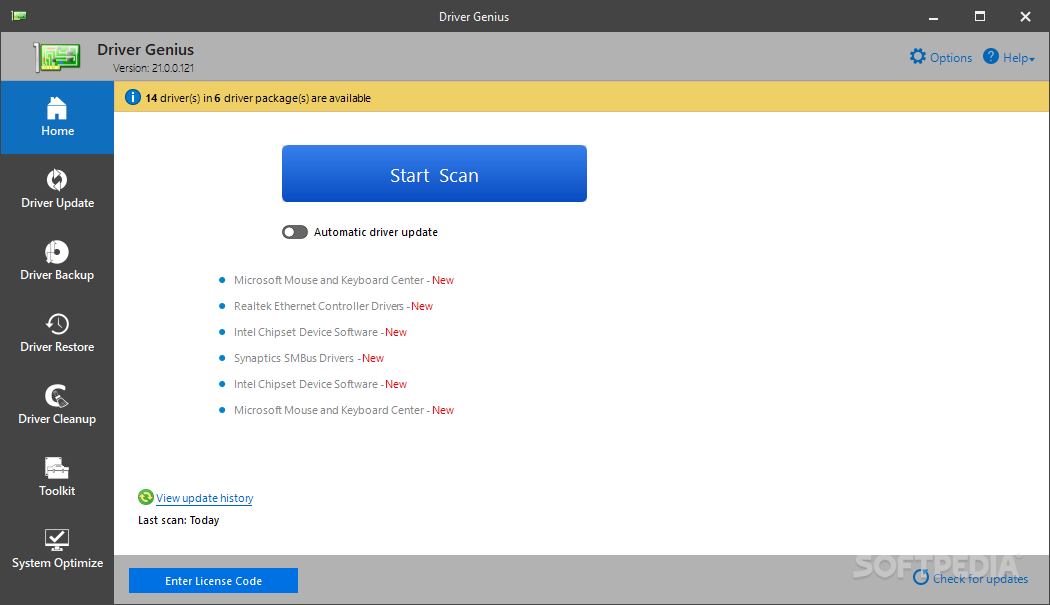
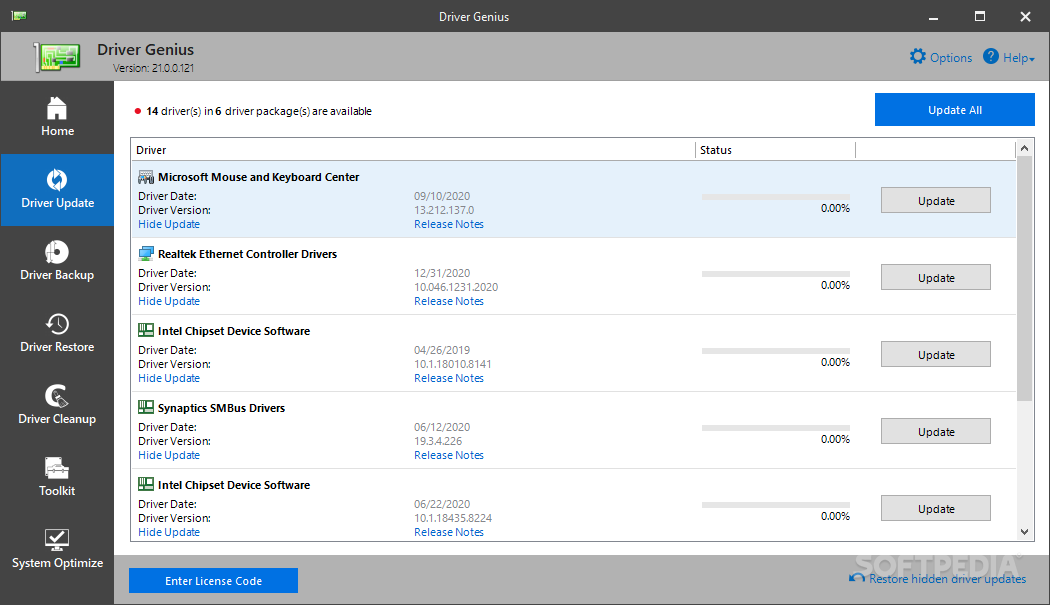
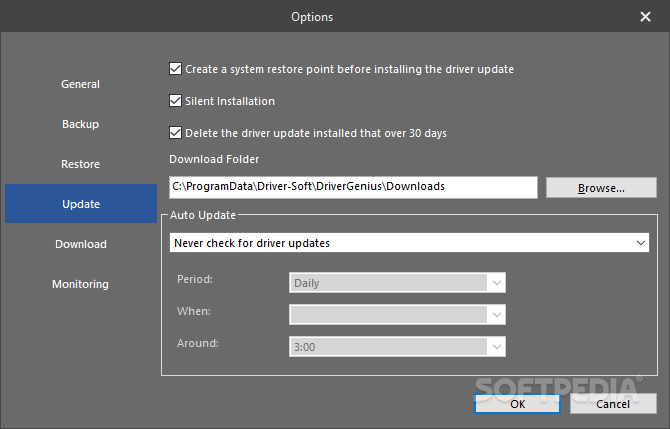
    The update feature is also top-notch, not only because it tells you which drivers need to be updated, but also because it can take the new packages from the Internet and automatically deploy them on the system.

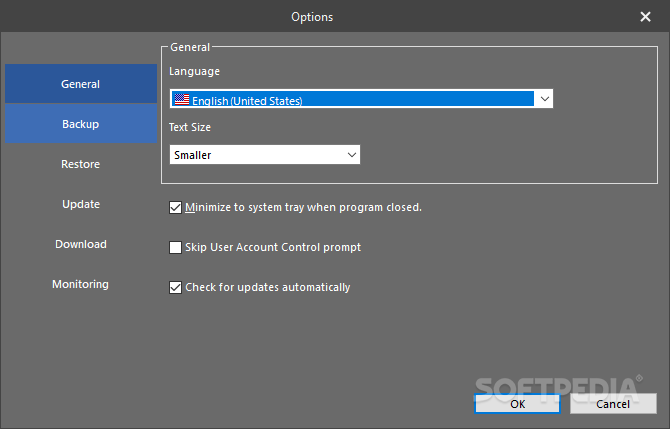
    Accessing the 'Settings' menu will enable you to configure a lot of options such as archive compression level or the reboot action after a driver restore. Driver Genius Professional also provides a scheduling feature and you will be able to easily choose the interval the application will use to perform regular driver scans.

    A neat function you will find in this menu is the driver virus scan you can set to take place after the packages are downloaded. You just choose the antivirus solution installed on your system and it will automatically check the archives for any malware components.

    All in all, Driver Genius Professional offers a great feature pack that coupled with its ease of use makes it very appealing to all users.


    Read an in-depth analysis in our professional review for Driver Genius Professional

    Driver Genius Professional description

    Here are some key features of "Driver Genius Professional":

    · Drivers Backup: Driver Genius can detect and quickly backup drivers installed in system. It can compress the backup drivers to a zip file, self extracting file or an independent executable auto installer program.

    · Drivers Restore: You need not install drivers one by one after reinstalling Operating System. Just need only one click you can install all your backup drivers automatically. You can also install drivers in command mode silently. If you need install drivers on multiple PC with the same hardware configuration, Driver Genius can save your much time to reinstall system.

    · Drivers Update: Are you still using an old version or beta version drivers? Those faulty drivers always cause compatibility problem. They are the biggest hidden trouble that cause system crash. A suitable drivers can upgrade 50% or even more system performance . There are more than 30,000 devices drivers information in Driver Genius Database that including Motherboard, Sound card, Video card, Network card, Modem, Mouse, Keyboard, Scanner, Printer, Digital device etc. All you need to do is one click, Driver Genius will find out all drivers that need updating. All drivers we offer are official version or WHQL version, you can use them without any compatibility worries.

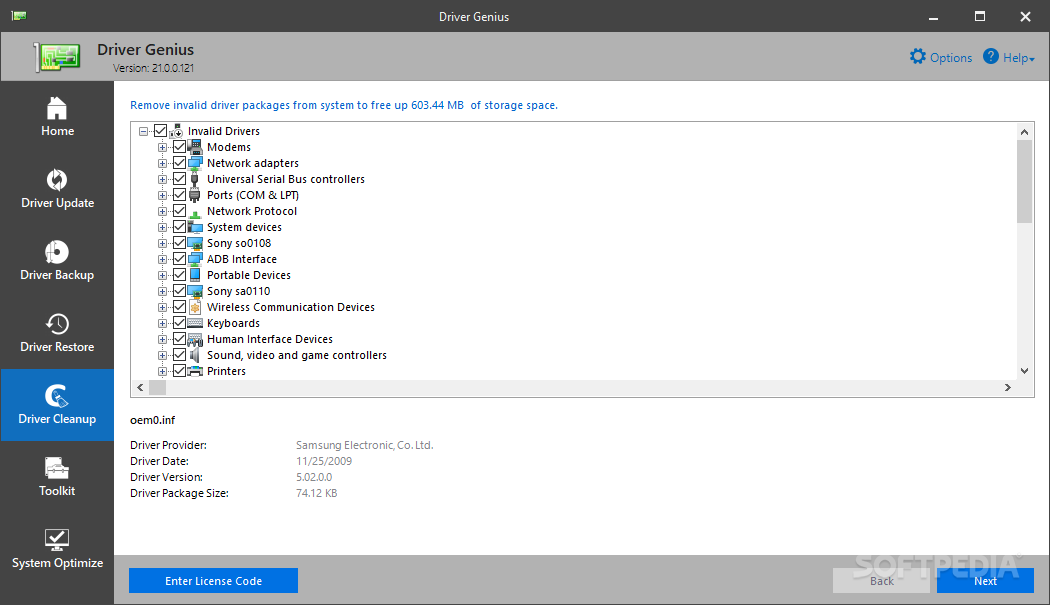
    · Drivers Uninstall: There could be some leftover drivers in your system because of changing hardware or updating drivers. Driver Genius can find out these useless drivers quickly and uninstall them.

    · LiveUpdate: We update large numbers of drivers on our website. You can synchronize your database with our download server to get the newest version drivers by Liveupdate program.

    Requirements:

    · Internet Connection (for driver updates)
    · Pentium class CPU
    · 64 Mb RAM
    · 10 Mb hard drive space

    Limitations:

    · Can only restore display adapter driver and network adapter driver
    · Will not update drivers

    What's New in This Release: [ read full changelog ]

    New feature:
    · Fully support for Windows 8 and Windows server 2012.
    · Enhanced hardware information detection.
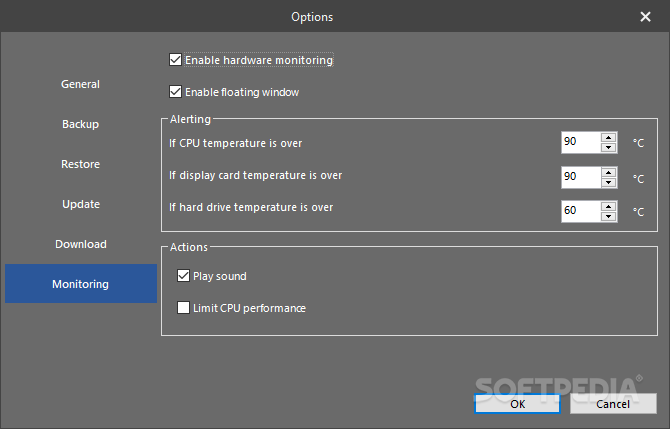
    · Hardware temperature monitor --- temperature monitor for CPU, Display card and HDD.
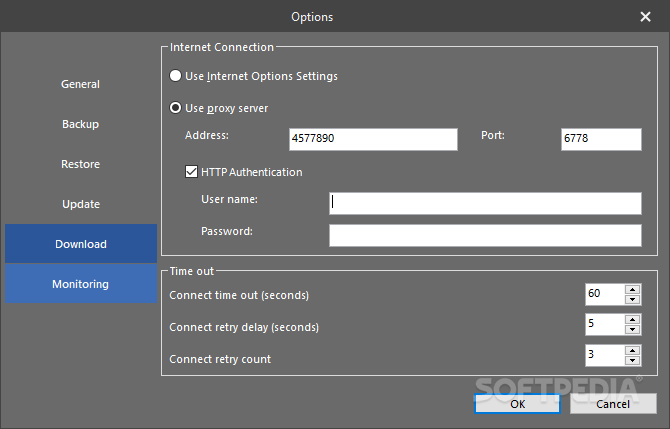
    · New driver download manager --- faster download speed.

    Improve:
    · Optimized memory usage --- reduce 50%-60% memory usage.
    · Optimized database structure --- make driver update scan faster and more accurately.
    · Optimized driver backup speed.
    · Uninstall driver --- Remove old driver package completely.

    Bug Fixed:
    · Fixed system can't be rebooted when running Driver Genius if the Minimize main window to system tray option is enabled.
    · Fixed some drivers can't be backuped completely.

       Softpedia guarantees that Driver Genius Professional 12.0.0.1306 is 100% CLEAN, which means it does not contain any form of malware, including spyware, viruses, trojans and backdoors. [read more >]


    TAGS:

    driver backup | driver manager | restore driver | driver | clone | restore

    Go to top

    WindowsGamesDriversMacLinuxScriptsMobileHandheldNews

    SUBMIT PROGRAM   |   ADVERTISE   |   GET HELP   |   SEND US FEEDBACK   |   RSS FEEDS   |   UPDATE YOUR SOFTWARE   |   ROMANIAN FORUM