Softpedia
 

WINDOWS CATEGORIES:


GLOBAL PAGES >>
SOFTPEDIA REVIEWS >>
MEET THE EDITORS >>
WEEK'S BEST
  • Sticky Password FR...
  • Parallels Workstat...
  • ESET NOD32 Antivir...
  • BitDefender Total ...
  • WinPatrol 24.6.201...
  • PerfectDisk Free D...
  • Adobe Photoshop CS...
  • PerfectDisk Profes...
  • Windows 8 Consumer...
  • Atlantis Word Proc...
  • Home > Windows > System > Back-Up and Recovery
     Report malware

    EaseUS Todo Backup Advanced Server 4.5 Build 20120503

    download button

    Downloads: 711  Tell us about an update
    User Rating:
    Rated by:
    NOT RATED
    0 user(s)
    Developer:

    License / Price:

    Size / OS:

    Last Updated:

    Category:

    Trial / USD 299.00 buy button
    113 MB / Windows 2K / XP / Vista / 2008 / Vista64 / 7 / 7 x64
    [view history]
    C: \ System \ Back-Up and Recovery

     Read user reviews (0)  Send to friend   Follow (0 users)

    EaseUS Todo Backup Advanced Server description

    Advanced server backup & recovery solution

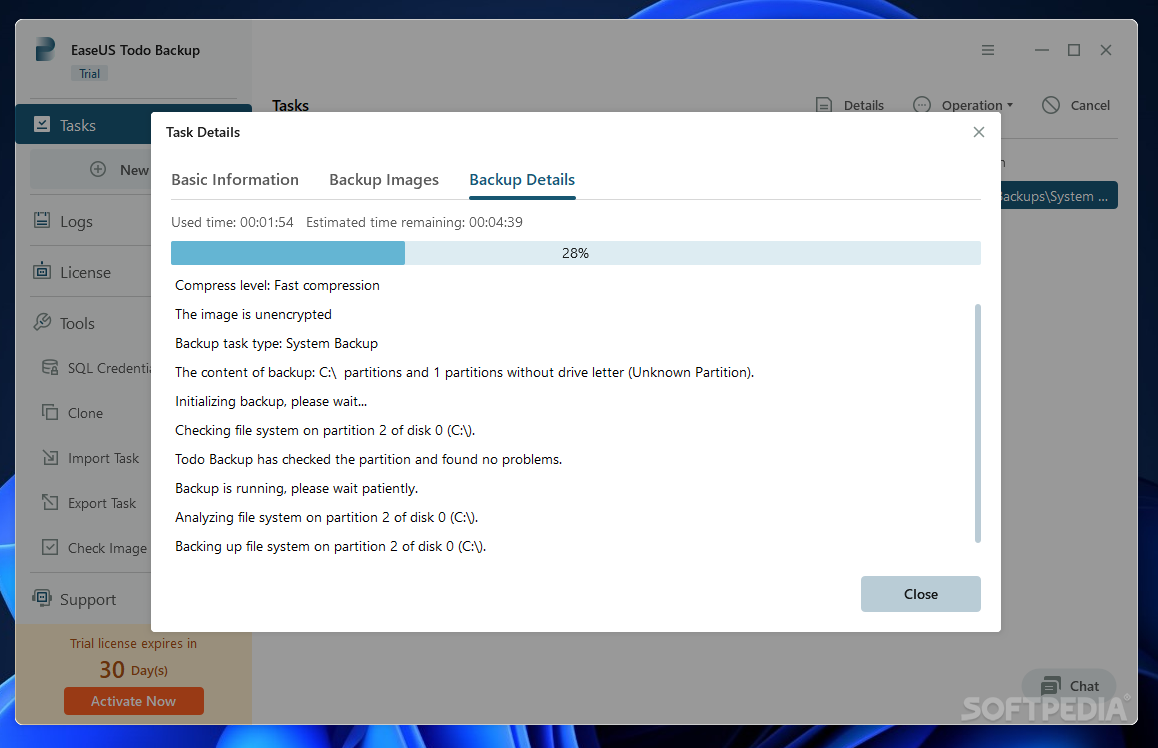
    EaseUS Todo Backup Advanced Server is a professional application designed to provide a comprehensive backup and disaster recovery solution.

    It provides enterprises with powerful data backup & recovery features such as fast system & files backup, disaster recovery, advanced backup scheduler and comprehensive backup management tools. It will simplify both basic and advanced server backup & recovery management while minimizing server downtime as well as ensuring business continuity.

    Here are some key features of "EaseUS Todo Backup Advanced Server":

    Backup:
    · Backup system - one-click system backup. Back, including the operation system and installed applications on-the-fly without interrupting Windows work
    · Backup all files - Network shared files, specified files & folders and kinds of file types can be full or selectively backed up
    · Backup Exchange/SQL Server database - fast and reliable backup and disaster recovery solution to full protect your Exchange/SQL database.
    · Backup data to tape - back up hard disk, partition, files and database information to tape devices.
    · Schedule backup - create plans for your server backups by hour/day/week/month and automate regular backups for a "set it and forget it" backup
    · Differential disk and file backup - capture the changes since the last full disk/partition or file backup to save disk space.
    · Incremental disk and file backup - backup the changes of your files since last disk/partition or file backup and save the storage space
    · Event-based backup - create backups based on events or conditions like system startup/shutdown, user log on/logout
    · Email notification - Email notifying and reporting to monitor success or failure
    · Back up to FTP server for double protection - backup server operating system and files to remote FTP server and double protect your server with immediate offsite backup
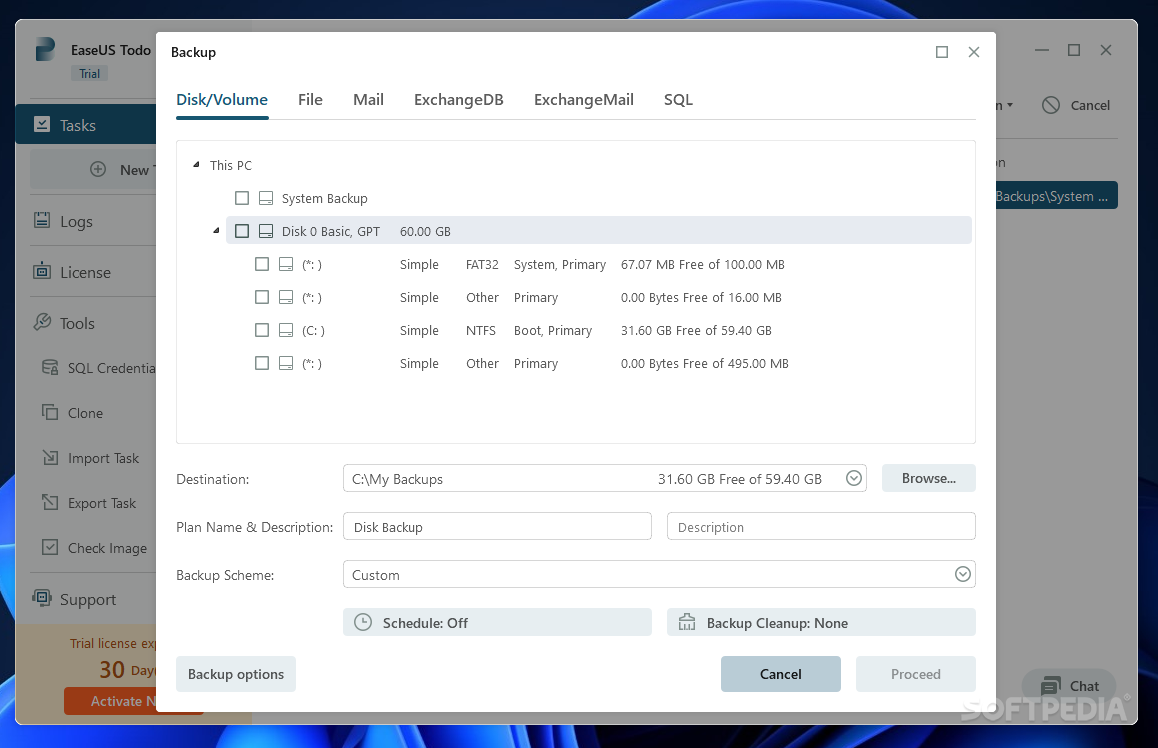
    · Disk & Partition backup - backup the entire hard disk, partition or dynamic volume for a system protection or migration

    Recovery:
    · Selective file restore - selectively recover files & folders from a backup image without recovering entire image
    · Universal restore (P2P) - one-click universal restore. Easily restore the system and files to dissimilar hardware configuration for hardware replacement or use one-click universal restore to quickly complete migration.
    · Disk & partition recovery - fast recover the whole hard disk or partition to original or different hardware to upgrade & migrate hard disk.
    · Explore backup image file - explore, copy and restore files and folders directly from a backup image in Windows Explorer.

    Comprehensive Backup Management:
    · Delete old images - automatically delete/overwrite old images based on versions or days to save disk space according to your own time-setting.
    · Compression - compress backups to optimize your storage space.
    · Splitting backups - split backup image files into sizes to fit media.
    · Edit, View, Delete backup task/plan in the centralized management console.
    · Update backup - update backup changes for timely protection.
    · P2V image files convert support - directly hard disk or partition image file to VMware or virtual PC format to run on a virtual machine.
    · Pre/post commands - define commands (scripts) to execute the commands after or before backup tasks.
    · Flexible backup storage - backup system or data to a local hard drive, external hard drive, USB drive, or CD/DVD for double protection if disaster occurs.
    · Log reporting - record and view all operations for the servers.

    Advanced Backup & Disk Tools:
    · Disk clone - create an exact image copy of hard disk and exactly migrate all files to another.
    · Partition/dynamic volume clone - create an exact image copy of partition or dynamic volume and exactly transfer all files to another.
    · Check image - check integrity of image file and make sure the backups can be restored successfully.
    · Mount/Unmount image - mount a disk and partition image to a virtual partition (working as ordinary, logical drives) to explore or copy files in it.

    Security:
    · Password-protection for backup images - protect your backup images from unauthorized access.
    · Wipe data - wipe all sensitive or confidential files permanently if necessary.

    Multiple Working Environment:
    · Support WinPE based bootable disk
    · Support Pre-OS recovery environment

    Requirements:

    · compatible computer with Pentium or similar CPU
    · Administrator rights

    Limitations:

    · 15 days trial

    What's New in This Release: [ read full changelog ]

    · Backup tasks and plans can be interconverted
    · Exchange individual mailbox backup and restore
    · Full support of dynamic volume
    · Brand-new interface of backup management for business convenience
    · Directly specify one machine to manage backup plans in Central Management Console

     Softpedia guarantees that EaseUS Todo Backup Advanced Server 4.5 Build 20120503 is 100% CLEAN, which means it does not contain any form of malware, including spyware, viruses, trojans and backdoors. [read more >]


    TAGS:

    backup partition | clone disk | mount image | backup | recovery | recover


    HTML code for linking to this page:


    Go to top

    WindowsGamesDriversMacLinuxScriptsMobileHandheldNews

    SUBMIT PROGRAM   |   ADVERTISE   |   GET HELP   |   SEND US FEEDBACK   |   RSS FEEDS   |   UPDATE YOUR SOFTWARE   |   ROMANIAN FORUM