Softpedia
 

WINDOWS CATEGORIES:


GLOBAL PAGES >>
SOFTPEDIA REVIEWS >>
MEET THE EDITORS >>
WEEK'S BEST
  • Bitdefender Total ...
  • Ocster Backup Pro ...
  • Hard Disk Sentinel...
  • FlashFXP [DISCOUNT...
  • DVDFab DVD Copy [D...
  • Kaspersky Internet...
  • Avast! Internet Se...
  • Avira Internet Sec...
  • Webroot SecureAnyw...
  • McAfee Total Prote...
  • Home > Windows > System > Back-Up and Recovery
     Report malware

    GRBackPro 8.0.0

    download button buy button

    Downloads: 4,289  Tell us about an update
    User Rating:
    Rated by:
    Good (3.3/5)
    3 user(s)
    Developer:

    License / Price:

    Size / OS:

    Last Updated:

    Category:

    Trial / $59.00 USD buy button
    4.3 MB / Windows XP / Vista / XP X64 / 2008 / Vista64 / 7 / 7 x64 / 8 32-bit / 8 64-bit
    [view history]
    C: \ System \ Back-Up and Recovery

     Read user reviews (0)  Send to friend   Follow (0 users)

    GRBackPro description

    Professional data back-up software

    What if you can no longer access your valuable data because of a hard drive problem? GRBackPro is a Windows data backup program that helps protect you from such event.

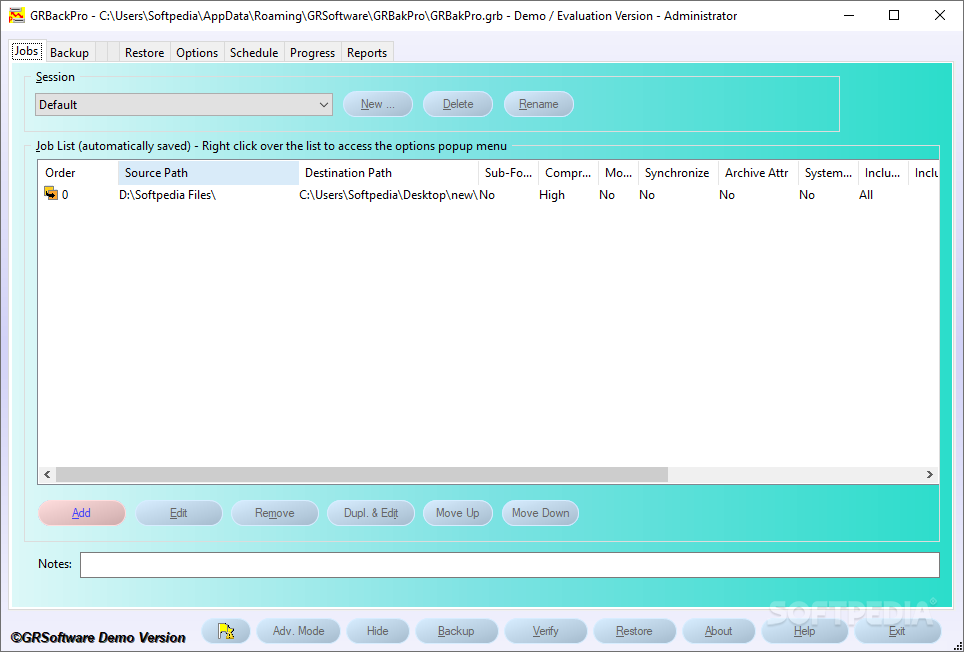
    You can define multiple backup sessions: back up a whole disk, a single folder or just a few files.

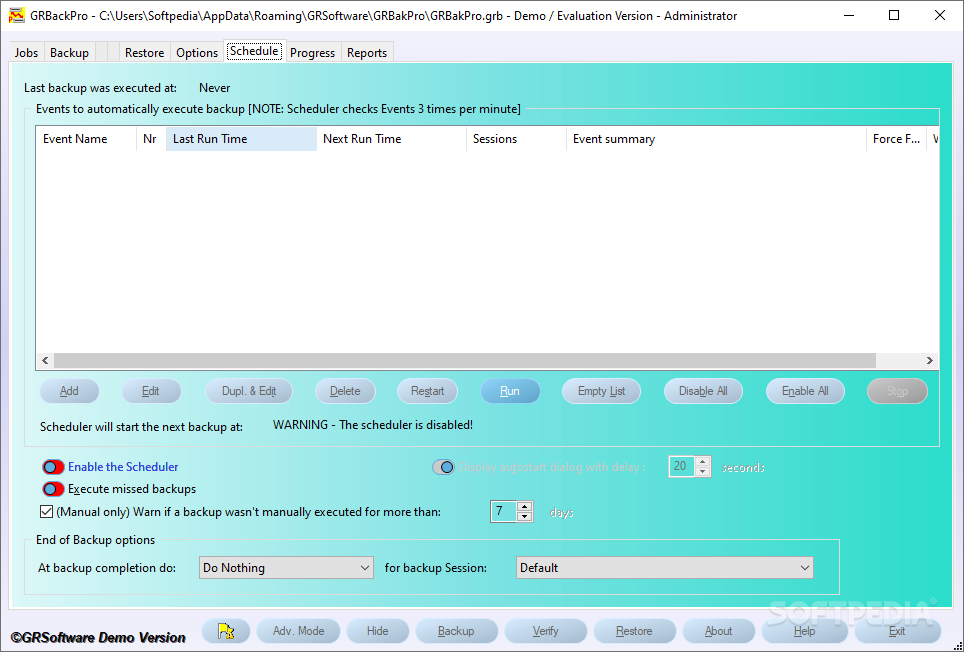
    An integrated scheduler will let you start your backup automatically start without intervention, even if your PC is in stand-by, and you can set conditions such as paths available, no user input and CPU loading to fine tune your backup process.

    GRBackPro supports networks, USB drives, hard drives, DVD-RW, CD-RW and all removable hard drives. Tapes are not supported. You can install it as a Windows Service to have your backups start even if no users are logged in.

    It supports Windows Volume Shadow Copy on 32bit systems in order to be able to backup open and locked files. GRBackPro let you handle long path names up to 1024 characters. Unicode file names are supported even inside the zip archives. You can span multiple destination disks so that you can easily build a multi disk backup set.

    Split mode to easily burn DVDs after the backup has been completed. There is a History mode to keep multiple backup sets. Integrated restore facility to easily restore your files or whole backups and also keep two or more PCs synchronized.

    You can execute one or more tasks before and/or after the backup, such as start/stop/restart services close an application, start a program, pause the backup, open a message box, end a process or send an email (which lets you send the backup log report if any error has been found in the backup.

    Registry backup both locally (for an easy manual restore) or on the destination disk. Automatic software update facility allows you to easily update. Fully featured backup software with many professional options built to solve any data backup problem.

    GRBackPro is highly suitable for beginner users since it comes with a Backup Wizard that will guide them through the process.

    Here are some key features of "GRBackPro":

    · Supports network shares, SAN/NAS, CD-RW, DVD-RW (packet write software driver is required), USB Flash drives, fixed and removable drives and any drive that can be seen as a drive letter under Windows Explorer. Tape devices are not supported unless they are visible as a drive letter by Windows.
    · Supports network UNC names.
    · The Server version can run as a Windows Service process and can logon to any specified account.
    · Can span across multiple removable media.
    · Supports Unicode file names
    · Supports Windows Volume Shadow Copy (x86).
    · Zip64 zip archive format supported.
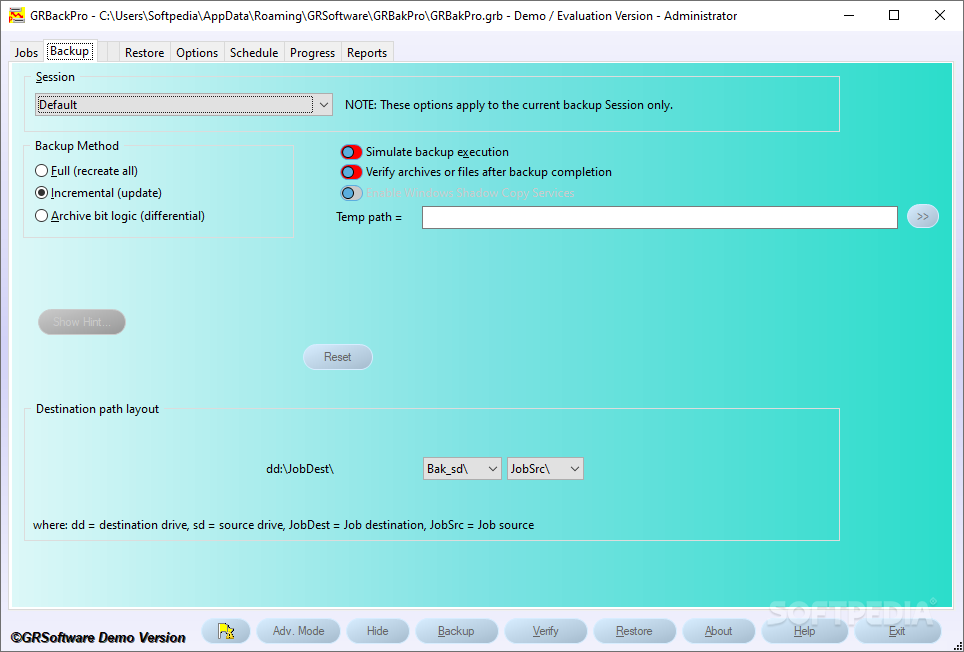
    · Supports Full, Incremental and Differential backup modes.
    · Can include or exclude files or exclude or skip folders.
    · Can include all files, older or younger than a specified number of days.
    · Supports long path names up to 1024 characters.
    · Restore facility is included.
    · Restore explorer to easily restore even single files.
    · Backup Verify facility.
    · Execute Task function, before and or after the backup. Supported Tasks are: Execute or Close an application, Start or stop a service, Pause, Email a message, Display a message box, End a process.
    · Powerful Scheduler with conditional backup execution is included.
    · Wake-Up facility for when the computer is in sleep and a Scheduler event needs to start a backup.
    · Support PKZIP 2.0 standard password protection scheme.
    · Backup Wizard for inexperienced user is included.
    · Registry backup history
    · Backup Split mode
    · Backup History mode
    · Backup security attributes on NTFS file systems
    · Backup and Restore Simulation to precisely estimate the backup size and test for errors.
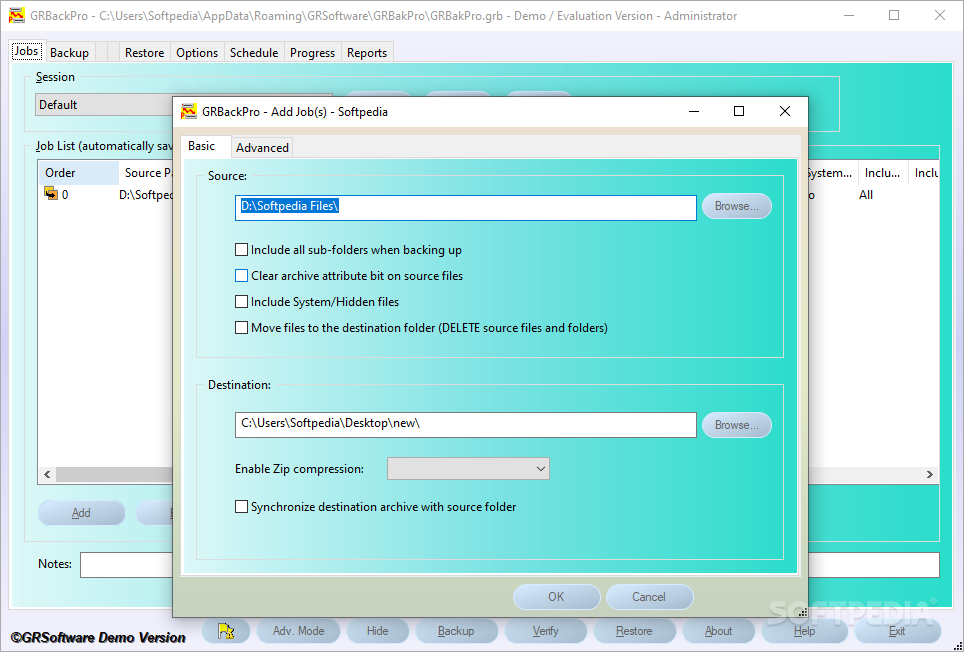
    · Allows you to copy files or compress them into a single archive or one archive per folder.
    · Recreate exactly your source directory structure so that you can easily navigate into the backup archives.
    · Synchronize your backup archives with your source files / folders.
    · Easy to learn and flexible user interface.
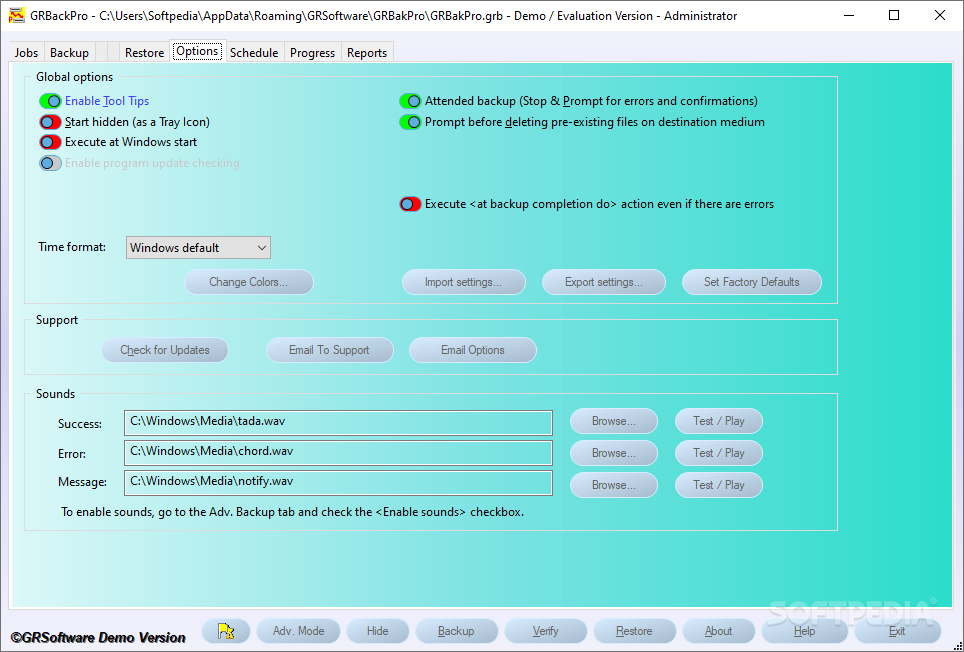
    · Runs in the background and is actionable from the tray icon bar.
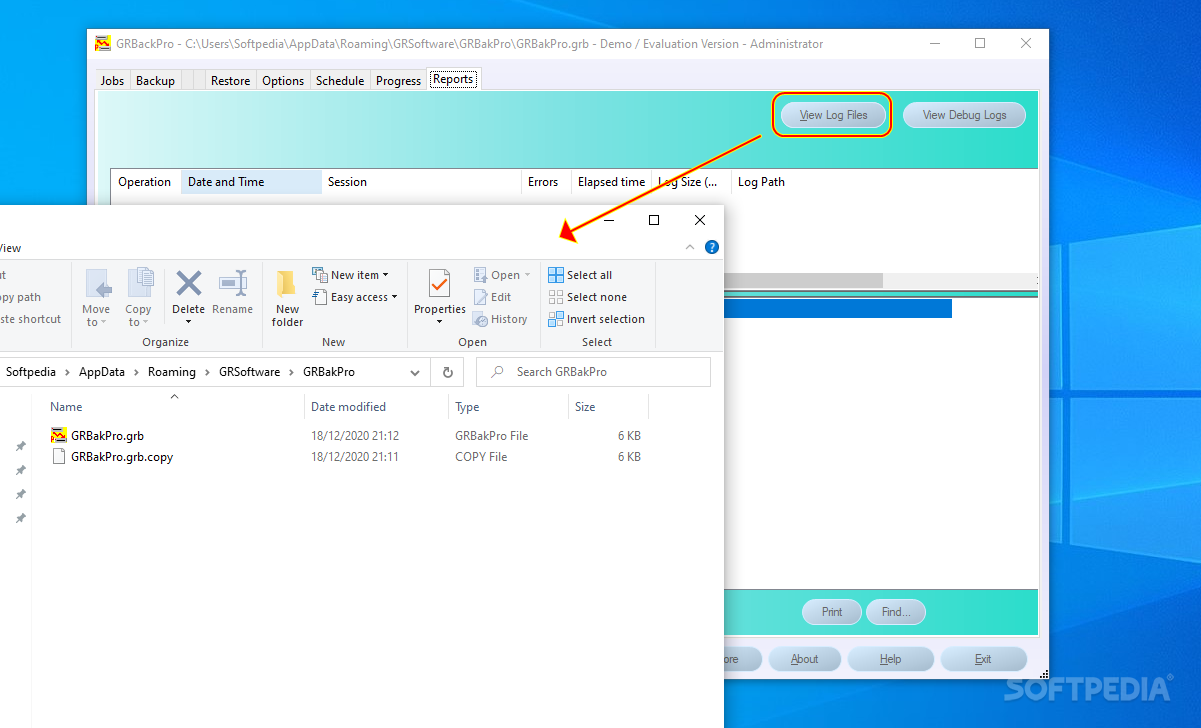
    · All backup activities are written to a detailed log file.
    · Automatic software updater is included so that you are always up to date.
    · Integrated email client to easily request support by email (supports SSL/TLS).
    · A report dialog allows you to view, print and extract the activities.
    · Program access password control.

    Limitations:

    · 30 days trial
    · Zip compression level is limited to 1
    · Zip password protection has been removed
    · The log file mode is fixed at "Debug"
    · You can define MAX 2 backup jobs
    · You can define MAX 2 backup sessions
    · You can define MAX 1 scheduler events
    · You will get random nag screens after 20 days of evaluation
    · History deep is limited to 2
    · This version cannot be licensed.

    What's New in This Release: [ read full changelog ]

    · Windows 8 compatible.
    · Windows Volume Shadow Copy (VSS) support both for x86 and x64 systems.
    · New customizable colours with effects.
    · Enhanced automatic software update.
    · Added Sounds.
    · Tasks tab re-designed to have a single list and execute Tasks even on Restore.
    · Enhanced setup handles updates of x86 software to x64.
    · Added Windows Task Bar control features to show backup progress and buttons to pause/resume/stop.
    · New simplified backup Wizard.
    · New Message Center to help program usage and allow the user to dismiss messages
    · Minimum Windows version supported is XP.
    · Rearranged some tab options to improve logic and ease of use.
    · Added backup Jobs list icons.
    · Removed empty Job list button.
    · New Add/Edit Job dialog destination tree control.
    · Various bug fixes.

     Softpedia guarantees that GRBackPro 8.0.0 is 100% CLEAN, which means it does not contain any form of malware, including spyware, viruses, trojans and backdoors. [read more >]


    TAGS:

    schedule backup | backup data | backup session | backup | recovery | restore

    Go to top

    WindowsGamesDriversMacLinuxScriptsMobileHandheldNews

    SUBMIT PROGRAM   |   ADVERTISE   |   GET HELP   |   SEND US FEEDBACK   |   RSS FEEDS   |   UPDATE YOUR SOFTWARE   |   ROMANIAN FORUM