Search Perform an advanced search query SOFTPEDIA
 
SOFTPEDIA
Updated one minute ago
HomeSubmit a program for being reviewedAdvertise on our websiteGet help on surfing our websitesSend us your feedbackGet information about our XML/RSS backend and how to use itBrowse the news archiveVisit our discussion forumVizitati forumul in limba romana


Program Finder NormalFreeware onlyShareware only

Uranium Backup 6.8.0 Build 2531 Report spyware 

Click to download Uranium Backup
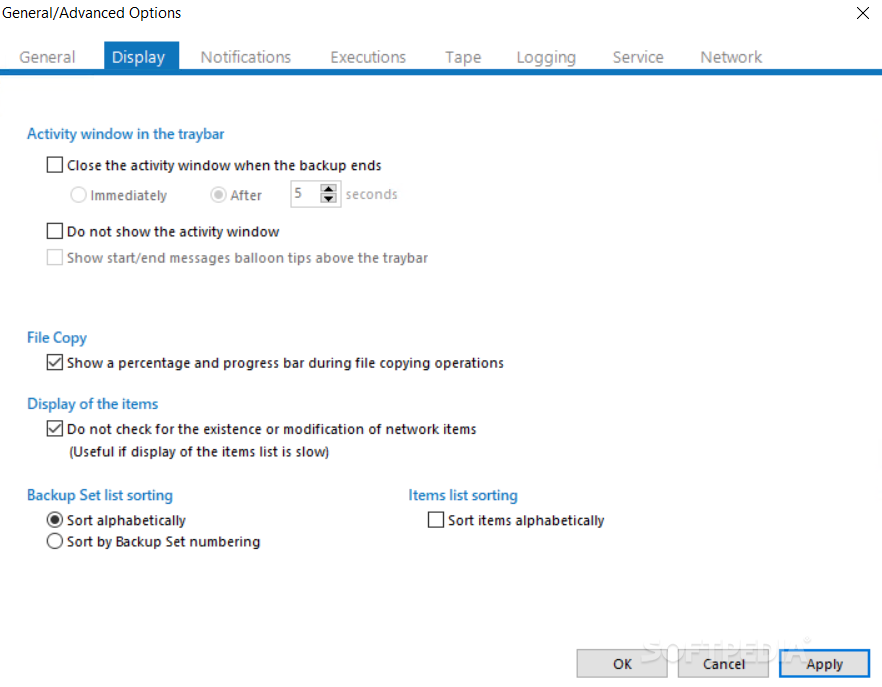
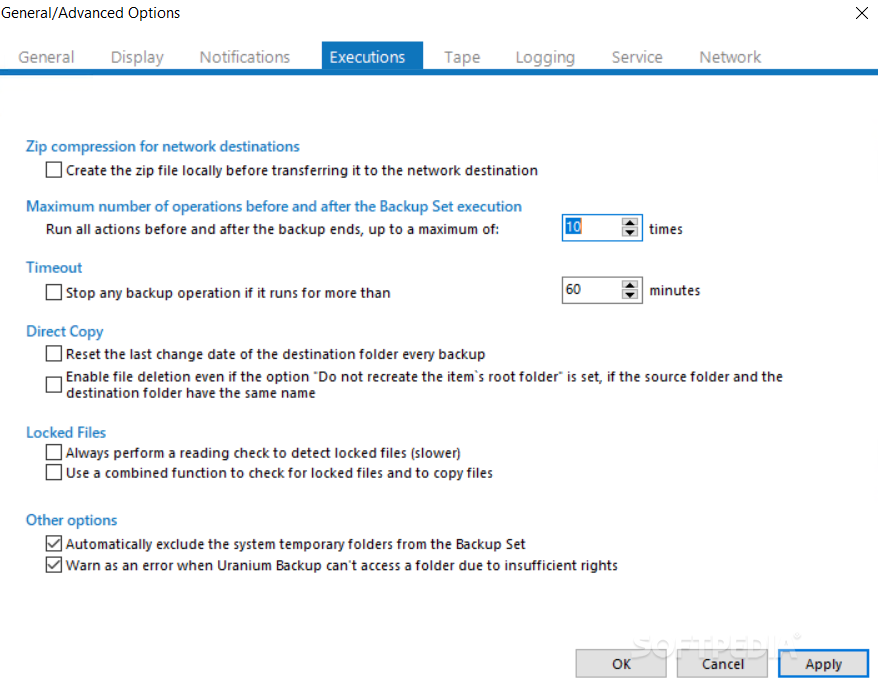
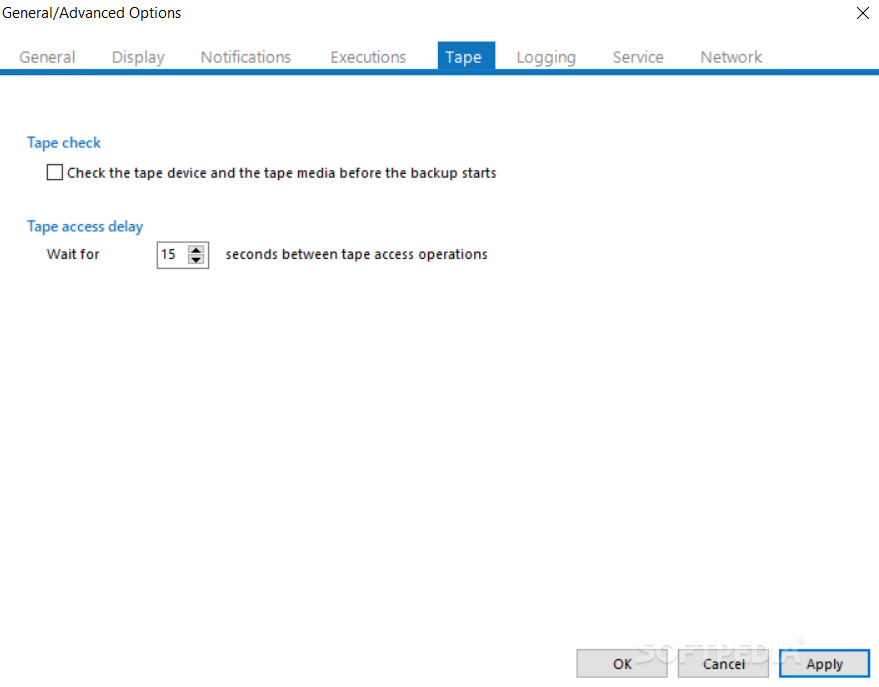
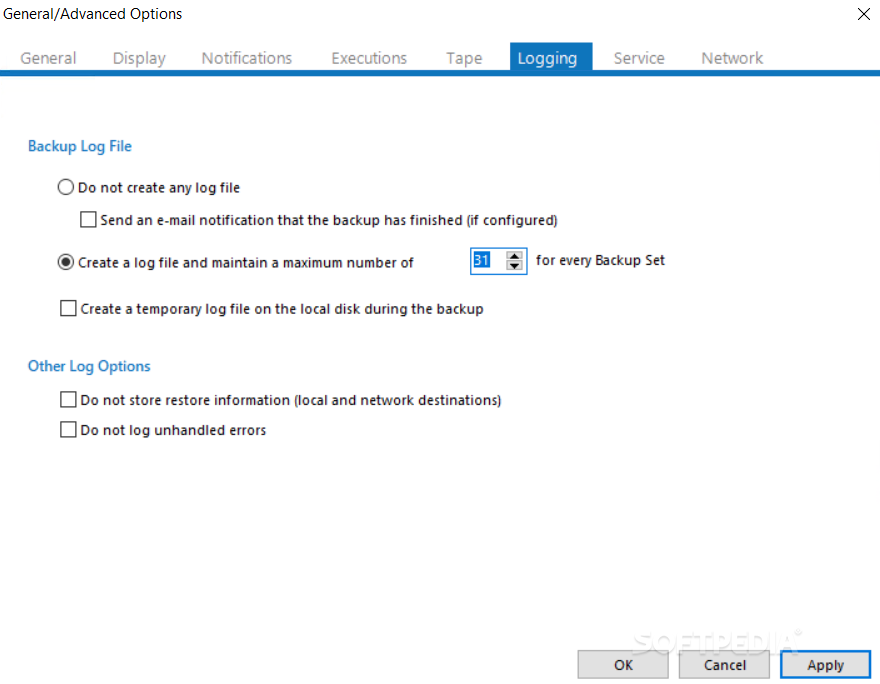
View more Uranium Backup screenshots (8)
 Downloads: 278
Rating: Good (3.2/5) | Rated by: 12 user(s)
Add to download basket     Send us update information
 Developer: FreeSoft S.r.l. | More programs by this producer
 License: Demo , 125 $ to buy 
 Size / OS: 2.96 MB, Windows All
 Last Updated: June 27th, 2008, 06:39 GMT
 Category: C: \ System \ Back-Up and Recovery
 Read user reviews (0) Add a review Refer to friend Subscribe
    Download Uranium Backup

Uranium Backup description
Powerful and complete backup software: Tape, DVD, FTP, SQL Server, Zip, Synchornization.

Uranium Backup is a software that can be used to make backup copies, synchronization, network transfers, zip compressions, CD and DVD writing, database backup and tape backup.

This software was created to be one of the most complete solutions when it comes to backup and transfer of folders and files to multiple destinations. Uranium can in fact copy files and folders from and to USB mass storage devices, external Hard Disk, NAS Server, iOmega REV Drive, network computers, etc…

It can make TAPE backup, Database backup, FTP and SFTP transfers, CD or DVD writing, sending of e-mails with encrypted attachments, ZIP archives and ISO images creation, and a lot of other things.

Here are some key features of "Uranium Backup":

Direct Copy and Synchronization:
· Direct copy and file delivery: with this function the program can copy (without any data compression or modification) an unlimited number of files and/or folders to local computer, across the network, to external firewire/sata/usb hard disks, usb pen drives, iOmega REV, etc...
· Synchronization / Mirroring: for each single folder to copy, it is possible to choose if erase in the destination folders that files and folders no more existing in the source folders. This option allows to maintain two or more folders perfectly synchronized (identical), and so avoid the continuous growth of destination folders. This option can be used for an unlimited number of destinations.
· Unlimited destinations: for each backup procedure it is possible to add an unlimited number of destinations. So no problem if for example we want to deliver some files to all computers in a network.
· Copy of ntfs permissions: with files and folders, Uranium is able to copy also their ntfs security attributes, like groups, users and permissions. It is also possible to synchronize security attributes between source and destination, even if files are not copied.
· Creation of customized folders: when we copy files and folders to a destination we can choose a customized name for the backup folder, for example the weekday name, the number of the day in the month, a special name, the name of the current windows user, etc... So in this way we can make differed and prefectly neat backups.
· Unicode support: Uranium is able to copy files and folders with unicode characters in their names (for example: chinese, greek, hebrew, etc...) and to copy files with path longer than 255 characters.
· Copy of loked files: on Windows Server 2003 operating systems Uranium is able to copy any open/locked/system file using Volume Shadow Copy service (VSS).

Copy with ZIP / ZIP64 compression and encryption:
· Compatibility: the .zip files created by Uranium are fully standard compliant and so they can be opened with any other archive utility, like WinZip, WinRar, 7-Zip, IZArc, etc...
· Safety and Privacy: two safety measures for data protection in the zip files: the classic zip password and/or the strong AES 256 bit encryption, the current safety standard in the world.
· No size limitation: Zip 64 format support (64-bit extended format). Uranium is able to overcome limitations of the classic zip format (max 4 GB and 65535 files) and to create virtually unlimited size archives.
· Incremental zip compression and synchronization: For each destination, user can choose if compress files and folders in a unique incremental zip file, where files will be updated by each new backup. User can also choose if delete from the zip file that files no more existing in the source folders. To all intents and purposes a synchronization with integrated compression.
· Maintain old backups: Uranium can create new zip file at every backup procedure, maintaining a pre-established number of files. Older zip files will be overwritten in rotation depending on the creation date.
· Compression of files individually: instead of create an unique zip file containing the entire backup, with Uranium the user can choose to compress each file individually. In the destination folder we will find the same folder structure of the source folder with each file zipped.
· Compression of locked files: on Windows Server 2003 operating systems Uranium is able to compress any open/locked/system file using Volume Shadow Copy service (VSS).
· Unicode support: Uranium is able to compress files and folders with unicode characters in their names (for example: chinese, greek, hebrew, etc...).

Tape Backup:
· Extreme ease of use: no tape backup program can be compared to Uranium for ease of use.
· Wide compatibility: Uranium is compatible practically with any Tape Drive (SCSI, IDE, USB, etc...) and with the most used kinds of tape cartridges: DAT, DDS, DLT, AIT, VXA-2, LTO 3 Ultrium, etc...
· Cartridges always usable: Uranium allows to manage cartridges with incredible handiness: in fact these don't have to be formatted or tagged. The restore of data can be performed from any computer in which is installed Uranium, because all backup information are stored in the tape.
· Several types of backup: total, incremental, differential, special
· Integrated compression and encryption: possibility to perform automatic data compression and aes 256 bit encryption.
· Intuitive Restore: to retrieve files and folders from tape is extremely easy and intuitive. In fact the program can show the complete structure of folders an files on the tape, allowing to select the files or folders you want restore. Moreover it is possible to restore files in a different position from which the original files were.
· Backup of locked files: on Windows Server 2003 operating systems Uranium is able to copy on tape any open/locked/system file using Volume Shadow Copy service (VSS).
· Backup verify: after tape writing operation Uranium can perform a verify of the backup in order to check its integrity, and completely avoid in this way the possibility of corrupted backups.

CD / DVD Burning - ISO files maker:
· Any type of CD / DVD media: Uranium is able to burn files and folders to practically any optical media: CD-R, CD-RW, DVD-R, DVD-RW, DVD-RAM, DVD+R, DVD+RW, DVD+R Double Layer.
· Multisession: with the option to create multisession discs it is possible to perform more backup procedures on the same disc.
· Versatile: Uranium can be used like a normal data burning software, and so it can replace without problems other
complicated and not fully used applications.
· ISO files creation: Uranium is able to make backup creating ISO files with a simple click, exactly in the same way of zip archives.

Backup of SQL Server databases:
· All versions: compatible with all versions of MS SQL Server database: 7.0, SQL Server 2000, SQL Server 2005, Express Edition, MSDE.
· No service interruption: database backup is performed also if the database server is running. The program does not affect server or client performances, because it requires minimal resources.
· Totally independent / No pre-requisites: it does not require that are installed SQL Server client component (Enterprise Manager - Management Studio). It can perform backup from any computer in the network.
· Integrated zip compression: automatic zip compression of the backup files.
· AES 256 bit encryption: strong encryption of the zipped backup files.
· Any destination: automatic copy and/or synchronization of the backup files to multiple destinations, like TAPE, DVD, LAN, FTP, etc....
· Unlimited servers and unlimited databases: it is possible to configure and schedule the backup of an unlimited number of servers and databases.
· Fully compatible: Uranium creates backup files in fully standard compliant format, and so you can restore these files also with Microsoft tools, like Enterprise Manager / Management Studio. No proprietary formats and the certainty to have always compatible backups.
· Local / network / remote servers: with Uranium you can perform the backup regardless of the server location. The program can be installed on any computer, from which it can perform the backup of a database server in another network computer or in a remote internet location.

FTP / SFTP Backup - Download and Upload:
· FTP Upload: backup to remote FTP servers with integrated zip compression. The program create the local zip file and then send it on a remote FTP space.
· Integrated encryption: Uranium can encrypt zip files (aes 256 bit) before transfer them to the remote internet server, warranting in this way an absolute security level.
· Unlimited destinations: Uranium can transfer the backup files to an unlimited number of FTP servers.
· Update of websites: since it is possible to perform upload procedures without compression, the program is able to transfer an unlimited number of files and folders maintaining their original structure. With this function is possible to make automatic updates of entire websites with a simple click. From this viewpoint Uranium is to be considered an extremely useful product for any webmaster and generally any web developer, because it allows considerable time-saving.
· FTP Download: with this function is possible to download the content of a ftp space, for example to make a local backup of a website or of the data in a web server.
· Download of entire websites: FTP Download function allows to download an entire website to local hard drive. It is possible to configure automatic and scheduled download of unlimited websites.
· SFTP secure protocol: all transfers can be performed using SFTP protocol (SSH 2 FTP), through which data are transferred over an encrypted channel and so protected from any interception.
· Upload of locked files: on Windows Server 2003 operating systems Uranium is able to upload any open/locked/system file using Volume Shadow Copy service (VSS)..
· A very large number of options and filters: like in the other copy features, also in the ftp functions the program allows to set a lot of parameters, among which zip compression, strong encryption, remote folders creation, overwrite options for existing files, extension filters to include or exclude some file types, etc...

MAIL ZIP Backup
· Sending data with automatic e-mails: the program can compress all the items of a backup set in a unique zip file, and then send it by e-mail as attachment to one or more recipients.
· Google GMail: with the wide diffusion of the Google GMail system, this type of backup can be an extremely useful, safe and innovative solution. In fact it is possible to make a backup to our own mailbox.
· Encryption and safety: the attached zip file can be encrypted (AES 256 bit), and the program write in the e-mail body the MD5 checksum of the zip file, so a more expert user can always check the authenticity and integrity of the attached file.
· Automatic deliver of reserved data: this function can be used for a scheduled delivery of particular files to several recipients, with documents, confidential and important communications, etc...

Other important features:
· Unlimited items and unlimited destinations: in comparison of other backup software, Uranium's versatility allows to set for each backup set an unlimited number of items (files and folders to backup) and an unlimited number of destinations, also of several types.
· Unlimited backup sets: with Uranium it is possible to create an unlimited number of backup sets, to be more precise several and distinct backup/copy/transfer procedures, each of them with its specific settings and automatic scheduling.
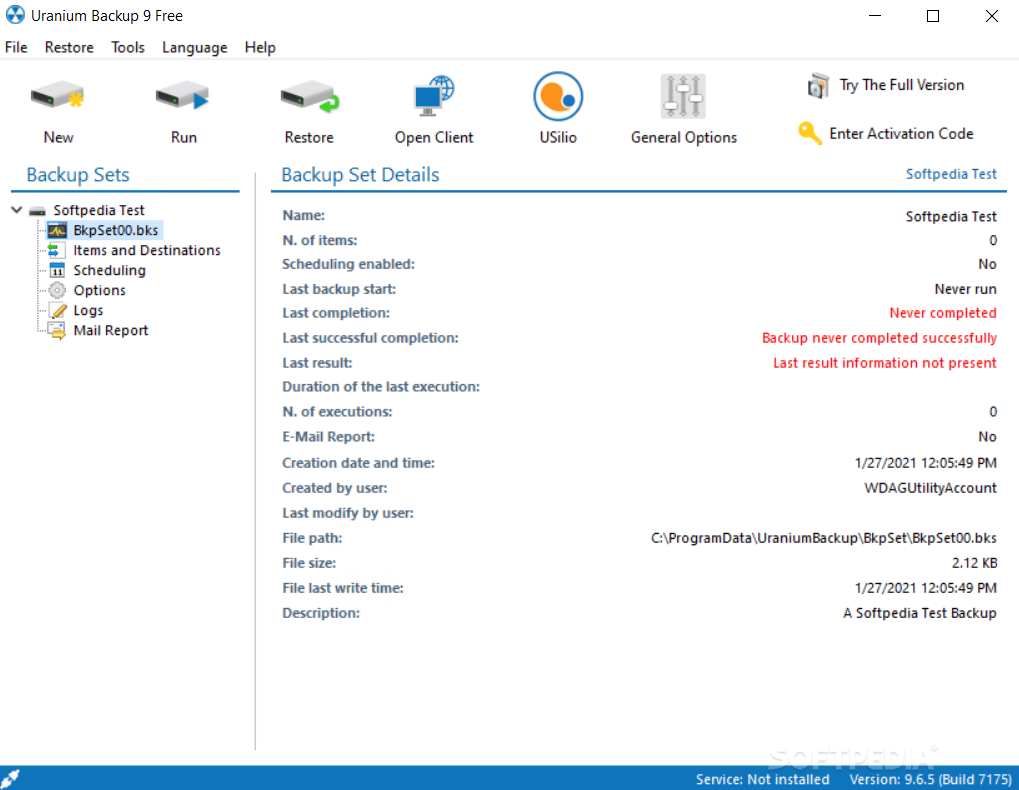
· Detailed logs of any operation: each time that Uranium perform a backup, it creates a log file containing detailed information about backup, like for example the number of copied files, the total size of copied files, the average speed, the start and the end time, the windows logged user, etc....
· Html Log or Text Log: logs created by Uranium can be in html format (so extremely easy to read and to manage, because they can be viewed with any web browser) or in simple text format (in order to have lighter logs when they contain the list of all copied files)
· E-mail notifications: for each backup set Uranium can send to one or more recipients an e-mail containing all information about the performed backup upon its completion, with the possibility to choose if send the e-mail always or only in case of errors.
· Multitask execution: through a specific option it is possible to run multiple Uranium instances. In this way the program can make multiple backup operations at the same time or overlap several scheduling in a fully indipendent manner.
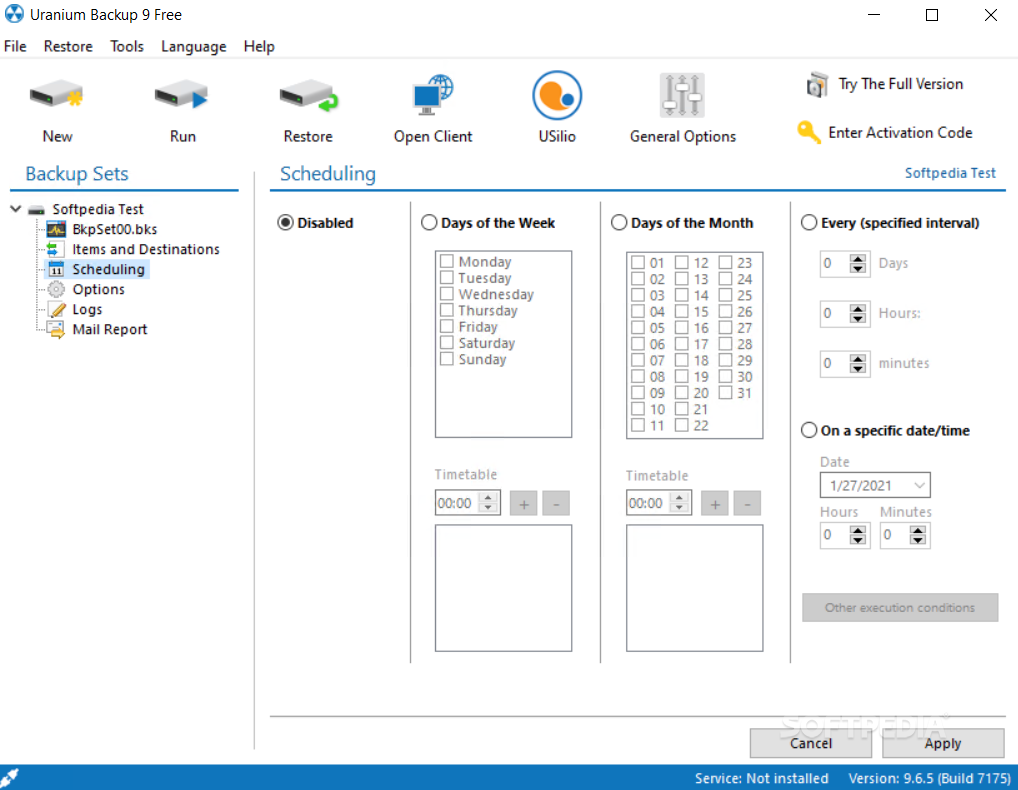
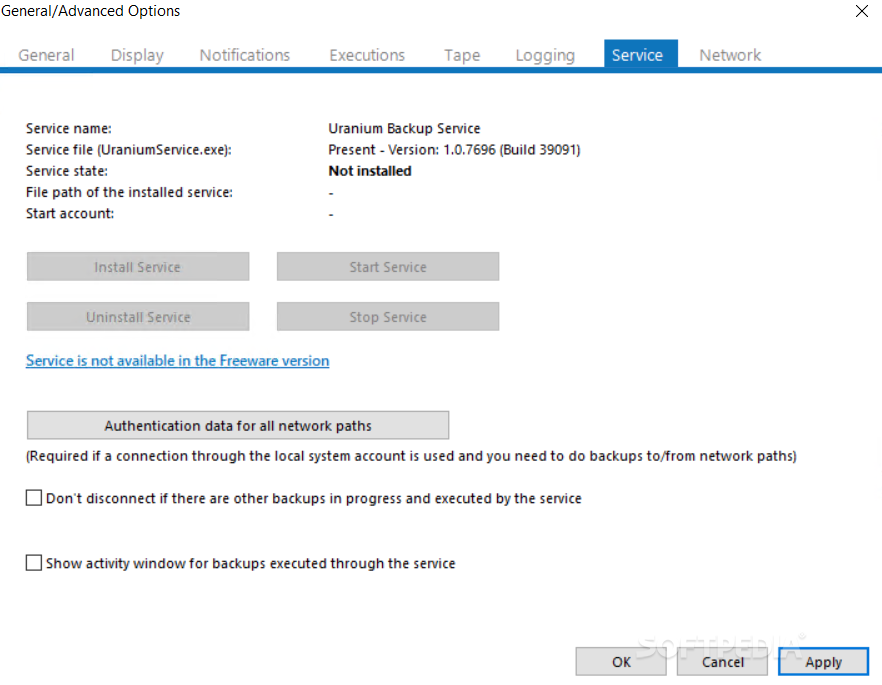
· Multiple scheduling / Nt Service: each backup can be scheduled, to be more precise automatically executed in specific days and times. The integrated scheduler allows to set the days of the month, the days of the week, specific interval of days, hours and minutes, etc... It is also possible to schedule a backup through windows scheduled tasks, since Uranium can be executed from the command line with several parameters (with a simple button we can automatically create a windows scheduled task for each backup set). With this type of scheduling we can run Uranium like an nt service.
· Execution of external files/programs: Uranium allows for each backup to execute customized actions with external files or programs, like for example batch files or system scripts, antivirus, software for specific functions, etc... Through these functions it is possible to integrate Uranium with other software and so make it still more versatile. The execution of these actions can be performed before and/or after each single backup, and depend on conditions regarding the backup result.
· Automatic logging into network shares: Uranium can execute automatically a logon procedure (with user name and password) to access network shared folders. In this way it can perform copy operations also to network folder in which user doesn't have permissions normally. At the end of backup, for security reasons, authentication data is removed from system cache and so network shares are made again inaccessible.
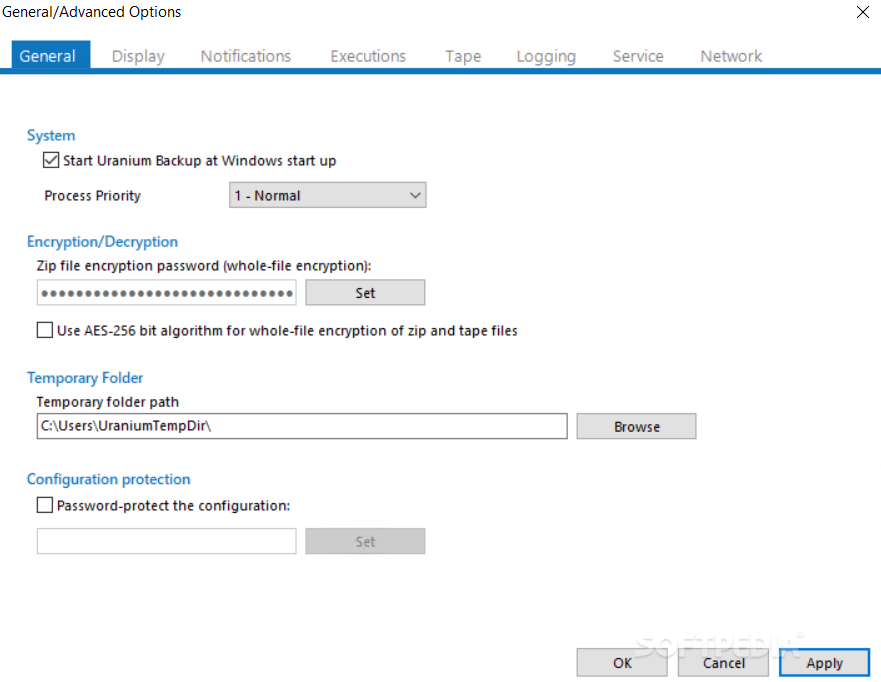
· Stored passwords protected: all password stored in various program's settings (network shares authentication, smtp, zip file encryption, sql server databases, etc....) are encrypted and so absolutely protected against unauthorized access. No one can retrieve the passwords stored by Uranium, neither using asterisk revealer programs.
· File System Monitor: Uranium can monitor all modifications to backup items on the file system. For example: if a folder that is part of a backup is renamed/moved/deleted, Uranium immediately notify the user about possible errors due to that modification.
· Automatic print of log files: at the end of each backup Uranium can automatically print the log file through the system default printer.
· Plugin of other software: thanks to the possibility to execute Uranium from the command line, the program can be easy used as a plugin of other software. This means to have the chance to add data backup functions, burning capabilities, ftp transfer functions, etc., to any program through Uranium.
· Portable: although Uranium has a simple installationn procedure, it is a fully portable and stand-alone program. It doesn't need any external prerequisite in order to work, and all its features are embedded in a single file: Uranium.exe. This means that the program can be placed on a usb pen drive and can be executed without any installation.
· FTP / SFTP Client: Uranium includes a complete FTP Client program, that can work regardless of backup functions. Practically another "standalone" software to execute all common ftp and sftp transfer operations, to view the content of websites or of the backup remote destinations. A very useful an simple product, comparable for basic use to other software like CuteFTP, FileZilla, WS_FTP, etc.
· Chained execution of several backup sets: for each backup set it is possible to set actions to execute before and/or after backup operations. Among these options there is also the possibility to execute other backup sets (depending on specific conditions), to create complex chained operations.
· MD5 checksum comparison: Uranium is able to make comparisons between files (for overwrite options) and data integrity verification using MD5 hash algorithm. Through this implementation the program ensure an high security standard.
· Hidden and systems files: for all types of backup it is possible to decide the inclusion or the exclusion of hidden and system files.
· Special Strings: in many textual options of Uranium it is possible to insert several special strings in order to accurately customize some program functions. For example you can insert the backup result in the notification e-mail subject simply inserting the string %BR% in the subject text field. Or you can create folders named like windows logged user name using the string %UN%. The complete list of special strings and the options where you can use them can be found in the program's help.
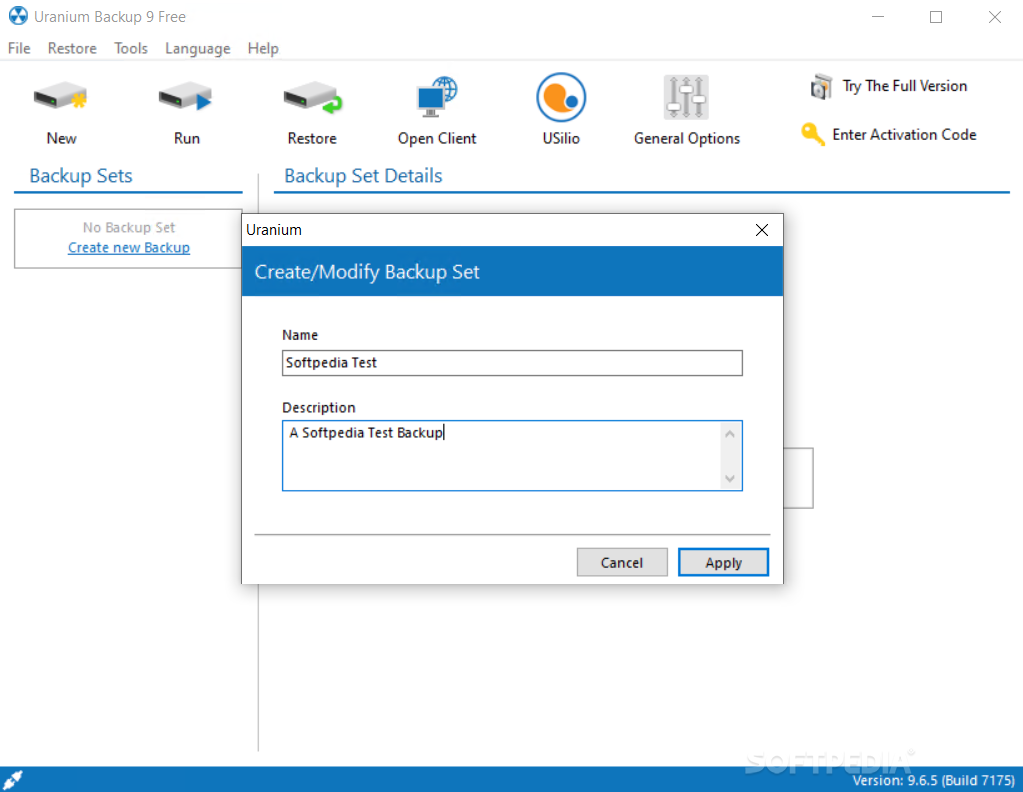
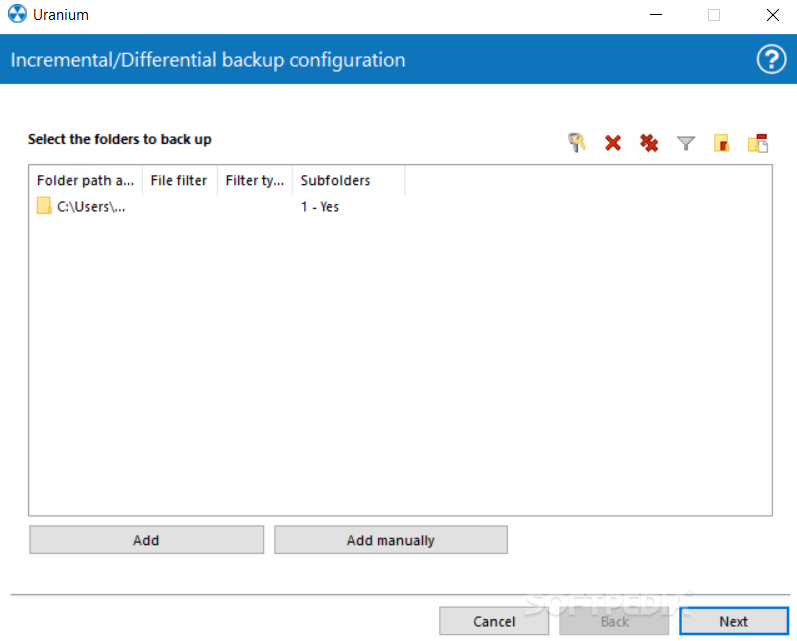
· Drag & Drop: to make the configuration easier it is possible to add files and folders to backup dragging them over Uranium with mouse.
· In the same way it is possible to use this function to add destinations, import backup sets or move items from a backup set to another.
· Auto-Update: Uranium can be updated through internet with a simple click. It is also possible to set a reminder to be warned each pre-estabilished number of days to check and download new updates. The program download and install automatically new versions of the software without need to reboot the system.
· The largest number of options, functions, filters: Uranium is surely one of the most customizable backup software, because it has a large number of options and possible configurations for each type of backup. Among these we can highligth the numerous file overwrite options, the inclusion and exclusion filters for specific files, the incremental copy options, the zip compression options, the burning options, the several types of backup, the several logging options, the creation of customized folders, the automatic internet connection, etc.

Light and non-invasive software
· Uranium needs very little disk space (the installer file is aproximatively 2,7 MB) and doesn't change any system settings or configuration, resulting for these reasons an absolutely light, reliable and non-invasive software. Uranium is consituted by only one executable file, can be installed even on a usb pen (it is a "portable" software) and doesn't need of any external prerequisite to work.

Simple and professional interface:
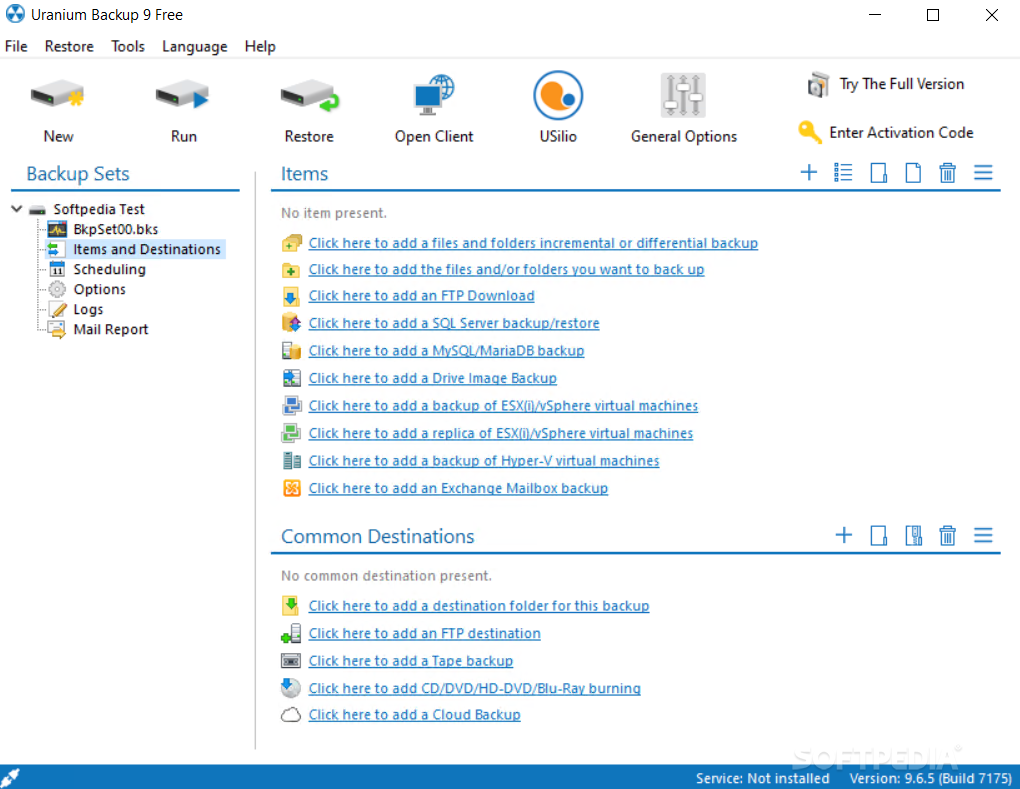
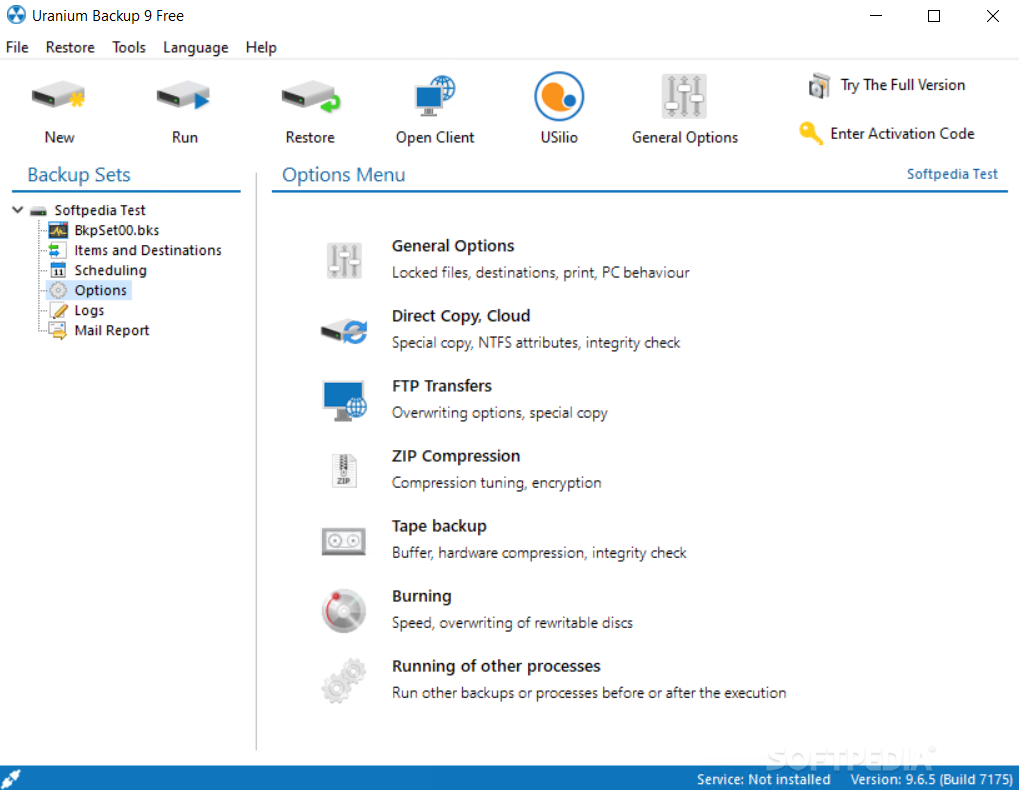
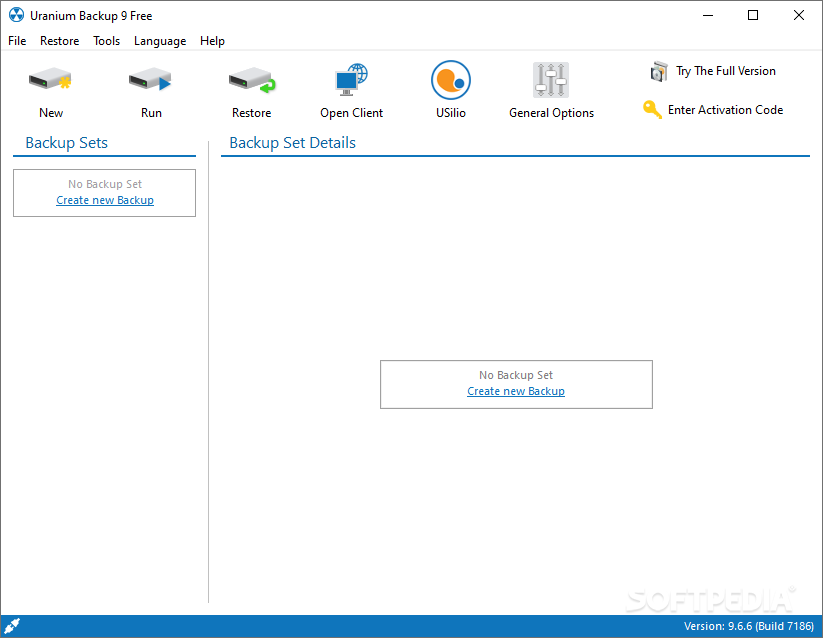
· All the functions and possibility available in Uranium mustn't frighten non-professional users. In fact the program's interface has been implemented with extreme care and with professional and light style. All commands and options are easy usable through simple menus an are grouped very clearly.


Requirements:

· Less than 5 MB of disk space.
· Uranium can be used with cpu with frequency inferior than 500 MHz and with only 32 MB of RAM.


Limitations:

· Only provides support backup to HD / mass storage devices / Lan / Zip


What's New in This Release:

· New Features
· SQL Server: dynamic backup of all databases with a single item (the program detect each time what databases are present)
· FTP: possibility to limit bandwidth in upload and download (you can set the speed in KB/s)
· Possibility to create root directory with a custom name and with a progressive number, for local and ftp destinations
· Officially tested the full compatibility with Windows Server 2008 and SQL Server 2008
· Fixed Bugs
· New wait function between various sql server backup operations, to avoid errors due to locked files
· Solved an issue in checking the existence of the sql server backup file if the server was on a different machine
· Solved an issue in subfolders exclusion when using the option to ignore locked files ... [ read full changelog ]


Softpedia guarantees that Uranium Backup 6.8.0 Build 2531 is 100% CLEAN, which means it does not contain any form of malware, including but not limited to: spyware, viruses, trojans and backdoors.

This software product was tested thoroughly and was found absolutely clean, therefore it can be installed with no concern by any computer user.

However, it should be noted that this product will be retested periodically and the award may be withdrawn, so you should check back on this page from time to time. (click here for more information)


Related downloads IT News Popular downloads New additions   Latest reviews  
KLS Backup 2008 Professional 4.1.0.2
A Backup Archive System for professional users
BeInSync 3.2.53
Automatically and securely keeps your files in sync between multiple computers
FolderClone Professional Edition 2.0.0
Offers fast, flexible and easy backup, synchronization, replication, and mirroring of important files
Folder Backup 1.0.2139.17715
Folder Backup is a handy little utility that backs up a folder and all it's contents to another location
GrandBackup Ultimate 1.2 build 418
GrandBackup Ultimate - Keep the backup copy of your important files in a secure location!
PelconBackup 1.2.0.0
PelconBackup is a small and easy to use program for backing up your files.
HTABackup 1.0
HTABackup will allow you to define a set of folders to backup and the directory you want them backed up to.
GrandBackup Business 1.4
GrandBackup Business provides a friendly interface for easy backup of important files and folders
Spesoft Backup 1.10
Backup changes to a folder to another folder, network location or FTP site.

go to top Use the following code to link to this page:


Welcome!
Hello, Guest

Login if you have a Softpedia.com account.

Otherwise, register for one.

Main categories:
  • Antivirus
  • Compression tools
  • CD/DVD Tools
  • Office tools
  • Programming
  • Authoring tools
  • File managers
  • Desktop Enhancements
  • Internet
  • Network Tools
  • IPOD TOOLS
  • Mobile Phone Tools
  • Multimedia
  • Tweak
  • System
  • Security
  • Others
  • Science / CAD
  • UNIX
  • Windows Widgets
  • PORTABLE SOFTWARE

  • Week's best:
  • DAEMON Tools Lite 4....
  • UBCD4WIN 3.2.0
  • Adobe Reader 9.0.0 /...
  • Total Commander Ulti...
  • System Mechanic 8.0....
  • Adobe Acrobat Profes...
  • iPhone PC Suite 1.0....
  • Firefox 3.0 Final / ...
  • Portable Firefox 3.0...
  • MPlayer for Windows ...
  • Vista Codec Package ...
  • Windows Live Messeng...
  • WinBubble 1.73
  • Kaspersky Anti-Virus...
  • Malware Removal Tool...
  • WinRAR 3.80 Beta 2 /...
  • Royale Noir Theme fo...
  • IBM Lotus Symphony 1...
  • Adobe Dreamweaver 10...
  • Adobe Fireworks 10.0...
  • BitDefender Total Se...
  • McAfee Total Protect...
  • Ad-Aware 2008 7.1.0....
  • Adobe Flash Player 1...
  • Intel Chipset Softwa...
  • Uxtheme Multi-patche...
  • SRS Audio Sandbox 1....
  • SP3 UxTheme Patcher ...
  • PECompact 2.87 Beta ...
  • Sony Vegas Movie Stu...
  • Daniusoft Media Conv...
  • © 2001 - 2008 Softpedia. All rights reserved.
    Softpedia™ and Softpedia™ logo are registered trademarks of SoftNews NET SRL.
    Copyright Information | Privacy Policy | Terms of Use | Contact Softpedia | Update your software | Archive