
Run multiple test cases to see if your video card and CPU can handle latest video game titles with this powerful benchmarking utility. #3D graphic #Performance benchmark #CPU test #3D #Performance #Measure


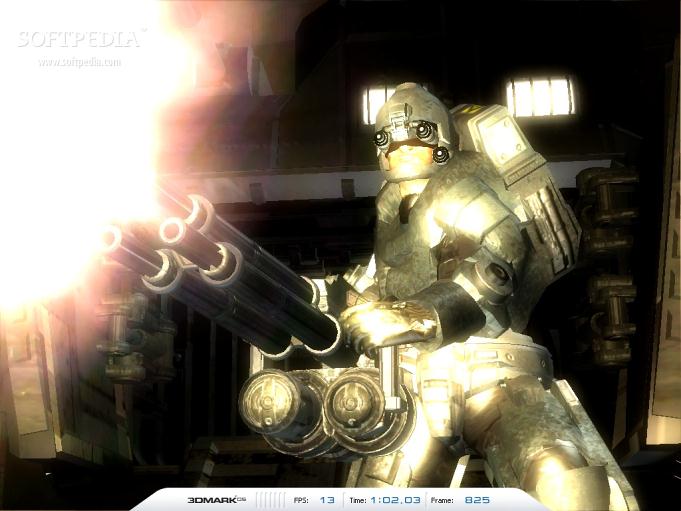
There are various tools out there that let you test the performance of your PC. 3DMark05 is a benchmarking application designed for video gamers. This type of tool helps them figure out if their computer system is strong enough to handle a particular game.
When you initialize the program, the color scheme of Windows 7 changes to basic. The program takes a while to load, and you are welcomed by useful daily tips.
The user interface of 3DMark05 is quite friendly. You can view settings for tests (three selected game tests, CPU tests, features tests, and batch size tests), graphics (resolution, anti-aliasing, filtering, HLSL VS and PS target, fixed frame rate), the system (GFX, CPU and operating system), as well as results.
Unfortunately, you cannot configure tests, graphics, the image quality (resolution, anti-aliasing, texture filtering, VS and PS profile, rendering options, frame rendering), the filtering and anti-aliasing tool, or graphs, in this edition. In order to do so, you must switch to the Pro or Business version of 3DMark05.
We tried to view a detailed report of our system's hardware and software settings, but 3DMark05 was unable to do so. In order to view the score of your benchmarking test, you must run all game tests. You can see it online, export it to an Excel file, or save it as a 3DMark05 result file (3DR format).
Additionally, 3DMark05 comes with improved GPU core and memory clock detection for enhanced compatibility, and adds support for newer hardware. Obviously, this application uses a high amount of CPU and memory, which is completely normal while it's running the benchmark module.
In conclusion, 3DMark05 is able to assess the performance level of your graphics hardware with little effort from your side. Even though more advanced and updated versions are available to better stress out modern hardware, it does not mean 3DMark05 is obsolete.
3DMark05 Build 1.3.0 Patch
 Softpedia Editor's Pick
add to watchlist
add to download basket
send us an update
REPORT
Softpedia Editor's Pick
add to watchlist
add to download basket
send us an update
REPORT
- runs on:
-
Windows XP
Windows 2K - file size:
- 290 MB
- filename:
- 3DMark05_v130_1901.exe
- main category:
- System
- developer:
- visit homepage
Context Menu Manager

IrfanView

Microsoft Teams

4k Video Downloader

Bitdefender Antivirus Free

calibre

Windows Sandbox Launcher

7-Zip

ShareX

Zoom Client

- 7-Zip
- ShareX
- Zoom Client
- Context Menu Manager
- IrfanView
- Microsoft Teams
- 4k Video Downloader
- Bitdefender Antivirus Free
- calibre
- Windows Sandbox Launcher