
Measure the performance of PCs running Windows XP, with this complex benchmarking application that can run a large variety of tests. #Benchmark system #Test Performance #System tester #Benchmark #Test #Performance

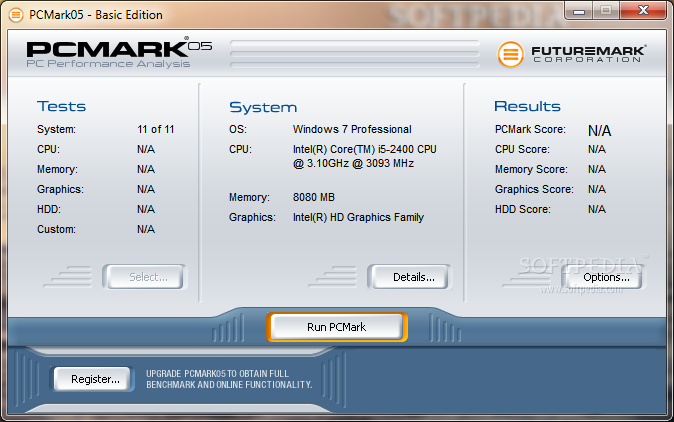
PCMark05 is an advanced benchmarking tool that you can use to test the performance of your computer. It comes in handy especially if you tend tooverwhelm your computer with high-demanding applications on a regular basis.
The user interface of the program is simple and intuitive. You can view information regarding the system, such as operating system, processor, memory and graphics.
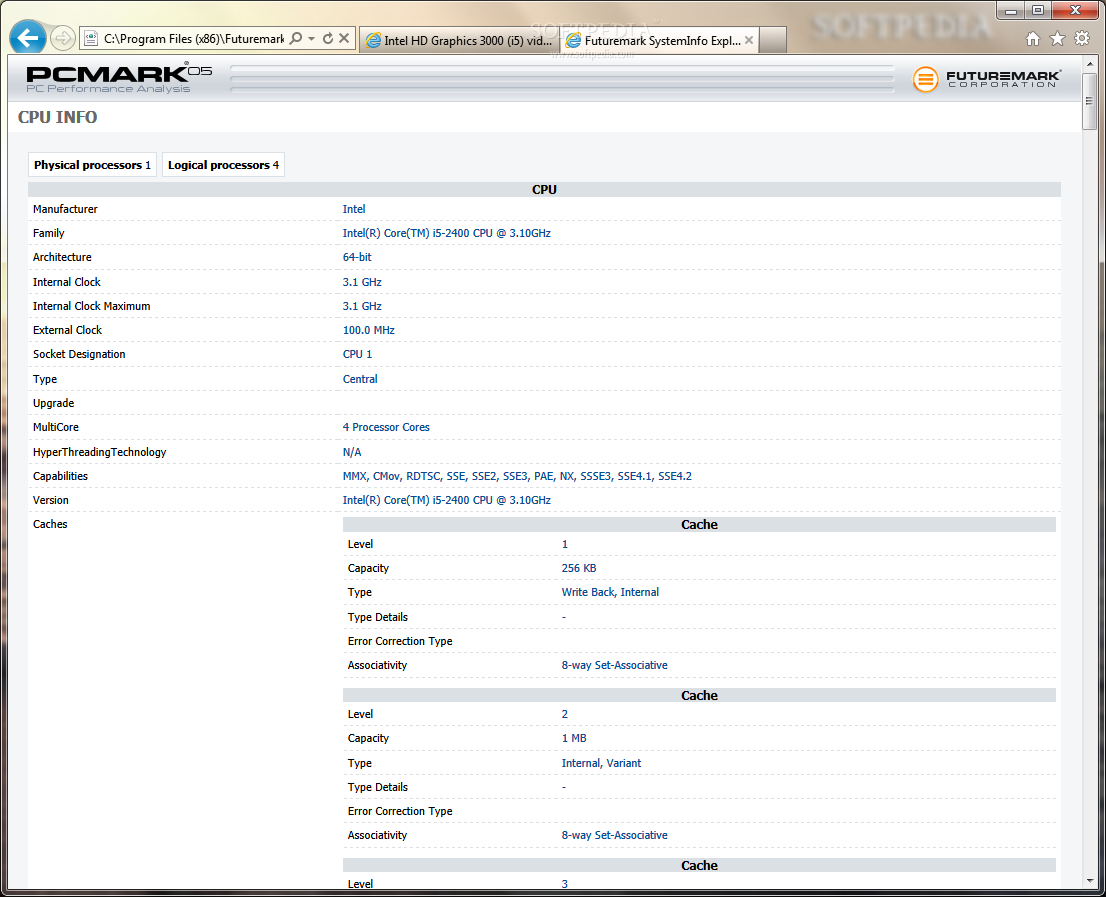
Also, you can view details when it comes to the CPU (e.g. manufacturer, family, architecture, internal clock, type, upgrade, multicore), DirectX (e.g. display devices), DirectShow, DirectSound, memory, storage devices, operating system, monitor and mainboard.
Once you have run a benchmarking test, you can view and save results which consist of a PCMark, CPU, memory, graphics and HDD score.
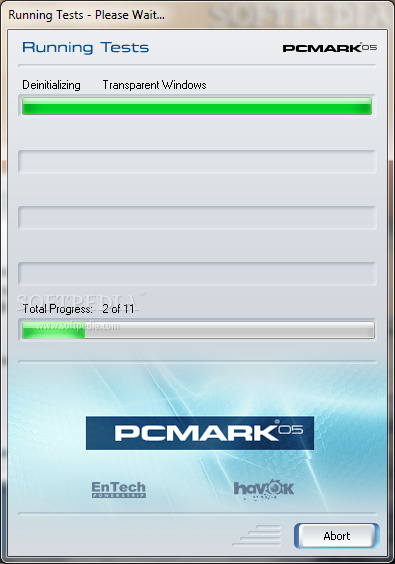
The program uses a low amount of memory when it's in idle state and massive quantities of resources when it's running a benchmark (which can take a very long time). Unfortunately there is no help file available, which can be very troubling for inexperienced users.
The fact of the matter is that PCMark05 is a very good tool for performing benchmarking tests on your computer and it can be used by beginners and hardcore users alike. We recommend you test this software for yourself.
What's new in PCMark05 1.2.0 Build 1901:
- Improves GPU core/memory clock detection for enhanced compatibility and adds support for new hardware
PCMark05 1.2.0 Build 1901
add to watchlist add to download basket send us an update REPORT- runs on:
- Windows XP
- file size:
- 90 MB
- filename:
- PCMark05_v120_1901.exe
- main category:
- System
- developer:
- visit homepage
paint.net

Zoom Client

calibre

4k Video Downloader

Microsoft Teams

ShareX

IrfanView

7-Zip

Windows Sandbox Launcher

Bitdefender Antivirus Free

- 7-Zip
- Windows Sandbox Launcher
- Bitdefender Antivirus Free
- paint.net
- Zoom Client
- calibre
- 4k Video Downloader
- Microsoft Teams
- ShareX
- IrfanView