
Create bootable USB drives for installing Windows, run a complete OS from a flash drive and more, with this intuitive application. #Bootable USB #Boot from USB #USB Imaging #Bootable #USB #Imaging

As typical computer users, we don't usually need to set up bootable USB drives or migrate our entire OSes to other PCs.
However, the same cannot be said regarding system administrators, developers, privacy-minded or power users, and advanced IT support personnel.
Regardless of your general PC knowledge, you can make all the above happen (and more) with a streamlined and very useful tool called FlashBoot.
In short, FlashBoot is a tool that allows you to create installable clones of Windows 7/8.x/10. This way, you can instantly copy all your apps, documents, games, and settings from an older computer to a new one.
That's not all FlashBoot can do for you. For instance, with its help, you can also copy OSes between virtual machines and real hardware, move OSes from HDD to SSD, or RAID arrays.
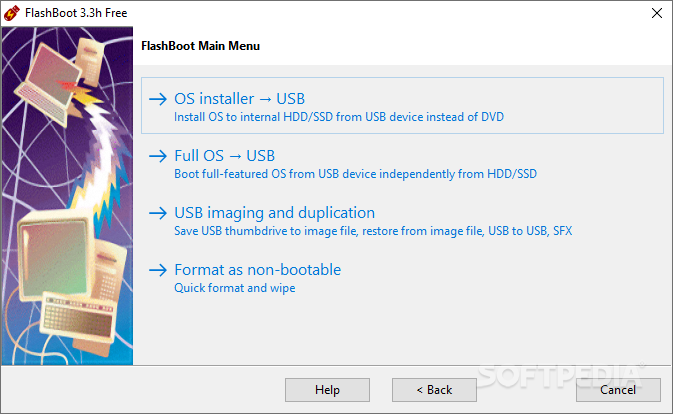
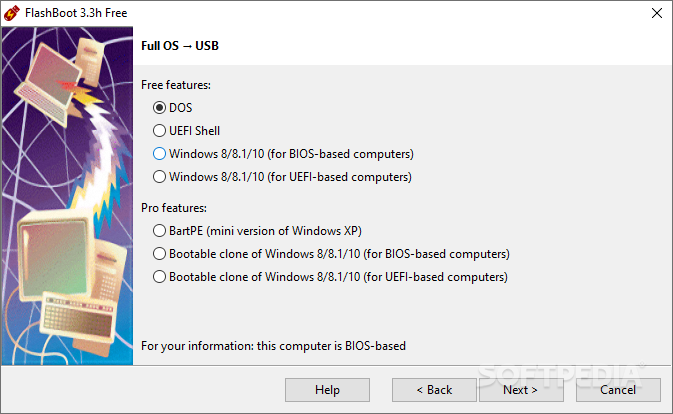
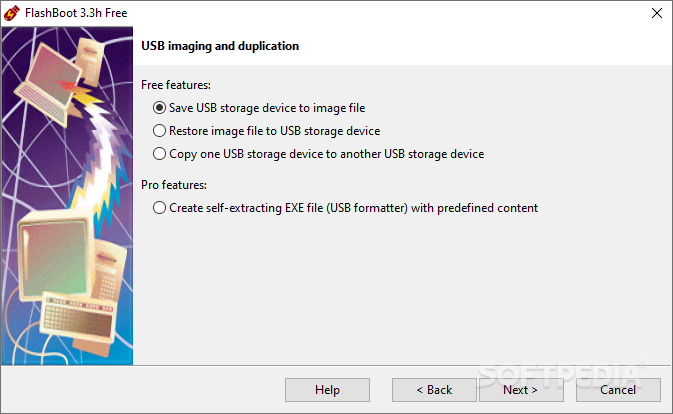
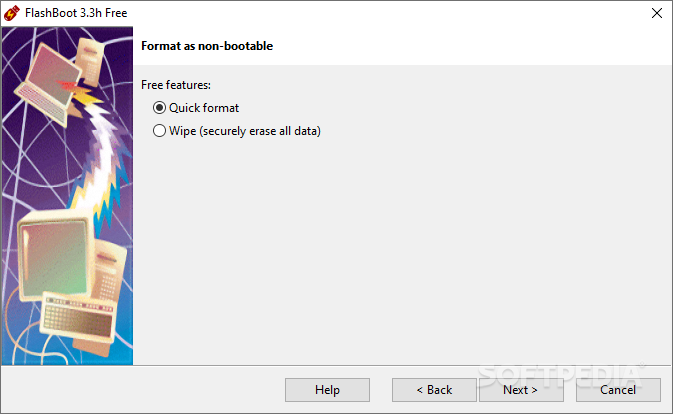
The app has four main sections: "OS Installer -> USB," "Full OS -> USB," "USB imaging and duplication," and "Format as non-bootable."
To better understand them, let's dive into the details. Starting with the installable clones of Windows 7/8.x/10, you can make a copy of your Windows OS (which includes all your data) on any external storage devices such as USB thumb drive/flash disks or USB HDDs.
This way, you can effortlessly transfer an entire OS to another computer, even it doesn't have the same hardware specifications.
If you opt for the Pro version of the app, you can also benefit from bootable clones of Windows 8.x and 10. This means that you can boot Windows directly from a USB storage device on any computer.
The Pro version also enables you to install Windows 7 on various modern Intel and AMD-based PCs. This is partially possible thanks to a series of prepackaged generic drivers for USB 3.x host controller and NVMe controller.
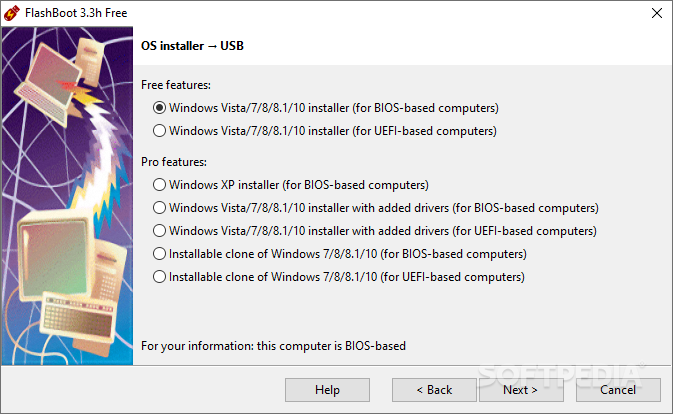
To sum it up, with the Free version of the app you can prepare external devices for the installation of Windows 7, 8, 8.1, 10 as well as Vista to internal HDDs and SSDs. You can benefit from a fully installed Windows 10 or 8/8.1 on a thumb drive, and boot it independently of the main OS installed on other computers.
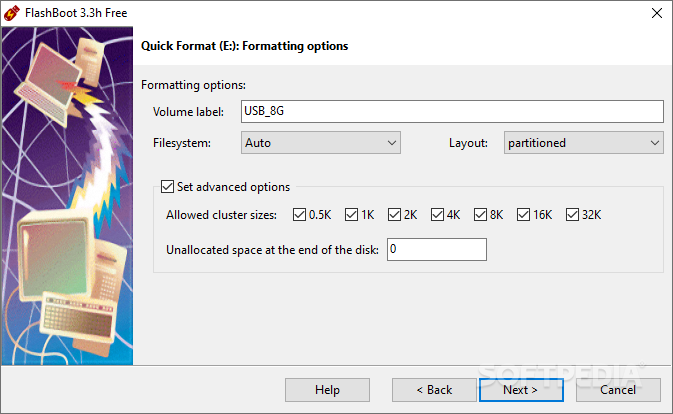
The ability to save the USB thumb drive to an image file, copy the USB drive to another USB drive (while retaining "bootability"), install DOS to USB, install UEFI shell to USB disks, quickly format or wipe out USB drives completely, as well as to restore the USB thumb drive from file images are all things you can do with the Free edition.
Obviously, the Pro is a more compelling choice for those who actually need the advanced features it provides. With the Pro version you can create installable clones of Windows OSes with optional driver integration (NVMe, AHCI/RAID, or USB 3.0), create bootable clones of Windows 10 and 8/8.1 thumb drives (which can be booted independently from the main OS), create USB disks for fresh installs of Windows (including Vista and XP0, as well as create self-extracting archives.
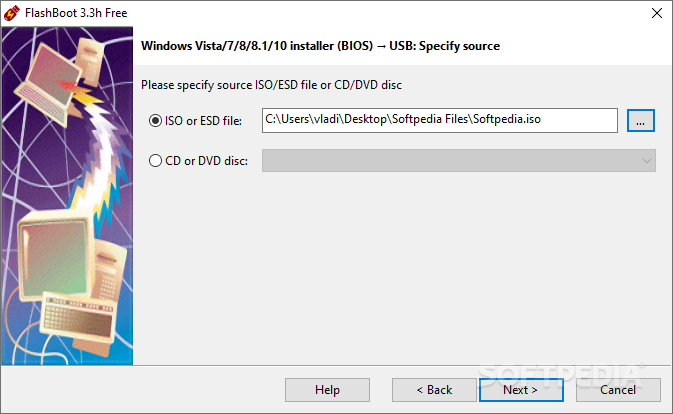
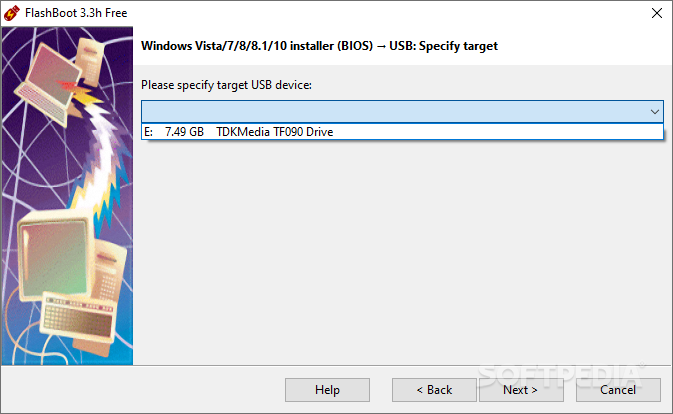
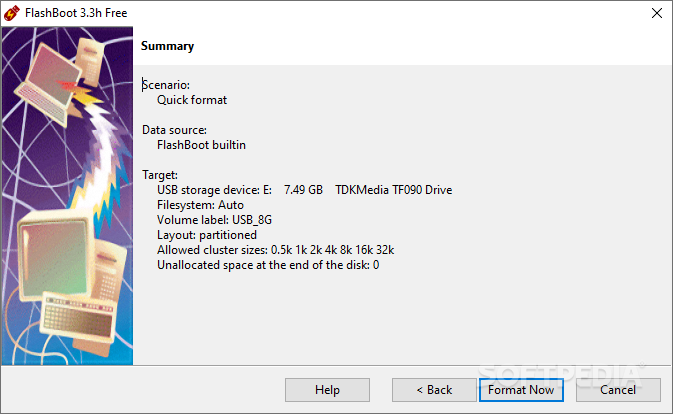
By now, it's quite clear that FlashBoot is a very versatile and super-useful OS migration/boot-related tool. However, the beauty of FlashBoot is just how simple it is to use, mostly thanks to its intuitive wizard-based GUI.
Besides everything that has been mentioned above, FlashBoot can also create FAT32 filesystems on USB drives larger than 32 GB, it supports ESD format of source Windows installation images, it's pretty much fully functional under Windows XP, and it supports command-line interfaces (for automation purposes).
Grab yourself the Pro version, and you're rewarded with a complete tool that is not bound to one PC (it can be used on multiple PCs without extra cost or online activation.
What's new in FlashBoot 3.3q:
- Windows Setup on USB scenario, FAT32 filesystem: when OS installation image is larger than 4Gb and compressed in solid mode, FlashBoot no longer emits WIM split error.
- Bootable clones: when FlashBoot fails to duplicate original security descriptor to the target filesystem on a USB storage device, this is no longer a fatal error.
- UEFI-related scenarios: when user-supplied ISO file lacks 64-bit UEFI bootloader (due to third-party customizations or x86/x64 confusion), ISO file is rejected outright at the Wizard phase, rather than later at USB storage device formatting phase, with reference to missing WindowsBootEFIbootmgfw.efi in installation WIM (as in the previous FlashBoot versions).
FlashBoot 3.3q
add to watchlist add to download basket send us an update REPORT- portable version
- FlashBoot Portable
- runs on:
-
Windows 11
Windows 10 32/64 bit
Windows 8 32/64 bit
Windows 7 32/64 bit
Windows Vista 32/64 bit
Windows XP 32/64 bit - file size:
- 68.4 MB
- filename:
- flashboot-3.3q-setup.exe
- main category:
- System
- developer:
- visit homepage
7-Zip

Microsoft Teams

Context Menu Manager

Windows Sandbox Launcher

4k Video Downloader

IrfanView

Zoom Client

ShareX

Bitdefender Antivirus Free

calibre

- ShareX
- Bitdefender Antivirus Free
- calibre
- 7-Zip
- Microsoft Teams
- Context Menu Manager
- Windows Sandbox Launcher
- 4k Video Downloader
- IrfanView
- Zoom Client