
free boot manager. Allows boot of up to 9 different operating systems. #Boot Manager #Boot operating systems #Exchange disk drives #Boot #Manager #Partition
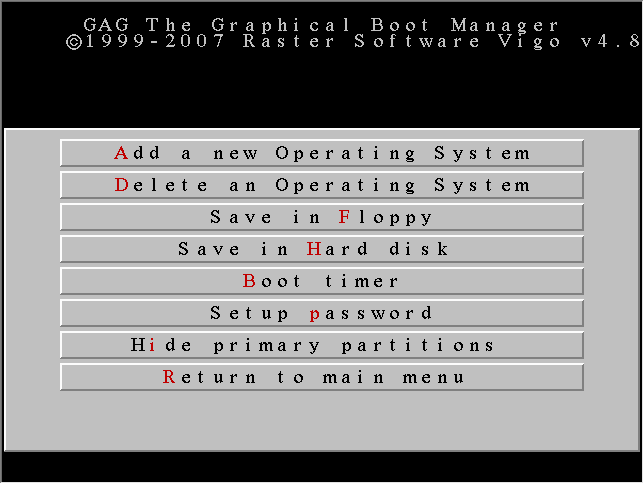
GAG is a handy and reliable boot manager that can handle up to nine operating systems at a time. Even though it aims and actually succeeds in being easy to use, it features some advanced features that other programs of this kind lack.
GAG stands for Gestor de Arranque Gráfico (Spanish) - Graphical Boot Manager, in translation. Being distributed as a bootable disk image (ISO format), it is platform independent, but only works only on X86 architectures.
One advantage to having GAG handling your OSes is that it installs directly to the boot sector or floppy disk – it does not require its own partition. In order to deploy it, you need to transfer the ISO file to a CD and play it directly from your CD-ROM device.
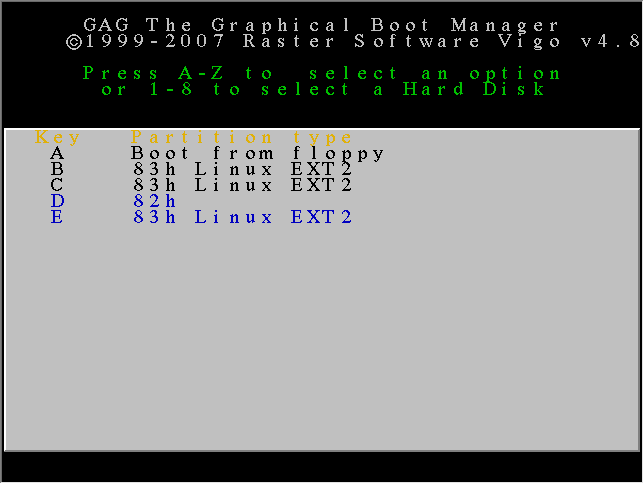
GAG is automatically loaded on system boot and displays a graphical user interface driven by your keyboard. From this screen, you can choose the operating system you wish to load. An OS of choice can be loaded by default if a specified interval of time has passed via the timer capability.
Other features include possibilities to hide primary partitions (to avoid collisions), to set passwords for each OS and to protect the application’s configuration menu with a user-defined passcard.
GAG is awesome if you want to install multiple operating systems on your computer. It can handle up to nine OSes, it enables you to password protect all of them and benefits from a SafeBoot feature, which allows your hard disk to boot even if GAG was overwritten by accident.
What's new in GAG 4.10:
- Added new windows icon.
- Added more security tests.
- Fixed some sentences in english translation.
GAG 4.10
 Softpedia Editor's Pick
add to watchlist
add to download basket
send us an update
REPORT
Softpedia Editor's Pick
add to watchlist
add to download basket
send us an update
REPORT
- runs on:
- Windows All
- file size:
- 1.3 MB
- filename:
- gag4_10.zip
- main category:
- System
- developer:
- visit homepage
Zoom Client

ShareX

calibre

4k Video Downloader

Context Menu Manager

7-Zip

IrfanView

Windows Sandbox Launcher

Bitdefender Antivirus Free

Microsoft Teams

- Windows Sandbox Launcher
- Bitdefender Antivirus Free
- Microsoft Teams
- Zoom Client
- ShareX
- calibre
- 4k Video Downloader
- Context Menu Manager
- 7-Zip
- IrfanView