
Assign a new owner to a file. #Assign owner #File owner #Change owner #Assign #Owner #Changer
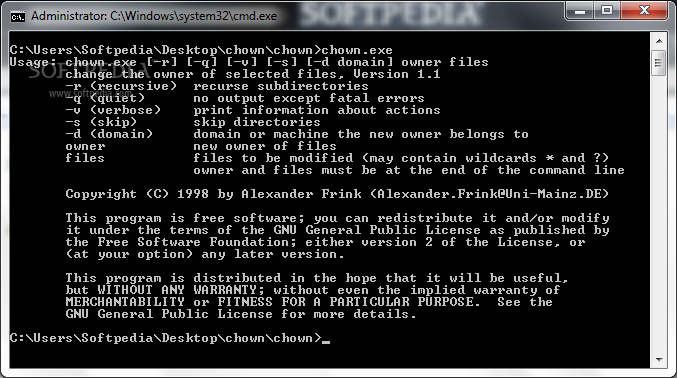
The CHOWN application was designed to be a small command line tool that demonstrates that it is possible to assign a new owner to a file, even if Microsoft asserts that this is impossible. Not the first implementation of such a program, but source is included, so you may understand how this works.
To set a new owner of a file, only ordinary Win32 API calls are needed. All you have to do is: - enable the Backup, Restore and Take Ownership privileges (with AdjustTokenPrivileges()). These are usually granted to Administrators. I also enable the Bypass Traverse Checking privilege, but I have not yet fully investigated if this is really necessary. - find the SID for the new owner with GetAccountSid() - create an empty Security Descriptor with InitializeSecurityDescriptor() - fill the owner of the Security Descriptor with SetSecurityDescriptorOwner(), ignore group, DACL and SACL - apply this SD to the file you want to modify with SetFileSecurity(szCurrentFile,(SECURITY_INFORMATION)(OWNER_SECURITY_INFORMATION),...)
What's new in CHOWN 1.1:
- V1.1 changes more reliably the owner of files where the Administrator has no access to.
CHOWN 1.1
add to watchlist add to download basket send us an update REPORT- runs on:
- Windows All
- file size:
- 34 KB
- filename:
- chown.zip
- main category:
- System
- developer:
- visit homepage
ShareX

4k Video Downloader

Bitdefender Antivirus Free

7-Zip

Zoom Client

Context Menu Manager

Microsoft Teams

calibre

IrfanView

Windows Sandbox Launcher

- calibre
- IrfanView
- Windows Sandbox Launcher
- ShareX
- 4k Video Downloader
- Bitdefender Antivirus Free
- 7-Zip
- Zoom Client
- Context Menu Manager
- Microsoft Teams