
Cutting edge file and folder renaming tool, with MP3 tag support.. #File renamer #Rename directory #Batch rename #Renamer #Rename #Filename

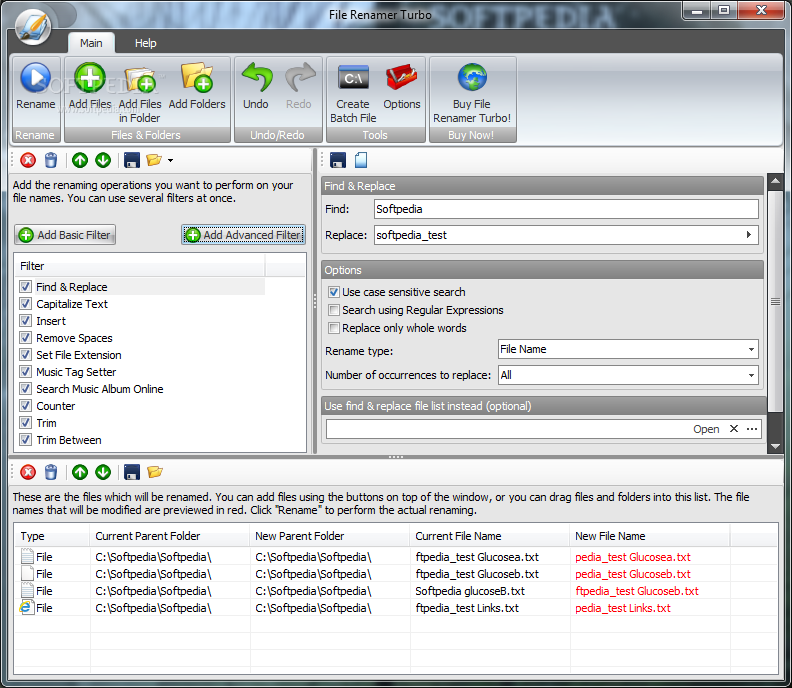
Organizing your files can start by giving them a proper name. While changing the title of one file can be easy and not take long, renaming entire lists of items can prove to be exhausting.
However, tools like File Renamer Turbo can alter the name of entire batches of items in one go.
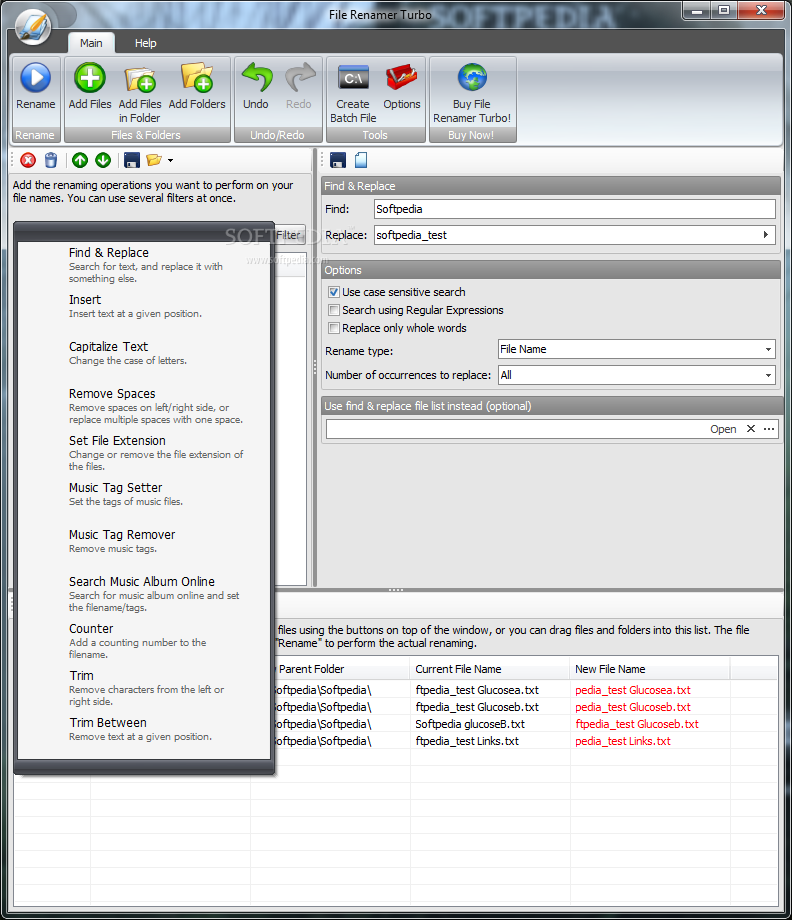
The app lets you load countless files, of various formats, and apply numerous filters at once. These are further divided into basic and advanced.
For example, you can find and remove certain words or insert text at given positions. Also, you may choose one of the many capitalization options (always capitalize, sentence case, first letter up, upper case, lower case, reversed case, random case, uppercase initials, capitalize after).
Another filter permits changing the file extension. This can overwrite the current extension, while the new one can be removed altogether.
The app also enables users to delete the existing ID3 tags of music files. You may add tags to MP3s, such as artist, title, album name, year of launch and music genre. This modification may be done manually or automatically, by using one of the functions the app comes with: searching online databases.
A counter can also be applied to the entire list of files, whether numerical or alphabetical.
File Renamer Turbo is a useful tool that should prove useful every time you need to change the name and details of your files.
What's new in File Renamer Turbo 2.76:
- Some improvements and bug fixes.
File Renamer Turbo 2.76
add to watchlist add to download basket send us an update REPORT- runs on:
-
Windows 2003
Windows 7 32/64 bit
Windows Vista 32/64 bit
Windows XP
Windows 2K - file size:
- 5 MB
- filename:
- filerenamerturbo-setup.exe

- main category:
- System
- developer:
- visit homepage
IrfanView

calibre

Zoom Client

Context Menu Manager

Bitdefender Antivirus Free

Windows Sandbox Launcher

ShareX

4k Video Downloader

Microsoft Teams

7-Zip

- 4k Video Downloader
- Microsoft Teams
- 7-Zip
- IrfanView
- calibre
- Zoom Client
- Context Menu Manager
- Bitdefender Antivirus Free
- Windows Sandbox Launcher
- ShareX