WINDOWS CATEGORIES:


NEWS ARCHIVE >>
SOFTPEDIA REVIEWS >>

WEEKLY HIGHLIGHTS

DVD Cloner45
Spyware Doctor40
1Click DVD Copy40
Apollo DVD Copy40
ABC Amber BlackBer...45
Protected Music Co...40

7-DAY TOP DOWNLOAD

#
Program
Windows Live
Messenger 2009
14.0.8089.726

187,869
Avira AntiVir
Personal - Free
Antivirus 9.0.0.407

183,047
Avira Antivir Virus
Definition File
Update November 6,
2009

173,387
Nexus Radio 4.1.1
122,444
Windows Live
Messenger
8.5.1302.1018

113,099
FreeZ Online TV 1.30
93,662
Microsoft Office
2007

76,384
Y! Multi Messenger
8.x and 9.x

75,572
DVD Shrink 3.2.0.15
53,871
AVG Free Edition 9.0
Build 698a1730

52,233

WEEK'S BEST

  • Internet Explorer ...
  • Online Armor ++ 4....
  • cFosSpeed 5.01 Bui...
  • SONY Vegas Pro 9.0...
  • Firefox 3.6 Beta 1...
  • Nokia Photos 1.6.434
  • Windows Server 200...
  • Skype Portable 4.1...
  • Google Chrome Port...
  • PCMark Vantage Bas...
  • Kaspersky Anti-Vir...
  • Microsoft Virtual ...
  • Messenger Plus! Li...
  • WinX DVD Author [F...
  • SoftPerfect Networ...
  • System Mechanic Pr...
  • Ad Muncher 4.8 Bui...
  • Windows 7 Upgrade ...
  • Pidgin 2.6.3
  • OpenOffice.org 3.2...
  • VirtualDub 1.9.7 B...
  • Maxthon [Softpedia...
  • Spyware Doctor 7.0...
  • SUPERAntiSpyware 4...
  • Adobe Acrobat Prof...
  • Camfrog Video Chat...
  • Adobe Reader 9.2.0...
  • Foxit PDF Reader 3...
  • Microsoft Maliciou...
  • AVG Identity Prote...
  • Home / Windows / System / File Management
     Report spyware

    Limagito Lite (formerly MoveIt2) 7.10.1.0 Dev / 7.10.1.0 / 6.71.0.0

    Download button

    Downloads: 3,568  Add to download basket  Tell us about an update
    User Rating:
    Rated by:
    Very Good (4.0/5)
    71 user(s)
    Developer:

    License / Price:

    Size / OS:

    Last Updated:

    Category:
    Lima Agito | More programs
    Demo / USD 59.95 | BUY the full version
    6.7 MB / Windows NT / 2K / XP / 2003 / Vista
    October 31st, 2009, 00:04 GMT [view history]
    C: \ System \ File Management

     Read user reviews (1)  Add a review  Refer to a friend  Subscribe


    Limagito Lite (formerly MoveIt2) description


    Move files automatically and can also be used in workflows for file distribution

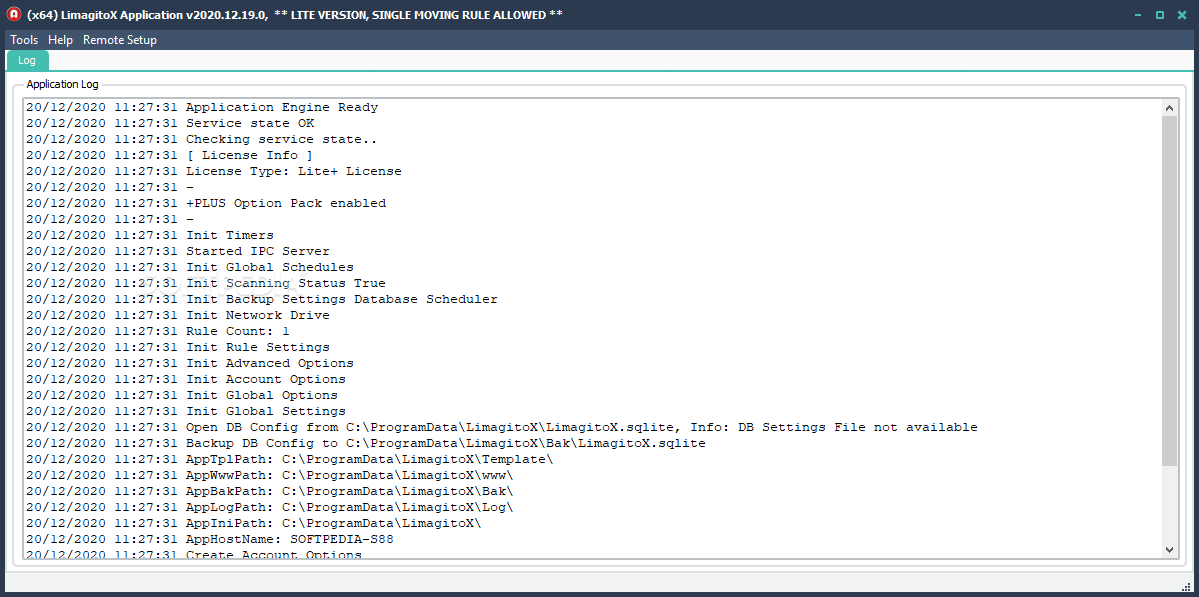
    Limagito is a useful utility that can move files automatically and can also be used in workflows for file distribution.

    You can set filters based on the file name, rename files (using regular expressions) when moving them to the new destination, create directories based on the file name or date and check if the file already exists.

    Limagito can move files from/to local folders as well as FTP directories. Limagito offers quite a few features that make the program very flexible and useful for a variety of file management tasks as well as file backups.

    Limagito Lite runs in the system tray and automatically monitors the selected folders for any additions that match your file moving rules.

    You can set up as many working threads as wanted (Full Version), each with individual settings. Other features include detailed logging, support for subdirectory scanning, command-line options and more.

    Here are some key features of "Limagito Lite (formerly MoveIt2)":

    · Include & Exclude Directory Date Filter
    · Create output subdirectories using the file extention option
    · Create backup subdirectories using the file extention option
    · Translation option, English and/und Deutsch
    · Icon legend button
    · Translation option
    · Trigger mail events after scan
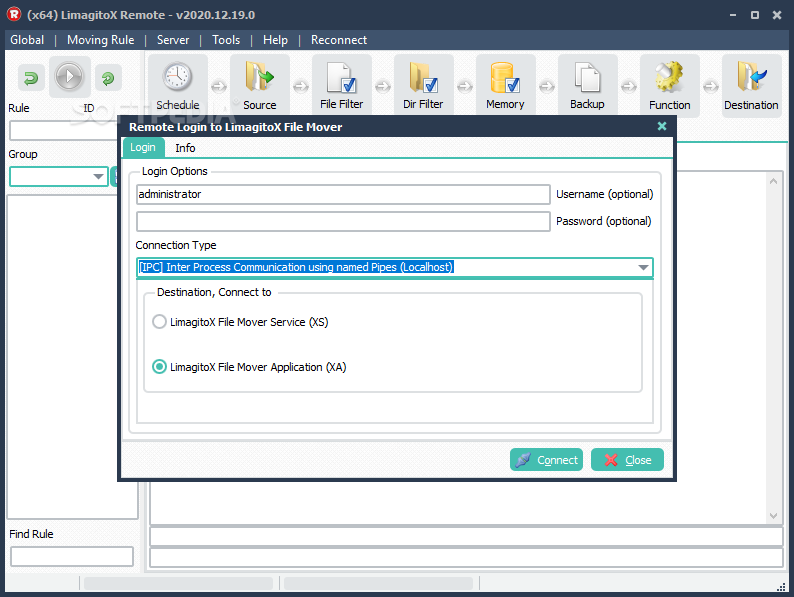
    · Threadstatus ListBox update, pause = moving rule disabled, stop = moving rule enabled but scanning stopped, play (blue) = moving rule enabled and scanning, play (green) = moving rule active (thread is running)
    · Event Manager, Popup Event
    · Compare Input and Backup Files for Verified Transfer Integrity using Hash Algorithms CRC32, MD5 and SHA1
    · Error event memory, trigger error events only once for the same file
    · Update Indy FTP component set
    · Ftp Connect/Disconnect reducement when using a single FTP output destination
    · Regular Expression Replacement Parameters (%SD SystemDate, FileDate, ...)
    · Now you can add systemdate, filedate, .. when renaming files
    · Compare Input and Output Files for Verified FTP Transfer Integrity using Hash Algorithms CRC32, MD5 and SHA1
    · Added CRC32 Hash Algorithm for Win32 Verified Transfer Integrity
    · Exclude Files in Use by another Process, thanks Andy
    · Show Running |R| status in HTML Run Time Log
    · Event Manager Verify File Sound & Mail Option
    · Compare Input and Output Files for Verified WIN32 Transfer Integrity using Hash Algorithms MD4, MD5, SHA1, SHA256, SHA512, Tiger, RipeMD,..
    · Threadstatus visible in Moving Rules ListBox, thanks Martyn
    · New RunTime Log options (Save, Max.Lines, Print, Clear)
    · Moving Rule Thread Priority adjustible
    · Html RunTime Log Username and Password feature
    · Html RunTime Log using integrated http server
    · Threadstatus visible, arrow color black (terminated), green (running) and orange (terminating)
    · Directory Include & Exclude Filter
    · Delete Empty Subdirectories, Win32
    · Extra Ftp options, Connect Timeout, Transfer Timeout, Fast Path
    · Update Command Option due to Service Version, Usage is different.
    · Specify the full path and application name in the Application Field now
    · New Enable/Disable thread routine
    · Exception errors are visible in the log file & window
    · New fast save settings mechanism
    · No Move/Copy/Delete in case of backup error option
    · Include & Exclude Filesize Filter
    · Include & Exclude Filedate Filter
    · Output Mail (Smtp) Destination
    · Event Manger option, include input file as attachment in Mail
    · Event Manger option, mail on backup error and/or success
    · Event Manger option, mail on error and/or success
    · Execute command after Backup error option
    · Execute command after Backup success option
    · Execute command after Move/Copy/delete error option
    · Execute command after Move/Copy/delete success option
    · Event Manger option, Sound on Backup Error and/or Success
    · Event Manger option, Sound on Error and/or Success
    · Add Win32 input/output folder using drag and drop
    · Time Schedule option, Enable days not available in Time Schedule
    · Time Schedule option, From Time > Until Time is obsolete
    · Time Schedule option, From Time > Until Time
    · Time Schedule option, common (lite version) and for each entry
    · Run in system tray option
    · New backup prefix option
    · Backup suffix option, start with..
    · File Memory option setup, newer and same date
    · File Memory option setup, same size date, same size, same date, older and same date
    · Startup parameter RunOnce (/RunOnce), MoveIt2 will run once (system tray icon) and terminate. In the Lite version only the first MoveIt2 thread will execute when using this startup parameter. In the Full version every enabled MoveIt2 thread will be executed. The stabilize option doesn't work when using this startup parameter
    · File Memory option, move/copy/delete the same file once from FTP input directory
    · File Memory option, move/copy/delete the same file once from Win32 input directory
    · Up /Down--- Listbox MoveIt2 Threads
    · Backup only newer files
    · Create multiple output subdirectories separated by '', i.e. ?%IS:1-5
    · New powerful file rename option using regular expressions
    · Attention: input and output file rename filter is obsolete !
    · Remove ReadOnly flag input files if possible, otherwise ignore
    · Only newer files [win32 only]
    · Delete function selection
    · Input file backup options [overwrite, fail if exists, version suffix, datetime suffix]
    · Move/Copy function selection
    · Internal changes in preparation of a service version
    · Ftp Passive connection method option
    · Ftp Put append option
    · Ftp Get resume option
    · Ftp Bound IP port option
    · Ftp Bound IP adres option
    · Ftp Send Buffer size option, GET and PUT
    · Ftp Receive buffer size option, GET and PUT
    · Ftp Port adjustable
    · Maximum Files at Once option
    · Run @ Startup option
    · Execute command on input file option
    · Auto create destination folder (win32) if not exist option
    · Auto create ftp tempory folder if not exist option
    · Auto create backup folder if not exist option
    · Add security prefix to output filename option
    · Create output subdirectories using the filename option
    · Create output subdirectories using x char of the filename option
    · Create output subdirectories using the filedate option
    · Create output subdirectories using the systemdate option
    · Enable/Disable debug capability for each thread separately
    · Separate logging for each MoveIt2 thread
    · Multiple input file exclude filter
    · Editable info screen for each thread
    · Adjustable log file size
    · Ftp input directory
    · Create output subdirectories using the input subdirectories option
    · Fail if file exist option [win32 only]
    · Delete input file if move fails option [win32 and/or Ftp]
    · Delete output filename extention
    · Delete output filename prefix
    · Win32 input directory, local or network
    · Input file stabilize option
    · Scan input subdirectories option
    · Input file prefix filter
    · Multiple input file include filter
    · Input/Output filename rename filter
    · Input file backup option, local or network
    · Win32 file move output
    · Ftp file move output
    · Multiple file move output, multiple Win32/Ftp or combined
    · Loadbalancing file move option
    · Adjustible input scan time
    · Logging possibilities, at run-time and log file
    · Threated, one thread for each entry

    Limitations:

    · Single moving rule allowed
    · Nag screen
    · Some features are disabled in the Lite version

    What's New in This Release: [ read full changelog ]

    · Limagito Service Running Warning @ startup, User Request (v7.10.0.0)

     Softpedia guarantees that Limagito Lite (formerly MoveIt2) 7.10.1.0 Dev / 7.10.1.0 / 6.71.0.0 is 100% CLEAN, which means it does not contain any form of malware, including spyware, viruses, trojans and backdoors. [read more >]


    TAGS:

    file distribution | file mover | file management | distribute | distribution | move


    HTML code for linking to this page:


    Go to top

    Windows tabGames tabDrivers tabMac tabLinux tabScripts tabMobile tabHandheld tabGadgets tabNews tab

    SUBMIT PROGRAM   |   ADVERTISE   |   GET HELP   |   SEND US FEEDBACK   |   RSS FEEDS   |   ENTER NEWS SITE   |   ENGLISH BOARD   |   ROMANIAN FORUM