
A HDD / SSD software utility that supports S.M.A.R.T. and a part of USB-HDD with great statistics reports as well as threshold of caution capabilities. #Disk analysis #Analyze S.M.A.R.T #HDD analyzer #HDD #S.M.A.R.T #Disk
If you don't really believe in storing things outside of your hard drive, you'd better do anything in your power to preserve its well-being, since if it goes down, it's taking everything on it to the digital grave.
Luckily for you, there's a wide selection of software solutions such a CrystalDiskInfo that was designed to help you do just that: keep an eye on your hard disk drive's state and also keeping it in good shape.
Deploying this application to your computer is no rocket science. You just need to run the setup package, accept the terms of the End User License Agreement and follow the on-screen instructions provided by the wizard.
Moreover, you can skip the whole installation process given that there is also a portable version available that only requires you to unpack an archive and launch an executable. Piece of cake.
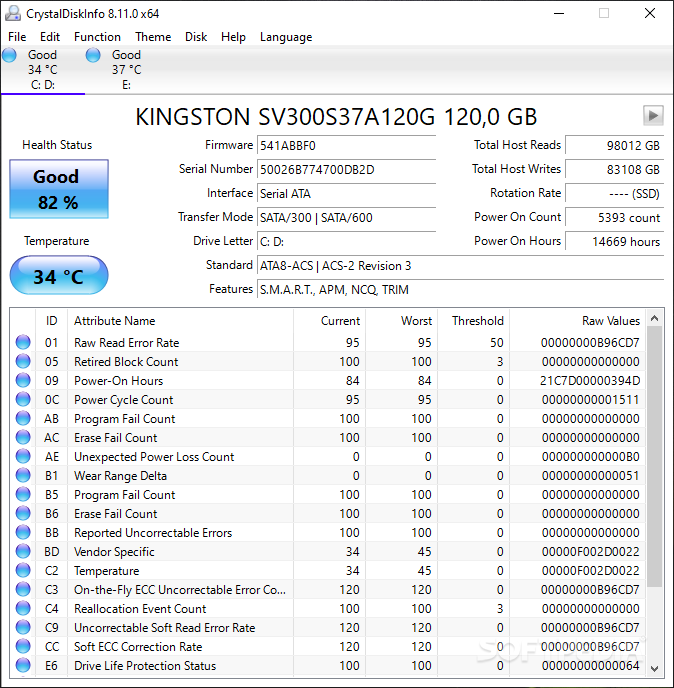
Once you launch the application, you'll notice that the main window enables you to start analyzing your hard disk drive. Some basic info is already available, such as the firmware, serial number, interface, drive letter and buffer size of your device.
The lower table displays a series of more in-depth details, designed to help experienced users. These include the read error rate, start/stop count, end-to-end error, command timeout, reallocation event count and more, along with threshold, raw values, current and worst for each attribute.
You can view all the attributes mentioned above as well as a few more in a customizable graph. This enables you to analyze performance over long time periods without breaking a sweat.
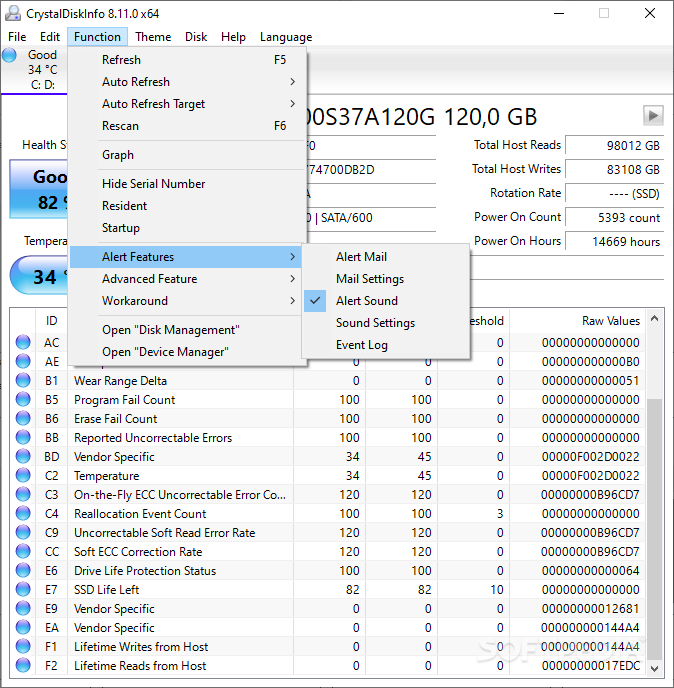
What's more, the application can be set to a custom refresh rate value to always be up to date. This comes in handy when your hard disk drive is used as a constant means of large amounts of data flow.
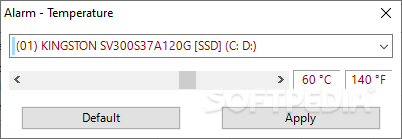
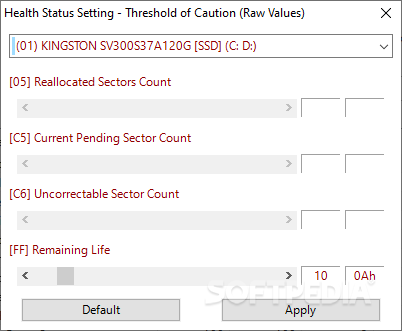
The health status is indicated in the main window and if you want to set the reallocated sectors count, current pending sector count and uncorrectable sector count you just need to move the sliders.
To sum it up, CrystalDiskInfo is a powerful hard disk management utility that comes in handy for beginners and experts alike. It can be easily installed, doesn't take a toll on your precious resources and provides you with a lot of insightful data.
Download Hubs
CrystalDiskInfo is part of these download collections: Temperature Monitors
What's new in CrystalDiskInfo 9.2.3:
- Fixed Realtek RTL9210 support
- Fixed OS version report
CrystalDiskInfo 9.2.3
add to watchlist add to download basket send us an update REPORT- portable version
- Portable CrystalDiskInfo
- runs on:
-
Windows 11
Windows Server 2022
Windows Server 2019
Windows Server 2016
Windows 10 32/64 bit
Windows Server 2012
Windows 2008 32/64 bit
Windows 2003
Windows 8 32/64 bit
Windows 7 32/64 bit
Windows Vista 32/64 bit
Windows XP 32/64 bit - file size:
- 5.5 MB
- filename:
- CrystalDiskInfo9_2_3.exe
- main category:
- System
- developer:
- visit homepage
Bitdefender Antivirus Free

Microsoft Teams

calibre

Zoom Client

7-Zip

Windows Sandbox Launcher

IrfanView

paint.net

ShareX

4k Video Downloader

- paint.net
- ShareX
- 4k Video Downloader
- Bitdefender Antivirus Free
- Microsoft Teams
- calibre
- Zoom Client
- 7-Zip
- Windows Sandbox Launcher
- IrfanView