Search Perform an advanced search query SOFTPEDIA
 
SOFTPEDIA
Updated one minute ago
HomeSubmit a program for being reviewedAdvertise on our websiteGet help on surfing our websitesSend us your feedbackGet information about our XML/RSS backend and how to use itBrowse the news archiveVisit our discussion forumVizitati forumul in limba romana


Program Finder NormalFreeware onlyShareware only

PerfectDisk 2008 Build SP2 Build 52 Report spyware 

Click to download PerfectDiskPerfectDisk - Softpedia Pick Award (If you developed this product, click here to download your award)
View more PerfectDisk screenshots (4)
 Downloads: 54,590
Rating: Very Good (4.0/5) | Rated by: 162 user(s)
Add to download basket     Send us update information
 Developer: Raxco Software | More programs by this producer
 License: Trial , 39.99 $ to buy 
 Size / OS: 39.3 MB, Windows All
 Last Updated: March 5th, 2008, 06:27 GMT
 Category: C: \ System \ Hard Disk Utils
 Read user reviews (5) Add a review Refer to friend Subscribe
    Download PerfectDisk

PerfectDisk description
Easy to use interface and powerful defrag engine

PerfectDisk, the world's most popular and thorough disk defragmentation solution, combines speed, thoroughness flexibility, control and ease-of-use to help improve PC and server perforance. Global enterprises benefit from faster computers through regular, automated, unattended defragmentation with PerfectDisk.

Certified by Microsoft for Windows, PerfectDisk is designed for today's largest disk drives. With the PerfectDisks Command Center management console, complete management and control is at the administrator's fingertips. If you are serious about disk defragmentation, optimization, and free space consolidation, you'll find PerfectDisk meets your high demands and requirements.

Designed to quickly and efficiently defragment heavily fragmented, multi-terabyte drives

PerfectDisk will defragment your largest drives faster and more efficiently than any other product, resulting in faster-performing PCs, laptops and servers and a more productive user experience. And you don't need to be concerned about the size of the drive or how badly fragmented it is - PerfectDisk can handle it. PerfectDisk will make your drive completely defragmented and optimized..Plus, you won't pay a premium to defragment large drives. And that saves you money.

SMARTPlacement -- patented file placement strategy

PerfectDisk's SMARTPlacement™ optimization strategy results in faster subsequent defragmentation runs because many of the files on the drive do not need to be moved at all, since they are placed according to users unique usage patterns. Typical defragmenters waste resources by constantly moving all files around on the drive.

Space Restoration Technology

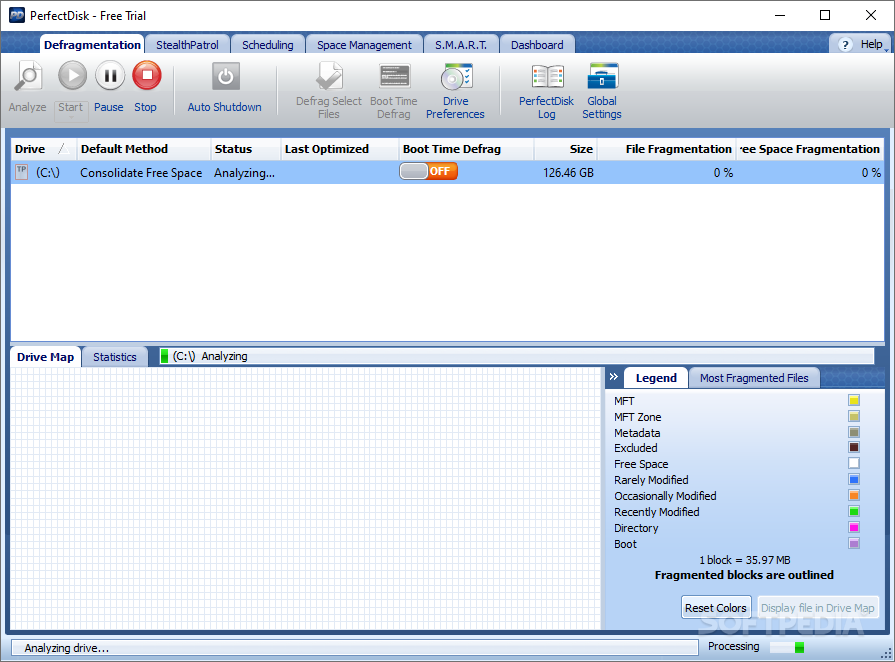
Space Restoration Technology provides the most complete and efficeient free space consolidation available today. Raxco Software pioneereed free space consolidation years ago, and the leadership continues with PerfectDisk 8. Added to PerfectDisk's unique single-pass free space consolidation is another exclusive -- Consolidate Free Space Defrag. Consolidate Free Space Defrag creates the largest piece of contiguous free space available. This is useful prior to creating large files or in performing partition resizing operations. It is also useful in compressing a virtual hard drive on a virtual machine, as a large amount of contiguous space will be recaptured.

AutoPilot Scheduling

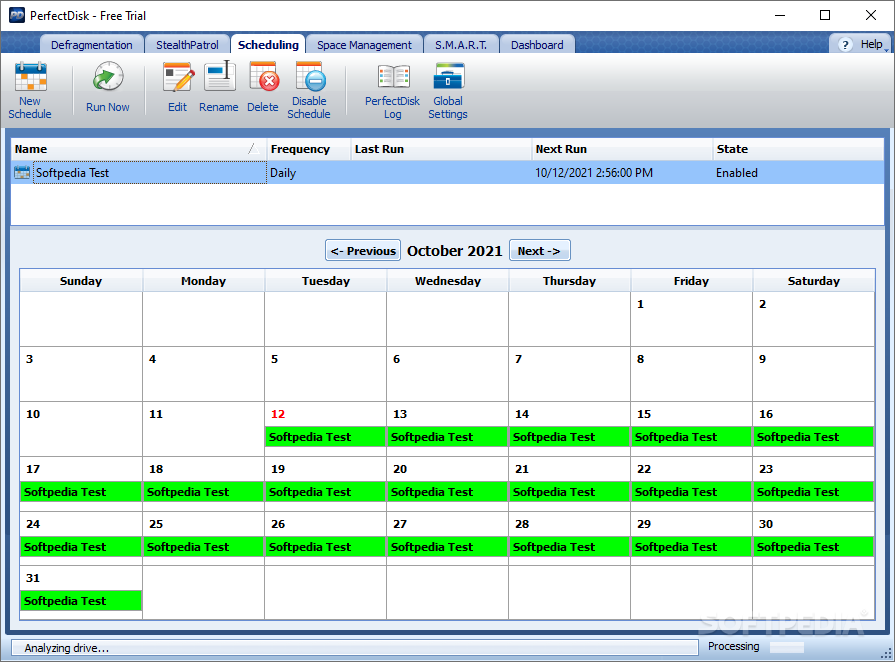
PerfectDisk's exclusive AutoPilot Scheduling automates all aspects of defragmentation. Administrators and users have complete flexibility in defining schedules to completely automate the enterprise's defragmentation. If users are working, PerfectDisk will run in the background. Once PerfectDisk's schedules are set, everything runs on autopilot.

Resource Saver -- patent-pending technology

PerfectDisk's Resource Saver technology speeds up the process of file analysis, resulting in faster defragmentation runs. And it does it all using fewer resources than typical defragmenters.

Single pass file and free space defragmentation

PerfectDisk does its job - thorough and complete file defragmentation and free space consolidation - in a single pass, no matter how large the drive or how badly fragmented the drive. No slowly chipping away at the problem like typical defragmenters. Once and done - and using fewer resources as well.

Intelligent Screen Saver mode (Professional version only)

PerfectDisk's Screen Saver mode will defragment when a system is idle, but only when the drive has not been defragmented in a user-defined number of days. While taking advantage of a PC or laptop being idle, it does not unnecessarily perform a defrag if one has recently been completed, thereby saving resources. Typical defragmenters do not have this intelligence built into their screen saver functionality.

Defragments drives with as little as 5% free space

PerfectDisk only requires the drive to have at least 5% free space. Other defragmenters require as much as 20% free
space, thereby wasting space because much of the drive can't be used. Because PerfectDisk requires only 5% of the drive to be free space, you make much better use of your storage investments.

Perfect-Time user-defined thresholds for defragmentation

Allows you to limit the amount of times PerfectDisk needs to run to only when a chosen level of fragmentation is reached, thereby reducing unnecessary runs.

Faster subsequent defragmentation runs

Fewer resources are consumed in subsequent defragmentation runs because of PerfectDisk's patented SMARTPlacement optimization strategy. This means you can do more, and do it faster.

Defragments Master File Table (MFT) and all NTFS metadata

Because only PerfectDisk exclusively defragments all metadata, you end up with a drive that is completely defragmented. Other defragmenters do not defragment all of the NTFS metadata and even more alarming, do not report on the files they leave fragmented.

Detailed fragmentation statistics for ALL files

You get the complete picture of the state of your drive. With other defragmenters, since you don't have statistics on all files, you're only seeing part of the picture.

Places Master File Table (MFT) according to Microsoft recommendations for improved performance

You will see a 5%-10% performance improvement over other defragmenters because of where PerfectDisk places the MFT. Microsoft has specific guidelines for placement of the MFT for this improved performance, and only PerfectDisk follows these guidelines.

Single File Defrag

PerfectDisk allows users to defragment a single file rather than an entire drive if desired. This can be useful for users working with large files, such as videos.

Defragments directories, the pagefile and the hibernate file

No file or directory is left fragmented, so you'll have better performance.

Utilizes the Microsoft move file Application Program Interface (API)

Ensures complete safety of your system

CPU and I/O throttling

PerfectDisk provides the ability to control CPU and I/O resources. While PerfectDisk uses very little CPU resources, administrators still have the ability to throttle CPU depending on certain circumstances. Similarly, I/O activity can also be throttled. This can be useful if, for example, another application is performing large amounts of I/O.

Power Management

Users can choose to control whether PerfectDisk should perform a scheduled defrag when the computer is running on a battery or connected to a UPS. This is particularly useful for laptops users, preventing the battery from being used.

Full integration with Active Directory Group Policy Administrative Templates for enterprise deployment, scheduling, and management

Saves time with enterprise deployment and requires no training for administrators familiar with Microsoft's Active Directory

Installation without User Interface for administrative control

Allows administrators complete control if they wish to deny end users access to the PerfectDisk interface

No limitation of number of systems being scheduled

Easy to schedule across the network, no matter how big. Some defragmenters place restrictions on how many systems can be scheduled.

AutoUpdate Ability

Automatically keeps up with PerfectDisk updates to ensure you are always running the current release.

Full-featured command line support for both local and remote operations

Not limited to certain commands, as you are with other defragmenters. This ability to utilize all PerfectDisk commands gives you even more ability to control PerfectDisk and tailor according to your specific requirements.

Low system resource (CPU, memory) usage

Saves computer resources, freeing them for other needs and applications.

Automatic shutdown after defrag (Professional version only)

PerfectDisk can be set to shut down at the conclusion of a defrag.

Automates compaction/defragmentation of Microsoft Exchange data stores

Improves Exchange performance and helps you regain disk space (requires PerfectDisk for Exchange)

PerfectDisk Client:

User Interface: PerfectDisk 2008 offers Fluent User Interface, a user interface that makes it easier for users to work so that they can deliver better results faster. The PerfectDisk 2008 interface is streamlined and has uncluttered workspace that minimizes distraction. This enables users to achieve the results they want more quickly and easily. The new interface has a Ribbon that presents commands organized into a set of tabs. The tabs on the Ribbon display the commands that are most relevant for each of the task areas in the applications.

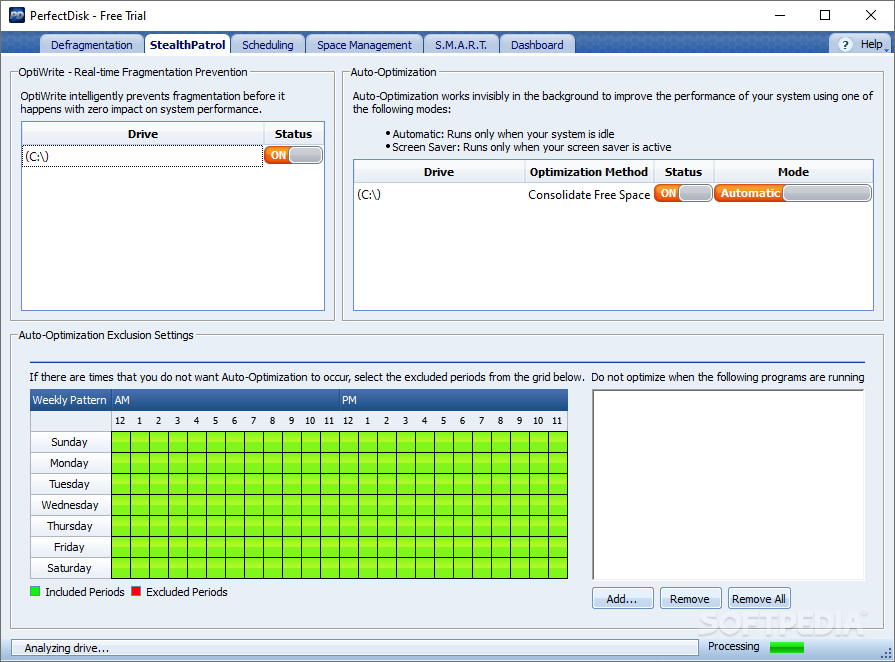
StealthPatrol Automatic Disk Defragmentation: Automatic defragmentation can be performed using PerfectDisk's exclusive StealthPatrol technology to optimize your drive only when your system is idle. StealthPatrol provides you the flexibility to run defragmentation passes when Windows is not busy and/or when user specified applications are not running. This feature ensures that when a specified application is running and the defragmentation pass is about to start or running, you do not lose performance for that application.

PerfectDisk for VMWare: With PerfectDisk for VMWare, PerfectDisk can defragment, re-index and shrink VMWare virtual drives so that your VMware virtual machines perform the best possible.

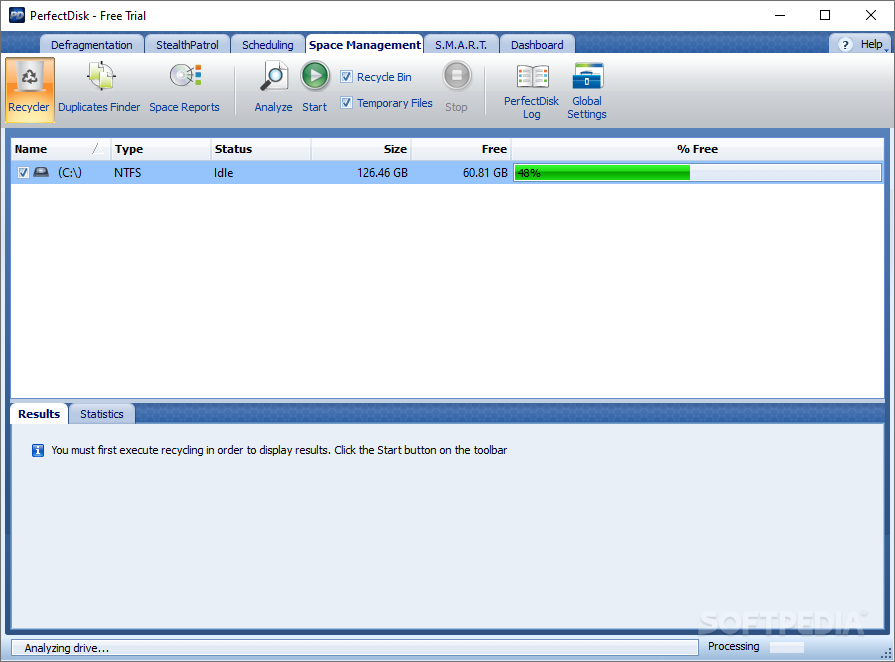
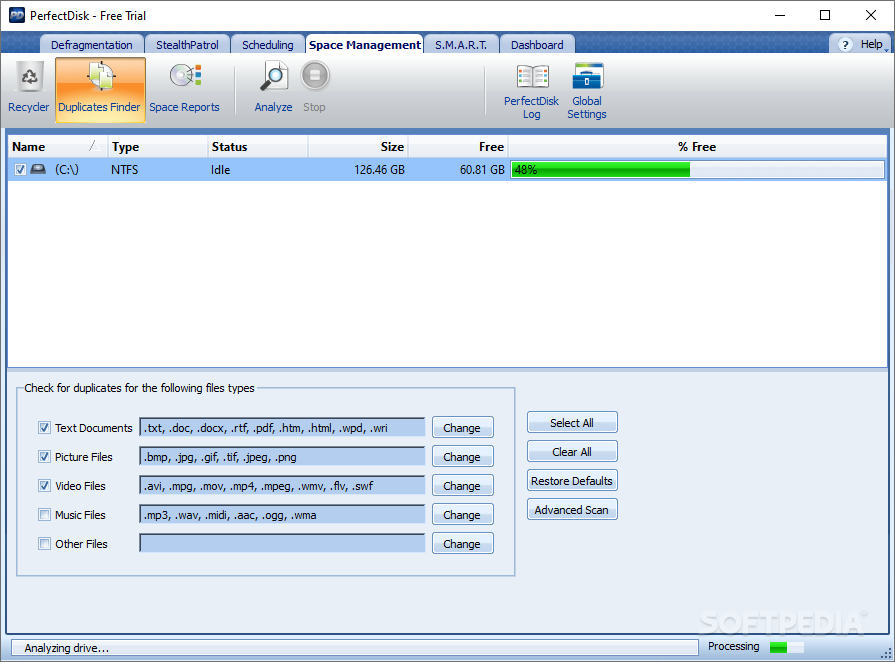
Reclaim Free Space: The Reclaim Free Space feature of PerfectDisk 2008 detects and removes duplicate files such as text documents, pictures, music, and videos. It also purges the Recycle bin and removes temporary files, ensuring that your drive remains clutter free.

Enhanced - Select File(s) Defragmentation: With PerfectDisk 2008 you can quickly and easily defragment one or more specified files without having to defragment the entire drive.

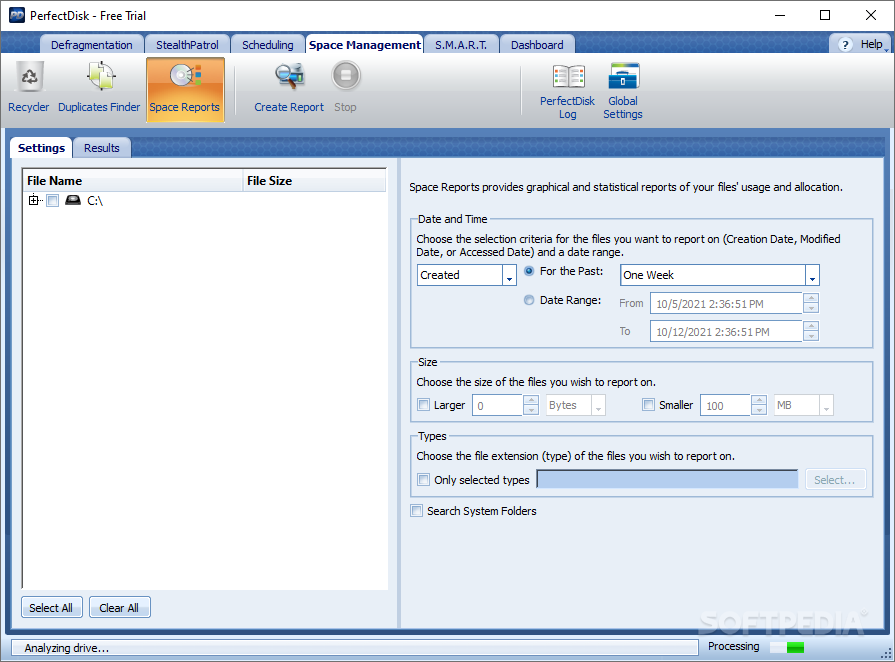
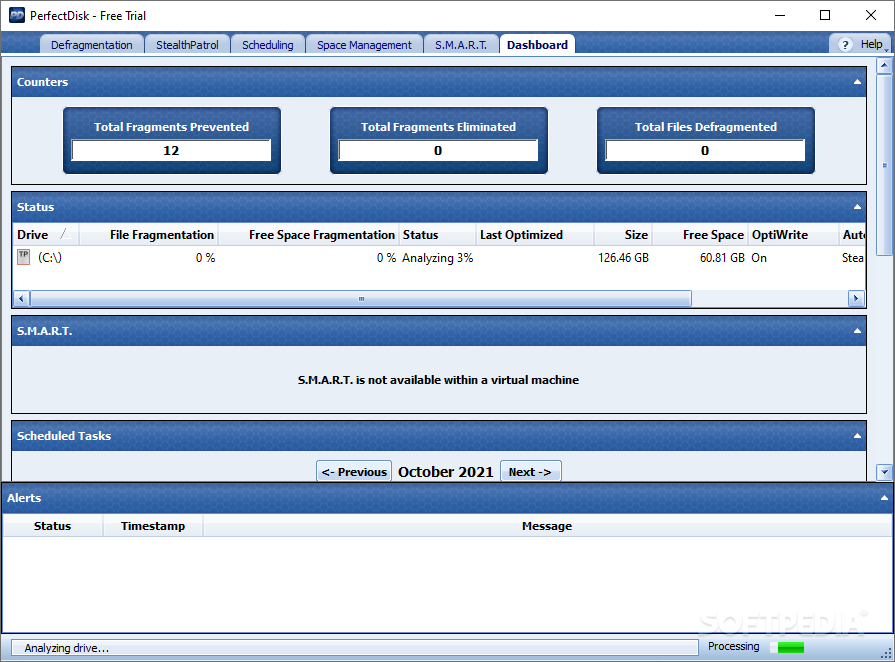
Enhanced - PerfectDisk Reports: Many new reports such as free space fragmentation report, file fragmentation report, etc. have been added and already existing performance reports, summary reports, etc. are now so much improved with graphics which gives you more visual understanding of your machine's data.

Enhanced - Installation and Upgrade: Licensing PerfectDisk has been made easier. PerfectDisk 2008 now accepts license keys to easily convert your evaluation version of PerfectDisk to a licensed version. Simply purchase a PerfectDisk license key and enter to continue running PerfectDisk without interruption.

Enhanced - Native Support for 64-bit Platforms: PerfectDisk 2008 runs as a native x64 application on x64 editions of Windows (XP, Server 2003, Vista, Server 2008).

Enhanced - PerfectDisk Tray Icon: The PerfectDisk 2008 systray icon now allows initiating defragmentation on drives as well as stopping defragmentation.

Enhanced - Improved Performance: PerfectDisk 2008 uses less system resources than previous versions. Performance when defragmenting very large drives is improved.

New - Support for Exchange 2007: PerfectDisk 2008 supports Exchange 2007, which runs on x64 edition of Windows Server.

New - Support for Windows Server 2008: PerfectDisk 2008 supports Windows Server 2008

Enhanced - Active Directory Integration: PerfectDisk 2008 is fully integrated with Microsoft's Active Directory and now it is enhanced to deploy PerfectDisk with Active Directory by using the PerfectDisk Application.

Microsoft Certified: PerfectDisk 2008 is Certified by Microsoft for Windows Server 2008 and Windows Vista.

Requirements:

· 32-bit, x64 and Itanium platforms
· 64 MB RAM (128MB recommended)
· 20 MB Disk Space
· FAT16, FAT32 and NTFS
· All levels of RAID and SAN are supported


Limitations:

· 30 days trial


What's New in This Release:

· Improved defragmentation speed
· Added ability to work in lower screen resolutions, such as 800x600 or 1024x768
· Added print statistics functionality
· Updated help files
· Added ability to set license key via Active Directory Group Policy
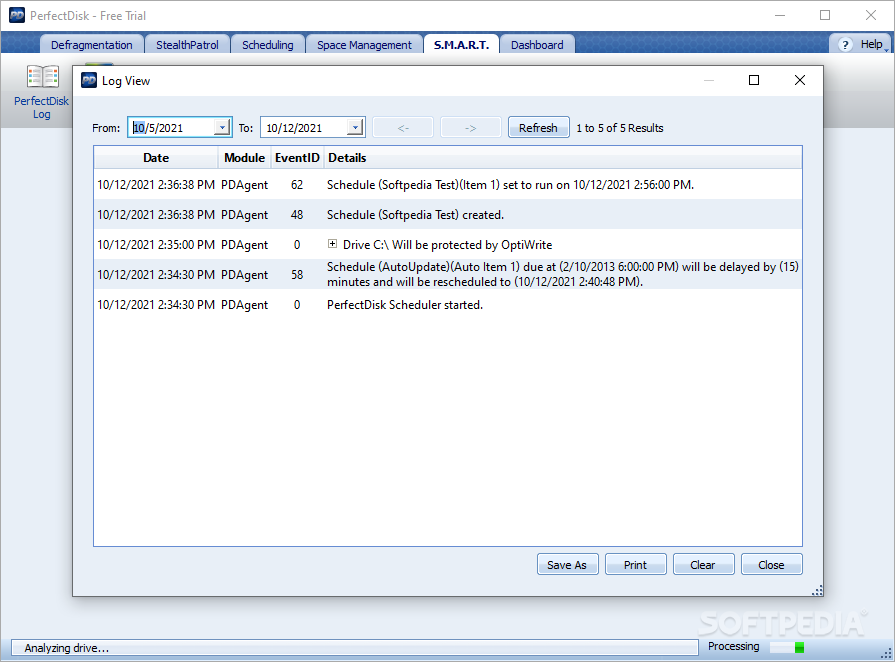
· Added the logging of a reason why the StealthPatrol schedule was suspended
· Added "Every X weeks" field to the Exchange weekly schedule
· Added Help Button in PerfectDisk Settings window
· F1 opens Help
· Added a warning when manually starting Exchange Defragmentation that this will dismount the datastore/stop the services
· Added data validation check on Exchange schedule wizard
· Fixed boot time defragmentation "Insufficient Space" error on Vista
· Fixed installation on a remote computer problem
· Fixed setting of the Exchange server name to allow the usage of PerfectDisk 2008 for Exchange on cluster servers
· Fixed the problem of initiation of boot time defrag on a remote computer that would lead to reboot of the local computer... [ read full changelog ]


Softpedia guarantees that PerfectDisk 2008 Build SP2 Build 52 is 100% CLEAN, which means it does not contain any form of malware, including but not limited to: spyware, viruses, trojans and backdoors.

This software product was tested thoroughly and was found absolutely clean, therefore it can be installed with no concern by any computer user.

However, it should be noted that this product will be retested periodically and the award may be withdrawn, so you should check back on this page from time to time. (click here for more information)


Related downloads IT News Popular downloads New additions   Latest reviews  
FAST Defrag Freeware 2.3
Free and optimize RAM (Random Access Memory) and the swap-file usage
Diskeeper 2008 Home Edition 12.0.781
Analyze fragmentation levels and run manual or automatic defragmentation on a disk volume
BoostXP 2.0.1.0
Tweak your registry, clean hard drive and more
MindSoft Defrag 4.0
MindSoft Defrag is the complete solution that can quickly and easily defragment your Hard Drive and arrange your files
WinContig 0.80
An easy-to-use stand-alone defragmentation software
Abexo Defragmenter Pro 6.1.0
An application that allows you to automate the steps for an efficient scandisk, disk defrag and optimization
DiskMagik 2.2.0
Defragments and reorders files on the PC hard drive, permits faster file access.
LTC System Monitor 1.0
System Monitor can help you take better care of your computer by automatically running disk defragmentation
PC Tools Disk Suite 2009 1.0.0.25 Beta
All-in-one hard-disk utility with disk optimization, defrag, repair and backup tools
MKN PerformanceMonitor 2.0
A useful perfomance monitoring utility for your computer

go to top Use the following code to link to this page:


Welcome!
Hello, Guest

Login if you have a Softpedia.com account.

Otherwise, register for one.

Main categories:
  • Antivirus
  • Compression tools
  • CD/DVD Tools
  • Office tools
  • Programming
  • Authoring tools
  • File managers
  • Desktop Enhancements
  • Internet
  • Network Tools
  • IPOD TOOLS
  • Mobile Phone Tools
  • Multimedia
  • Tweak
  • System
  • Security
  • Others
  • Science / CAD
  • UNIX
  • Windows Widgets
  • PORTABLE SOFTWARE

  • Week's best:
  • Adobe Media Player 1...
  • Registry Mechanic 8....
  • BitSpirit 3.3.2.263
  • AnyDVD 6.4.5.6
  • Firefox 3.0.1 / 2.0....
  • AutoCAD 2009
  • Norton AntiVirus 200...
  • Norton Internet Secu...
  • The Bat! Professiona...
  • WinRAR 3.80 Beta 3 /...
  • GMail Drive shell ex...
  • DAEMON Tools Lite 4....
  • UBCD4WIN 3.2.0
  • Adobe Reader 9.0.0 /...
  • Total Commander Ulti...
  • System Mechanic 8.0....
  • Adobe Acrobat Profes...
  • iPhone PC Suite 1.0....
  • Portable Firefox 3.0...
  • MPlayer for Windows ...
  • Vista Codec Package ...
  • Windows Live Messeng...
  • WinBubble 1.73
  • Kaspersky Anti-Virus...
  • Malware Removal Tool...
  • Royale Noir Theme fo...
  • IBM Lotus Symphony 1...
  • Adobe Dreamweaver 10...
  • Adobe Fireworks 10.0...
  • BitDefender Total Se...
  • © 2001 - 2008 Softpedia. All rights reserved.
    Softpedia™ and Softpedia™ logo are registered trademarks of SoftNews NET SRL.
    Copyright Information | Privacy Policy | Terms of Use | Contact Softpedia | Update your software | Archive