
A powerful and simple program for low-level HDD diagnostics. #HDD diagnostic #Surface test #Smart attribute #HDD #Diagnostic #Surface

Getting information about the hard drive components and analyzing their condition requires a highly specialized application and such a tool is ViVARD. Providing support for common interfaces, namely SATA, IDE and SCSI, this program is designed for low-level HDD diagnostics.
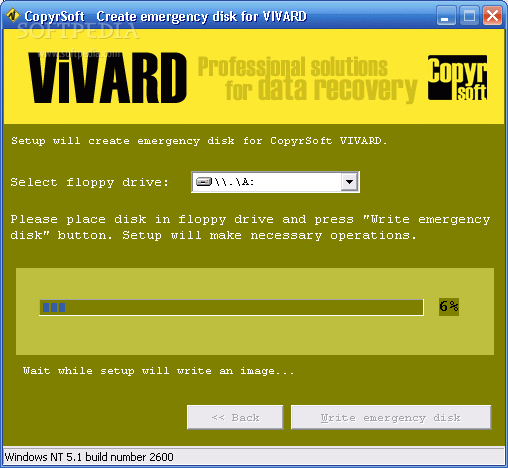
The application is only available in bootable image format for floppy disks. During the install process, you are prompted to write an emergency disk on a floppy drive.
Although it might seem easy to use, the application is not designed for beginners. Actually, it requires solid knowledge regarding booting a floppy disk, HDD structure and functioning.
With the help of this tool, you can perform different tests on your hard drive. For instance, the surface tests are designed to examine the surface of the hard disk, verify the integrity of each data sector and identify damaged or bad blocks. If you want to automatically replace found defects, the surface test with remap is the option to choose.
ViVARD can also be used for running maintenance tasks, in order to prolong the life of your hard drive and enhance its performance. It monitors the disk temperature and displays the S.M.A.R.T. (Self-Monitoring, Analysis and Reporting Technology) characteristics, such as the “Raw Read Error Rate”, “Spin Up Time”, “Write Error Rate”, “Start/Stop Count”, “Seek Error Rate”, “Spin Retry Count” and more. All these indicators are designed to provide you with important information about your hard drive status and functioning parameters.
In addition to this, the application can permanently erase certain sectors or even the whole drive (including the MBR section and user data), thus helping you make sure that previously stored data cannot be recovered. Information about the selected disk model, size and logical block addressing is also displayed.
To sum up, ViVARD is a handy tool intended for experienced users that need to evaluate the state of the hard drive. It is not a simple application, but provides advanced features that professionals find useful.
ViVARD 1.0
add to watchlist add to download basket send us an update REPORT- runs on:
- Windows All
- file size:
- 483 KB
- filename:
- vivard_en.zip
- main category:
- System
- developer:
- visit homepage
calibre

IrfanView

Context Menu Manager

Windows Sandbox Launcher

7-Zip

4k Video Downloader

ShareX

Microsoft Teams

Bitdefender Antivirus Free

Zoom Client

- Microsoft Teams
- Bitdefender Antivirus Free
- Zoom Client
- calibre
- IrfanView
- Context Menu Manager
- Windows Sandbox Launcher
- 7-Zip
- 4k Video Downloader
- ShareX