
Reprogram the functions of your peripherals’ buttons and execute a virtually unlimited number of commands through custom hotkey combinations using this incredibly powerful scripting language. #Automate task #Create script #Scripting language #Script #Automate #Hotkey

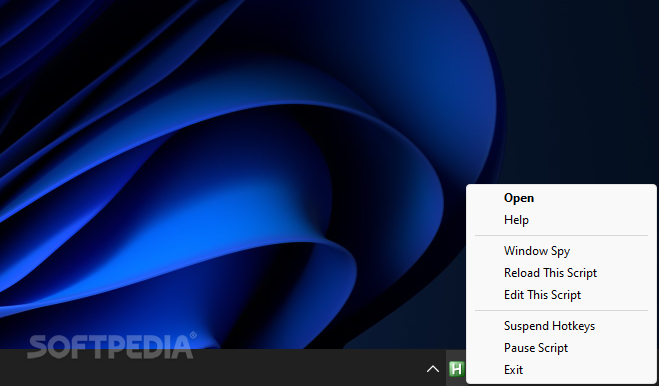
Despite the constant improvements made by Windows in terms of easing the interaction with its interface, there is no denying that the best solution concerns giving end users as much freedom of customization as possible, which is where AutoHotKey’s complex scripting capabilities come into play, providing those who are searching for a way to automate various tasks or increase their computer’s usability when dealing with a rather limited range of motion or mobility issues.
Once installed, users can create new scripts from Windows’ context menu and customize them through the text editor of their choice. To get started, the app includes a neatly organized and comprehensive user guide detailing the wide variety of parameters that can be implemented, alongside helpful code examples that can serve as a solid basis for your first script.
For instance, productivity can be taken to the next level when leveraging keys that remain unused throughout your workflow, such as the tilde button sitting underneath the Escape key, and making it emulate the Task Manager shortcut that usually requires a mixture of three hotkeys. Those who happen to have a full-sized keyboard can turn the number pad into a versatile, low-cost macro pad by reprogramming its numeric buttons to start up programs and execute extra functions.
What is more, hotkey combinations can have separate bindings depending on the program your cursor is focused on, for users who want to make the most of their available keys and use the same sets in both gaming and work scenarios. Thanks to its support for GUIs, one can generate custom context menus that are summoned right next to the cursor, and fill them with shortcuts to frequently used system settings or applications to avoid cluttering your Start Menu or Taskbar.
Whether you are currently looking for a way to automate repetitive tasks such as filling forms with your credit card details to order items online, or you wish to create an advanced autocorrect script tailored to your needs without sacrificing privacy or customization, AutoHotKey is one of the best solutions to all of your productivity-related needs.
What's new in AutoHotkey 1.1.37.02:
- Fixed inability of LWin::Alt to be used to activate some Alt-combos.
- Fixed mouse AltTab hotkeys not suppressing execution of a prefix hotkey, such as 1:: for 1 & WheelDown::AltTab. (Broken by v1.1.37.00)
- Fixed hook hotkeys not recognizing modifiers which are pressed down by SendInput.
- Fixed some issues affecting suppressed Alt/Ctrl/Shift/Win hotkeys, such as:
AutoHotkey 2.0.13 / 2.1 Alpha 8 / 1.1.37.02
 Softpedia Editor's Pick
add to watchlist
add to download basket
send us an update
REPORT
Softpedia Editor's Pick
add to watchlist
add to download basket
send us an update
REPORT
- portable version
- AutoHotkey Portable
- runs on:
-
Windows 11
Windows 10 32/64 bit
Windows 8 32/64 bit
Windows 7 32/64 bit - file size:
- 3.2 MB
- filename:
- AutoHotkey_2.0.13_setup.exe

- main category:
- System
- developer:
- visit homepage
Zoom Client

calibre

Microsoft Teams

IrfanView

ShareX

4k Video Downloader

Context Menu Manager

7-Zip

Windows Sandbox Launcher

Bitdefender Antivirus Free

- 7-Zip
- Windows Sandbox Launcher
- Bitdefender Antivirus Free
- Zoom Client
- calibre
- Microsoft Teams
- IrfanView
- ShareX
- 4k Video Downloader
- Context Menu Manager