
A super tiny little system tray utility to help you quickly change your default browser.. #Task manager #Browser switch #Browser change #Browser #Change #Switch
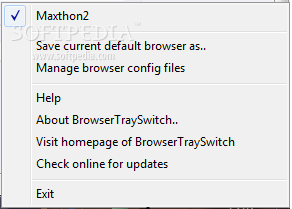
BrowserTraySwitch is a very tiny little system tray application that helps you quickly change your default browser.
Just right-click to change your default browser - after that all launched files and urls will open in the selected browser.
Want to just launch a specific browser once? Use the left click.
The icon of the tool shows the currently selected default browser. Double-click to launch the current default browser.
Why would you need a tool like BrowserTraySwitch?
Most people don't need this tool. Even if you have multiple browsers installed, you can always just launch your desired browser from the start menu when you want to use it. And while this tool can be used to launch selected browsers on demand, its real use is to change your systems "default" browser.
Why would you want to change your default browser on a regular basis? The system's default browser is used to to open .html files when you open them from windows explorer, and to open urls launched from other programs.
If you use programs that opens urls, for example a search engine program, or a web log analysis program, these urls will be opened using the default browser. If you need to switch between different proxies then a tool like BrowserTraySwitch could be useful for you to change between different profiles.
Personally I use BrowserTraySwitch as a security measure; I use it to switch between a regular working browser and a browser that I have configured to be blocked at all times by my firewall.
In this way, I keep my default browser normally blocked from accessing the internet, which prevents malicious programs from connecting through the internet by launching the default browser, and I can easily switch to a valid browser when I'm using tools that I want to allow to launch external urls.
What's new in BrowserTraySwitch 2.05.01:
- You can now call browsertrayswitch with the -lbcswitch option from LaunchBarCommander command output node to generate a submenu for switching browsers from LaunchBarCommander.
BrowserTraySwitch 2.05.01
add to watchlist add to download basket send us an update REPORT- runs on:
- Windows All
- file size:
- 572 KB
- filename:
- BrowserTraySwitchSetup.exe
- main category:
- System
- developer:
- visit homepage
paint.net

calibre

7-Zip

Windows Sandbox Launcher

IrfanView

Microsoft Teams

Zoom Client

4k Video Downloader

ShareX

Bitdefender Antivirus Free

- 4k Video Downloader
- ShareX
- Bitdefender Antivirus Free
- paint.net
- calibre
- 7-Zip
- Windows Sandbox Launcher
- IrfanView
- Microsoft Teams
- Zoom Client