
Records and replays mouse clicks and keystrokes, also providing a variety of additional commands that you can use to automate tasks. #Mouse recorder #Key Recorder #Replay mouse #Macro #Mouse #Recorder

Note: Mouse and Key Recorder is no longer supported, so it is now impossible to purchase the application. Nonetheless, you can still download it from Softpedia and use it with the limitations listed on this page.
Mouse and Key Recorder is a powerful software solution designed to record mouse and keyboard actions, with support for more than 100 commands.
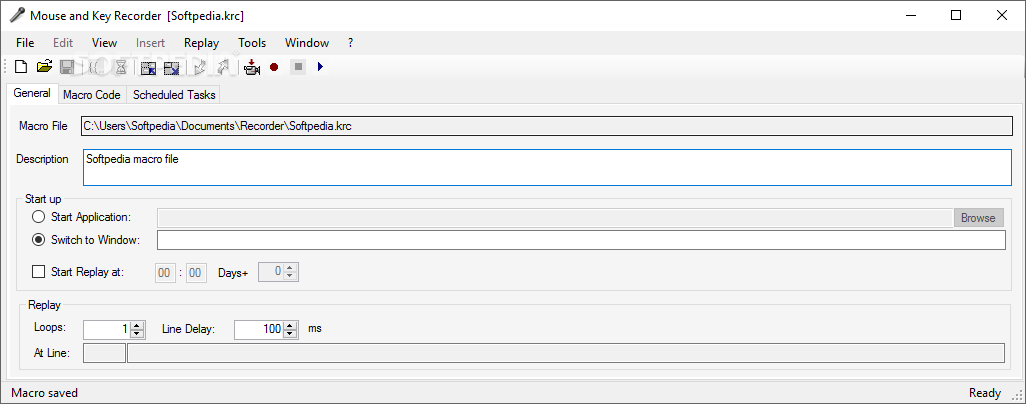
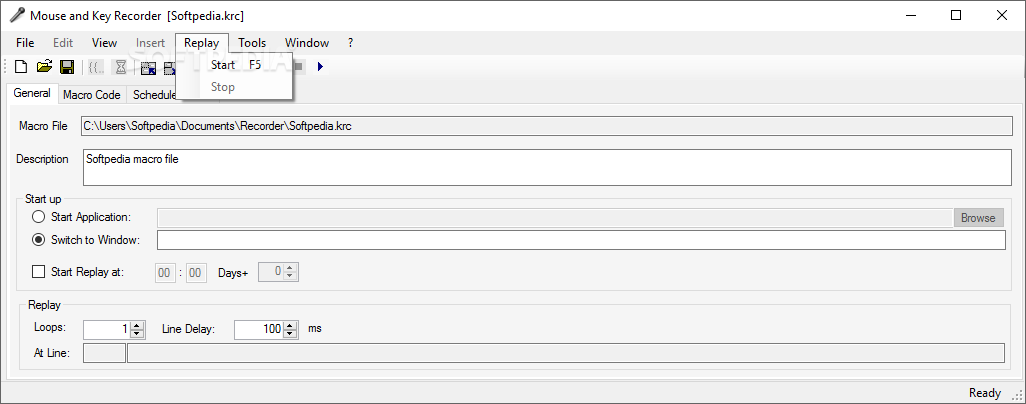
The interface may seem a bit overwhelming at first, especially because the main window boasts so many buttons and tools; however, features are nicely organized in tabs, so it's all very easy to navigate.
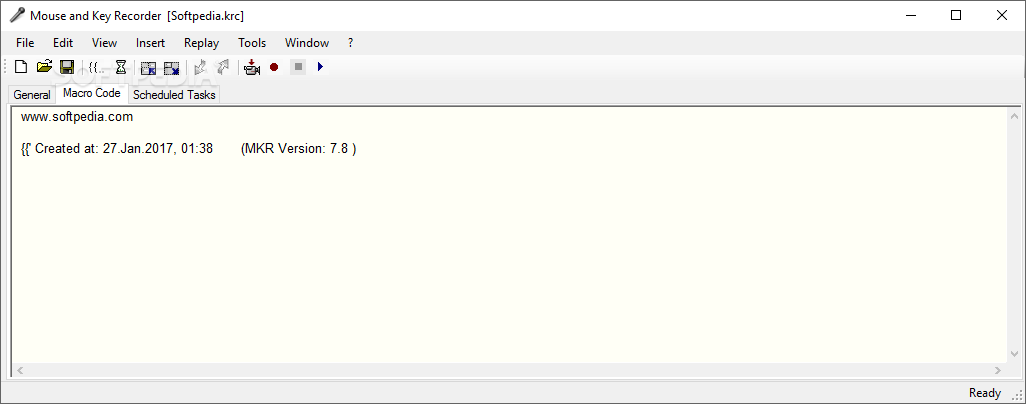
The “General” tab allows you to choose the macro file name and configure the replay, with dedicated options for loops and line delay. The “Macro” section, on the other hand, shows the entire content of a given macro, including mouse and keyboard actions.
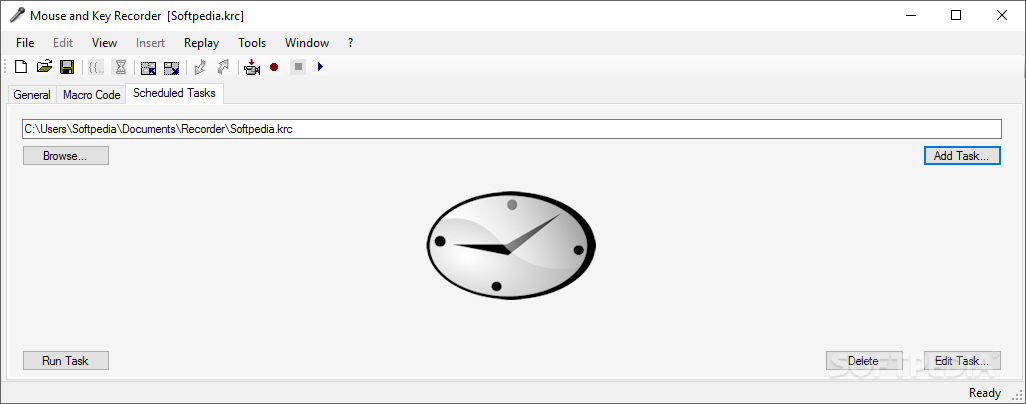
A scheduler is also available, so in case you wish to start one of your macros at a user defined time, it's pretty easy to configure it.
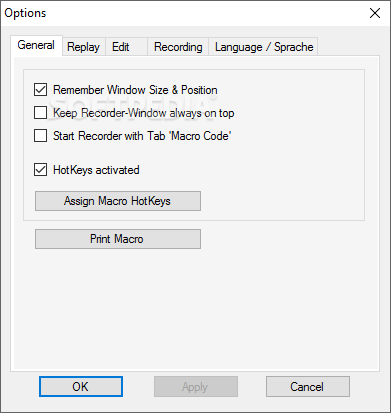
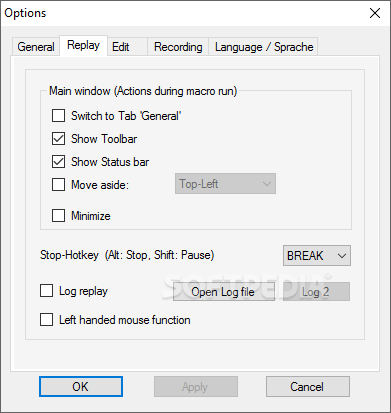
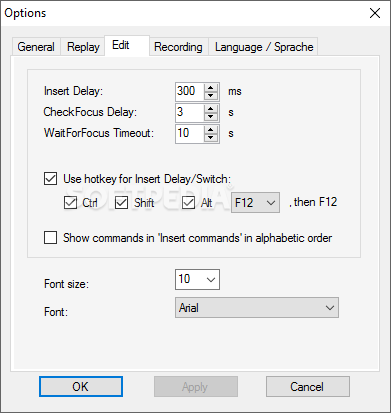
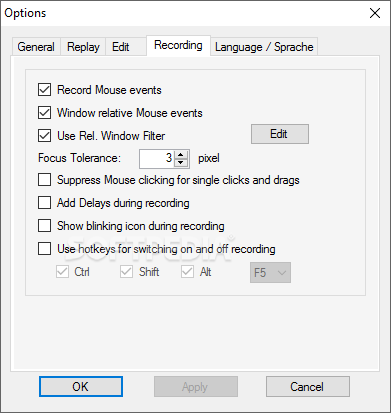
Of course, there are hotkeys to switch the recording on and off, all configurable via the “Options” menu. Also, it's recommended to have a look in the Options window, because there are numerous settings available, including a macro hotkey configuration screen and recording preferences.
The supported commands list is absolutely impressive and includes everything from starting applications to adding an offset to the loop number, read file size, create directory or wait for a key.
Just as expected, Mouse and Key Recorder runs on low computer resources and obviously gets along with all Windows versions.
All things considered, Mouse and Key Recorder is a powerful application and although it may seem aimed at professional users, the comprehensive help manual is always there to lend a hand to beginners as well.
What's new in Mouse and Key Recorder 8.0:
- Corrected: Mouse recording. (Repeated recording failed in Windows 10 Creators Update April 2017).
Mouse and Key Recorder 8.0
 Softpedia Editor's Pick
add to watchlist
add to download basket
send us an update
REPORT
Softpedia Editor's Pick
add to watchlist
add to download basket
send us an update
REPORT
- runs on:
-
Windows 10 32/64 bit
Windows Server 2012
Windows 2008
Windows 8 32/64 bit
Windows 7 32/64 bit
Windows Vista
Windows XP - file size:
- 2 MB
- filename:
- mouseandkeyrec.zip
- main category:
- System
- developer:
ShareX

Zoom Client

7-Zip

Bitdefender Antivirus Free

4k Video Downloader

IrfanView

Microsoft Teams

Windows Sandbox Launcher

calibre

paint.net

- Windows Sandbox Launcher
- calibre
- paint.net
- ShareX
- Zoom Client
- 7-Zip
- Bitdefender Antivirus Free
- 4k Video Downloader
- IrfanView
- Microsoft Teams