Search Perform an advanced search query SOFTPEDIA
 
SOFTPEDIA
Updated one minute ago
HomeSubmit a program for being reviewedAdvertise on our websiteGet help on surfing our websitesSend us your feedbackGet information about our XML/RSS backend and how to use itBrowse the news archiveVisit our discussion forumVizitati forumul in limba romana


Program Finder NormalFreeware onlyShareware only

RamDisk Plus 8.0.4.0 Report spyware 

Click to download RamDisk Plus
View more RamDisk Plus screenshots (2)
 Downloads: 5,443
Rating: Good (3.3/5) | Rated by: 33 user(s)
Add to download basket     Send us update information
 Developer: SuperSpeed LLC | More programs by this producer
 License: Comercialware , 49.95 $ to buy 
 Size / OS: 2.55 MB, Windows 2K/XP
 Last Updated: June 7th, 2006, 15:02 GMT
 Category: C: \ System \ OS Enhancements
 Read user reviews (0) Add a review Refer to friend Subscribe
    Download RamDisk Plus

RamDisk Plus description
RamDisk Plus - Easily create a virtual disk out of RAM

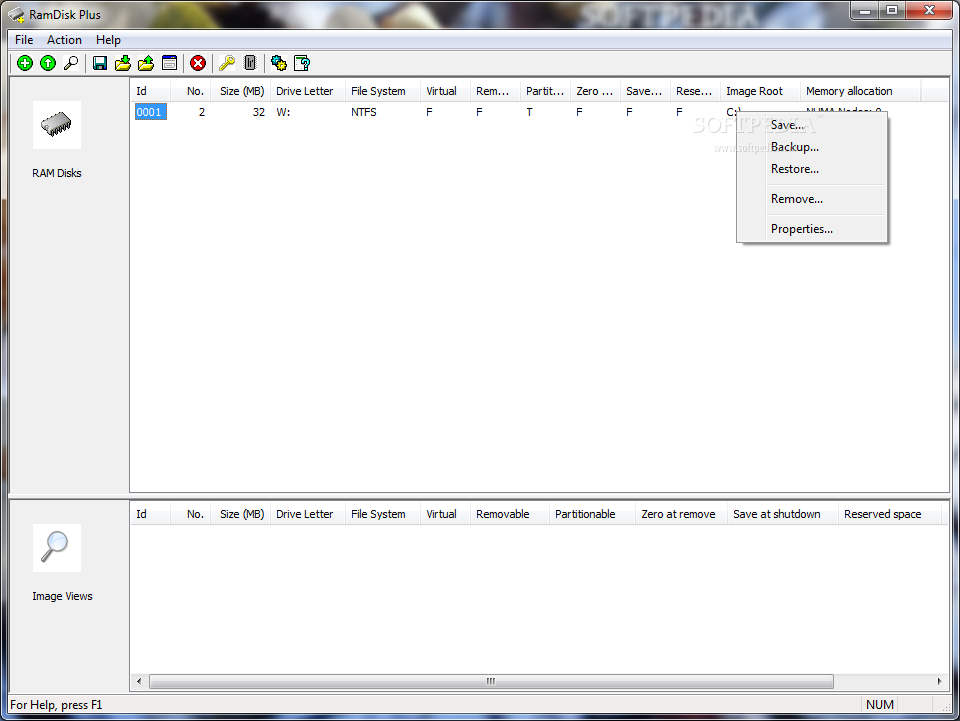
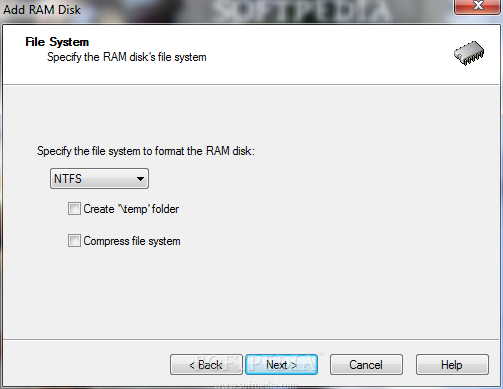
SuperSpeed offers two high-performance RAM disk products: RamDisk and RamDisk Plus. Both use our patent-pending memory management (up to 512 GB) and gate (for blazing speed) technologies to create a virtual disk out of RAM.

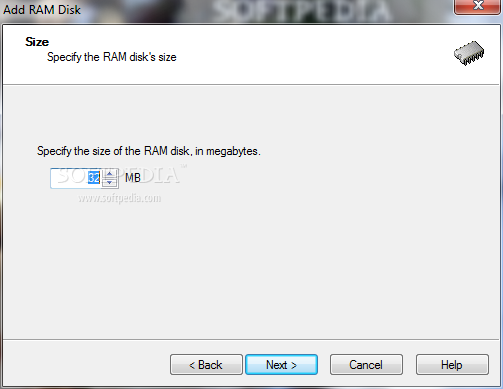
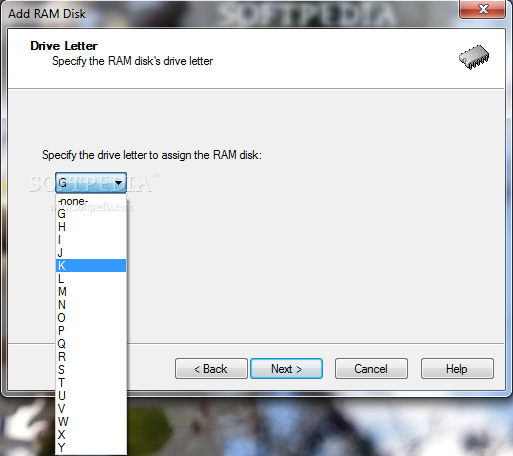
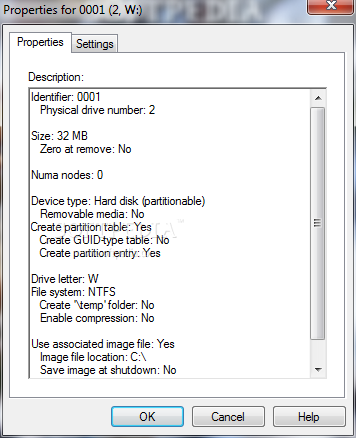
The RAM disk appears like a physical hard disk to the operating system and programs. You choose its size (depending on the amount of RAM in your system), drive letter and file system. You can copy, move and delete files on it. Like a physical disk, a RAM disk can also be shared so as to be accessed by other computers on a network.

The most important difference between a RAM disk and a hard disk is access
speed. The time taken for a hard disk to move its magnetic heads over the spinning disks (much like the arm moving over old vinyl record player) is typically measured in milliseconds (thousandths of a second).

Whereas a RAM disk does not have mechanical parts and its access speed is typically measured in nanoseconds (billionths of a second). Access to a RAM disk may be 50 times faster or more than to a hard drive.

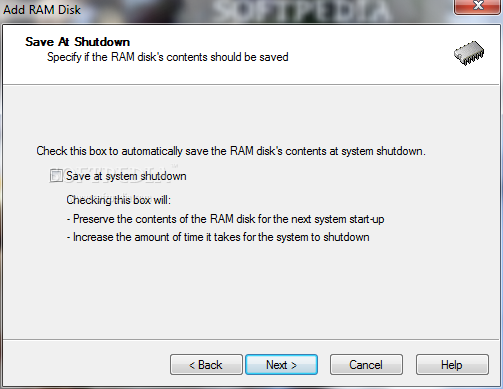
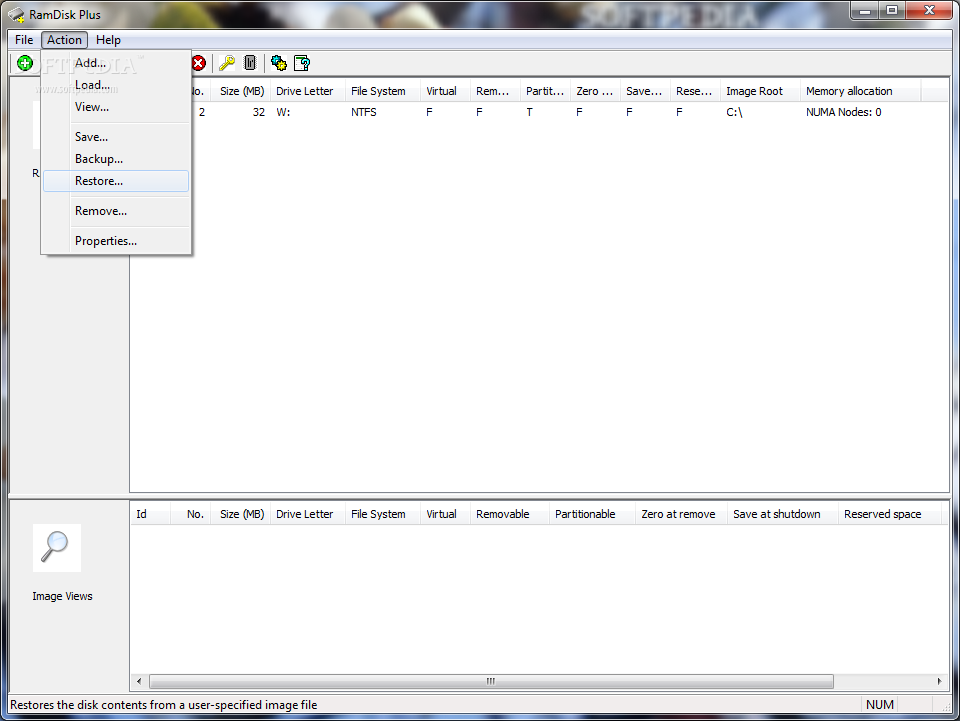
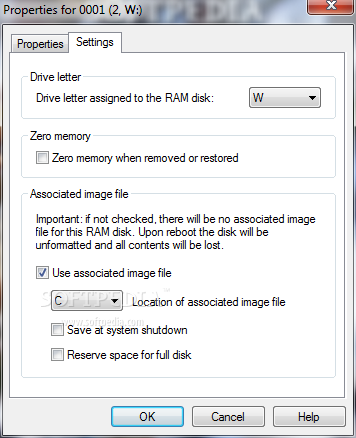
RamDisk supports a single RAM disk with no backup capability. RamDisk Plus adds multiple disk support, system page file support, and a versatile disk image backup facility. You can manually save the RAM disk’s contents to an image file, or have the contents saved automatically when the computer is shutdown. This feature will ensure that service and application data stored on the RAM disk will be preserved between computer restarts. During the subsequent system start-up, the disk's image is automatically loaded.

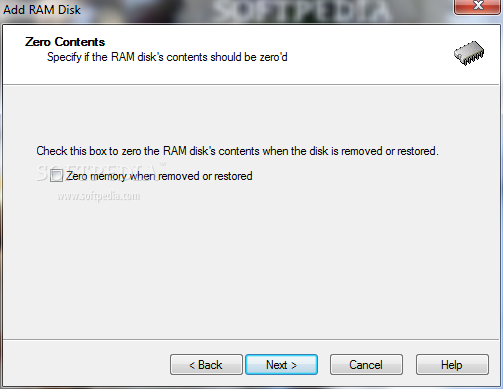
Security: Another reason for using a RAM disk is security or privacy. Once the server is restarted or shutdown, the contents of the RAM disk are lost (when the auto-save feature is disabled). For some services or applications, this is an important attribute that contributes to the protection of sensitive data or information.


Softpedia guarantees that RamDisk Plus 8.0.4.0 is 100% CLEAN, which means it does not contain any form of malware, including but not limited to: spyware, viruses, trojans and backdoors.

This software product was tested thoroughly and was found absolutely clean, therefore it can be installed with no concern by any computer user.

However, it should be noted that this product will be retested periodically and the award may be withdrawn, so you should check back on this page from time to time. (click here for more information)


Related downloads IT News Popular downloads New additions   Latest reviews  
Virtual CloneDrive 5.4.0.6 RC / 5.3.1.2
Emulates your computer's CD/DVD-ROM drive
VirtualDrive CD/DVD Emulator Pro 11.6
Emulates your computer's CD/DVD-ROM drive, which enables you to run CD and DVD programs directly from your HDD
5Star Game Copy 1.0.5.118
The application manages, searches, indexes and creates working backups of your game CDs and DVDs,
Virtual Drive Creator 2.3
Arafasoft Virtual Drive Creator is a small but very useful application used to create virtual drives
RAM Idle LE 1.5.0
A smart memory management program that will keep your computer running more efficiently, faster, and longer
RAM Idle Pro 3.6
A smart memory management program that will keep your computer running better, faster, and longer
LockDisk 3.0
Creates multiple encrypted virtual drive to store any type of data.
Visual Subst 1.0.6
Lets you associate the most accessed directories with virtual drives
Memory Management System 1.0
MMS is not the same as other "RAM Free" applications due to the integration of "Smart Technology."

go to top Use the following code to link to this page:


Welcome!
Hello, Guest

Login if you have a Softpedia.com account.

Otherwise, register for one.

Main categories:
  • Antivirus
  • Compression tools
  • CD/DVD Tools
  • Office tools
  • Programming
  • Authoring tools
  • File managers
  • Desktop Enhancements
  • Internet
  • Network Tools
  • IPOD TOOLS
  • Mobile Phone Tools
  • Multimedia
  • Tweak
  • System
  • Security
  • Others
  • Science / CAD
  • UNIX
  • Windows Widgets
  • PORTABLE SOFTWARE

  • Week's best:
  • Maxthon 2.1.3.2418 F...
  • FFDShow MPEG-4 Video...
  • FileZilla 3.1.1 RC1 ...
  • Winamp 5 Full 5.541 ...
  • TopSpyAdware Remover
  • GX::Transcoder 5.0.2...
  • AIM 6.8.12.4
  • VirtualBox 1.6.4
  • EF Commander 6.62
  • Camfrog Video Chat 5...
  • xpy 0.10.8
  • Total Commander 7.04
  • Driver Genius Profes...
  • NVIDIA BIOS Editor (...
  • CCleaner 2.10.618
  • Adobe Photoshop Ligh...
  • K-Lite Mega Codec Pa...
  • DVDFab Platinum 5.0....
  • Adobe Media Player 1...
  • Registry Mechanic 8....
  • BitSpirit 3.3.2.272
  • AnyDVD 6.4.5.9 Beta ...
  • Firefox 3.1 Alpha 1 ...
  • AutoCAD 2009
  • Norton AntiVirus 200...
  • Norton Internet Secu...
  • The Bat! Professiona...
  • WinRAR 3.80 Beta 4 /...
  • GMail Drive shell ex...
  • DAEMON Tools Lite 4....
  • © 2001 - 2008 Softpedia. All rights reserved.
    Softpedia™ and Softpedia™ logo are registered trademarks of SoftNews NET SRL.
    Copyright Information | Privacy Policy | Terms of Use | Contact Softpedia | Update your software | Archive