
Associate various sounds with each keyboard or mouse action with the help of little app that also sports interesting text-to-speech features. #Keyboard Sound #Mouse Sound #Text to Speech #Text2Speech #Reader #Sound

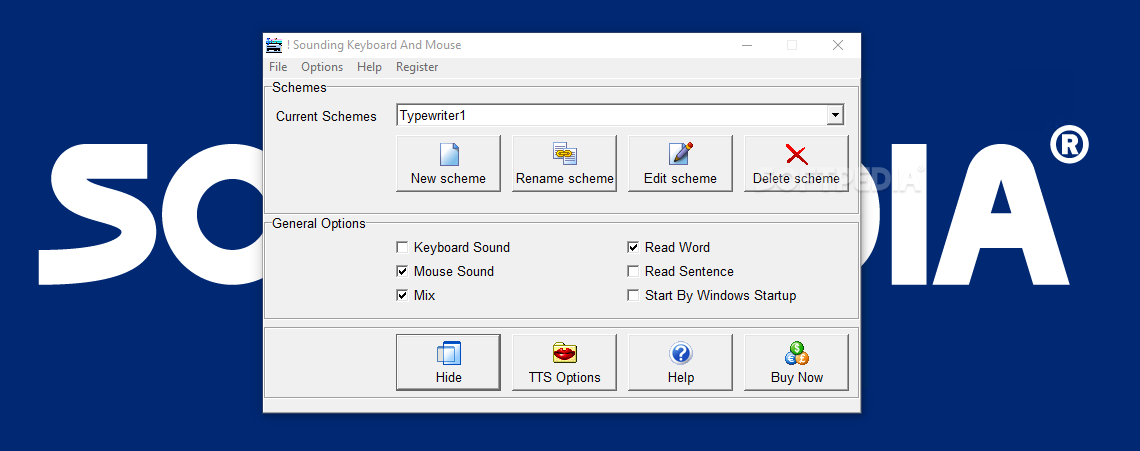
As its name makes it apparently clear, Sounding Keyboard and Mouse is a nifty little tool that has the potential to turn your keyboard and mouse into a simple musical instrument.
In short, this app makes it possible for you to associate various sounds to any mouse or keyboard-related action, either from your personal collection or by relying on the built-in templates.
If it seems a bit silly, know that that's not all this app is capable of. Using the native Microsoft Speech API and TTS engine from your computer's system, the utility is capable of reading any character, word, and even full sentences.
It's fairly easy to use, a thing very well emphasized by its compact main window and non-impressive, clear-cut user interface. To get this app up and running, simply follow through its typical installation process, launch it, and select one of the four default templates.
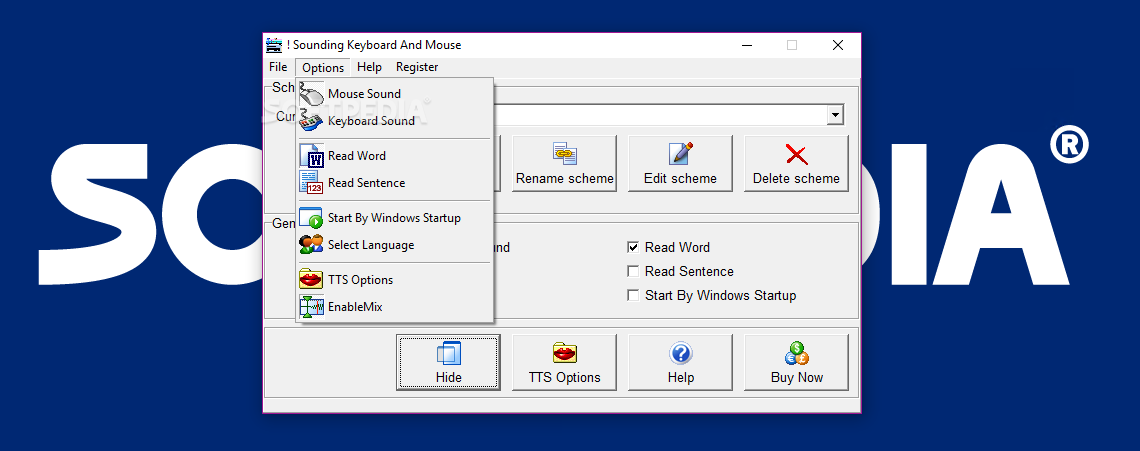
You'll also notice the apps second important section where you're provided with a few interesting options. Basically, you enable or disable various features by simply checking or unchecking the provided boxes. For instance, you can opt to disable the keyboard sounds, or the mouse sounds, or even both of them at the same time. You're also able to tweak a few of the app's text-to-speech features.
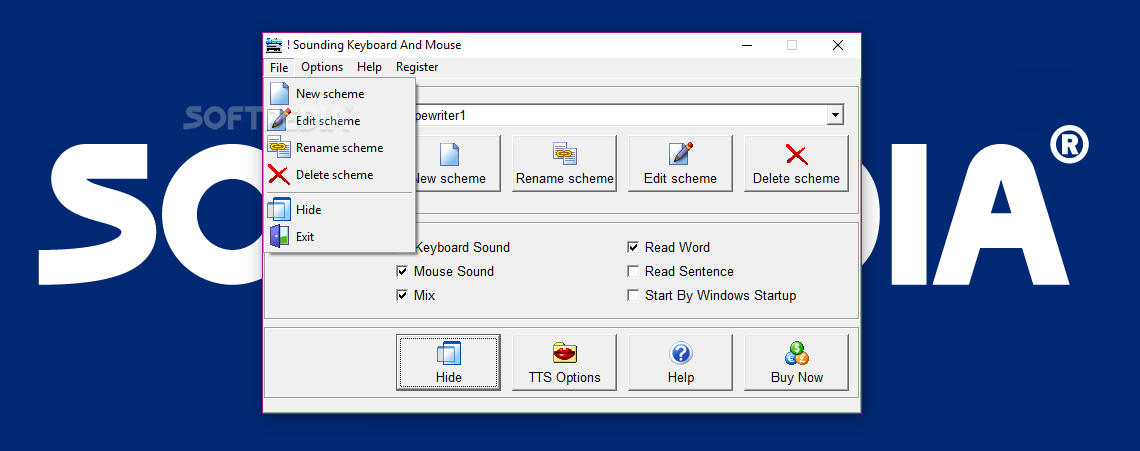
Please note the most relevant options mentioned above can also be accessed directly from the app's taskbar menu. Of course, you can add your own sound scheme, as well as rename, edit, and even delete it whenever you choose to.
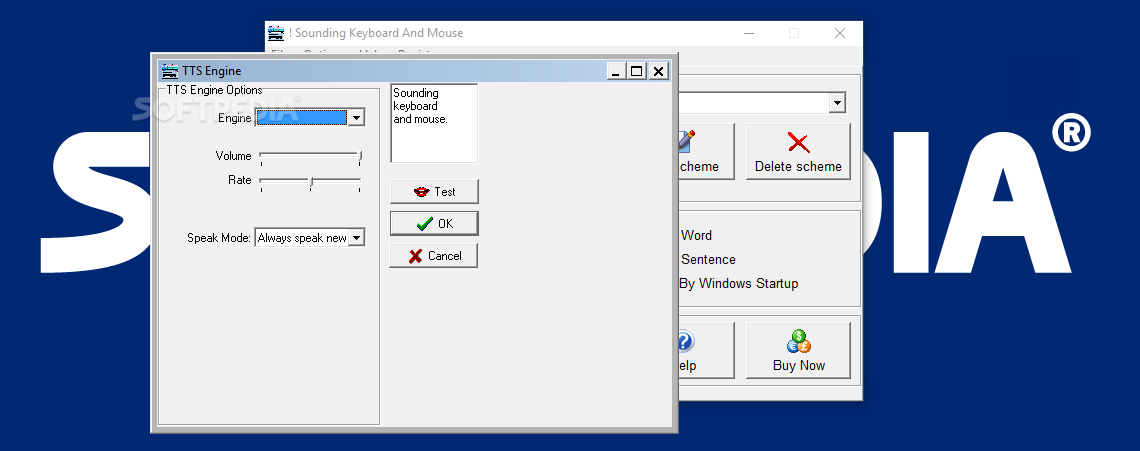
The application provides you with the option to change various TTS engine-related aspects, as well. For example, you can choose Microsoft's David or Zira text-to-speech voices, as well as tweak the speech volume and rate.
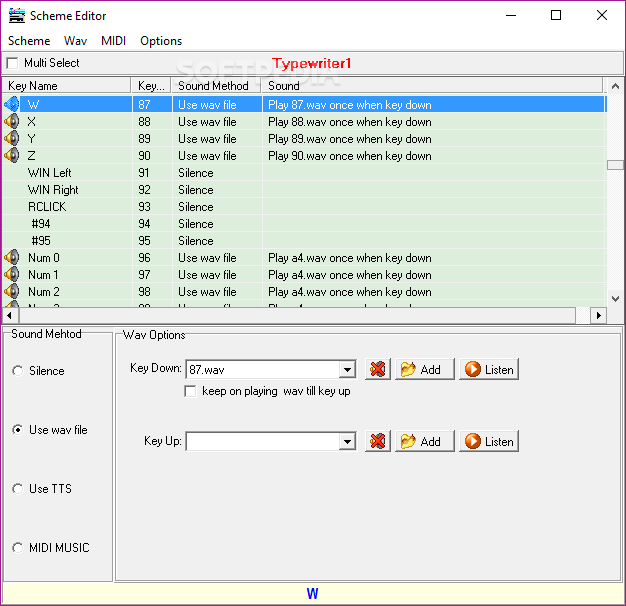
However, the app's Scheme Editor is by far the app's most useful tool since it allows you to fully customize the experience. You can use WAV and MIDI files which can be easily associated to literally any actions displayed in the Scheme Editor's list.
Sounding Keyboard and Mouse is a very interesting application that should appeal to an unexpected number of users out there as it has enough potential to help keep one's self entertained and, thanks to its text-to-speech features, it might also come in handy to various users with visual impairment.
Sounding Keyboard and Mouse 4X
add to watchlist add to download basket send us an update REPORT- runs on:
- Windows All
- file size:
- 2.7 MB
- filename:
- Download_td-sb-keysoundsetup.exe
- main category:
- System
- developer:
- visit homepage
paint.net

Microsoft Teams

7-Zip

Zoom Client

4k Video Downloader

Windows Sandbox Launcher

Bitdefender Antivirus Free

ShareX

IrfanView

calibre

- ShareX
- IrfanView
- calibre
- paint.net
- Microsoft Teams
- 7-Zip
- Zoom Client
- 4k Video Downloader
- Windows Sandbox Launcher
- Bitdefender Antivirus Free