
Introduces the 3D Alt-Tab replacement. #Window manager #Scale window #Tile window #Tiler #Tile #Minimizer

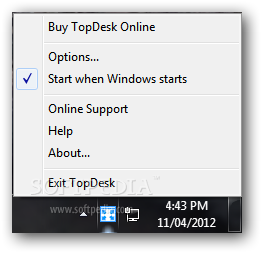
Switching windows using the Alt+Tab combination is a thing we all do, regardless of the Windows flavor we use. From this perspective, TopDesk might sound like an attractive software solution, as it has been specifically designed to provide an alternative solution to the somehow old-fashioned hotkey.
In just a few words, TopDesk uses three different window switching modes, all based on eye-candy effects and all supposed to improve productivity by letting you jump from one app to another within seconds.
Installing the program needs some time, especially because the configuration process begins with the very first 'Next' you press after launching the setup.
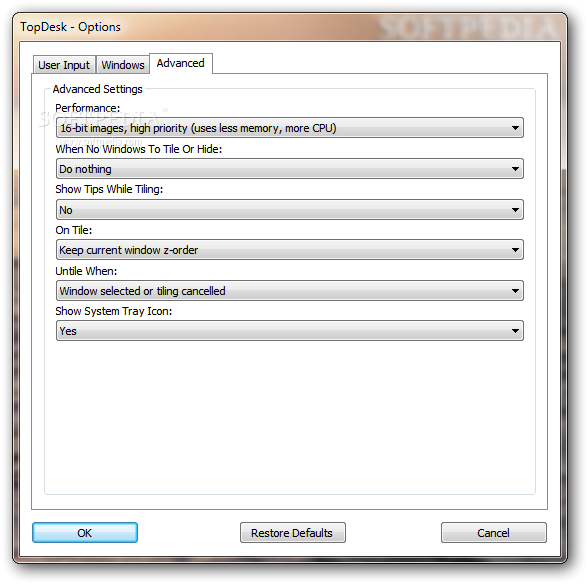
You are thus prompted to choose one of the three window layout modes you wish to use (Flip, Spatial and Grid), but also the keyboard shortcut to activate TopDesk, be it Win+Tab or F9. For a smoother performance you're also asked to choose between 16-bit and 32-bit images with low or high priority, thus deciding whether to use less or more memory and CPU for the task.
Using TopDesk is not at all a difficult job, especially because it all comes down to the keyboard shortcuts you decide to use.
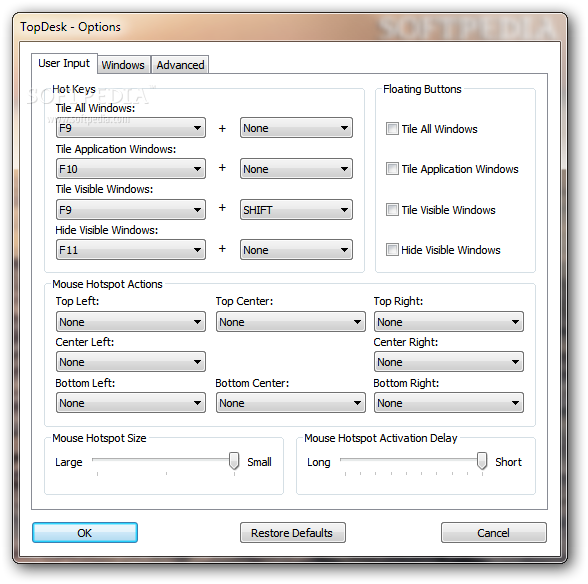
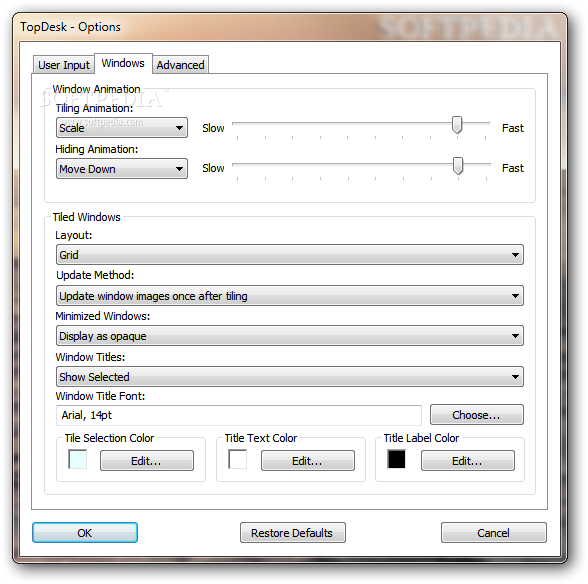
In case you don't want to spend more time setting up the program, you should be ready to use it with the standard settings from the get-go. Still, it's better to have a look in the 'Options' menu as well because you can thus change hotkeys, mouse hotspot actions, floating buttons, window layout and titles, animations and performance.
As for the way it works, everything went pretty smooth during our test, but users of older computers may notice a minor slowdown after loading this program.
TopDesk does a great job and since it is quite easy to configure and operate, the application suits very well less experienced and advanced users alike.
Download Hubs
TopDesk is part of these download collections: Minimize Windows
TopDesk 1.5.4.3
add to watchlist add to download basket send us an update REPORT- runs on:
- Windows XP
- file size:
- 2.3 MB
- filename:
- TopDeskTrialSetup.exe
- main category:
- System
- developer:
- visit homepage
IrfanView

Microsoft Teams

4k Video Downloader

Bitdefender Antivirus Free

calibre

Zoom Client

Windows Sandbox Launcher

7-Zip

Context Menu Manager

ShareX

- 7-Zip
- Context Menu Manager
- ShareX
- IrfanView
- Microsoft Teams
- 4k Video Downloader
- Bitdefender Antivirus Free
- calibre
- Zoom Client
- Windows Sandbox Launcher