
Change the windows border adding PNG support and transparency. #Add transparency #Transparent window #Customize window #Transparency #Transparent #Customizer

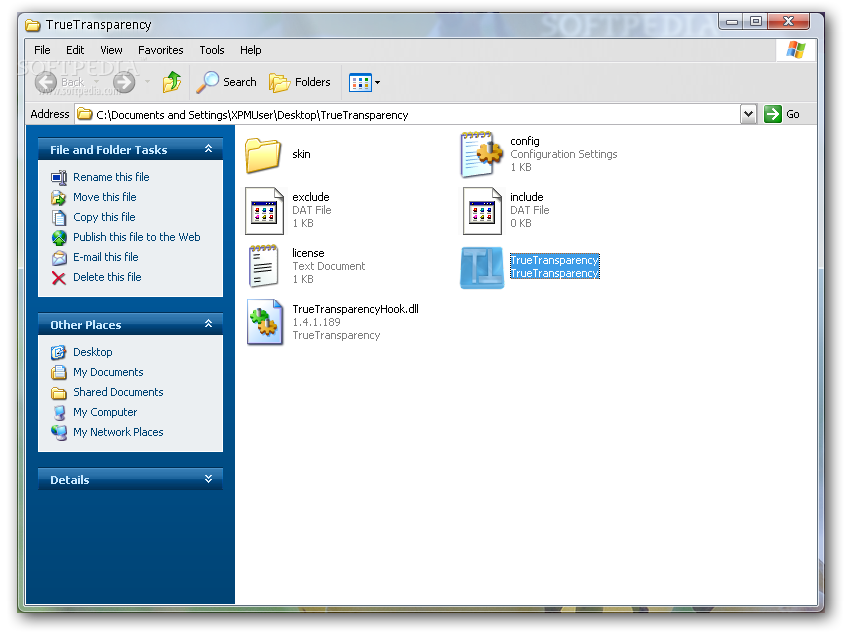
Tweaking Windows has always been a challenging job and nowadays there are quite a lot of dedicated utilities, some more complex, others rather specialized on tinkering with certain areas of the operating system.
TrueTransparency is one of the solutions that fall in the latter category and although it does only a single thing, it may still be worth your attention because it will bring a new level of transparency to your windows.
The application comes as a very light tool that adds a windows border with transparency, thus trying to make the operating system a bit more attractive throughout, without hampering computer performance at all.
During our tests, nonetheless, we did notice some performance problems caused by the app, mostly related to the window behavior when they are dragged around the desktop.
Although the utility remains light on computer resources, the rest of the windows, now with a more appealing border, seem to be seriously hindered, regardless of the enabled features.
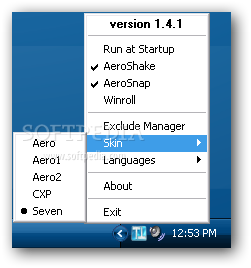
TrueTransparency doesn't come with a proper interface. Instead, it sits in your system tray and right-clicking its icon provides access to all its options. These include the possibility to enable three different features, AeroShake, WinRoll and AeroSnap. The program also has some customization preferences, letting you choose between multiple skins.
To conclude, its safe to say that TrueTransparency is nothing more than a good tool that performs decently overall, in spite of some occasional glitches. The looks of the system windows are indeed very nice but the performance issues may deter some users from keeping it permanently no their systems.
What's new in TrueTransparency 1.4:
- Additions/improvements:
- Ability to have TT 32 bits and 64 bits at the same time
- Right click on close button sends the window to the back
- Winroll
TrueTransparency 1.4.1
add to watchlist add to download basket send us an update REPORT- runs on:
-
Windows Vista
Windows XP - file size:
- 994 KB
- filename:
- TrueTransparency.zip
- main category:
- System
- developer:
Context Menu Manager

Windows Sandbox Launcher

Microsoft Teams

calibre

7-Zip

Zoom Client

4k Video Downloader

ShareX

IrfanView

Bitdefender Antivirus Free

- ShareX
- IrfanView
- Bitdefender Antivirus Free
- Context Menu Manager
- Windows Sandbox Launcher
- Microsoft Teams
- calibre
- 7-Zip
- Zoom Client
- 4k Video Downloader