WINDOWS CATEGORIES:


NEWS ARCHIVE >>
SOFTPEDIA REVIEWS >>

WEEKLY HIGHLIGHTS

DVD Cloner45
Spyware Doctor40
1Click DVD Copy40
Apollo DVD Copy40
ABC Amber BlackBer...45
Protected Music Co...40

7-DAY TOP DOWNLOAD

#
Program
Avira AntiVir
Personal - Free
Antivirus 9.0.0.415

170,556
Windows Live
Messenger 2009
14.0.8089.726

140,493
Avira Antivir Virus
Definition File
Update December 1,
2009

128,729
Nexus Radio 4.2.2
125,219
FreeZ Online TV 1.30
88,201
Y! Multi Messenger
8.x and 9.x

77,176
Microsoft Office
2010 14.0.4536.1000
Beta / 2007

74,779
DVD Shrink 3.2.0.15
50,362
Windows Live
Messenger
8.5.1302.1018

50,211
AVG Free Edition 9.0
Build 707a1765

47,231

WEEK'S BEST

  • Kaspersky Password...
  • Daniusoft Video to...
  • VirtualBox 3.1.0 r...
  • SiSoftware Sandra ...
  • Kaspersky Virus Re...
  • Faststone Image Vi...
  • Vuze (formerly Azu...
  • Softpedia Wallpape...
  • Softpedia Wallpape...
  • Softpedia Wallpape...
  • RSSOwl 2.0.1
  • Internet Explorer ...
  • Online Armor ++ 4....
  • cFosSpeed 5.01 Bui...
  • SONY Vegas Pro 9.0...
  • Firefox 3.6 Beta 4...
  • Nokia Photos 1.6.434
  • Windows Server 200...
  • Skype Portable 4.1...
  • Google Chrome Port...
  • PCMark Vantage Bas...
  • Kaspersky Anti-Vir...
  • Microsoft Virtual ...
  • Messenger Plus! Li...
  • WinX DVD Author [F...
  • SoftPerfect Networ...
  • System Mechanic Pr...
  • Ad Muncher 4.81 Bu...
  • Windows 7 Upgrade ...
  • Pidgin 2.6.4
  • Home > Windows > System > OS Enhancements
     Report spyware

    Uninstall Plus! 4.1

    Download button

    Downloads: 12,577  Add to download basket  Tell us about an update
    User Rating:
    Rated by:
    Good (3.8/5)
    38 user(s)
    Developer:

    License / Price:

    Size / OS:

    Last Updated:

    Category:
    BiTQueue Solutions | More programs
    Trial / USD 18.95 | BUY the full version
    2.1 MB / Windows All
    April 6th, 2008, 17:21 GMT
    C: \ System \ OS Enhancements

     Read user reviews (0)  Add a review  Refer to a friend  Subscribe


    Uninstall Plus! description


    This application helps you completely uninstall programs, scan, identify and correct registry errors

    Uninstall Plus! was designed to, completely uninstall and remove any traces of uninstalled programs, automatically repair registry errors.

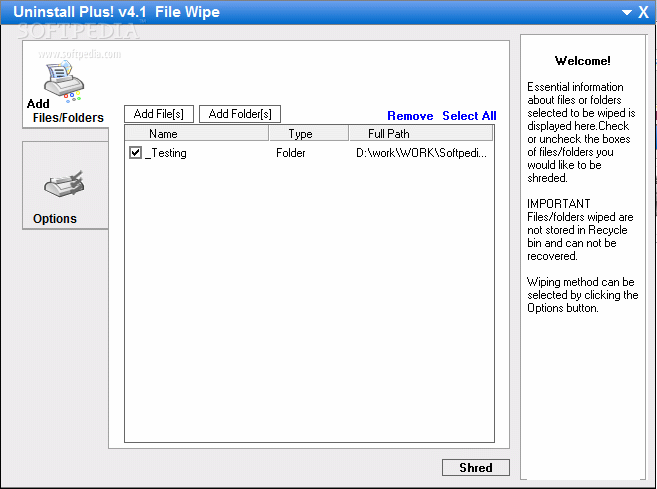
    Uninstall Plus! can scan, identify and remove errors in your registries, backup and restore your registry to prevent any malfunctions, repair any damage done by previously uninstalled, deleted, or prartialy installed programs, manage the programs starting at boot time, Uninstall Plus! also incorporates a real time error detection system which helps you remove errors as they appear. Keep track of the expired trial/shareware programs so only the usefull applications remain and no valuable space is wasted.

    To uninstall programs all you have to do is double click the program you want to uninstall. If it is hard to locate the program you want uninstalled you can use the incorporated search system. All the programs which contain the word (letter[s]...etc) you have entered will be highlighted so you can easily locate the program you want uninstalled. In case an error occurs Uninstall Plus! allows you to correct it.

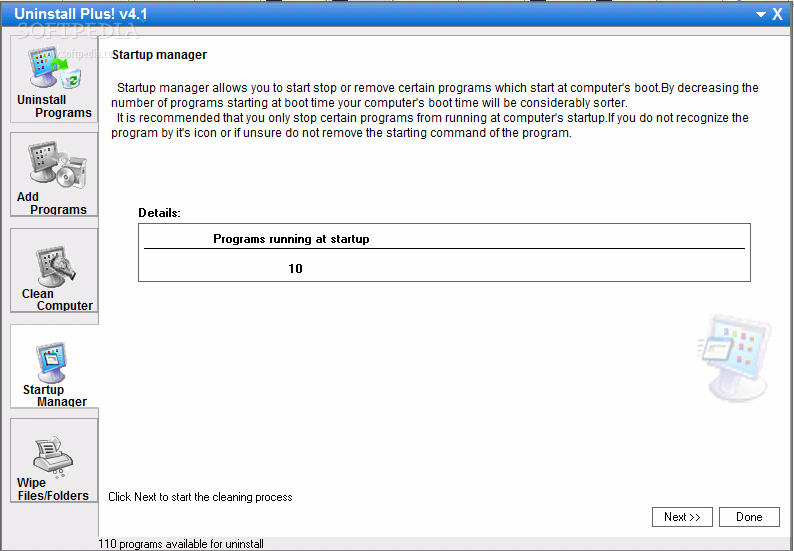
    Uninstall Plus! incorporates a start up manager allowing you to control the programs which start at computer's boot so your computer will start booting at its real speed again.You can easily identify the starting programs by looking at its icon, or by visiting it's location on your hard drive.

    Uninstalling programs can save you lot of space, effort and headache by keeping your computer and its operating system clean at all times. It saves you from having to recover your computer from fatal errors or even reinstalling the operating system. Start up manager allows you to keep control of the programs starting at computer's boot so no unnecessary programs are loaded and no extra time is wasted.

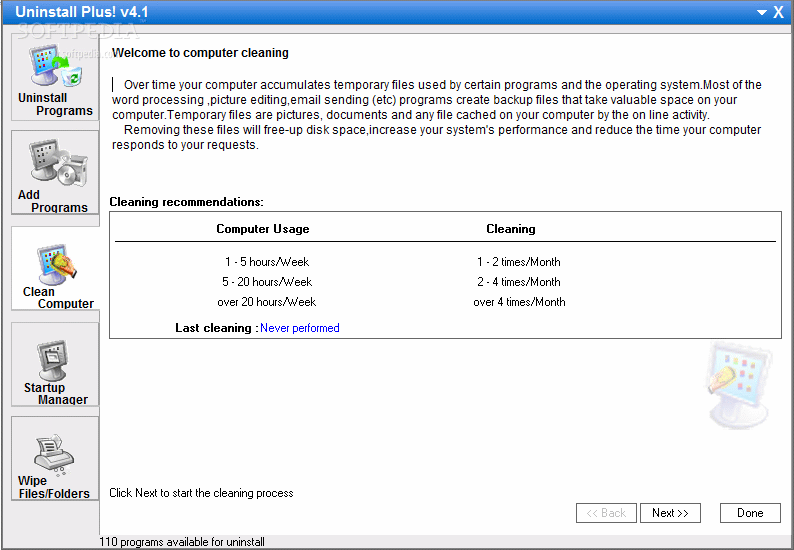
    Uninstall Plus! was designed to offer you a quicker and better solution in cleaning your computer and have it running at its real speed all the time.

    For best results we recommend you to run Uninstall Plus! at least once a week.

    What's New in This Release:

    registries and hard drive cleaning of any leftover information, real time error detection, trial programs traking system

    Limitations:

    · Limited to 15 days.
    · Nag screen

     Softpedia guarantees that Uninstall Plus! 4.1 is 100% CLEAN, which means it does not contain any form of malware, including spyware, viruses, trojans and backdoors. [read more >]


    TAGS:

    uninstall program | clean computer | correct registry | Uninstall | Uninstaller | remove


    HTML code for linking to this page:


    Go to top

    Windows tabGames tabDrivers tabMac tabLinux tabScripts tabMobile tabHandheld tabGadgets tabNews tab

    SUBMIT PROGRAM   |   ADVERTISE   |   GET HELP   |   SEND US FEEDBACK   |   RSS FEEDS   |   ENTER NEWS SITE   |   ENGLISH BOARD   |   ROMANIAN FORUM