Softpedia
 

WINDOWS CATEGORIES:


GLOBAL PAGES >>
SOFTPEDIA REVIEWS >>
MEET THE EDITORS >>
WEEK'S BEST
  • Bitdefender Total ...
  • Ocster Backup Pro ...
  • Hard Disk Sentinel...
  • FlashFXP [DISCOUNT...
  • DVDFab DVD Copy [D...
  • Kaspersky Internet...
  • Avast! Internet Se...
  • Avira Internet Sec...
  • Webroot SecureAnyw...
  • McAfee Total Prote...
  • Home > Windows > Desktop Enhancements > Other Desktop Enhancements
     Report malware

    ViGlance 1.0 Build 1306

    download button

    Part of the Tweak Taskbar download hub
    Downloads: 37,158  Tell us about an update
    User Rating:
    Rated by:
    Good (3.9/5)
    40 user(s)
    Developer:

    License / Price:

    Size / OS:

    Last Updated:

    Category:

    Ad-supported / $0
    359 KB / Windows XP
    [view history]
    C: \ Desktop Enhancements \ Other Desktop Enhancements

     Read user reviews (0)  Send to friend   Follow (4 users)

    Softpedia Editor's Review for ViGlance

    EDITOR'S RATING:

    Bring the Windows 7 taskbar looks onto your XP computer

    Written by Sorin Cirneala on March 7th, 2012

    ViGlance is a lightweight application that is designed to bring new functions to your Windows taskbar. The program is aimed at Windows XP and Vista users that can take advantage of some features currently available in Windows 7.

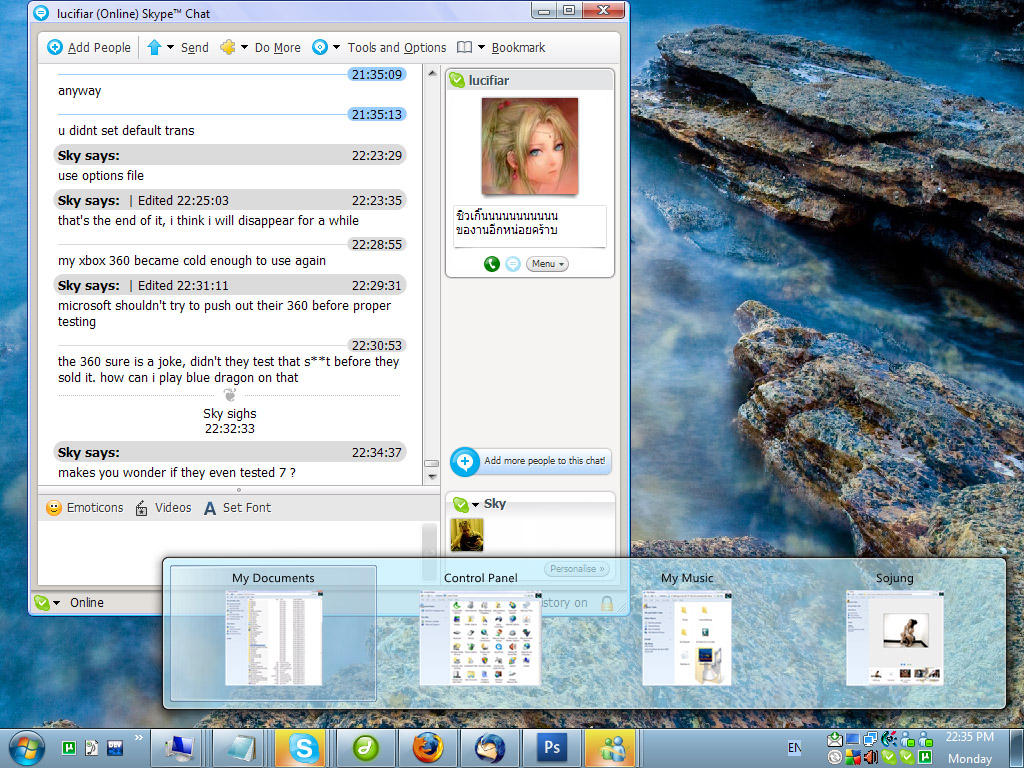
    The first feature that stands out right after you install the program is the transparency effect that is added to the taskbar.

    A productivity booster is the possibility to view the thumbnails of the opened windows of a certain application by hovering the mouse over taskbar icon. If you are working with multiple documents it is much easier to select one of them by quickly looking at the content preview instead of reading its title. The thumbnails generated by the program also display the title of the window, which comes in handy since the thumbnails are not always visible.

    Pinning application shortcuts to the taskbar is another feature in Windows 7 that ViGlance can bring to XP or Vista, through the context menu. The same menu enables you to minimize, to restore or to close all the windows from the group with just one click. The program also allows you to unpin a certain program or to clear all the pinned items from the Options window.

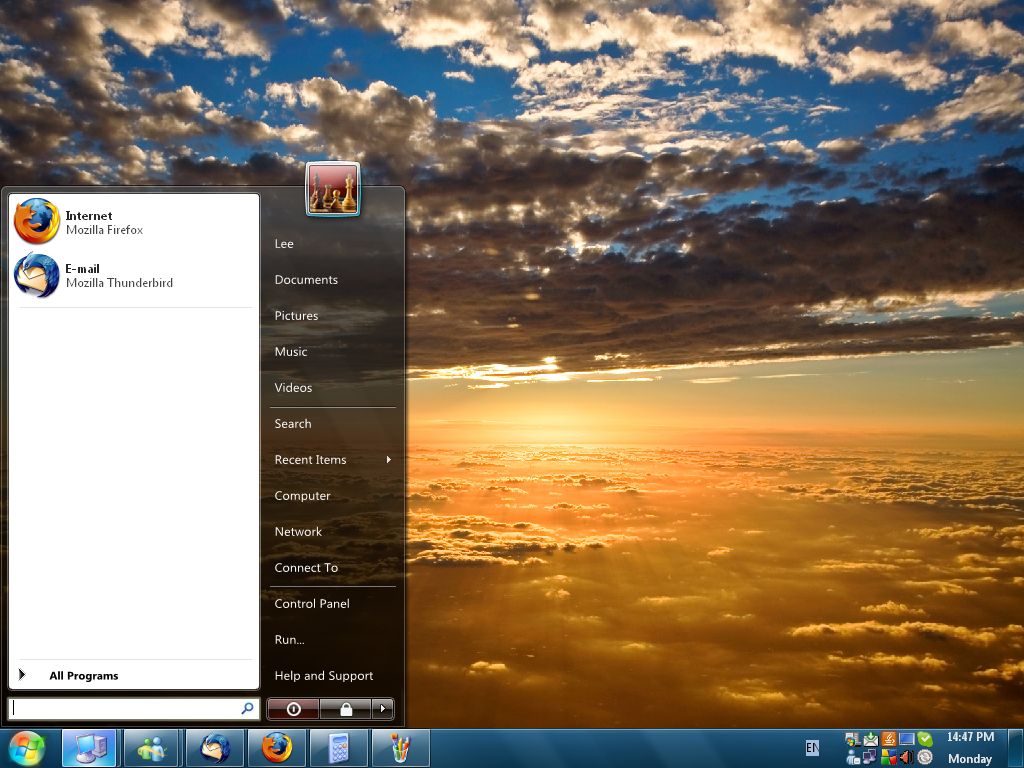
    Finally, you can change the aspect of the Start button with a replica of the Windows 7 Start button. This does not change the Start menu or the functions of the button and is only meant to replace the classic green button with a more modern one. Although it looks better you should know that it disables the context menu that lets you access the properties of the taskbar and of the Start menu.

    The program's installer attempts to download other toolbars and applications that do not improve its functionality in any way. If you do not need these programs you can decline their installation when you setup ViGlance.

    ViGlance is compact and does not have any impact on the computer performance since both the memory and the processor load are insignificant. However, it is useful mainly for Windows XP computers since the later versions already include some of the features.

    ViGlance description

    Here are some key features of "ViGlance":

    Take control of your taskbar with process grouping:
    · ViGlance groups windows relative to their process. Each open application reserves its own space on the bar. Windows relative to that application are then grouped as children of that application on the bar. This keeps the taskbar clean and better organised into a more logical grouping system.

    Enjoy true 48x48 Vista/7 icons from your taskbar:
    · Normally Windows XP and Vista is only capable of showing 16x16 sized icons on the taskbar. Yet we tend to respond better to pictures than text. Meaning we rarely read the text labels on our taskbar. The ViGlance superbar displays full colour 48x48 icons making it quicker to identify and manage your tasks.

    Replace that ugly start button with a 7 Orb replica:
    · The start button in Windows XP isn’t very pretty; it’s too big and ugly and its horrible shade of green. ViGlance replaces that horrible oversized start button with a small and efficient start orb. Whilst at the same time delivering a smooth fade transitional rollover effect like that of Windows 7.

    "Glide effortlessly between tasks" - 7 Style transition effects:
    · “Information shouldn’t just appear on the screen to the user” (MSDN). ViGlance implements a transition effect system I call “Glide”. This is based somewhat on the Aero peak feature from Windows 7. Each group is dynamically resized via the glide animation to fit the size of the available information to be presented, allowing you to “Glide” between each group on the Super Bar.

    What's New in This Release: [ read full changelog ]

    · Added - Little red close button for both textmode (classic style mode) and thumbnail mode (Windows 7 style)
    · Added - Truncating text when it doesn't fit on in the dedicated window space
    · Fixed - various focus bugs and abnormalities (non Windows 7) behavoir
    · Fixed - Ugly options Window

    Users are advised to pay attention while installing this ad-supported application:

    · Offers to change the homepage for web browsers installed in the system
    · Offers to change the default search engine for web browsers installed in the system
    · Offers to download or install software or components (Babylon toolbar) that the program does not require to fully function


    TAGS:

    Windows 7 taskbar | taskbar transparency | Windows 7 enhancement | Windows 7 | taskbar | enhancement

    Go to top

    WindowsGamesDriversMacLinuxScriptsMobileHandheldNews

    SUBMIT PROGRAM   |   ADVERTISE   |   GET HELP   |   SEND US FEEDBACK   |   RSS FEEDS   |   UPDATE YOUR SOFTWARE   |   ROMANIAN FORUM